
1. Introduction
This manual provides instructions for the BrizLabs 100ft 60 LED RGBCW Smart Permanent Outdoor Lights. These lights are designed for year-round outdoor illumination and festive decorations, offering extensive customization options through a dedicated application and voice control.

Image: The BrizLabs Permanent Outdoor Lights, showing the product box, a section of the light string, and the mobile application interface for control.
2. Safety Information
- Ensure the power source is compatible with the product's specifications (Corded Electric, 36 watts).
- The lights are rated IP65 waterproof, suitable for outdoor use in various weather conditions including rain and snow.
- Operating temperature range is -4°F to 140°F. Avoid installation or operation outside this range.
- The product is UV-resistant for long-term outdoor durability.
- For smart control, ensure your Wi-Fi network is 2.4GHz, as 5G networks are not supported.
- Refer to the included instruction manual for detailed safety guidelines specific to your region.
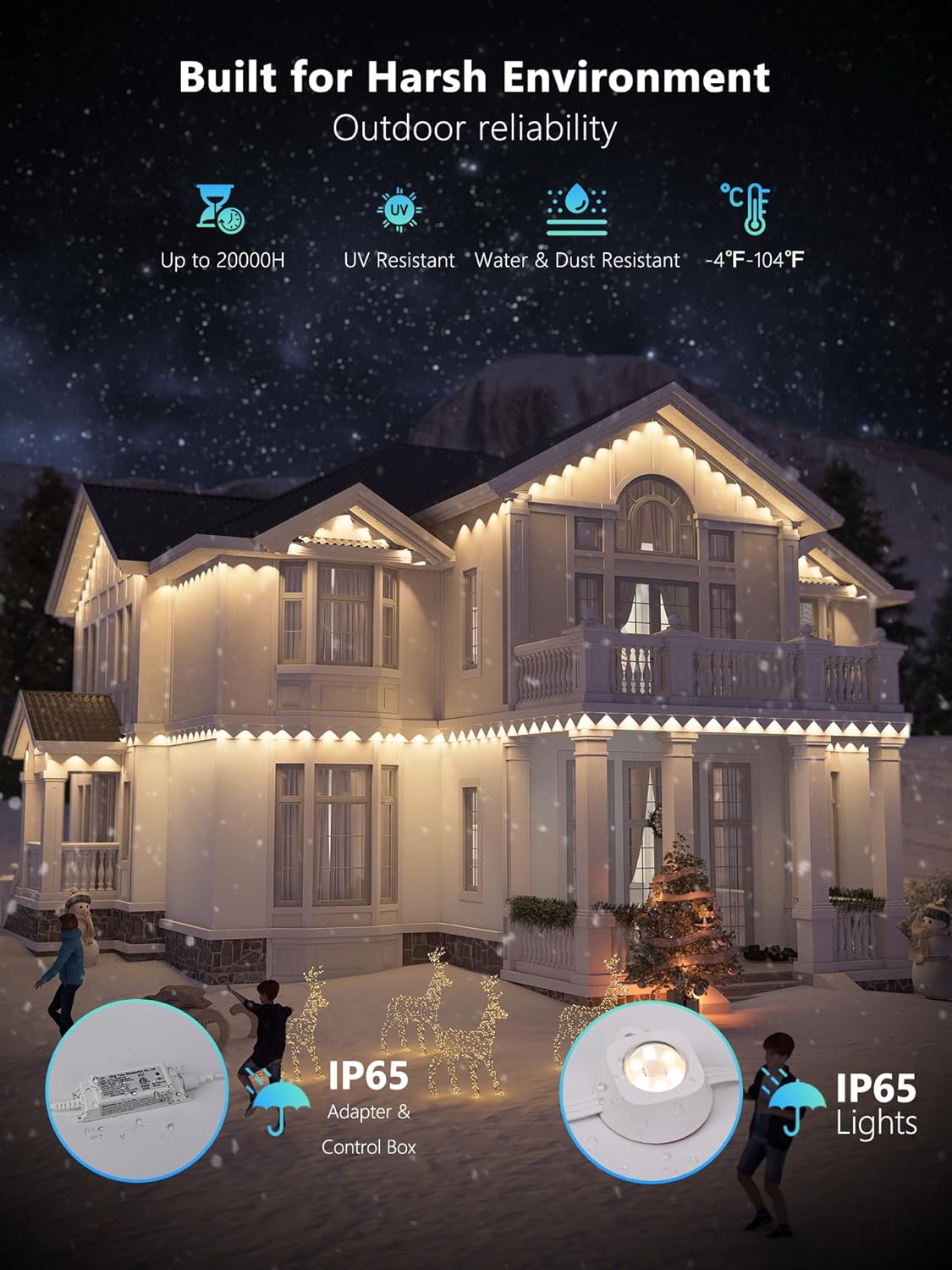
Image: A house illuminated by BrizLabs lights during winter, emphasizing the product's durability against harsh weather conditions, including IP65 water resistance and UV resistance.
3. Package Contents
Verify that all items are present in the package:
- 1 x 100ft Permanent Outdoor Lights
- 1 x Instruction Manual
4. Specifications
| Feature | Detail |
|---|---|
| Brand | BrizLabs |
| Model Number | 7547ca01-e985-45fb-806b-ab275c5ea52e |
| Color | RGBCW (Red, Green, Blue, Cool White, Warm White) |
| Material | Plastic |
| Indoor/Outdoor Usage | Indoor, Outdoor |
| Power Source | Corded Electric |
| Wattage | 36 watts |
| Light Source Type | LED |
| Number of Light Sources | 60 |
| Water Resistance Level | IP65 Waterproof |
| Size | 100ft |
| Control Method | App, Voice (Alexa, Google Assistant) |
| Special Features | 16 Million Colors + Warm White + Cool White, Color Changing, Dimmable, Smart APP & Voice Control, Waterproof, 100° Beam Angle |

Image: Detailed view of a BrizLabs light, highlighting its lens design, 100-degree beam angle, 50 lumens brightness, and 5-in-1 RGBCW LED beads for versatile lighting.
5. Installation
The BrizLabs Permanent Outdoor Lights are designed for straightforward installation. For detailed, step-by-step instructions, please refer to the dedicated instruction manual included in your product package.
General Installation Guidelines:
- Mounting Options: The lights typically include multiple mounting options, such as adhesive backing and screw clips, to secure them to eaves, fascia, or other suitable outdoor surfaces. Choose the method most appropriate for your installation surface and desired permanence.
- Placement: Plan the layout of your lights to ensure optimal coverage and aesthetic appeal. Consider the 100° beam angle of each light for effective illumination.
- Power Connection: Ensure the power adapter is connected to a weather-protected outdoor outlet.
- Cable Management: Secure all cables to prevent tripping hazards and protect them from environmental damage.
6. Smart App & Voice Control Setup
Control your BrizLabs lights using the dedicated mobile application and integrate them with smart home assistants.
App Setup:
- Download the BrizLabs App: Search for "BrizLabs" in your smartphone's app store (iOS or Android) and download the application.
- Create an Account: Follow the in-app instructions to create a new user account or log in if you already have one.
- Connect to Wi-Fi: Ensure your smartphone is connected to a 2.4GHz Wi-Fi network. The BrizLabs lights are compatible only with 2.4GHz Wi-Fi (not 5G).
- Add Device: Power on your BrizLabs lights. In the app, select the option to add a new device and follow the pairing instructions. This typically involves putting the lights into pairing mode (refer to the in-box manual for specific steps) and confirming the Wi-Fi network.
Voice Control Integration (Alexa/Google Assistant):
- Enable Skill/Service: Open your Alexa or Google Home app. Search for the "BrizLabs" skill or service and enable it.
- Link Account: You will be prompted to link your BrizLabs app account with your Alexa or Google Assistant account.
- Discover Devices: Once linked, ask your voice assistant to "Discover devices" or manually initiate device discovery in the app. Your BrizLabs lights should appear.
- Control with Voice: You can now use voice commands such as "Alexa, turn on permanent lights" or "Hey Google, set permanent lights to red."

Image: A house adorned with BrizLabs lights in a Halloween theme, illustrating hands-free voice control compatibility with Amazon Alexa and Google Assistant, alongside the BrizLabs mobile application.
7. Operating Instructions
The BrizLabs app provides comprehensive control over your permanent outdoor lights.
Key Features and How to Use Them:
- Color Selection (16 Million Colors + White Tones):
Each light features a triple-LED design (RGB, warm white, cool white). Use the app to select from 16 million colors or choose between warm white and cool white for various moods. Each LED can be adjusted independently for precise customization. - Preset Scene Modes & DIY Customization:
The app offers over 200 preset scene modes for holidays like Christmas and Halloween, as well as everyday ambiance. You can also create and save your own custom scenes and color patterns. - Dynamic Effects:
Explore dynamic lighting effects such as Flow, Chase, Jump, and more. The app allows control over two LEDs simultaneously for complex patterns. - Brightness and Speed Adjustment:
Adjust the brightness of the lights and the speed of dynamic effects directly through the app. - Music Sync:
Utilize the 8 built-in music modes to synchronize your lights with audio. The lights will dynamically adjust to the beat of music played nearby. Control the sensitivity of the music sync feature via the app. - Scheduling and Timers:
Set automated lighting schedules using the built-in timer function. Program specific on/off times to match your daily routine or special events. - Grouping Lights:
If you have multiple BrizLabs light sets, you can group them within the app to control them simultaneously for a synchronized display.

Image: A house illuminated with BrizLabs lights showcasing a vibrant rainbow pattern, with the accompanying mobile app displaying options for DIY color and effect customization.

Image: A house with BrizLabs lights set to a warm white color, demonstrating the user-friendly app interface for controlling white light settings and grouping lights for synchronized display.
8. Maintenance
The BrizLabs Permanent Outdoor Lights are designed for long-lasting performance with minimal maintenance.
- Cleaning: Periodically clean the light fixtures with a soft, damp cloth to remove dirt, dust, or debris. Avoid using harsh chemicals or abrasive materials that could damage the lights or their waterproof seals.
- Inspection: Regularly inspect the cables and connections for any signs of wear, damage, or loose connections. Ensure all mounting points remain secure.
- Durability: The lights are crafted with anti-UV materials and are IP65 waterproof, ensuring reliable performance in various weather conditions. They have a lifespan of up to 20,000 hours.
9. Troubleshooting
If you encounter issues with your BrizLabs Permanent Outdoor Lights, refer to the following common troubleshooting steps:
- Lights Not Turning On:
- Check if the power adapter is securely plugged into a working outlet.
- Ensure the lights are properly connected to the controller.
- Verify that the power button on the controller or in the app is activated. - App Connectivity Issues:
- Confirm your smartphone is connected to a 2.4GHz Wi-Fi network. The lights do not support 5G Wi-Fi.
- Restart your Wi-Fi router and the BrizLabs lights.
- Ensure your phone's Bluetooth is enabled during the initial pairing process.
- Try resetting the lights to pairing mode (refer to the in-box manual for specific instructions). - Voice Control Not Responding:
- Verify that your BrizLabs account is correctly linked to your Alexa or Google Assistant app.
- Ensure your voice assistant device is online and within range.
- Use the exact device names configured in your BrizLabs app when issuing voice commands. - Lights Not Responding to Commands:
- Check the app for any error messages.
- Ensure the lights have a stable Wi-Fi connection.
- Close and reopen the BrizLabs app.
- If individual lights are not responding, inspect their physical connection within the string.
10. Warranty and Support
For information regarding the product warranty, please refer to the warranty card included in your product packaging or visit the official BrizLabs website. If you require further assistance or have questions not covered in this manual, please contact BrizLabs customer support through their official channels.