
ISPEKTRUM Vortex Q3 Mini 2 Drone
ISPEKTRUM Vortex Q3 Mini 2 Drone User Manual
Model: Vortex Q3 Mini 2 Drone
1. Introduction
This manual provides essential information for the safe and effective operation of your ISPEKTRUM Vortex Q3 Mini 2 Drone. Please read this manual thoroughly before operating the drone and retain it for future reference.

Image 1: ISPEKTRUM Vortex Q3 Mini 2 Drone and Remote Control.
2. Safety Guidelines
Always prioritize safety during drone operation. Failure to follow these guidelines may result in injury, damage to property, or legal consequences.
- Operate the drone in open areas, away from people, animals, buildings, and power lines.
- Maintain a safe distance from the drone during takeoff and landing.
- Do not operate in strong winds (above Level 5) or adverse weather conditions.
- Ensure the battery is fully charged and securely installed before each flight.
- Regularly inspect the drone for any damage to propellers, motors, or body.
- Adhere to local regulations regarding drone operation, including registration requirements (not required for drones under 250g in some regions, but always verify).
3. Package Contents
Verify that all components are present in your package:
- ISPEKTRUM Vortex Q3 Mini 2 Drone
- Remote Control
- 7.4V 3000mAh LiPo Battery (quantity may vary by combo)
- USB Charging Cable
- Spare Propellers
- User Manual (this document)

Image 2: High-capacity 7.4V 3000mAh LiPo battery, providing approximately 28 minutes of flight time.
4. Setup
4.1 Unfolding the Drone
- Carefully unfold the drone arms until they lock into position.
- Ensure all propellers are securely attached and free from obstruction.
4.2 Battery Installation and Charging
- Insert the fully charged 7.4V 3000mAh LiPo battery into the drone's battery compartment.
- Connect the battery to the drone's power port.
- To charge the battery, use the provided USB charging cable. Connect the cable to the battery and a suitable USB power source.
- The battery indicator lights will show charging status. Ensure the battery is fully charged before first use.
4.3 Remote Control Setup
- Install the required batteries (1x 9V, included) into the remote control.
- Extend the remote control antennas for optimal signal.
- Power on the remote control.

Image 3: The remote control features a 7.8-inch screen for real-time image transmission without needing a mobile phone connection.
4.4 App Download and Connection
Download the official ISPEKTRUM drone application from your device's app store. Follow the in-app instructions to connect your drone to your smartphone for advanced features and FPV viewing.
5. Operating the Drone
5.1 Powering On and Pairing
- Place the drone on a flat, level surface.
- Press and hold the battery switch on the drone; the 4pcs lights will turn on, indicating the drone is starting up.
- Power on the remote control. The drone and remote will automatically pair.
5.2 Takeoff and Landing
- One-Click Takeoff: Press the designated takeoff button on the remote control or in the app to initiate automatic takeoff.
- Manual Takeoff: Push both joysticks diagonally outwards to start the motors, then gently push the left joystick up to ascend.
- One-Click Landing: Press the designated landing button for automatic descent and landing.
- Manual Landing: Gently pull the left joystick down to descend, then hold it down for a few seconds after landing to stop the motors.
5.3 Flight Controls
The remote control uses a standard mode 2 configuration:
- Left Joystick: Controls altitude (up/down) and yaw (rotate left/right).
- Right Joystick: Controls pitch (forward/backward) and roll (left/right).
5.4 Advanced Features
- GPS & Optical Flow Positioning: The drone utilizes dual GPS and optical flow systems for precise positioning and stable hovering, both indoors and outdoors.
- 360-Degree Obstacle Avoidance: Equipped with intelligent obstacle detection, the drone automatically avoids collisions, enhancing safety for all skill levels.

Image 4: The drone's 360-degree laser obstacle avoidance system ensures safe navigation by detecting and avoiding obstacles.
- 5G FPV and Extended Range: Enjoy real-time video transmission (FPV) with a range of up to 3 kilometers.
- High-Performance 4K Camera with 3-Axis Gimbal: Capture clear 4K images and videos. The 3-axis electronic image stabilization (EIS) gimbal ensures smooth, stable footage. The camera's angle is adjustable via the transmitter.
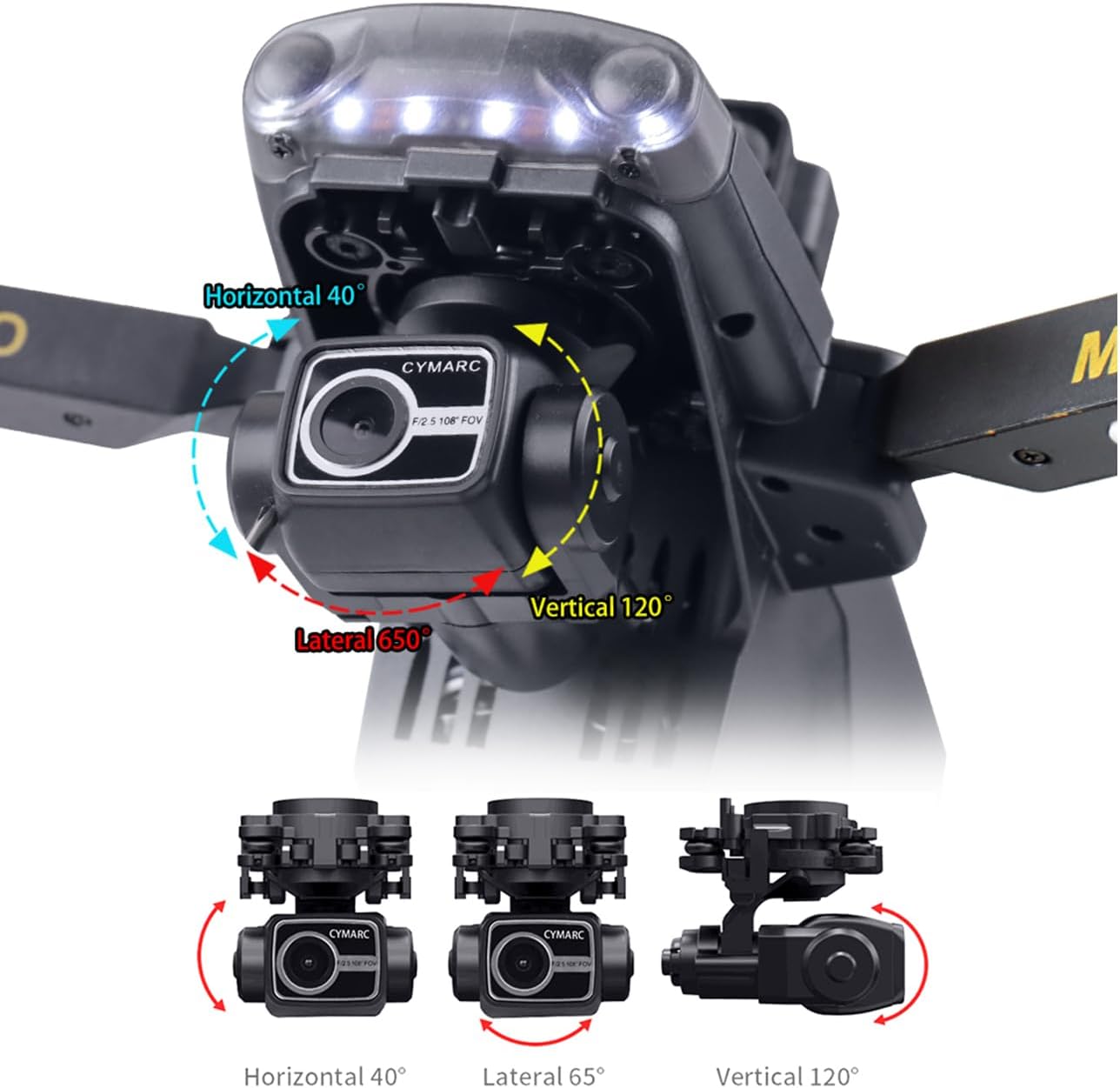
Image 5: The drone's 3-axis mechanical gimbal allows for precise camera adjustments, including horizontal 40°, lateral 65°, and vertical 120° rotation.
- Intelligent Flight Modes:
- Follow Me Mode: The drone automatically tracks and follows your movements.
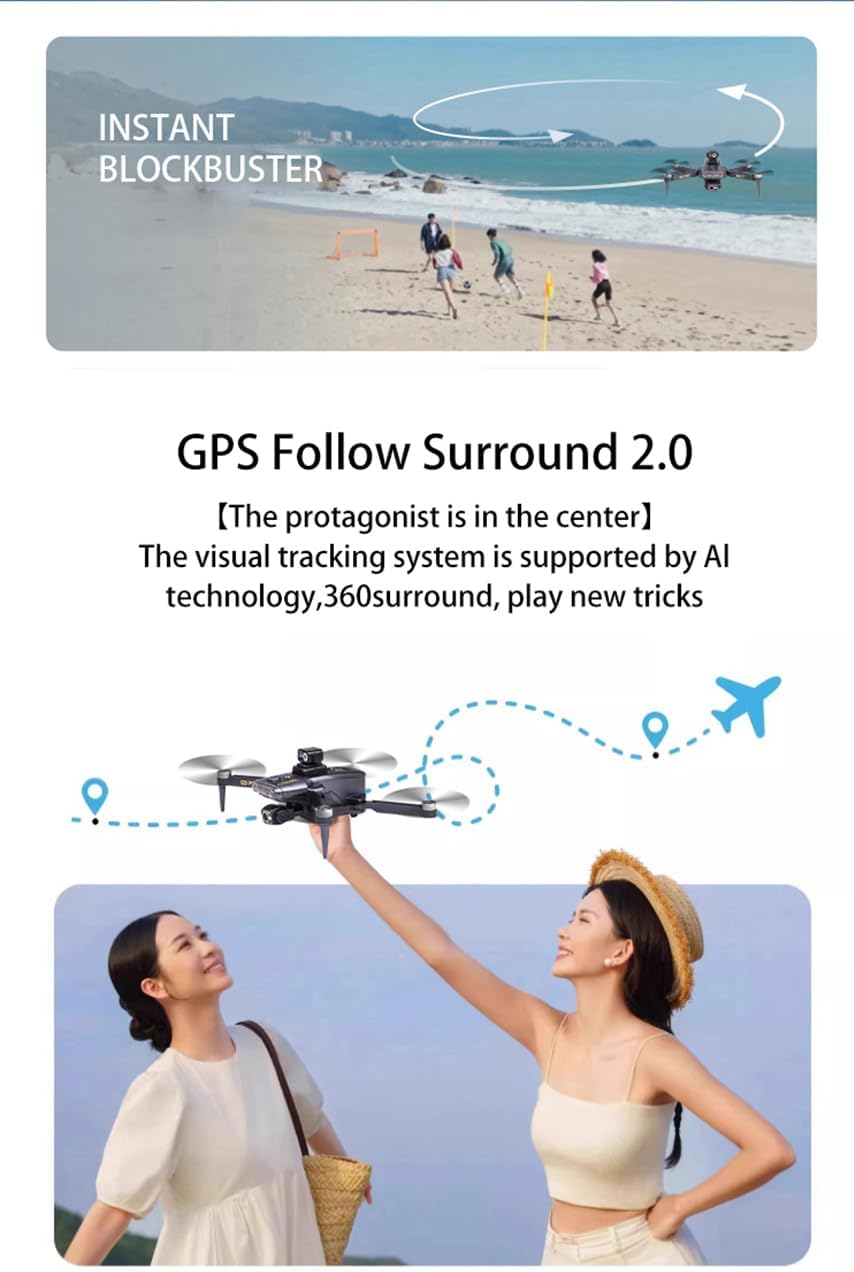
Image 6: GPS Follow Surround 2.0 mode uses visual tracking and AI technology to keep the drone focused on the subject.
- Circle Around: Creates stunning orbiting shots around a designated point.
- Waypoints: Plan a flight route for automated exploration by setting specific points on the map.
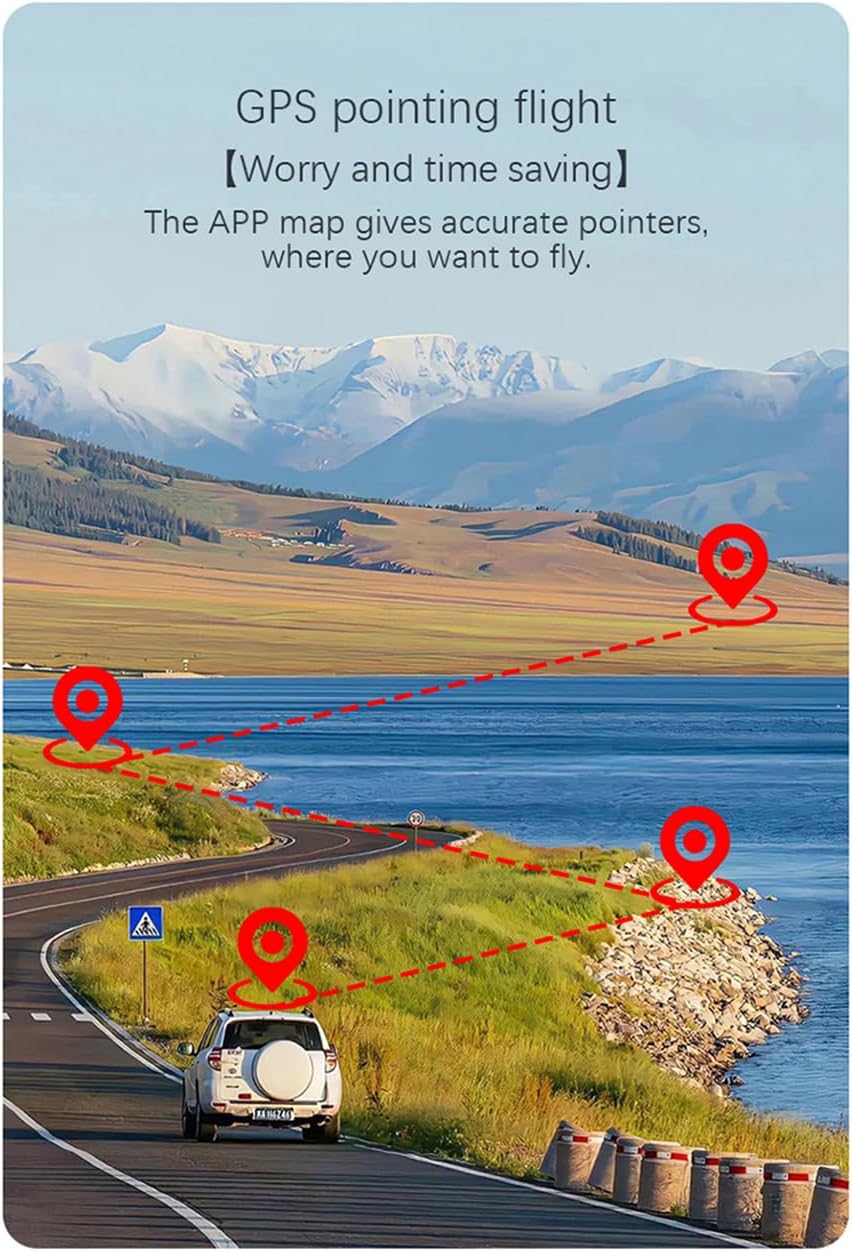
Image 7: GPS pointing flight allows users to define precise waypoints on a map for automated flight paths.
- Spiral Mode: Captures unique spiral perspectives.
- Gesture Control: Snap photos or record videos with simple hand gestures.
- Follow Me Mode: The drone automatically tracks and follows your movements.
- One-Click Return: The drone automatically returns to its takeoff point in case of low battery or lost signal.
- Intelligent Sharing: Easily share pictures and videos directly from the app.
6. Maintenance
Regular maintenance ensures the longevity and optimal performance of your drone:
- Cleaning: Use a soft, dry cloth to clean the drone body and camera lens after each flight. Avoid using harsh chemicals.
- Propeller Inspection: Check propellers for cracks, bends, or damage before and after every flight. Replace damaged propellers immediately using the provided spares.
- Battery Care: Store batteries in a cool, dry place. Do not overcharge or over-discharge. If storing for extended periods, charge to approximately 50-60%.
- Motor Check: Ensure motors are free from debris and spin smoothly.
- Storage: When not in use, fold the drone and store it in its portable storage bag to protect it from dust and damage.
7. Troubleshooting
| Problem | Possible Cause | Solution |
|---|---|---|
| Drone does not power on. | Battery not charged or improperly installed. | Ensure battery is fully charged and correctly inserted. |
| Drone fails to pair with remote. | Remote control not powered on or too far from drone. | Turn on remote, ensure fresh batteries, and keep remote close to drone during pairing. |
| Unstable flight or drifting. | Improper calibration, strong winds, or damaged propellers. | Calibrate the drone (refer to app instructions), avoid flying in strong winds, check and replace damaged propellers. |
| No FPV video feed. | App not connected, weak Wi-Fi signal, or camera issue. | Ensure app is connected to drone's Wi-Fi, move closer to drone, restart app/drone. |
| Drone does not respond to controls. | Out of range, low remote battery, or interference. | Fly within specified range, replace remote batteries, avoid areas with strong interference. |
8. Specifications
| Feature | Detail |
|---|---|
| Model | Vortex Q3 Mini 2 Drone |
| Weight | 229 g (No registration required in some regions) |
| Dimensions | 21 x 17 x 12 cm |
| Camera | 4K HD, FOV 100°, adjustable by transmitter |
| Gimbal | 3-Axis Mechanical Stabilization (EIS) |
| Motors | 1806 Brushless Motors |
| Battery | 7.4V 3000mAh LiPo (USB charging) |
| Flight Time | Approximately 28 minutes |
| Range (Flight & FPV) | Up to 3 KM |
| Obstacle Avoidance | 360-Degree Obstacle Detection Technology |
| Positioning System | Dual GPS and Optical Flow |
| Wind Resistance | Level 5 |
| Special Features | Auto Follow, Image Stabilization, Long Battery Life, Obstacle Avoidance, One Button Return, Gesture Control, Waypoints, Circle Around, Spiral Mode |
9. Warranty and Support
Specific warranty details and support contact information are not provided in the available product data. Please refer to the product packaging or the official ISPEKTRUM website for the most current warranty policy and customer support contacts.
Ask a question about this manual
Ask about setup, troubleshooting, compatibility, parts, safety, or missing instructions. Manuals+ will review the question and use this page’s manual context to help answer it.