
Double X2
Double X2 Guitar Wireless Pickup System User Manual
Model: Double X2 | Brand: Generic
Introduction
This manual provides comprehensive instructions for the installation, operation, and maintenance of your Double X2 Guitar Wireless Pickup System. This system offers both wireless and wired connectivity options for acoustic and electric bass guitars, designed for soundholes ranging from 80mm to 120mm.
The Double X2 system integrates advanced RX double coil technology for enhanced sound quality and includes an independent microphone with adjustable volume. It is suitable for various performance environments, offering a stable and clear audio transmission.
Package Contents
Please verify that all items listed below are included in your package:
- 1 x Double X2 Pickup Unit
- 1 x Wireless Receiver Unit
- 1 x Tail Nail Leather Cover
- 1 x Output Tail Nail
- 1 x Cross Screwdriver
- 1 x Shim
- 1 x Clamp
- 1 x Charging Cable
- 1 x User Manual (English)

Image: The main Double X2 Guitar Wireless Pickup System unit, showcasing its compact design and control layout.
Key Features
- Wireless and Wired Dual Output: The system includes a wireless transmitter and receiver, while also retaining the option for wired output via a standard cable.
- Enhanced Sound Effect: Utilizes new generation RX double coil technology to significantly improve dynamic range and sound layering.
- Scientific Circuit Design: Equipped with an imported microphone, allowing independent volume adjustment. Supports various playing techniques including playing board, AM, PM, and clapping, ensuring clear details and broad compatibility.
- User-Friendly Interface: Features intuitive controls for main volume, low frequency (Bass), high frequency (Treble), microphone, and wireless functions, all independently adjustable for personalized sound.
- Extended Wireless Range: Offers an effective wireless transmission distance of up to 50 meters with minimal delay (less than 3.0ms), providing high-quality sound within 15 meters for various venues.

Image: Visual representation of the system's core features, including sound quality, wireless range, battery life, and dual output capability.
Setup and Installation
Follow these steps to properly install the Double X2 pickup system on your guitar.
- Prepare the Soundhole: Ensure your guitar's soundhole diameter is between 80mm and 120mm for proper fitment.
- Install the Pickup Unit:
- Carefully position the pickup unit within the soundhole.
- Use the provided clamp and shim to secure the pickup firmly but gently to the edge of the soundhole. Ensure it is centered and stable.
- Tighten the screws with the cross screwdriver until the pickup is securely mounted. Avoid over-tightening.
- Install the Output Tail Nail:
- If using the wired output, install the output tail nail into the guitar's endpin jack.
- Place the tail nail leather cover over the tail nail for protection and aesthetics.
- Charge the Units:
- Connect the charging cable to the pickup unit and the wireless receiver.
- Charge both units fully before first use. The pickup has a 1200mAh battery, and the receiver has an 800mAh battery.
- Wireless Connection (Optional):
- Turn on both the pickup unit and the wireless receiver.
- Press the "Match" button on both units to pair them. A successful connection will be indicated by a stable light.
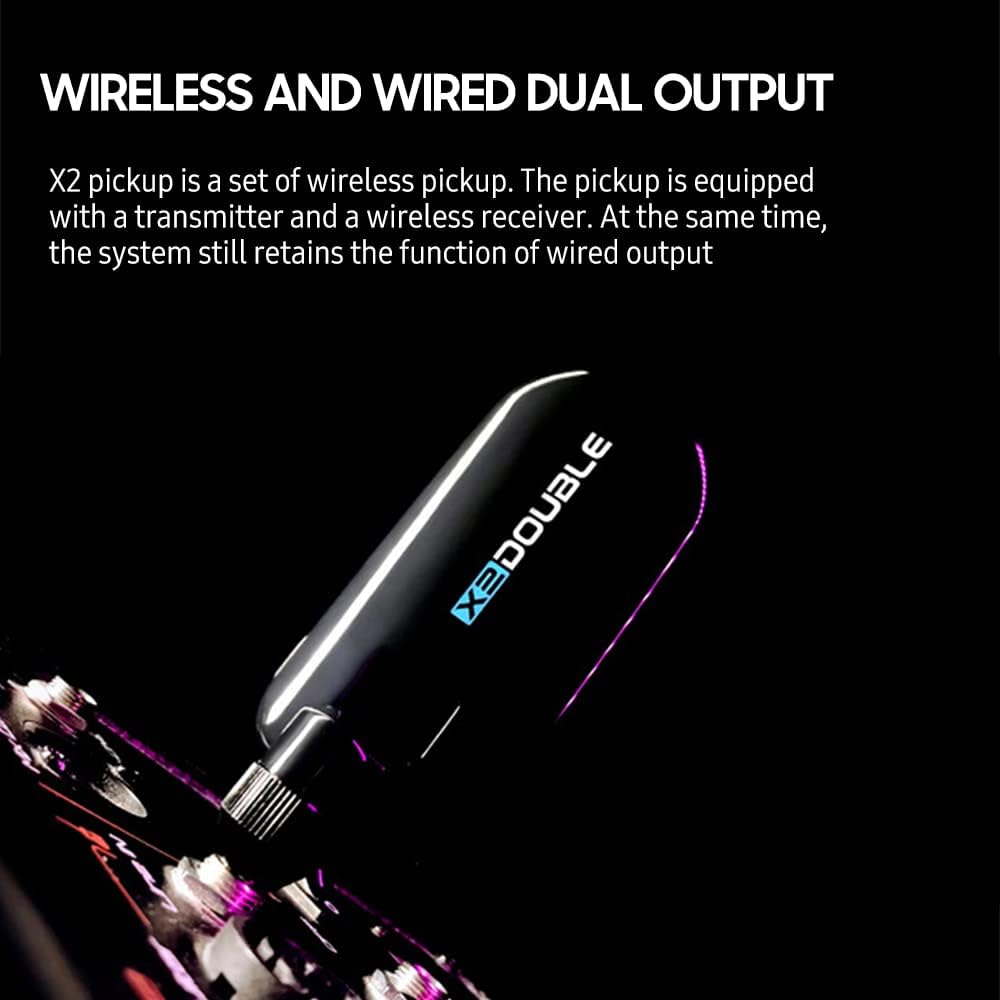
Image: The pickup system supports both wireless and wired connections, offering flexibility for different setups.

Image: A visual comparison of connecting the guitar wirelessly to an amplifier versus a traditional wired connection.
Operating Instructions
The Double X2 pickup system features intuitive controls for optimal sound customization.

Image: Close-up of the pickup unit's control panel, highlighting the various adjustment knobs and buttons.
Controls Overview:
- Vol. (Volume): Adjusts the overall output volume of the pickup system.
- Bass: Controls the low-frequency response, adding depth to your sound.
- Treble: Controls the high-frequency response, adjusting the brightness and clarity of your sound.
- M.Tone (Microphone Tone): Adjusts the tone or blend of the built-in microphone.
- Phase: Button to invert the phase, which can help reduce feedback in certain environments.
- On/Off: Power button for the pickup unit.
- Match: Button for pairing the pickup unit with the wireless receiver.
Usage Tips:
- For optimal sound, start with all tone controls (Bass, Treble, M.Tone) at their center positions and adjust gradually.
- Experiment with the "Phase" button if you experience feedback, especially at high volumes or in resonant rooms.
- When using the wireless function, ensure both the pickup and receiver are fully charged and within the effective transmission range (up to 50m).
- The system supports various playing techniques. Adjust the microphone blend (M.Tone) to capture percussive elements like playing on the guitar body or clapping.
Maintenance
Proper care will ensure the longevity and optimal performance of your Double X2 Guitar Wireless Pickup System.
- Cleaning: Use a soft, dry cloth to wipe down the pickup and receiver units. Do not use abrasive cleaners or solvents.
- Battery Care:
- Recharge the batteries regularly, even if the units are not in frequent use, to maintain battery health.
- Avoid completely draining the batteries before recharging.
- Store the units in a cool, dry place if not used for extended periods.
- Storage: When not in use, store the pickup system in a protective case or bag to prevent dust accumulation and physical damage.
- Environmental Conditions: Avoid exposing the units to extreme temperatures, high humidity, or direct sunlight.
Troubleshooting
If you encounter issues with your Double X2 system, refer to the following common problems and solutions:
| Problem | Possible Cause | Solution |
|---|---|---|
| No Sound Output |
|
|
| Feedback/Humming Noise |
|
|
| Intermittent Wireless Connection |
|
|
Specifications
| Feature | Detail |
|---|---|
| Color | Black / Silver (Optional) |
| Material | Alloy |
| Suitable Soundhole Diameter | 80mm ~ 120mm |
| Pickup Built-in Battery | 3.7V 1200mAh |
| Receiver Built-in Battery | 3.7V 800mAh |
| Item Size (Pickup) | 137 x 30 x 28mm (5.39 x 1.18 x 1.10in) |
| Item Weight (Pickup) | 200g (7.06oz) |
| Wireless Transmission Distance | Up to 50m (effective) |
| Wireless Delay | Less than 3.0ms |

Image: Illustration highlighting the advanced RX double coil technology responsible for the system's superior sound quality.

Image: An exploded view revealing the internal scientific circuit and components, including the imported microphone.

Image: A detailed view of the wireless chip, emphasizing its role in providing low-latency, high-performance wireless transmission.
Warranty and Support
For warranty information and technical support, please refer to the documentation provided with your purchase or contact the retailer where the product was acquired. As this product is branded "Generic," specific manufacturer contact details may vary.
Always retain your proof of purchase for warranty claims.
Ask a question about this manual
Ask about setup, troubleshooting, compatibility, parts, safety, or missing instructions. Manuals+ will review the question and use this page’s manual context to help answer it.