
Product Overview
This manual provides essential information for the safe assembly, operation, and maintenance of your Merax Full Size Metal Loft Bed. This loft bed is designed to maximize space, offering an elevated sleeping area with integrated functional components below.
- Space-Saving Design: Elevates the sleeping area to create additional floor space.
- Integrated Desk: Features a built-in desk with a power outlet and LED strip for convenient lighting and device charging.
- Functional Fabric Wardrobe: Includes a practical fabric wardrobe with a hanging rod and shelves for storage.
- Sturdy Metal Frame: Constructed from durable, high-quality steel for reliable support.
- No Box Spring Needed: Designed for use with a mattress directly on the bed slats.

Image: Overall view of the Merax Full Size Metal Loft Bed, showcasing the elevated bed, integrated desk with shelves, and fabric wardrobe.
Setup and Assembly
Assembly of the Merax Full Size Metal Loft Bed is required. Please follow the detailed instructions and use the provided tools carefully. It is recommended to have at least two adults for assembly to ensure safety and proper construction.
Safety Precautions:
- Ensure all parts are present before beginning assembly.
- Do not overtighten screws during initial assembly; tighten fully once the frame is aligned.
- Place the bed on a flat, stable surface during assembly.
- Keep children and pets away from the assembly area.
- Regularly check and tighten all bolts and connections.
Dimensions:
Overall Product Dimension: 77.4"L x 56.5"W x 66.5"H.

Image: Detailed diagram showing the dimensions of the Merax Full Size Metal Loft Bed in inches, including length, width, and height of various components like the bed frame, desk, and wardrobe area.
Assembly Steps (General Guidance):
- Unpack all components and verify against the parts list in your included manual.
- Assemble the main bed frame structure according to the step-by-step diagrams.
- Attach the desk and shelving units to the designated frame sections.
- Install the fabric wardrobe frame and cover.
- Secure all bed slats to the bed frame.
- Connect the power outlet and LED light wiring as instructed.
- Perform a final check to ensure all connections are secure and the bed is stable.
Operating Instructions
Using the Integrated Desk and Shelves:
The built-in desk provides a dedicated workspace. The adjacent shelves offer convenient storage for books, stationery, or decorative items. Ensure items placed on the desk and shelves do not exceed their weight capacity.
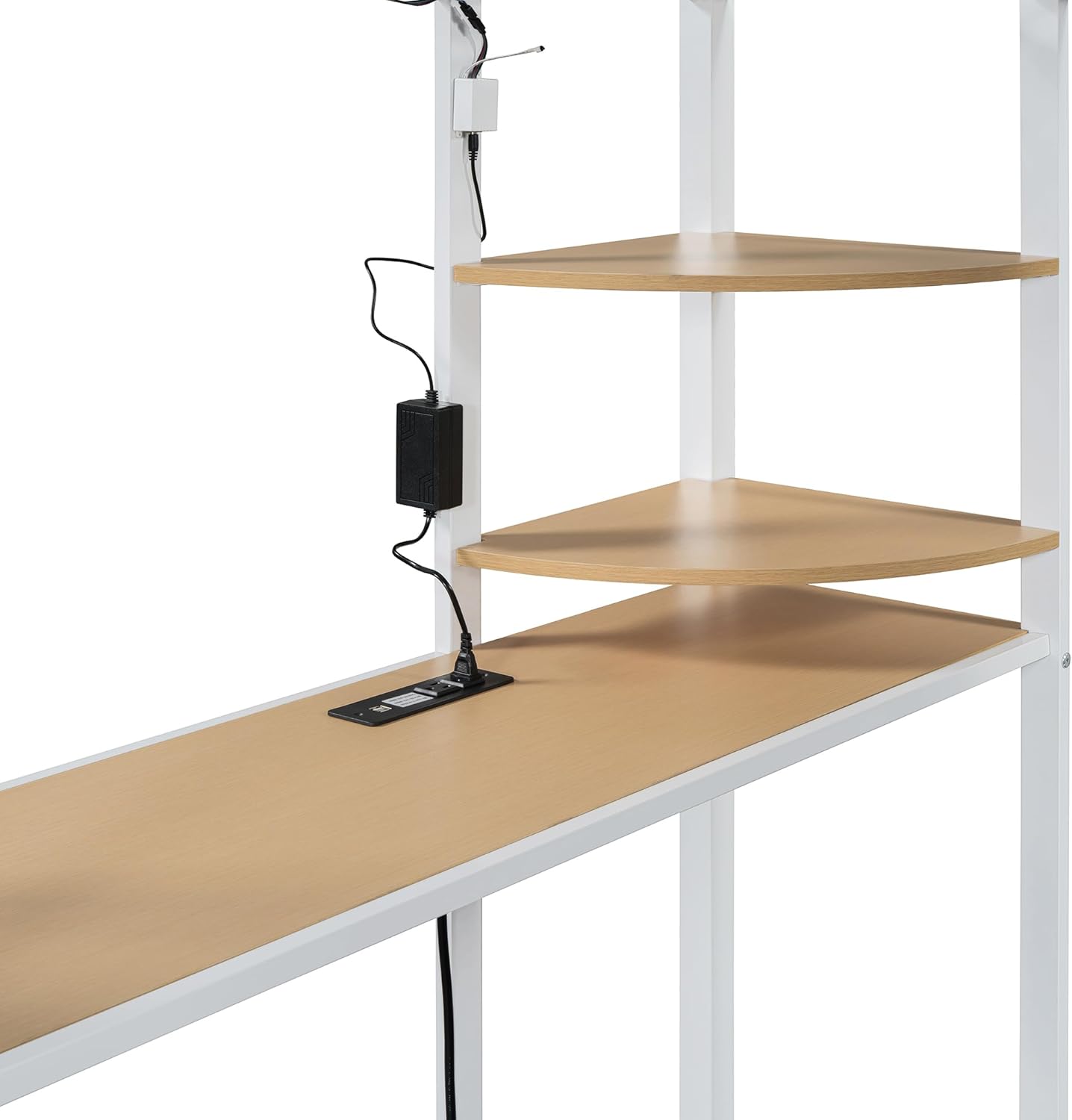
Image: Close-up view of the integrated desk area, showing the power outlet, LED light strip, and corner shelves.
Power Outlet and LED Light:
The desk includes a power outlet for charging electronic devices and an LED light strip for illumination. Connect the power cord to a standard wall outlet. Use the integrated switch to control the LED light. Do not overload the power outlet.
Fabric Wardrobe:
The fabric wardrobe offers enclosed storage space. Utilize the hanging rod for garments and the shelves for folded clothes or other personal items. Ensure the wardrobe is not overloaded to maintain its structural integrity.
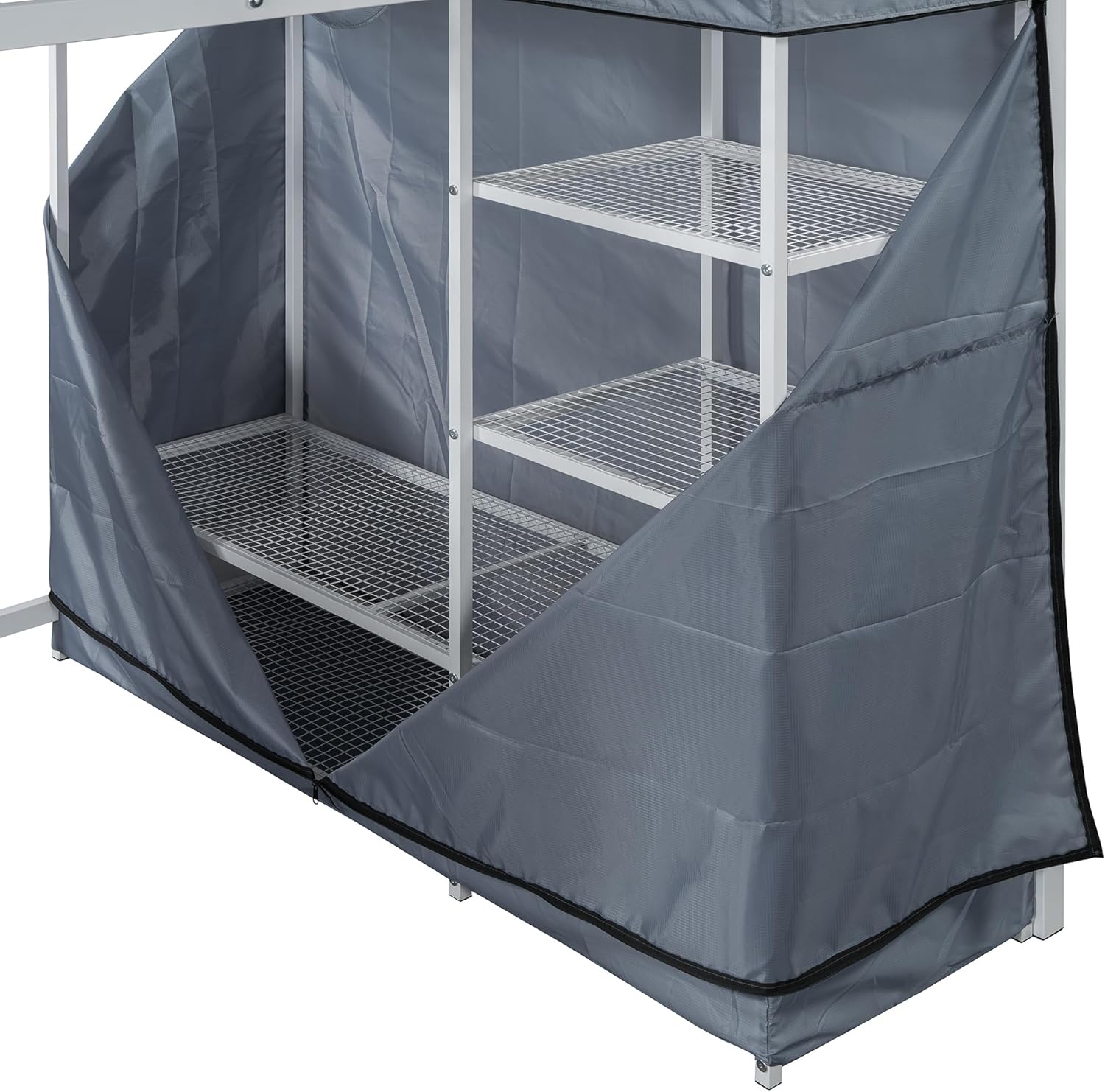
Image: Interior view of the fabric wardrobe, showing the hanging rod and multiple shelves for organized storage.
Maintenance and Care
Cleaning:
- Metal Frame: Wipe with a soft, damp cloth. Avoid abrasive cleaners or harsh chemicals that may damage the finish.
- Desk and Shelves: Clean with a mild household cleaner and a soft cloth. Dry immediately to prevent moisture damage.
- Fabric Wardrobe: Spot clean with a mild detergent and water. Allow to air dry completely. Do not machine wash or tumble dry.
Regular Checks:
- Periodically inspect all bolts, screws, and connections to ensure they are tight. Retighten as necessary to maintain stability and safety.
- Check the bed slats for any signs of damage or wear. Replace any damaged slats immediately.
- Ensure the power cord for the outlet and LED light is not pinched or damaged.
Troubleshooting
| Problem | Possible Cause | Solution |
|---|---|---|
| Bed feels unstable or wobbly. | Loose bolts or uneven assembly. | Check and tighten all bolts and connections. Ensure the bed is on a level surface. |
| Power outlet not working. | Power cord not plugged in, circuit breaker tripped, or faulty connection. | Ensure the power cord is securely plugged into a functional wall outlet. Check your home's circuit breaker. Verify internal wiring connections if accessible and safe to do so. |
| LED light not illuminating. | Power not connected, switch off, or LED strip damage. | Confirm the power outlet is working. Ensure the LED switch is in the 'on' position. If still not working, contact customer support. |
| Fabric wardrobe sagging or tearing. | Overloaded or improper installation. | Reduce the weight of items stored in the wardrobe. Re-check installation of the fabric cover and frame. |
If you encounter issues not listed here or if the suggested solutions do not resolve the problem, please contact Merax customer support for further assistance.
Specifications
| Feature | Detail |
|---|---|
| Brand | Merax |
| Size | Full |
| Product Dimensions | 77.4"L x 56.5"W x 66.5"H |
| Material | Metal (Frame), Wood (Desk/Shelves), Fabric (Wardrobe) |
| Color | White |
| Item Weight | 71.9 pounds |
| Special Feature | No Box Spring Needed, Integrated Desk, Power Outlet, LED Light, Wardrobe |
| Assembly Required | Yes |
| UPC | 198573732784 |
Warranty Information
Merax products are manufactured to high-quality standards. For specific warranty details regarding your Full Size Metal Loft Bed, please refer to the warranty card included with your purchase or visit the official Merax website. Keep your proof of purchase for any warranty claims.
Customer Support
If you have any questions, require assistance with assembly, or need to report missing/damaged parts, please contact Merax customer support. Contact information can typically be found on the packaging, in the included documentation, or on the official Merax website.
For the most up-to-date support options, please visit the Merax Store on Amazon.