
1. Introduction
This manual provides detailed instructions for the installation, operation, and maintenance of your dreeong Car Bluetooth AUX Audio Receiver Cable. Please read this manual thoroughly before installation and use to ensure proper function and longevity of the product.
2. Product Overview
The dreeong Car Bluetooth AUX Audio Receiver Cable is designed to integrate Bluetooth audio streaming capabilities into compatible car radio systems. It allows for wireless audio playback from Bluetooth-enabled devices through your vehicle's sound system, utilizing the existing AUX or CD changer input. The adapter features a compact design and direct plug-and-play connectivity for specific car models.
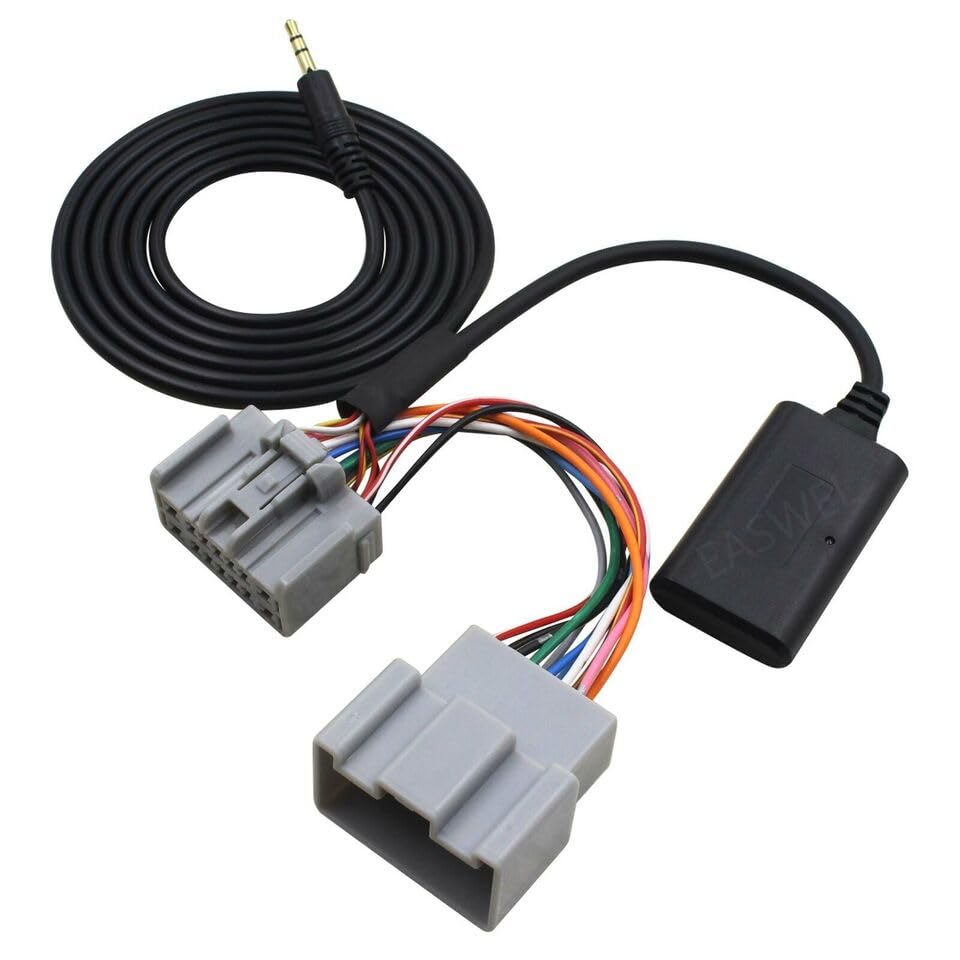
Image 1: Overview of the dreeong Car Bluetooth AUX Audio Receiver Cable, showing the main unit, wiring harness, and 3.5mm AUX cable.
3. Package Contents
- 1 x dreeong Car Bluetooth AUX Audio Receiver Cable
4. Compatibility
This Bluetooth AUX Audio Receiver Cable is compatible with various car radio systems, specifically designed to fit models such as:
- C30
- S40
- V50
- C70
- S60
- V70
- XC70
- S80
- XC90
Please verify your vehicle's radio system has the appropriate AUX or CD changer input port before installation.
5. Setup and Installation
Installation requires accessing the rear of your car's radio unit. If you are unsure about any steps, it is recommended to seek professional assistance.
- Preparation: Ensure your vehicle's ignition is off and the battery is disconnected to prevent electrical damage.
- Access Radio Unit: Carefully remove the trim panels and screws necessary to access the rear of your car's radio unit. Refer to your vehicle's service manual for specific instructions on radio removal.
- Locate Input Port: Identify the AUX input or CD changer port on the back of your radio. This is typically a multi-pin connector.
- Connect Adapter: Plug the main connector of the dreeong Bluetooth AUX Audio Receiver Cable into the corresponding port on your car radio. Ensure a secure connection.
- Route Cables: Carefully route the adapter's cables to a desired location, ensuring they do not interfere with vehicle operation or moving parts. The Bluetooth module should be placed in a location that allows for good signal reception.
- Reconnect Battery and Test: Reconnect your vehicle's battery. Turn on the ignition and the car radio.
- Reassemble: Once functionality is confirmed, reassemble the trim panels and secure the radio unit back into place.
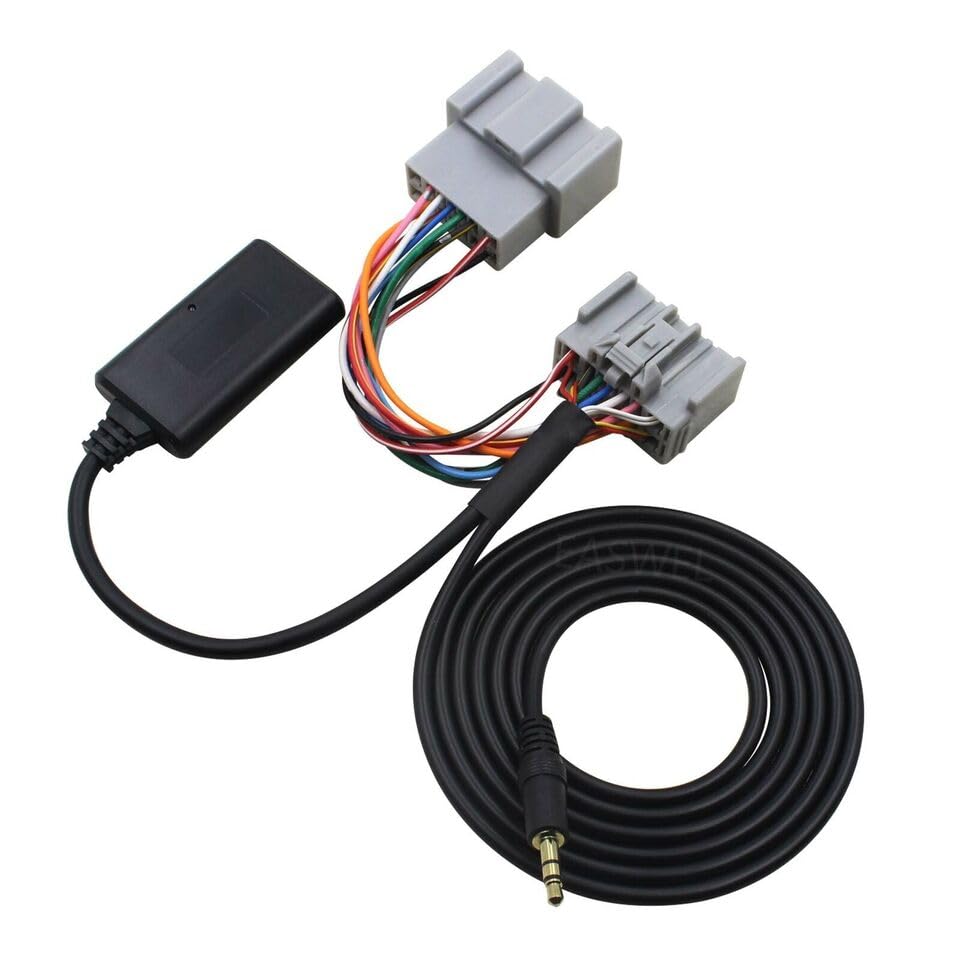
Image 2: Close-up of the adapter's connectors, showing the multi-pin plugs for the car radio and the 3.5mm AUX jack.
6. Operating Instructions
- Power On: Turn on your car's ignition and radio. The Bluetooth adapter will automatically power on.
- Select AUX Input: On your car radio, select the AUX input source. This may be labeled as 'AUX', 'CD Changer', or similar, depending on your vehicle model.
- Pairing Mode: The Bluetooth adapter will automatically enter pairing mode. A blue LED indicator (if present) may flash to indicate pairing readiness.
- Connect Device: On your mobile device (smartphone, tablet, etc.), enable Bluetooth and search for available devices. Select the device named 'Bluetooth Music' or similar (refer to product packaging if a specific name is provided).
- Successful Connection: Once paired, the LED indicator (if present) may become solid blue, and you may hear an audible confirmation tone through your car speakers.
- Play Audio: Start playing audio from your paired device. The sound will now be transmitted wirelessly to your car's speakers.
7. Troubleshooting
- No Power/No Sound:
- Ensure the adapter is securely connected to the radio's input port.
- Verify the car battery is properly connected and the ignition is on.
- Check if the correct AUX input source is selected on your car radio.
- Cannot Pair Bluetooth:
- Make sure Bluetooth is enabled on your mobile device.
- Ensure the adapter is in pairing mode (e.g., flashing LED).
- Delete previous Bluetooth connections from your device and try pairing again.
- Move your mobile device closer to the Bluetooth module.
- Poor Audio Quality/Interference:
- Ensure the adapter's cables are not routed near strong electrical interference sources.
- Check for loose connections.
- Reduce the distance between your mobile device and the Bluetooth module.
8. Specifications
| Brand | dreeong |
| Product Type | Car Bluetooth AUX Audio Receiver Cable |
| Compatibility | C S V XC 30-90 Radio Systems |
| UPC | 606052715543 |
| ASIN | B0DP9Z6NFQ |
9. Maintenance
The dreeong Car Bluetooth AUX Audio Receiver Cable requires minimal maintenance. Keep the connections clean and free from dust or debris. Avoid exposing the unit to extreme temperatures or moisture. Do not attempt to open or modify the adapter, as this may void any potential warranty and cause damage.
10. Warranty and Support
Specific warranty information and customer support details are not provided within this manual. For warranty claims, technical assistance, or further inquiries, please refer to the product packaging or contact the manufacturer, dreeong, directly through their official channels or the retailer where the product was purchased.