
1. Introduction
This user manual provides detailed instructions for the installation, operation, and maintenance of your dreeong Bluetooth Aux Adapter Cable. This adapter is designed to integrate Bluetooth audio streaming capabilities with compatible Alpine head units, specifically models CDA-9835, CDA-9847R, CDA-9851R, and CDA-9853R. Please read this manual thoroughly before installation and use to ensure proper functionality and safety.
2. Safety Information
Observe the following safety guidelines to prevent damage to the product or vehicle, and to ensure user safety:
- Ensure the vehicle's ignition is off and the battery is disconnected before beginning installation to prevent electrical shorts.
- Consult a professional if you are unsure about any installation steps.
- Do not expose the adapter to moisture, extreme temperatures, or direct sunlight.
- Keep the adapter away from moving parts or areas that could interfere with vehicle operation.
- Do not attempt to disassemble or modify the adapter. This will void the warranty and may cause damage.
3. Package Contents
Verify that all items are present in the package:
- dreeong Bluetooth Aux Adapter Cable (1 unit)
- User Manual (this document)
4. Product Overview
The dreeong Bluetooth Aux Adapter Cable consists of a main Bluetooth module, a power connection (red and black wires), and an Alpine AI-NET connector. This adapter allows you to stream audio wirelessly from your Bluetooth-enabled device to your compatible Alpine head unit.
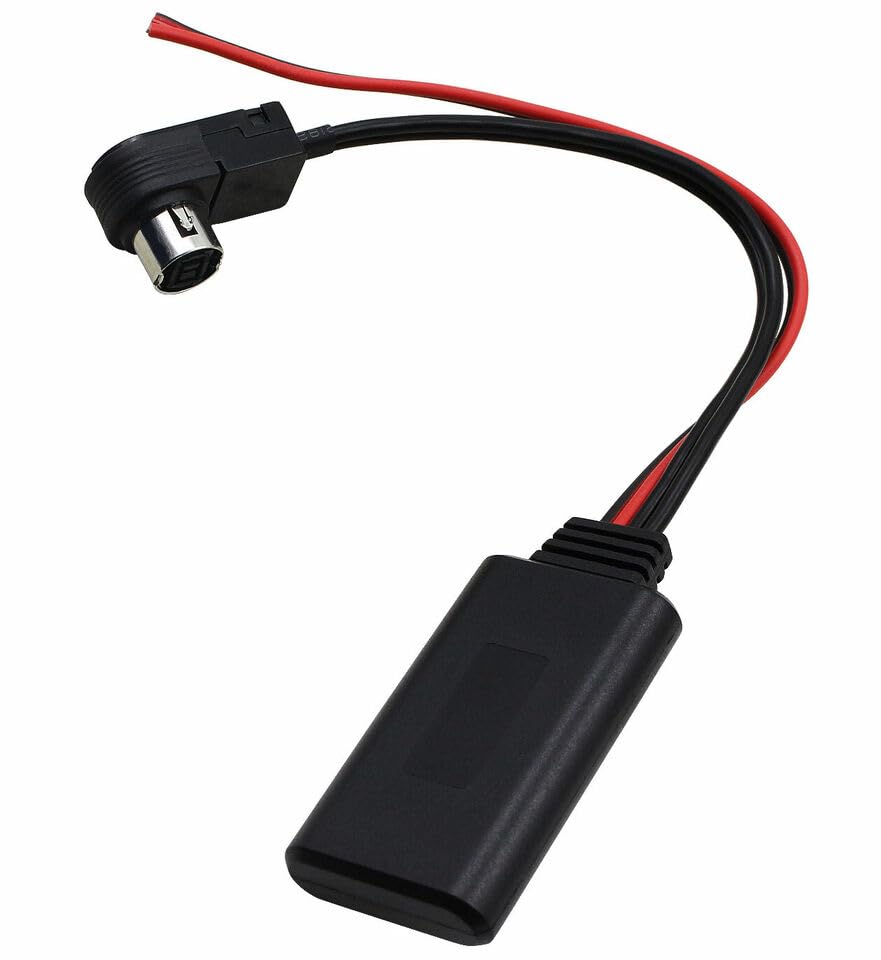
Figure 4.1: Overview of the dreeong Bluetooth Aux Adapter Cable. This image shows the main Bluetooth module, the red and black power wires, and the Alpine AI-NET connector designed to plug into the back of compatible Alpine head units.
5. Setup and Installation
Follow these steps to install and set up your Bluetooth adapter:
5.1 Vehicle Preparation
- Turn off the vehicle's ignition and remove the key.
- Disconnect the negative terminal of the vehicle's battery to prevent electrical shorts during installation.
- Carefully remove your Alpine head unit from the dashboard to access the rear connections. Refer to your Alpine head unit's manual for specific removal instructions.
5.2 Adapter Connection
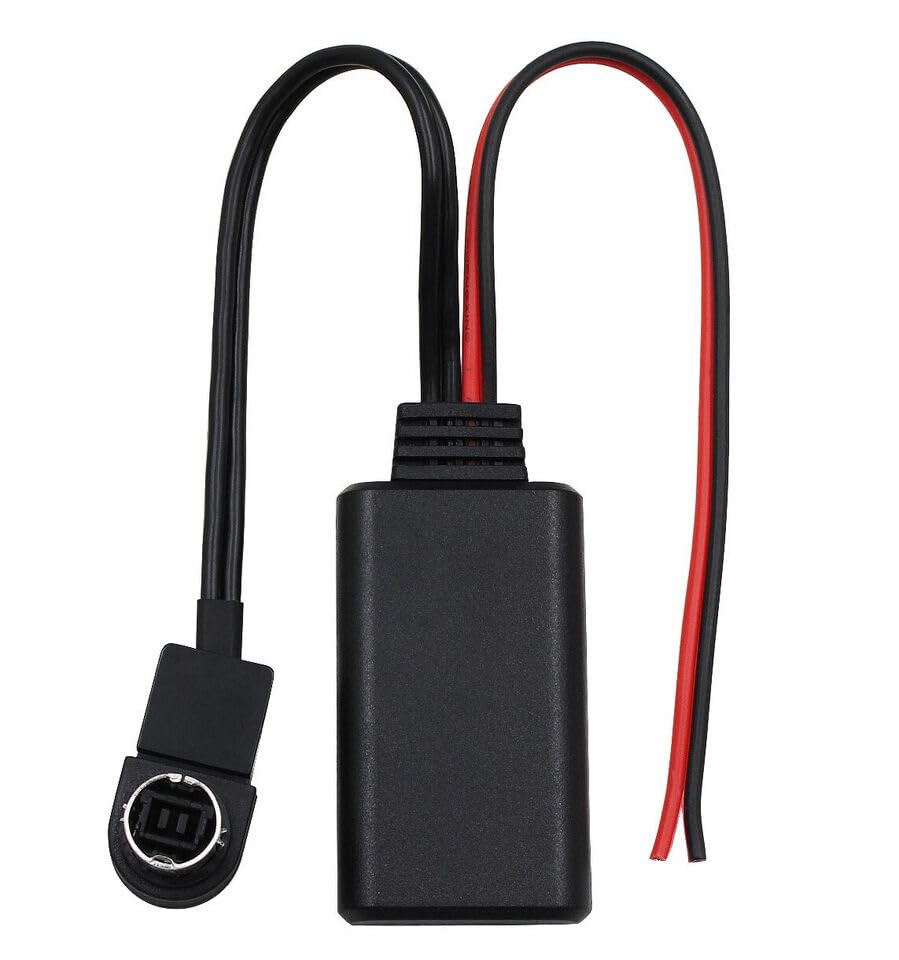
Figure 5.1: Close-up view of the Alpine AI-NET connector. This connector plugs into the corresponding port on the back of your Alpine head unit.
- Locate the AI-NET (CD Changer) port on the back of your Alpine head unit.
- Connect the AI-NET connector of the dreeong Bluetooth adapter into the AI-NET port on the Alpine head unit. Ensure it is securely seated.
- Connect the red wire of the adapter to a +12V ACC (switched ignition) power source. This ensures the adapter turns on and off with your vehicle.
- Connect the black wire of the adapter to a ground point in the vehicle chassis.
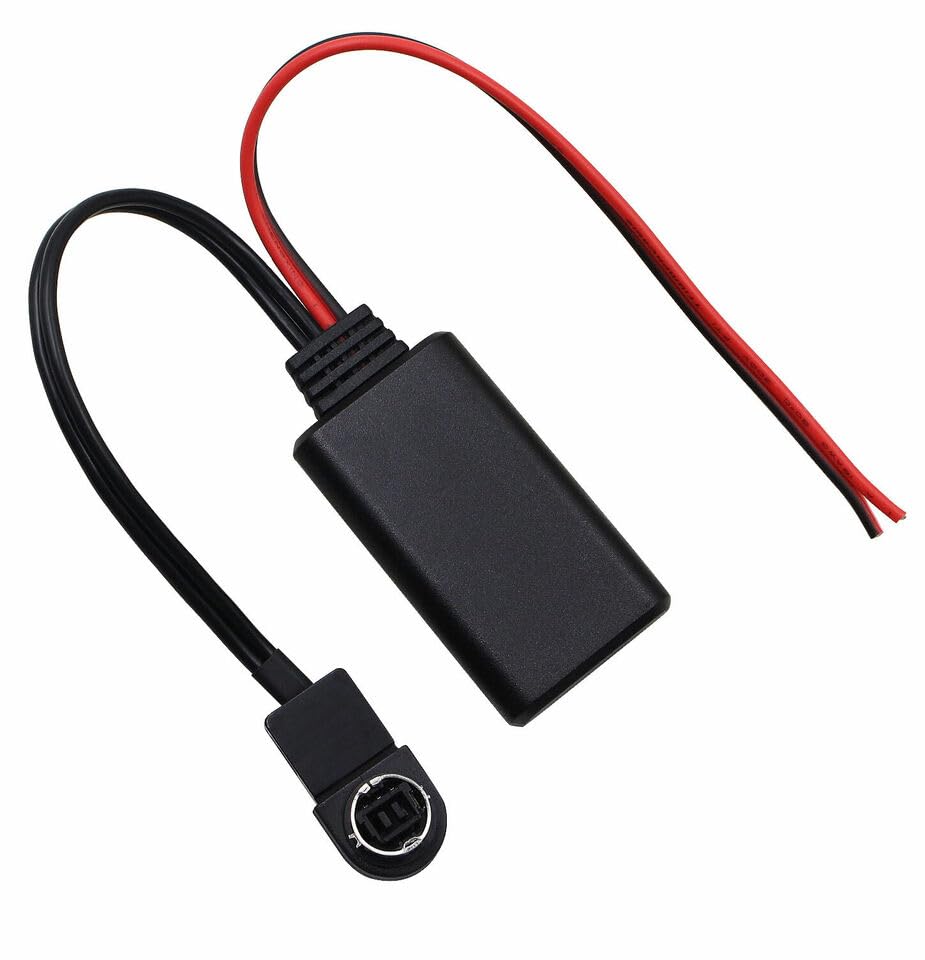
Figure 5.2: The dreeong Bluetooth Aux Adapter Cable, illustrating the full cable assembly including the AI-NET connector, the Bluetooth module, and the red and black power wires for connection to the vehicle's electrical system.
5.3 Finalizing Installation
- Carefully route the adapter cable and module to a secure location behind the dashboard, ensuring it does not interfere with any moving parts or vehicle controls.
- Reinstall the Alpine head unit into the dashboard.
- Reconnect the negative terminal of the vehicle's battery.
5.4 Bluetooth Pairing
- Turn on your vehicle's ignition.
- On your Alpine head unit, select the "AUX" or "CD Changer" input. The exact method may vary by head unit model; refer to your Alpine manual.
- On your mobile device (smartphone, tablet, etc.), navigate to the Bluetooth settings.
- Scan for available Bluetooth devices. You should see a device named "Bluetooth" or similar.
- Select the adapter's name to pair. No password should be required.
- Once paired, your mobile device will indicate a successful connection.
6. Operating Instructions
After successful installation and pairing, follow these steps to use the adapter:
- Ensure your mobile device is paired with the Bluetooth adapter.
- Turn on your Alpine head unit.
- Select the "AUX" or "CD Changer" input on your Alpine head unit. This will route the Bluetooth audio through your car's speakers.
- Start playing audio (music, podcasts, navigation audio) on your paired mobile device. The audio will now play through your vehicle's sound system.
- Adjust the volume using your Alpine head unit's volume control or your mobile device's volume control.
Note: The adapter provides audio streaming only. Control of tracks (play/pause, skip) must be done directly from your paired mobile device.
7. Maintenance
The dreeong Bluetooth Aux Adapter Cable requires minimal maintenance:
- Keep the adapter free from dust and debris.
- Do not use harsh chemicals or abrasive cleaners on the device. A soft, dry cloth is sufficient for cleaning.
- Ensure all connections remain secure.
8. Troubleshooting
If you encounter issues with your Bluetooth adapter, refer to the following common problems and solutions:
- No Power to Adapter:
- Check the red and black power connections. Ensure the red wire is connected to a switched +12V source and the black wire to a good ground.
- Verify that the vehicle's ignition is on.
- Cannot Pair Bluetooth Device:
- Ensure the Alpine head unit is set to the "AUX" or "CD Changer" input.
- Make sure Bluetooth is enabled on your mobile device.
- Try turning off and on your mobile device's Bluetooth, or restarting the device.
- Ensure no other device is currently paired with the adapter. Disconnect from other devices if necessary.
- Move your mobile device closer to the adapter.
- No Audio Output:
- Confirm that your mobile device is successfully paired and playing audio.
- Check the volume levels on both your mobile device and the Alpine head unit.
- Ensure the Alpine head unit is set to the correct "AUX" or "CD Changer" input.
- Verify the AI-NET connector is securely plugged into the head unit.
- Poor Audio Quality / Static:
- Ensure the power and ground connections are solid and free from interference.
- Move the adapter module away from other electrical components that might cause interference.
- Check for any loose connections.
9. Specifications
- Product Type: Bluetooth Aux Adapter Cable
- Brand: dreeong
- Compatibility: Alpine CDA-9835, CDA-9847R, CDA-9851R, CDA-9853R head units with AI-NET port
- Connectivity: Bluetooth wireless audio streaming, AI-NET (CD Changer) port
- Power Requirement: +12V DC (switched ignition and ground)
- GTIN (UPC): 606052719640
- ASIN: B0DP9YB1NQ
10. Warranty and Support
This dreeong product is designed for reliable performance. For specific warranty details, please refer to the purchase documentation or contact your retailer. For technical support or inquiries, please reach out to the dreeong customer service team through the platform where the product was purchased.
Please retain your proof of purchase for warranty claims.


