
1. Introduction
This manual provides essential instructions for the safe and effective use of your dreeong DC Power Cable. This cable is designed to supply power to compatible Motorola Mobile Radios, including models CM340, CM360, MCX760, MCX780, and CDM750. Please read this manual thoroughly before installation and operation to ensure proper functionality and safety.
2. Safety Information
Always observe the following safety precautions:
- Ensure the power source voltage matches the requirements of your Motorola Mobile Radio.
- Disconnect power before making any connections or disconnections.
- Do not use the cable if it appears damaged or frayed.
- Avoid exposing the cable to extreme temperatures, moisture, or corrosive environments.
- The integrated fuse is for protection. Do not bypass or replace it with a fuse of a different rating than specified by your radio's manufacturer.
- Consult a qualified technician if you are unsure about any installation steps.
3. Package Contents
Verify that all items are present:
- 1 x dreeong DC Power Cable with integrated fuse holder
4. Setup and Installation
Follow these steps to connect the DC Power Cable to your Motorola Mobile Radio:
- Identify Components: Locate the two main ends of the cable. One end features a black and red connector designed to plug into the radio. The other end has exposed red and black wires for connection to a DC power source, along with an inline fuse holder.
- Prepare Power Source: Ensure your DC power source (e.g., vehicle battery, power supply) is turned off or disconnected.
- Connect to Power Source:
Connect the exposed red wire to the positive (+) terminal of your DC power source and the exposed black wire to the negative (-) terminal. Ensure these connections are secure and properly insulated to prevent short circuits.
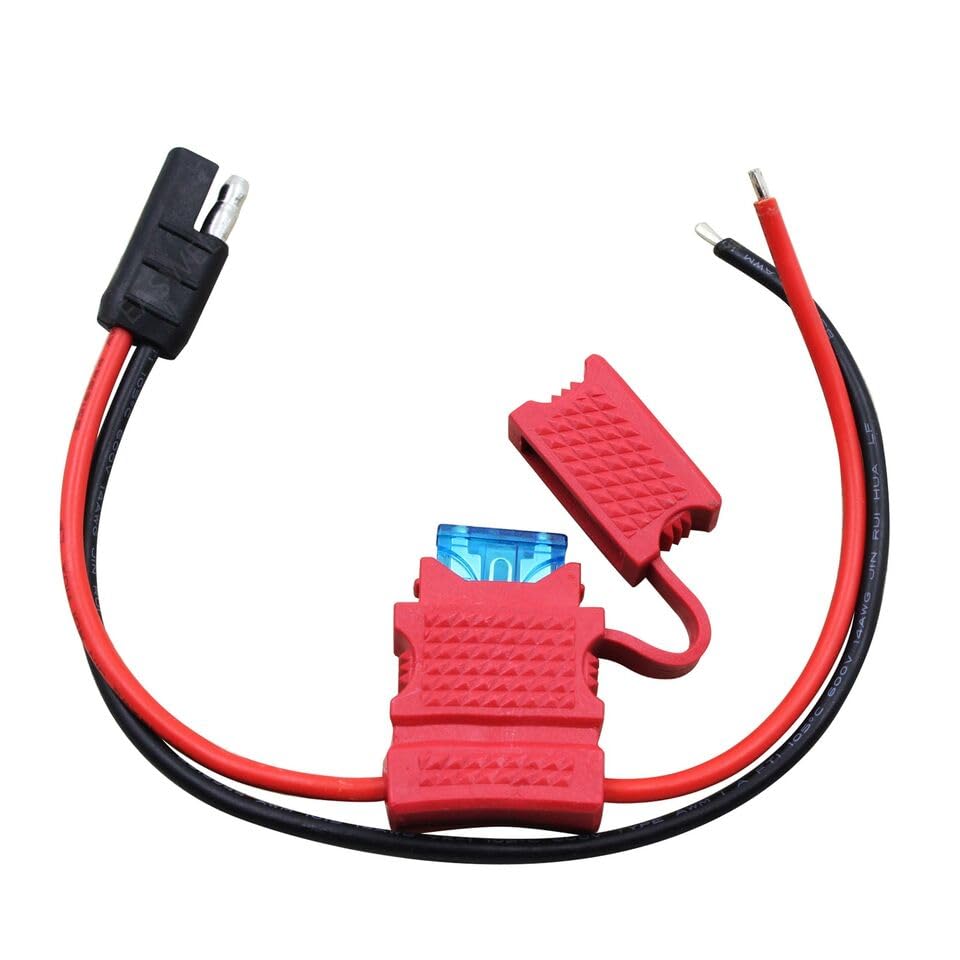
Image: The dreeong DC Power Cable, illustrating the radio connector, the inline fuse holder with an exposed fuse, and the bare wire ends for power connection.
- Check Fuse: The cable includes an inline fuse holder. Verify that a fuse of the correct rating (typically specified by your radio's manufacturer) is properly seated within the holder. The fuse holder cap should be securely closed to protect the fuse from environmental elements.
- Connect to Radio: Plug the black and red connector end of the DC Power Cable firmly into the corresponding power input port on your Motorola Mobile Radio. Ensure a snug fit.
- Verify Connections: Double-check all connections for security and correct polarity before applying power.
- Apply Power: Once all connections are secure, turn on or connect your DC power source. Your Motorola Mobile Radio should now receive power.
5. Operating Instructions
The dreeong DC Power Cable is a passive component designed to deliver power. Once properly installed, its operation is integrated with your Motorola Mobile Radio. Ensure the cable remains securely connected and free from damage during radio operation.
6. Maintenance
To ensure the longevity and reliable performance of your DC Power Cable:
- Regularly inspect the cable for any signs of wear, cuts, or damage to the insulation.
- Check the fuse holder for secure closure and ensure the fuse is intact.
- Keep connectors clean and free from dirt or corrosion.
- Avoid sharp bends or kinks in the cable, which can damage internal wiring.
- Store the cable in a dry, cool place when not in use.
7. Troubleshooting
| Problem | Possible Cause | Solution |
|---|---|---|
| Radio does not power on. |
|
|
| Cable appears damaged. | Physical stress or environmental exposure. | Discontinue use immediately and replace the cable. |
8. Specifications
- Product Type: DC Power Cable
- Brand: dreeong
- Compatibility: Motorola Mobile Radios (CM340, CM360, MCX760, MCX780, CDM750)
- UPC: 606052694381
- GTIN: 606052694381
9. Warranty and Support
For warranty information or technical support, please refer to the dreeong official website or contact your retailer. Keep your purchase receipt for warranty claims.