
1. Introduction
This manual provides detailed instructions for the installation, operation, and maintenance of your dreeong Bluetooth Adapter Aux Cable. This device is designed to integrate Bluetooth audio streaming capabilities into compatible Mercedes Benz Audio systems. Please read this manual thoroughly before use to ensure proper functionality and to prevent damage.
2. Safety Information
- Ensure the vehicle's ignition is off and the battery is disconnected before installation to prevent electrical shorts or damage.
- Installation should be performed by a qualified technician if you are unfamiliar with automotive electrical systems.
- Do not expose the adapter to moisture, extreme temperatures, or direct sunlight.
- Keep out of reach of children.
- Do not attempt to disassemble or modify the adapter. This will void the warranty and may cause damage.
3. Package Contents
Verify that all items are present in the package:
- dreeong Bluetooth Adapter Aux Cable (1 unit)
- User Manual (this document)
4. Product Overview
The dreeong Bluetooth Adapter Aux Cable provides a seamless way to stream audio wirelessly to your Mercedes Benz audio system. It connects directly to the vehicle's auxiliary input port, typically located behind the head unit.
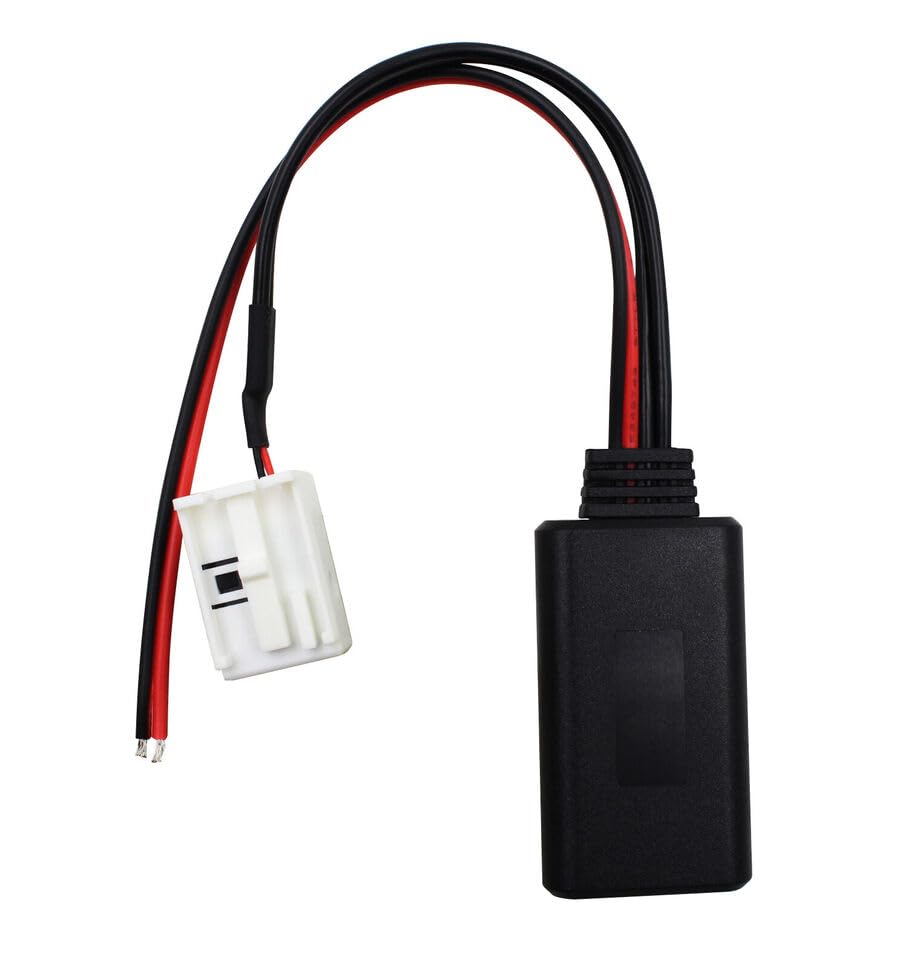
Figure 4.1: Front view of the dreeong Bluetooth Adapter Aux Cable. This image shows the main adapter unit, the white multi-pin connector, and the red and black power wires.
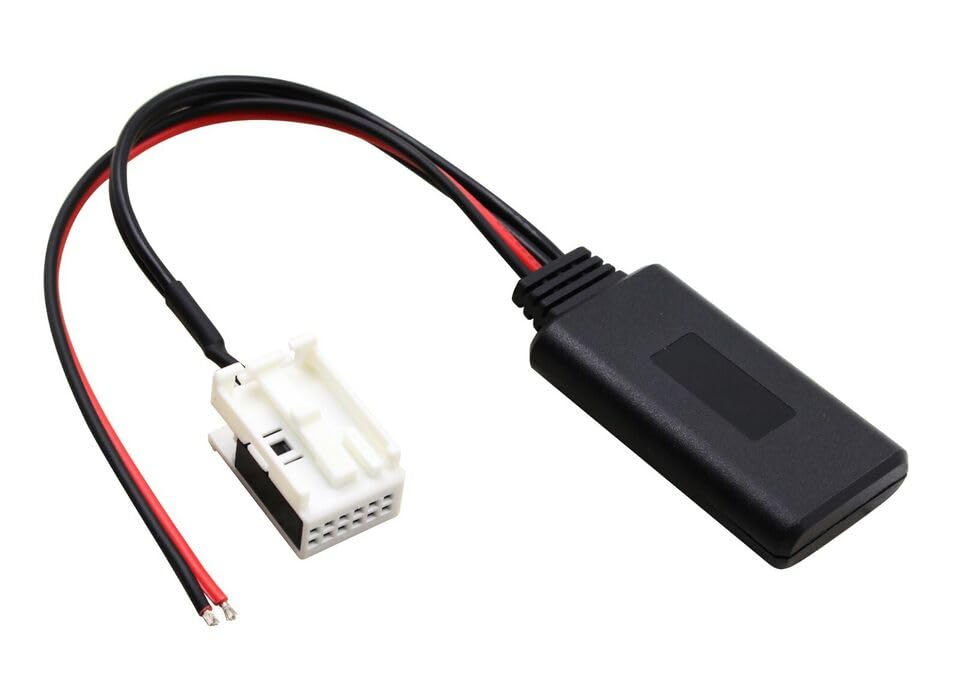
Figure 4.2: Angled view of the dreeong Bluetooth Adapter Aux Cable. This image highlights the multi-pin connector designed to interface with the vehicle's audio system, along with the power wires and the main adapter module.
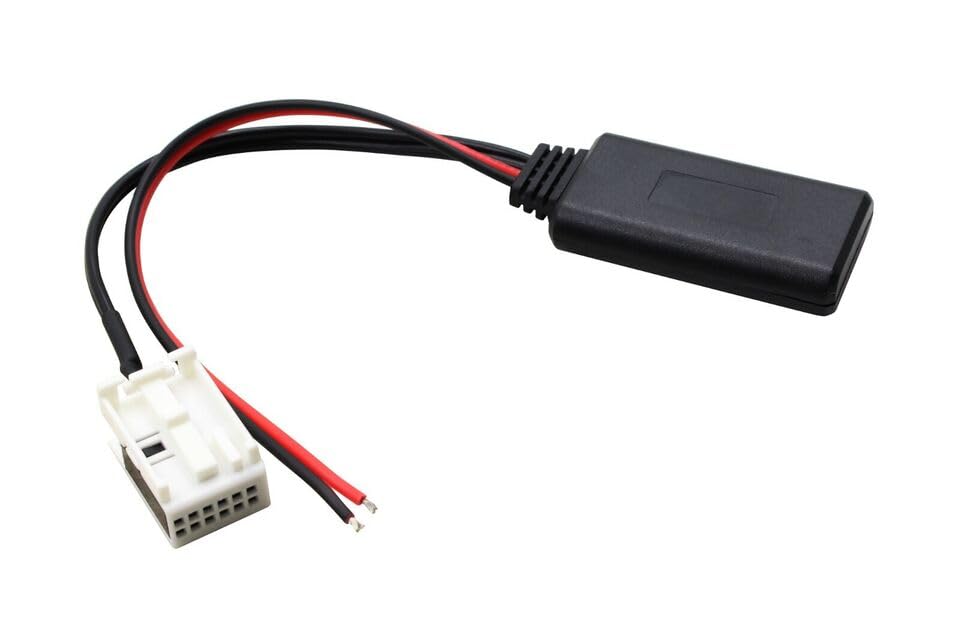
Figure 4.3: Side view of the dreeong Bluetooth Adapter Aux Cable. This image provides a different perspective of the adapter, showing the compact design of the main unit and the wiring harness.
5. Setup and Installation
Compatibility: This adapter is compatible with Mercedes Benz Audio systems in models W169, W245, W203, W209, and W164. Ensure your vehicle's head unit has an available auxiliary input port that matches the adapter's connector.
- Prepare the Vehicle:
- Turn off the vehicle's ignition and remove the key.
- Disconnect the negative terminal of the vehicle's battery to prevent electrical issues during installation.
- Access the Head Unit:
- Carefully remove the vehicle's head unit (car radio) from the dashboard. This usually involves using specialized removal tools or following specific instructions for your Mercedes Benz model. Refer to your vehicle's service manual for precise instructions on head unit removal.
- Connect the Adapter:
- Locate the auxiliary input port on the back of your Mercedes Benz head unit. This port is typically a multi-pin connector.
- Connect the white multi-pin connector of the dreeong Bluetooth Adapter Aux Cable to the corresponding port on the head unit. Ensure it clicks securely into place.
- Connect the red wire of the adapter to a 12V ignition-switched power source (ACC).
- Connect the black wire of the adapter to a ground point (GND).
- Test Connection:
- Before fully reassembling, temporarily reconnect the vehicle battery.
- Turn on the ignition and the head unit.
- Select the AUX input source on your head unit.
- Pair your mobile device with the Bluetooth adapter (see Section 6 for pairing instructions).
- Play audio from your device to confirm sound output.
- Reassemble:
- Once confirmed working, disconnect the battery again.
- Carefully route the adapter cable and secure the adapter unit in a suitable location behind the dashboard, ensuring it does not interfere with any moving parts or vehicle controls.
- Reinstall the head unit and reconnect the vehicle battery.
6. Operating Instructions
- Power On:
- Turn on your vehicle's ignition. The Bluetooth adapter will automatically power on.
- Pairing Your Device:
- On your mobile device (smartphone, tablet, etc.), navigate to the Bluetooth settings.
- Enable Bluetooth.
- Search for available devices. The adapter should appear as "dreeong Bluetooth" or a similar identifier.
- Select the adapter to pair. No password is typically required.
- Once paired, your device will show a "Connected" status.
- Selecting Audio Source:
- On your Mercedes Benz head unit, select the AUX input source. This may be labeled "AUX," "Media," or similar, depending on your specific head unit model.
- Playing Audio:
- Start playing audio (music, podcasts, navigation audio) from your paired mobile device. The audio will now be transmitted wirelessly to your car's speakers.
- Adjust the volume using your car's audio controls or your mobile device's volume controls.
- Automatic Reconnection:
- Once paired, the adapter will attempt to automatically reconnect to the last paired device when the vehicle's ignition is turned on and the device is within range.
7. Troubleshooting
| Problem | Possible Cause | Solution |
|---|---|---|
| No power to the adapter. | Incorrect power wiring (red/black wires). | Verify the red wire is connected to a 12V ignition-switched source and the black wire to ground. Check fuses. |
| Cannot find "dreeong Bluetooth" in device list. | Adapter not powered on or not in pairing mode. | Ensure vehicle ignition is on. Turn off and on your phone's Bluetooth. Restart the vehicle. |
| No audio output after pairing. | Incorrect head unit source selected; device volume too low. | Ensure the head unit is set to AUX input. Increase volume on both the head unit and your mobile device. Re-pair the device. |
| Audio quality is poor or intermittent. | Interference; device too far from adapter. | Ensure your mobile device is close to the adapter. Avoid placing the adapter near strong electromagnetic sources. |
| Adapter disconnects frequently. | Weak Bluetooth signal; power fluctuations. | Keep the paired device close. Check power connections for stability. |
8. Specifications
- Brand: dreeong
- Model Compatibility: Mercedes Benz W169, W245, W203, W209, W164
- Connectivity: Bluetooth, Auxiliary Input
- Connector Type: Multi-pin OEM style connector
- Power Input: 12V DC (via vehicle's electrical system)
- Compatible Devices: Smartphones, MP3 Players, Laptops (with Bluetooth audio output)
- UPC: 606052697160
- ASIN: B0DP9X3Q6G
9. Maintenance
- Cleaning: Use a soft, dry cloth to clean the adapter if necessary. Do not use liquid cleaners or solvents.
- Storage: If the adapter is removed from the vehicle, store it in a cool, dry place away from direct sunlight and extreme temperatures.
- Firmware Updates: This device does not typically require user-performed firmware updates. Any updates would be handled by the manufacturer.
10. Warranty and Support
For warranty information or technical support, please refer to the retailer or manufacturer's official website where the product was purchased. Keep your proof of purchase for warranty claims.
For further assistance, you may contact the seller directly through the platform where the purchase was made.