
Introduction
The MINISO X15 Pro Translation Earbuds are advanced wireless headphones designed for seamless communication and immersive audio. Featuring AI translation technology, these earbuds support real-time translation across 148 languages, making global interactions effortless. Their open-ear design ensures comfort for extended wear while maintaining awareness of your surroundings. Equipped with Bluetooth 5.4 for stable connectivity and intuitive touch controls, the X15 Pro offers a versatile and high-quality audio experience for various activities.
Key Features:
- AI Translation: Real-time online translation in 148 languages, supporting binaural translation, headphone + mobile phone translation, and AI chat functions via a dedicated app.
- High-Quality Stereo Sound: Built-in 14.2mm dynamic speakers deliver crystal-clear stereo sound with balanced audio output for an immersive experience.
- Comfortable Open-Ear Design: Designed for all-day wear, these earbuds do not insert into the ear canal, eliminating discomfort. Each earbud weighs only 8.5 grams and features a flexible memory metal ear hook for stable wear during activities.
- Advanced Bluetooth 5.4: Provides faster, more stable connections with less latency and a connection distance of up to 33 feet.
- Intuitive Touch Control: Easily control music playback and calls directly from the earbuds, offering hands-free operation and wide compatibility.
What's in the Box
Your MINISO X15 Pro package includes the following components:
- MINISO X15 Pro Translation Earbuds (Left and Right)
- Charging Station/Case
- USB Charging Cable
- User Manual

Image: The MINISO X15 Pro Translation Earbuds, showcasing the earbuds within their sleek charging case.
Setup Guide
1. Initial Charging
- Place both earbuds into the charging case.
- Connect the USB charging cable to the charging case and a power source.
- Allow the earbuds and case to fully charge before first use. The indicator lights on the case will show charging status.
2. Pairing with Your Device
- Ensure the earbuds are in the charging case and the case lid is open.
- On your smartphone or other Bluetooth-enabled device, go to the Bluetooth settings.
- Search for available devices and select "MINISO X15 Pro" from the list.
- Once connected, a confirmation sound will play through the earbuds.
3. App Installation (for Translation Features)
To utilize the full AI translation capabilities, download the dedicated MINISO translation app from your device's app store. Follow the in-app instructions to connect your earbuds and enable translation modes.
Operating Instructions
Wearing the Earbuds
The X15 Pro features an open-ear design. Gently place the earbud over your ear, ensuring the speaker rests comfortably near your ear canal without entering it. The flexible ear hook will secure the earbud in place.

Image: A person wearing the MINISO X15 Pro earbuds, demonstrating the comfortable open-ear fit.
Touch Controls
The earbuds feature intuitive touch controls for various functions:
| Action | Function |
|---|---|
| Single Click | Play/Pause Music, Answer Call |
| Double Click (Left Earbud) | Volume Down |
| Double Click (Right Earbud) | Volume Up |
| Triple Click (Left Earbud) | Previous Track |
| Triple Click (Right Earbud) | Next Track |
| Long Press (Left Earbud) | Activate Voice Assistant |
| Long Press (Right Earbud) | Reject Call |

Image: Visual representation of the touch control functions for the MINISO X15 Pro earbuds.
Translation Modes (via App)
The MINISO app provides several translation modes:
- AI Dialogue Mode: For natural, real-time conversations with translation displayed on your phone screen and audio through the earbuds.
- Free Talk Mode: Allows for continuous two-way translation, ideal for dynamic conversations.
- Headphone + Phone Mode: Use one earbud for listening and the phone for speaking, or vice-versa, for flexible translation scenarios.
- Translation Machine Mode: Utilizes the phone as a dedicated translation device with earbud audio output.
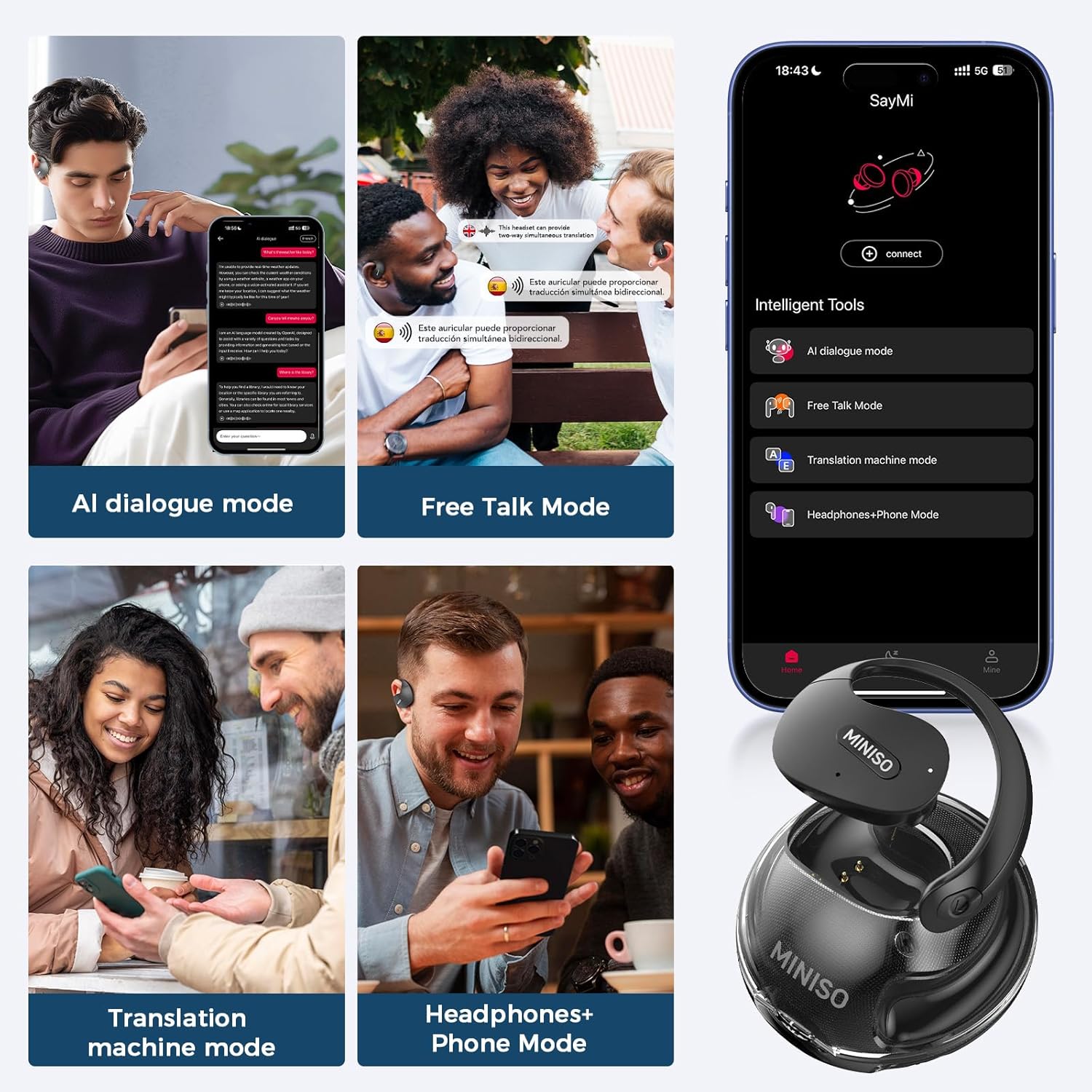
Image: Screenshots of the MINISO app interface demonstrating AI dialogue, Free Talk, and Headphones+Phone translation modes.
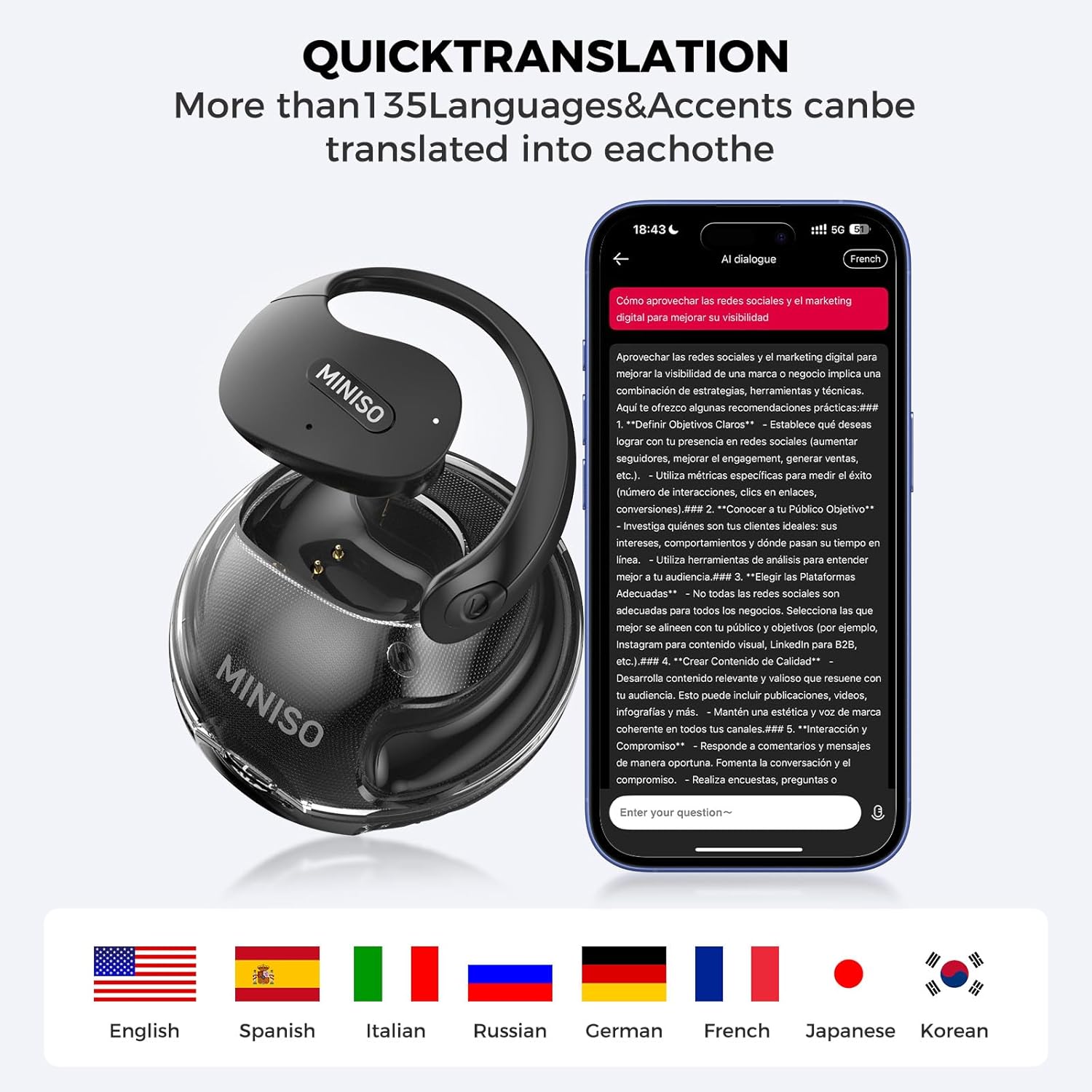
Image: The MINISO X15 Pro earbuds with a phone displaying "Quick Translation" and flags of various languages, indicating support for over 135 languages and accents.

Image: Two individuals engaged in a conversation, with speech bubbles indicating bidirectional simultaneous translation facilitated by the earbuds.
Audio Settings (via Case Touchscreen)
The charging case features a touchscreen display allowing you to adjust audio settings directly:
- Equalizer: Adjust sound profiles (e.g., Normal, Bass Boost, Treble Boost) to customize your listening experience.
- Spatial Sound: Enable or disable spatial audio for an enhanced, immersive soundstage.

Image: An exploded view diagram highlighting the 14.2mm dynamic speaker components within the MINISO X15 Pro earbud, emphasizing Bluetooth 5.4 and HIFI Stereo capabilities.
Maintenance
- Cleaning: Use a soft, dry, lint-free cloth to clean the earbuds and charging case. Do not use abrasive cleaners or solvents.
- Storage: Store the earbuds in their charging case when not in use to protect them and keep them charged.
- Avoid Water: The earbuds are not water-resistant. Avoid exposure to water, rain, or excessive moisture.
Troubleshooting
| Problem | Possible Solution |
|---|---|
| Earbuds not pairing/connecting. | Ensure Bluetooth is enabled on your device. Make sure earbuds are charged and in pairing mode (open case lid). Try forgetting the device in your Bluetooth settings and re-pairing. |
| Translation app QR code not working. | Ensure your phone's camera has permission to scan QR codes. Try manually searching for the "MINISO Translation" app in your app store. Verify your internet connection. |
| Poor audio quality. | Check earbud placement. Ensure earbuds are clean. Adjust equalizer settings via the charging case. Move closer to your connected device to avoid interference. |
| Earbuds not charging. | Ensure the charging cable is securely connected to both the case and power source. Check for debris in the charging ports. Try a different charging cable or power adapter. |
Product Specifications
| Feature | Detail |
|---|---|
| Model Name | X15 PRO |
| Connectivity Technology | Wireless (Bluetooth 5.4) |
| Bluetooth Range | Up to 33 feet |
| Audio Driver Type | Dynamic Driver (14.2mm) |
| Ear Placement | Open Ear |
| Control Type | Touch Control |
| Item Weight | 4.8 ounces (total package) |
| Water Resistance Level | Not Water Resistant |
| Manufacturer | MINISO |
Safety Information
- Do not disassemble, repair, or modify the product.
- Keep the product away from extreme temperatures, direct sunlight, and moisture.
- Avoid dropping or subjecting the product to strong impacts.
- Use only the provided charging cable and a compatible power adapter.
- Dispose of the product responsibly according to local regulations.
Warranty and Support
For warranty information, technical support, or service inquiries, please refer to the official MINISO website or contact their customer service department. Keep your purchase receipt as proof of purchase for warranty claims.
Visit the official MINISO Store: MINISO Store on Amazon


