Introduction
The Trust Gaming GXT 871 Zora is a full-size mechanical gaming keyboard designed for precision and durability. It features Huano linear mechanical switches, customizable RGB illumination, and N-key rollover anti-ghosting functionality, providing an optimal experience for both gaming and typing. This manual provides detailed instructions for setting up, operating, and maintaining your keyboard, along with troubleshooting tips and product specifications.

Image: The Trust Gaming GXT 871 Zora Mechanical Keyboard, showcasing its full-size layout and vibrant RGB backlighting.
What's in the Box
Upon unboxing your Trust Gaming GXT 871 Zora Mechanical Keyboard, please ensure all the following items are present:
- Trust Gaming GXT 871 Zora Mechanical Keyboard
- 1.8m USB-A-to-C Cable
- User Guide

Image: The retail packaging for the Trust Gaming GXT 871 Zora keyboard, indicating the product and its branding.
Setup
Connecting the Keyboard
- Locate the USB-C port on the back of the GXT 871 Zora keyboard.
- Connect the USB-C end of the provided 1.8m cable to the keyboard.
- Connect the USB-A end of the cable to an available USB port on your computer (PC or Laptop), PlayStation console, or Xbox console.
- The keyboard is plug-and-play and should be automatically recognized by your system.

Image: Visual representation of the keyboard's compatibility with PC, PlayStation, and Xbox gaming platforms.
Adjusting Keyboard Height
The GXT 871 Zora features anti-slip, 3-step height adjustable feet on its underside, allowing you to customize the typing angle for optimal comfort.
- Gently lift the back of the keyboard.
- Extend the feet to your desired height setting. There are three possible positions.
- Ensure both feet are set to the same height for stability.
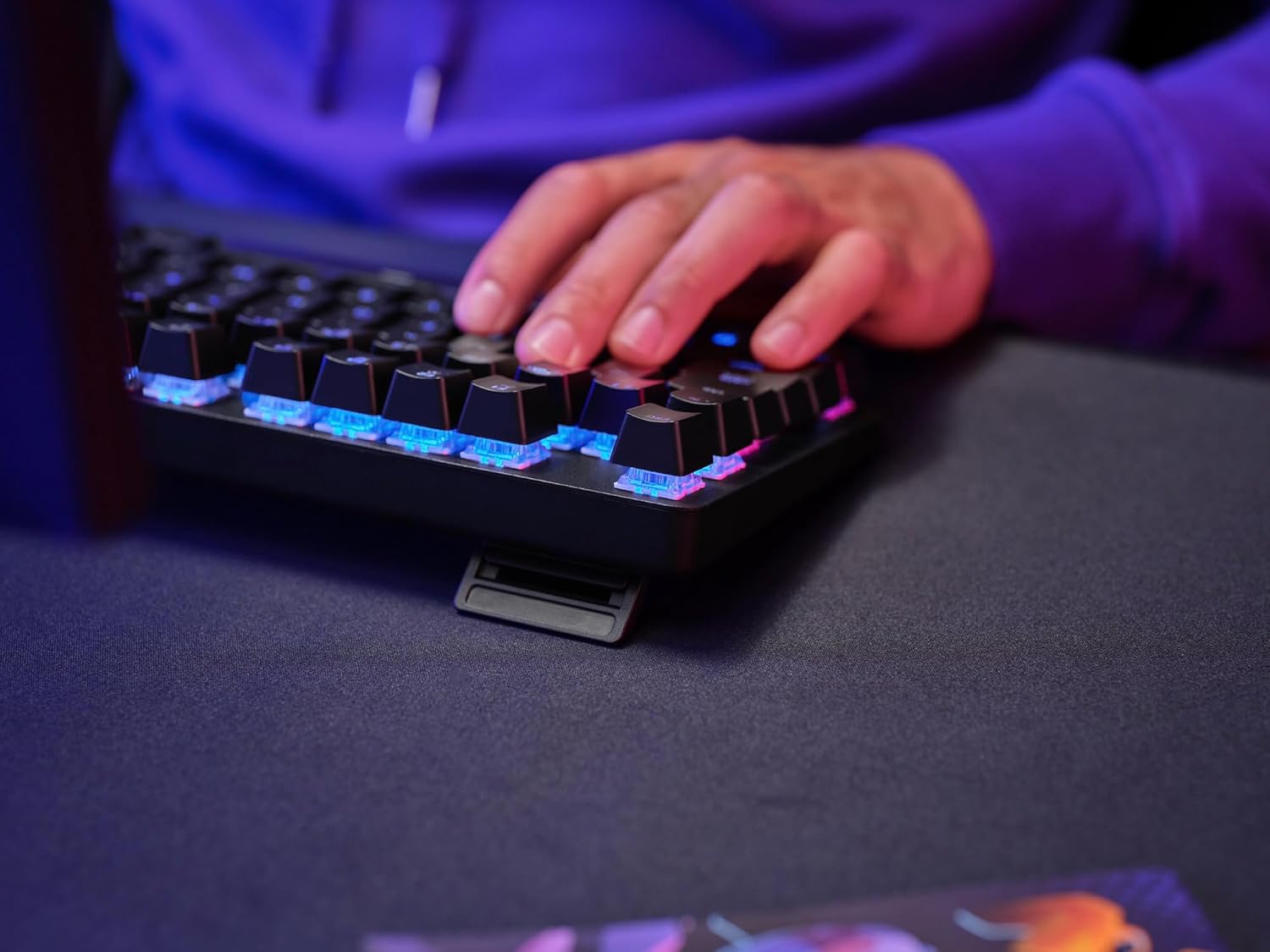
Image: A close-up of the keyboard's adjustable feet, demonstrating the three available height settings for ergonomic positioning.
Operating the Keyboard
Mechanical Switches
The GXT 871 Zora is equipped with durable Huano linear mechanical switches, engineered for rapid response and a smooth keystroke. These switches are rated for up to 50 million keystrokes, ensuring long-term performance and reliability.

Image: An exploded view of a mechanical key switch, illustrating the internal components of the Huano linear switch.
RGB Illumination
The keyboard features fully adjustable RGB illumination with 16.8 million color combinations. You can customize lighting effects directly on the keyboard using Fn multifunction keys or through the dedicated software.
- On-Keyboard Controls: Use the Fn key in combination with specific function keys (e.g., Fn + F9-F12, or dedicated lighting keys) to cycle through preset lighting modes, adjust brightness, and change speed. Refer to the quick start guide included with your product for specific key combinations.
- Software Customization: For advanced customization, including creating custom lighting profiles and macros, download and install the official Trust Gaming software from the Trust Gaming website.

Image: The keyboard displaying its customizable RGB lighting, with icons indicating adjustable lighting and software support.

Image: A screenshot of the Trust Gaming software, showing options for customizing RGB lighting effects and settings.
Anti-Ghosting with N-Key Rollover
The GXT 871 Zora features N-key rollover anti-ghosting functionality, ensuring that every keystroke is registered accurately, even when multiple keys are pressed simultaneously. This is crucial for fast-paced gaming and efficient typing.
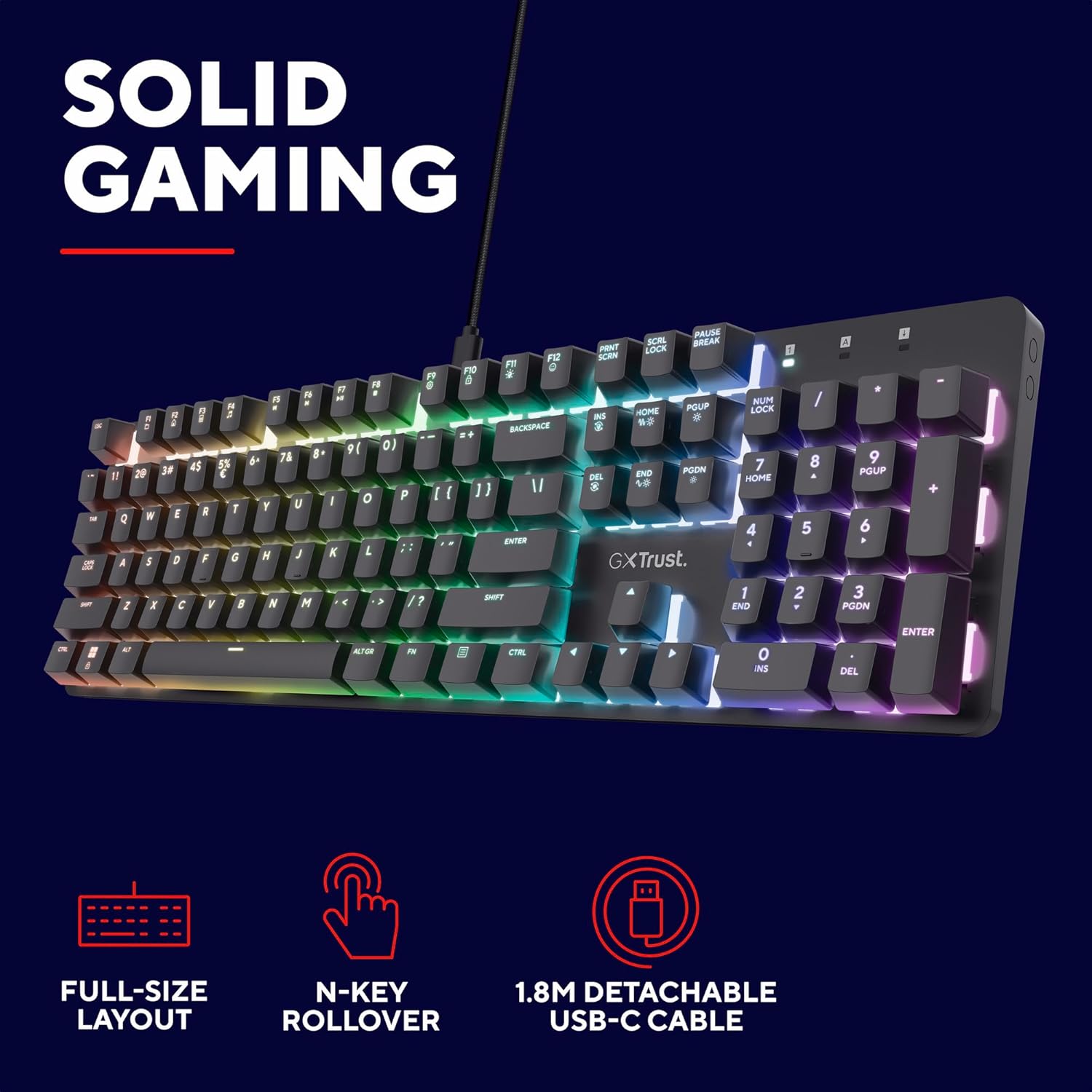
Image: A visual emphasizing the full-size layout, N-key rollover capability, and detachable USB-C cable of the keyboard.
Maintenance
To ensure the longevity and optimal performance of your Trust Gaming GXT 871 Zora keyboard, follow these maintenance guidelines:
- Cleaning: Regularly clean the keyboard surface and between the keycaps using a soft, dry cloth or a can of compressed air to remove dust and debris. For stubborn dirt, a slightly damp cloth can be used, but ensure no moisture enters the keyboard.
- Spills: In case of liquid spills, immediately disconnect the keyboard from your device. Turn it upside down to drain any liquid and allow it to dry completely before reconnecting. Do not use a hairdryer or direct heat.
- Storage: When not in use for extended periods, store the keyboard in a clean, dry environment away from direct sunlight and extreme temperatures.

Image: An illustration demonstrating the robust aluminum top-plate construction, which contributes to the keyboard's durability and ease of cleaning.
Troubleshooting
If you encounter issues with your Trust Gaming GXT 871 Zora keyboard, refer to the following common problems and solutions:
| Problem | Possible Cause | Solution |
|---|---|---|
| Keyboard not recognized by computer. | Loose USB connection, faulty USB port, driver issue. |
|
| Keys are not responding or double-typing. | Dust/debris under keycap, switch malfunction, software conflict. |
|
| RGB lighting is not working or behaving unexpectedly. | Incorrect lighting mode, software settings, power issue. |
|
Specifications
| Feature | Detail |
|---|---|
| Brand | Trust Gaming |
| Model Number | 25680 |
| Product Dimensions | 13.6 x 44 x 3.3 cm |
| Item Weight | 790 g |
| Connectivity Technology | USB-A (detachable 1.8m cable) |
| Keyboard Description | Mechanical |
| Switch Type | Huano Linear Mechanical Switches |
| Key Lifespan | Up to 50 million keystrokes |
| Number of Keys | 104 (Full Size UK Layout) |
| Anti-Ghosting | N-Key Rollover |
| Backlighting | RGB (16.8 million colors, adjustable) |
| Top Plate Material | Durable Aluminium |
| Compatible Devices | Laptop, PC, PlayStation, Xbox |
Warranty and Support
For information regarding the warranty period and terms for your Trust Gaming GXT 871 Zora Mechanical Keyboard, please refer to the warranty card included with your product or visit the official Trust Gaming website. The manufacturer is Trust.
For technical support, driver downloads, or further assistance, please visit the Trust Gaming support page or contact their customer service directly. Keep your proof of purchase for warranty claims.
Official Trust Gaming Website: www.trust.com/gaming