1. Introduction
The UGREEN Magnetic USB C Splitter is a versatile 2-in-1 adapter designed to allow simultaneous audio output and fast charging for your USB-C enabled devices. This adapter provides a convenient solution for devices lacking a dedicated 3.5mm audio jack, ensuring you can enjoy high-quality audio while keeping your device powered.
2. Product Overview

Figure 2.1: UGREEN Magnetic USB C Splitter. This image shows the overall design of the splitter with its USB-C input and two magnetic USB-C outputs for charging and audio.
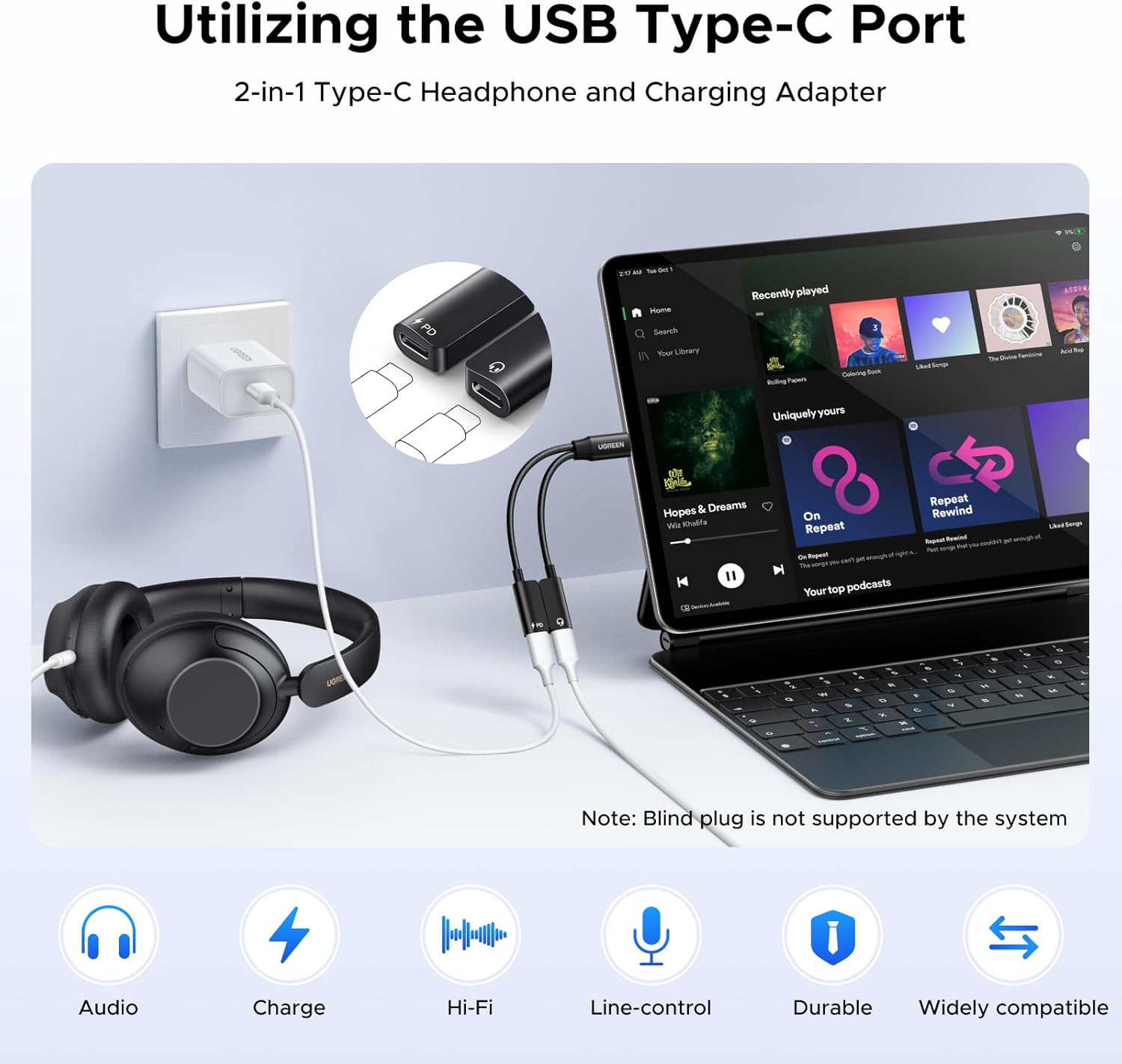
Figure 2.2: Utilizing the USB Type-C Port. The splitter connected to a laptop, demonstrating its 2-in-1 functionality for headphones and charging.

Figure 2.3: PD 60W Fast Charge. Illustrates the adapter's capability to provide 60W Power Delivery fast charging to a device while in use.

Figure 2.4: Crystal-Clear Hi-Fi Audio. Shows a user enjoying music, highlighting the adapter's high-fidelity audio transmission.
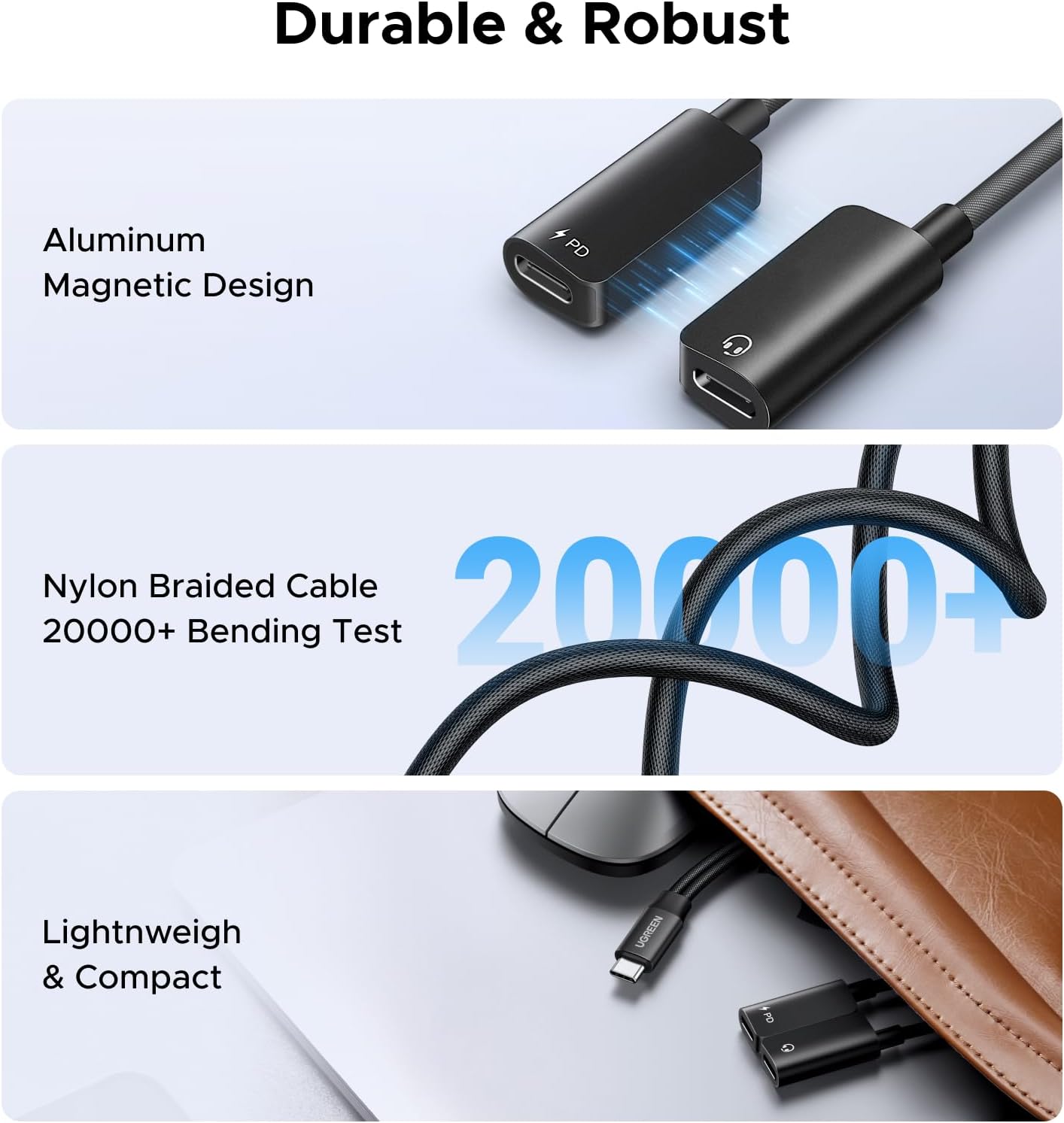
Figure 2.5: Durable & Robust. Details the aluminum magnetic design, nylon braided cable, and compact size contributing to the product's durability.

Figure 2.6: Wide Compatibility. Displays various devices compatible with the USB-C input and the dual USB-C outputs for audio and charging.

Figure 2.7: Wide Application. Shows the splitter being used in various scenarios such as gaming, driving, listening to music, and making calls.

Figure 2.8: USB C PD Fast Charge and USB C Stereo Audio. A close-up showing the two distinct functions of the splitter: power delivery and audio output.
Key Features:
- Simultaneous Listen & Charge: Enjoy audio, calls, or media while fast charging your device at up to 60W PD speeds.
- Crystal Sound: Engineered for clear, distortion-free audio transmission with no current noise.
- PD 60W Super-Fast Charging: Supports PD, QC, AFC, and PPS fast charging standards for most devices.
- Magnetic Design & Durability: Features a magnetic connection for secure storage, braided nylon cable for durability, and premium aluminum alloy case for heat dissipation.
- Wide Compatibility: Compatible with most USB-C devices including iPhone 16 Pro Max/16 Pro/16 Plus/16, Galaxy S25 Ultra/S25+/S25, Pixel 9 Pro/9, MacBook Pro/Air 2024, iPad Pro/Air 2020-2024, XPS 17/15/13, Dell, HP Chromebook x360, Surface Book 3, Samsung Tablet S9, Note 20, LG V40, Valve Steam Deck, Switch 2.
Note: This adapter does not support data transfer or screen expansion. External USB-C to 3.5mm adapters are not supported. Not compatible with Amazon Fire Max.
3. Setup
The UGREEN Magnetic USB C Splitter is designed for plug-and-play functionality. No drivers or complex installations are required.
- Connect the male USB-C connector of the splitter to the USB-C port on your compatible device (e.g., smartphone, tablet, laptop).
- For audio, connect your USB-C headphones or audio device to the USB-C port on the splitter marked with a headphone icon.
- For charging, connect a USB-C charging cable from a compatible power adapter to the USB-C port on the splitter marked with a "PD" lightning bolt icon.
4. Operating Instructions
Once connected, the splitter will automatically enable audio output and charging capabilities. Ensure your audio device and charging adapter are properly connected to their respective ports on the splitter.
Simultaneous Use:
- You can listen to music, watch videos, or make calls through your USB-C headphones while your device charges simultaneously.
- The 60W PD charging ensures efficient power delivery to your device. Verify that your wall charger and charging cable also support the PD fast charging protocol for optimal performance.
The magnetic design allows the two output cables to snap together for neat storage when not in use, preventing tangles and damage.
5. Compatibility
The UGREEN Magnetic USB C Splitter is broadly compatible with a wide range of USB-C devices. Below is a general compatibility guide:
| Device Type | Compatible Models |
|---|---|
| Smartphones | iPhone 16 Pro Max/16 Pro/16 Plus/16, Galaxy S25 Ultra/S25+/S25, Pixel 9 Pro/9, Note 20, LG V40 |
| Tablets | iPad Pro/Air 2020-2024, Samsung Tablet S9, Surface Book 3 |
| Laptops | MacBook Pro/Air 2024, XPS 17/15/13, Dell, HP Chromebook x360 |
| Gaming Consoles | Valve Steam Deck, Switch 2 |
Important Note:
- External USB-C to 3.5mm adapters are not supported through this splitter.
- Not compatible with Amazon Fire Max devices.
- While the splitter supports audio and charging, it does not support data transfer or screen expansion.
6. Maintenance
To ensure the longevity and optimal performance of your UGREEN Magnetic USB C Splitter, follow these maintenance guidelines:
- Cleaning: Use a soft, dry cloth to clean the adapter. Avoid using liquid cleaners or aerosols.
- Storage: Store the adapter in a cool, dry place away from direct sunlight and extreme temperatures. The magnetic design helps keep the cables tidy.
- Handling: Avoid bending the cables sharply or applying excessive force when connecting or disconnecting. Always grasp the connector housing, not the cable itself.
- Moisture: Keep the adapter away from water and high humidity to prevent damage to internal components.
7. Troubleshooting
If you encounter issues with your UGREEN Magnetic USB C Splitter, please refer to the following common problems and solutions:
| Problem | Possible Cause / Solution |
|---|---|
| No audio output. |
|
| Device not charging. |
|
| Intermittent connection. |
|
| Adapter feels warm during use. |
|
8. Specifications
| Feature | Detail |
|---|---|
| Product Dimensions | 0.63 x 1.1 x 0.35 inches |
| Item Weight | 1.44 ounces |
| Model Number | 45800 |
| Connector Type | USB Type C (Input), Dual USB Type C (Output: Audio, PD Charging) |
| Charging Power | Up to 60W Power Delivery (PD) |
| Audio Quality | Crystal Sound, Hi-Fi Audio (Note: For Hi-Fi audio, ensure your device supports 96kHz/24bit) |
| Material | Aluminum Alloy Case, Braided Nylon Cable |
| Color | Black |
| Country of Origin | China |
9. Warranty and Support
UGREEN products are designed with quality and reliability in mind. For warranty information, technical support, or any inquiries regarding your UGREEN Magnetic USB C Splitter, please contact UGREEN customer service directly through their official website or the retailer where you purchased the product.
You can visit the UGREEN Store for more information and support: