
Comeonfull M57
User Manual: Adjustable Silicone Open Ear Headphones
Model: M57
Brand: Comeonfull
Introduction
The Comeonfull M57 Adjustable Silicone Open Ear Headphones offer a new music experience with comfortable wearing sensations. Designed for active lifestyles, these wireless Bluetooth 5.4 earbuds feature ergonomic ear hooks, IPX7 waterproofing, and bone conduction technology for clear audio during running and workouts. Enjoy powerful bass, clear mids, and bright highs with high-fidelity sound reproduction.
Key features include ultra-soft silicone for skin-friendly comfort, upgraded Bluetooth 5.4 for stable connections, excellent sound quality from 16mm dynamic drivers, long battery life with an LED power display on the charging case, and smart touch controls for seamless operation.
What's in the Box
- Charging Case
- User Manual
- Charging Cable
- Open Ear Headphones (M57)

Image: The M57 Open Ear Headphones in their charging case, showcasing the complete package contents.
Setup
Charging the Earbuds and Case
Before first use, fully charge the earbuds and the charging case. The charging case features an LED power display to indicate the remaining battery percentage.
- Place the earbuds into the charging case. Ensure they are properly seated to make contact with the charging pins.
- Connect the provided USB-C charging cable to the charging port on the case and to a compatible USB power source.
- The LED display on the case will show the charging status. A full charge provides up to 9 hours of playback for the earbuds and up to 80 hours with the charging case.

Image: The M57 charging case open, displaying the earbuds and the digital LED battery indicator.
Bluetooth Pairing
The M57 earbuds utilize upgraded Bluetooth 5.4 technology for a fast and stable connection.
- Open the charging case. The earbuds will automatically enter pairing mode.
- On your device (smartphone, tablet, etc.), enable Bluetooth.
- Search for available Bluetooth devices and select "M57" from the list.
- Once connected, the earbuds are ready for use. They will automatically reconnect to the last paired device when removed from the case.
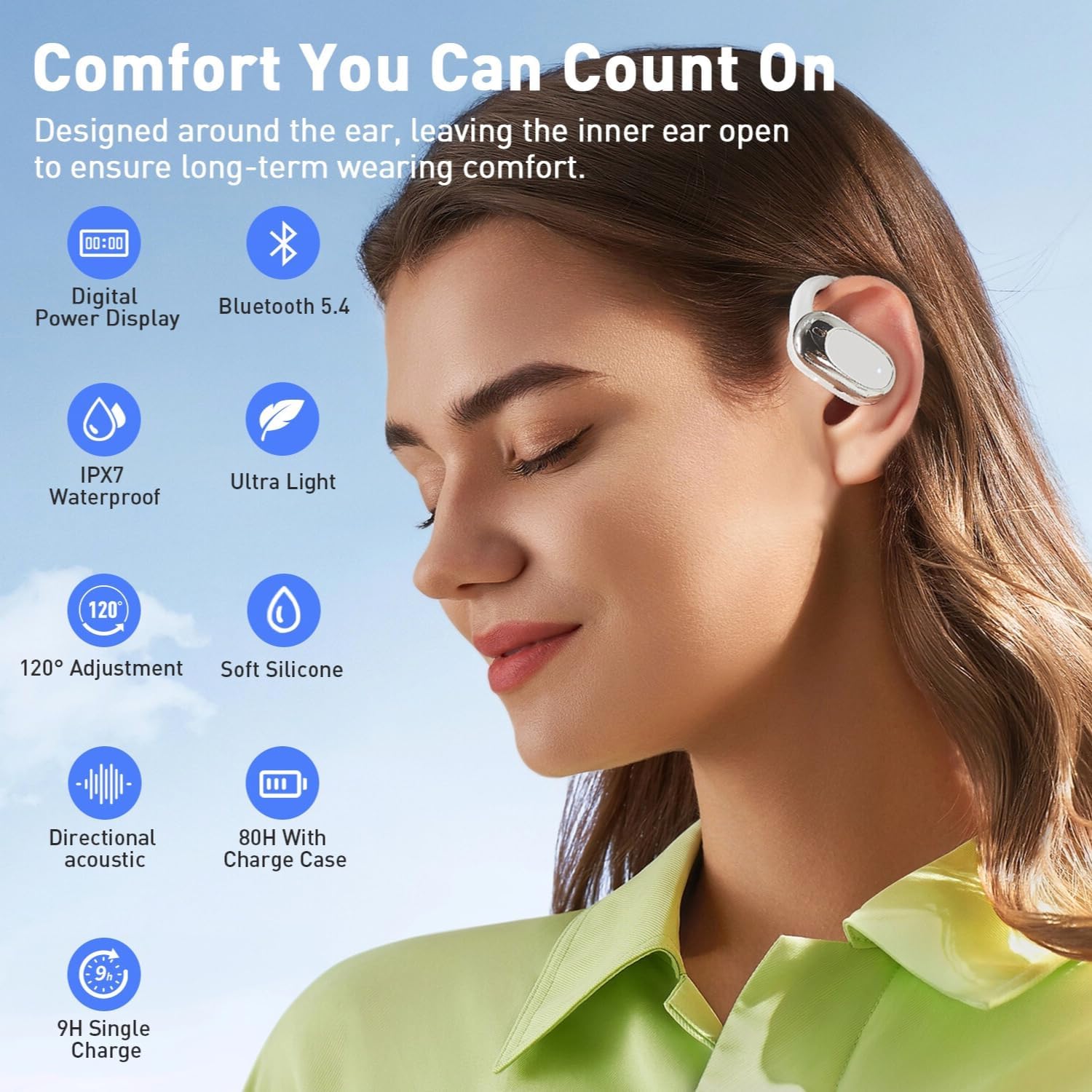
Image: A smartphone screen showing "M57" as a connected Bluetooth device, with the earbuds and case nearby.
Video: Demonstrates the pairing process of the M57 earbuds with a mobile device and shows the earbuds being placed in the charging case.
Operating Instructions
Wearing the Earbuds
The M57 earbuds are designed with ergonomic and flexible ear hooks made from soft, skin-friendly silicone for stable and secure fit during various activities. The open-ear design ensures comfort for prolonged wear.
- Gently place the earbud over your ear, ensuring the ear hook wraps comfortably around the back of your ear.
- Adjust the earbud's position for optimal sound and comfort. The earbuds feature a 120° rotation design to accommodate different ear shapes and sizes for a customized fit.

Image: A person wearing one of the M57 open-ear headphones, demonstrating its comfortable fit around the ear.

Image: A diagram illustrating the 120-degree rotation adjustment feature of the earbud for a customized fit.
Smart Touch Controls
The M57 earbuds are equipped with high-sensitivity smart touch controls, allowing you to manage audio playback and calls with ease.
| Action | Control |
|---|---|
| Play/Pause Music | Double-click on either earbud |
| Next Song | Long Press Right Earbud |
| Previous Song | Long Press Left Earbud |
| Answer/Hang Up Call | Double-click on either earbud |
| Reject Call | Double-click on either earbud (while ringing) |
| Volume Up | Double-click Right Earbud |
| Volume Down | Double-click Left Earbud |
| Voice Assistant | Triple-click on either earbud |

Image: A visual guide to the smart touch controls on the M57 earbuds, detailing various functions.
Sound Quality
Equipped with 16mm large dynamic drivers, the M57 headphones deliver powerful bass, clear mids, and bright highs, bringing every note and detail to life for a high-fidelity audio experience.

Image: An X-ray view of the earbud's internal structure, highlighting the 16mm dynamic driver responsible for sound output.
Maintenance
- Cleaning: Regularly wipe the earbuds and charging case with a soft, dry, lint-free cloth. Avoid using harsh chemicals or abrasive materials.
- Storage: When not in use, store the earbuds in their charging case to protect them from dust and damage. Keep them in a cool, dry place away from extreme temperatures.
- Water Resistance: The M57 earbuds are IPX7 waterproof. This means they can withstand submersion in up to 1 meter of water for 30 minutes. However, they are not designed for swimming or prolonged water exposure. Ensure the earbuds are dry before placing them back in the charging case to prevent damage.
Troubleshooting
- Earbuds not pairing: Ensure both earbuds are charged. Place them back in the case, close the lid, then open it again to re-enter pairing mode. Check your device's Bluetooth settings to ensure "M57" is selected and not connected to another device.
- No sound or low volume: Check the volume levels on both your connected device and the earbuds. Ensure the earbuds are properly seated in your ears.
- Charging issues: Verify the charging cable is securely connected to both the case and the power source. Check the LED display on the case for charging indicators. If the earbuds are not charging, ensure the charging contacts on both the earbuds and the case are clean and free of debris.
- Intermittent connection: Ensure your device is within the Bluetooth range (32 feet). Avoid obstacles between the earbuds and your device that might interfere with the signal.
Specifications
| Feature | Detail |
|---|---|
| Model Name | M57 |
| Connectivity Technology | Wireless (Bluetooth) |
| Bluetooth Version | 5.4 |
| Bluetooth Range | 32 Feet |
| Water Resistance Level | IPX7 Waterproof |
| Battery Life (Single Charge) | 9 Hours |
| Battery Life (with Charging Case) | 80 Hours |
| Charging Time | 9 Hours (for full system charge) |
| Audio Driver Type | Dynamic Driver (16 mm) |
| Frequency Range | 20 Hz - 20,000 Hz |
| Control Method | Touch |
| Earpiece Shape | Ear Hooks |
| Item Weight | 3.84 ounces |
| Manufacturer | Dongguan Ruige Electronics Co., LTD |
Warranty and Support
For warranty information or technical support, please refer to the contact details provided on the product packaging or the official Comeonfull website. Keep your purchase receipt for any warranty claims.
Ask a question about this manual
Ask about setup, troubleshooting, compatibility, parts, safety, or missing instructions. Manuals+ will review the question and use this page’s manual context to help answer it.