
1. Introduction
This manual provides essential instructions for the safe and effective use of your Checkme BP2 WiFi Blood Pressure Machine with ECG. Please read this manual thoroughly before operating the device and retain it for future reference. This device is designed for home use to measure blood pressure and record electrocardiogram (ECG) data.
2. Important Safety Information
Always consult your physician for interpretation of blood pressure and ECG readings. Self-diagnosis and treatment based on measurement results can be dangerous. This device is not intended to replace professional medical advice or treatment.
- Do not use this device on infants, children, or individuals unable to express consent.
- Do not use this device if you have a serious arrhythmia, severe heart failure, or are undergoing intravenous therapy on the arm where the cuff is applied.
- Avoid taking measurements immediately after exercise, bathing, or consuming alcohol/caffeine.
- Ensure the cuff fits correctly. An improperly sized cuff can lead to inaccurate readings.
- Keep the device away from strong electromagnetic fields.
- Do not disassemble or attempt to repair the device. Contact customer support for assistance.
Legal Disclaimer: Actual product packaging and materials may contain more and different information than what is shown. We recommend that you do not rely solely on the information presented and that you always read labels, warnings, and directions before using or consuming a product.
3. Package Contents
Verify that all items are present in the package:
- 1 x Checkme BP2 Blood Pressure Monitor with ECG
- 1 x Charging Cable (USB-C)
- 1 x User Manual
- 1 x Quick Guide
- 1 x Warranty Card
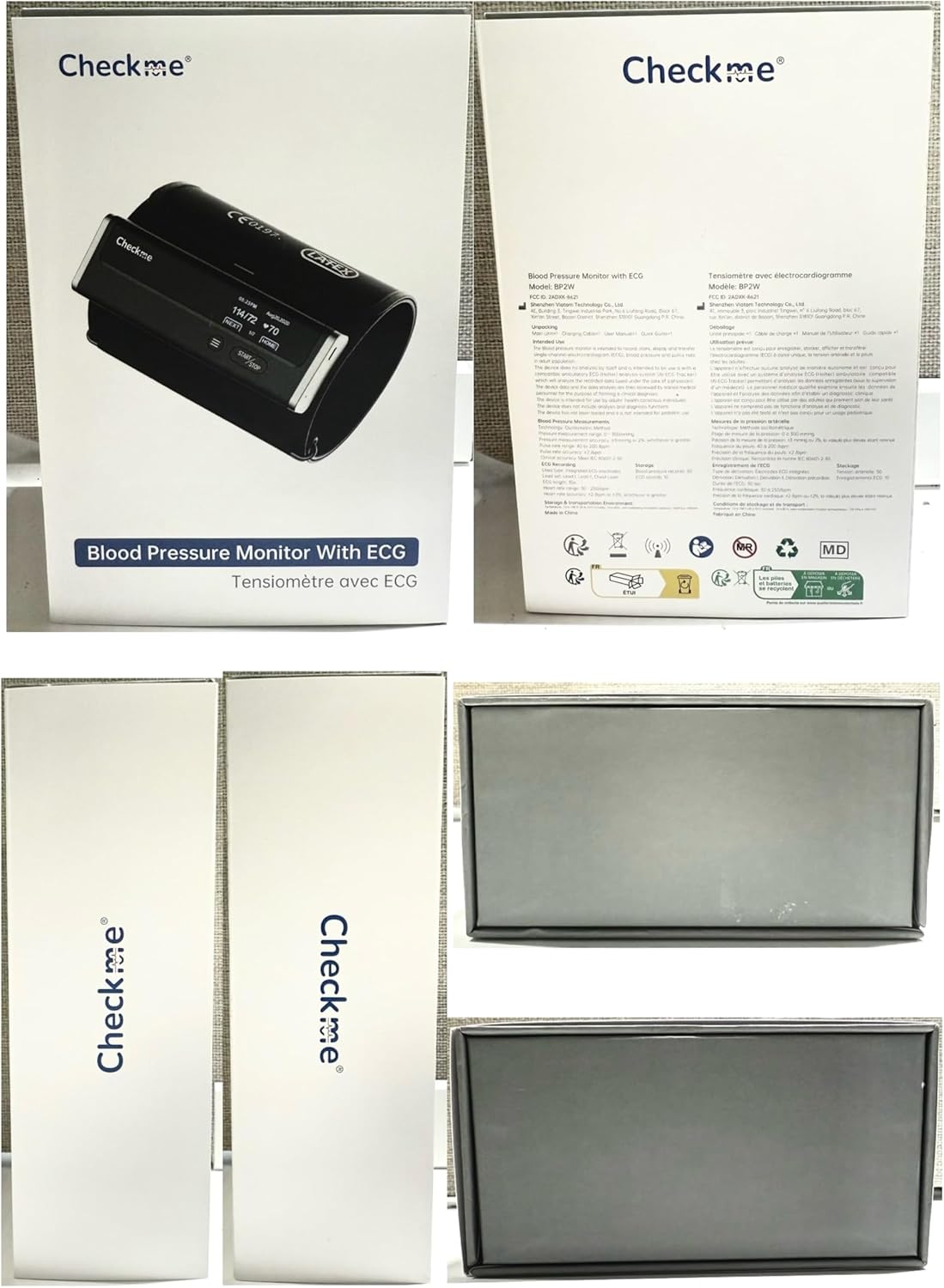
Image: Checkme BP2 product packaging, illustrating the device box and its contents.
4. Device Overview
The Checkme BP2 is a compact, wireless device integrating blood pressure measurement and ECG recording. It features an adjustable arm cuff and a clear display for readings.

Image: The Checkme BP2 device, demonstrating its integrated design with the arm cuff and connectivity to a mobile application.
4.1 Adjustable Arm Cuff
The device includes an adjustable arm cuff designed to fit upper arm sizes ranging from 22 to 42 cm. The cuff is made from high-elastic LYCRA fabric and incorporates intelligent pressurization for comfortable and accurate measurements.

Image: Detailed view of the Checkme BP2's adjustable arm cuff, highlighting its flexible material and design for various arm sizes.
4.2 Built-in Storage
The Checkme BP2 device can store up to 50 blood pressure records and 10 ECG records directly on the unit, allowing for offline access to your recent measurements.

Image: The device display illustrating how stored blood pressure and ECG records are shown, confirming its internal storage capability.
5. Setup
5.1 Charging the Device
The Checkme BP2 is powered by a rechargeable battery. Use the provided USB-C charging cable to charge the device. A full charge supports up to 500 measurements.

Image: The Checkme BP2 device connected to a USB-C charging cable, demonstrating its portability and rechargeable battery feature.
5.2 App Installation and Pairing (ViHealth App)
To unlock full features, data management, and analysis, install the ViHealth app on your iOS or Android smartphone. Ensure Bluetooth is enabled on your smartphone during the pairing process.
- Download the ViHealth app from your device's app store.
- Open the app and create an account or proceed as a guest. Note: Account creation is often required for full functionality and cloud data storage.
- Follow the in-app instructions to add your device. This typically involves selecting 'Add Device' and allowing the app to search for your BP2 via Bluetooth.
- Confirm the pairing on both the app and the device if prompted.

Image: Visual guide for connecting the Checkme BP2 to the ViHealth mobile application, detailing the pairing process.
5.3 WiFi Setup
For seamless data synchronization, configure WiFi connectivity through the ViHealth app after initial Bluetooth pairing.
- Within the ViHealth app, navigate to your device settings.
- Select the WiFi setup option.
- Enter your WiFi network name and password as prompted by the app.
- Confirm the settings to complete the WiFi connection.
6. Operating Instructions
6.1 How to Measure Correctly
Proper positioning is crucial for accurate blood pressure and ECG readings.
- Place the cuff: Position the cuff on your left upper arm, ensuring 1-2 fingers of space above the elbow. The device display should face upwards.
- Sit comfortably: Sit upright with your back supported, feet flat on the floor, and your arm resting on a table so the cuff is at heart level. Remain relaxed and avoid talking during measurement.
- Start measurement: Press the START/STOP button to begin a blood pressure measurement. The cuff will inflate automatically.
- For ECG readings: After a blood pressure measurement, or by selecting the ECG function, hold the monitor steady for 30 seconds, ensuring skin contact with the ECG electrodes (typically on the sides of the device).

Image: A step-by-step visual guide demonstrating the correct procedure for taking blood pressure and ECG measurements.
6.2 Blood Pressure Measurement (Single & Triple Measurement)
The device offers both single and triple measurement functions for blood pressure.
- Single Measurement: Press the START/STOP button once. The device will inflate the cuff, take a reading, and display the result.
- Triple Measurement (X3): This function takes three consecutive blood pressure readings and averages them for a more reliable result. This feature needs to be activated in the ViHealth app during initial pairing.

Image: The Checkme BP2 demonstrating its triple measurement function, which automatically takes three readings and averages them for enhanced accuracy.

Image: Instructions on activating the Triple Measurement feature via the ViHealth app settings.
6.3 ECG Measurement
The device can record a 30-second ECG. After initiating an ECG measurement, ensure both hands make firm contact with the device's electrodes. The ECG record will be displayed on the device and can be synced to the app for analysis.

Image: A user performing an ECG measurement with the Checkme BP2, highlighting the device's capability for advanced ECG with AI analysis.
6.4 Multi-User Management
The Checkme BP2 supports multiple users. You can switch between user profiles to ensure records are assigned correctly. This feature needs to be configured within the ViHealth app.
To switch users on the device, press and hold the menu button (three horizontal lines) when the monitor is ON.

Image: The multi-user data management feature, showing how different user profiles can be selected and managed through the app and on the device.
6.5 Reviewing Records on Device
To review stored records directly on the device, press and hold the menu button for 2 seconds while the device is OFF. You can then navigate through the stored blood pressure and ECG readings.
6.6 Syncing Data to App
Data can be seamlessly synced to the ViHealth app via WiFi or Bluetooth. Once synced, the app provides a historical trend of your measurements.

Image: The ViHealth app interface demonstrating how to track historical trends and share detailed reports of your measurements.
6.7 AI Analysis & Report Sharing
The ViHealth app offers AI-generated ECG analysis for easy health insights. You can also generate and share PDF/CSV blood pressure reports effortlessly, which can be useful for sharing with healthcare professionals.

Image: Steps for utilizing the AI analysis feature for ECG reports and the option to share these reports from the ViHealth app.
7. Maintenance
7.1 Cleaning
Clean the device and cuff regularly with a soft, dry cloth. If necessary, use a slightly damp cloth with mild soap, then wipe dry. Do not use abrasive cleaners or immerse the device in water.
7.2 Storage
Store the device in a cool, dry place, away from direct sunlight and extreme temperatures. Keep it out of reach of children and pets.
8. Troubleshooting
| Problem | Possible Cause | Solution |
|---|---|---|
| Device does not power on. | Low battery. | Charge the device using the provided USB-C cable. |
| Inaccurate blood pressure readings. | Incorrect cuff placement; movement during measurement; improper arm position. | Ensure cuff is correctly placed 1-2cm above elbow. Remain still and silent. Position arm at heart level. |
| ECG reading error or unreliable results. | Insufficient skin contact with electrodes; dry skin. | Ensure firm contact with both electrodes. If skin is dry, moisten slightly with water. |
| Cannot pair with ViHealth app. | Bluetooth off; app permissions not granted; device already paired. | Ensure Bluetooth is enabled on your phone. Grant necessary app permissions. Reset device if previously paired. |
| Data not syncing to app. | No WiFi/Bluetooth connection; app issue. | Verify WiFi or Bluetooth connection. Restart the app and device. Check app for pending data assignments. |
9. Specifications
- Model: BP2W
- Brand: Checkme
- Dimensions: 13.5L x 2W x 4.5Th Centimetres
- Arm Cuff Size: 22-42 cm (adjustable)
- Power Source: Rechargeable Battery (1 Nonstandard Battery included)
- Connectivity: WiFi, Bluetooth
- On-device Storage: Up to 50 BP records, 10 ECG records
- App Compatibility: iOS & Android (ViHealth App)
- Manufacturer: SHENZHEN VIATOM TECHNOLOGY CO.,LTD
- UPC: 850063708616
10. Warranty and Support
For warranty information and customer support, please refer to the included Warranty Card or contact Checkme customer service. Keep your purchase receipt for warranty claims.