
1. Introduction and Overview
This manual provides essential information for the safe assembly, operation, and maintenance of your FUNTOK Upgraded 12V 7AH Electric Ride-On Truck. Designed for children aged 37-95 months, this electric vehicle offers an engaging driving experience with features like parental remote control, multiple speeds, spring suspension, LED lights, USB, and Bluetooth connectivity.
Please read this manual thoroughly before initial use and retain it for future reference. Ensure all users understand the safety warnings and operating procedures.

Figure 1: FUNTOK Electric Ride-On Truck (Pink model shown).
2. What's in the Box
Upon unpacking, verify that all components listed below are present:
- Kids Ride On Truck
- Parent Remote Control
- User Manual
- Charger
If any parts are missing or damaged, please contact customer support immediately.
3. Setup and Assembly
Assembly typically takes approximately 1 to 1.5 hours. Follow the detailed instructions provided in the included User Manual for step-by-step guidance. Ensure all connections are secure and components are correctly installed before first use.
3.1 Initial Battery Charge
For optimal performance, charge the 12V 7AH battery for 8-12 hours before the first use. Refer to the charging section for detailed instructions.
4. Operating Instructions
4.1 Starting the Vehicle
Press the red power button on the dashboard to turn the vehicle on. An engine sound will indicate that the vehicle is ready for operation.
Figure 2: Dashboard controls including power button and gear selector.
4.2 Driving Controls
- Forward/Stop/Back Switch: Use the dedicated switch on the dashboard to select forward, stop, or reverse motion.
- Speed Selection: Choose between "Slow" and "Fast" speeds using the speed selector button. The vehicle offers 3 driving speeds (1.86 - 3.2 mph).
- Gas Pedal: For independent driving, the child can press the gas pedal located on the floorboard to accelerate.
- Steering Wheel: The child can steer the vehicle using the steering wheel.
4.3 Parental Remote Control
The included 2.4GHz remote control allows parents to fully control the vehicle, including steering, speed, and direction. It features a remote STOP function for immediate safety intervention. This is ideal for younger children who are not yet ready for independent driving.
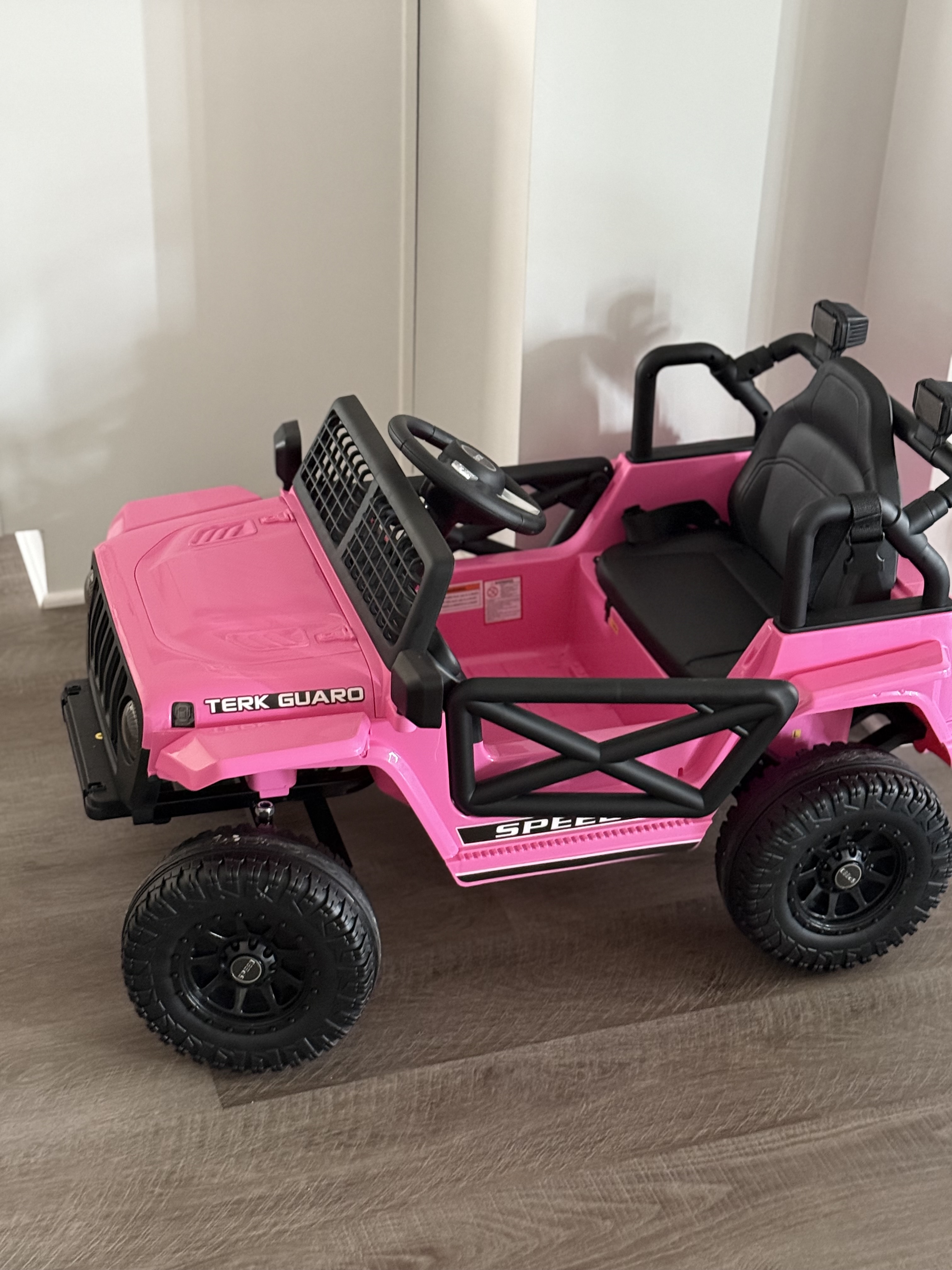
Figure 3: Parental Remote Control for the ride-on truck.
4.4 Entertainment Features
The vehicle is equipped with a music function, Bluetooth connectivity, a USB port, and an FM radio. Children can enjoy pre-loaded music, connect their own devices via Bluetooth or USB, or listen to radio stations.
- Music/Bluetooth/USB/FM: Controls for these features are located on the dashboard.
- Volume Control: Adjust the volume of the audio playback as needed.
4.5 Lights
The vehicle features functional LED headlights. Use the dedicated light switch on the dashboard to turn them on or off.
5. Safety Information
- Adult Supervision: Always keep the child in view when they are operating the power ride-on truck.
- Seat Belt: Ensure the adjustable seat belt is fastened before starting the vehicle.
- Doors: The vehicle features secure doors that can be latched. Ensure doors are closed and locked before driving.
- Terrain: The powerful dual motors allow the vehicle to operate on various terrains, including grass, dirt, and asphalt. However, avoid excessively rough or steep surfaces.
- Certifications: This product is CPSC and ASTM certified, ensuring it meets safety standards.
6. Maintenance
6.1 Battery Care
- Charging: Charge the 12V 7AH battery for 8-12 hours. Do not overcharge.
- Run Time: The vehicle provides 1-2 hours of run time, depending on the child's weight and riding speed.
- Storage: Store the vehicle and battery in a cool, dry place when not in use.
6.2 Cleaning
Wipe the vehicle with a damp cloth. Avoid using harsh chemicals or abrasive cleaners that could damage the finish or electronic components.
7. Troubleshooting
If the vehicle is not operating as expected, consider the following common issues:
- No Power: Check if the battery is fully charged and properly connected. Ensure the power button is pressed.
- Remote Control Issues: Verify that the remote control batteries (2 AAA batteries, not included) are installed correctly and have sufficient charge. Ensure the remote is paired with the vehicle according to the specific instructions in the full user manual.
- Reduced Performance: This may indicate a low battery charge. Recharge the battery for the recommended duration.
For persistent issues, refer to the comprehensive troubleshooting section in the full user manual or contact customer support.
8. Specifications
| Feature | Detail |
|---|---|
| Product Name | Kids Electric Vehicles |
| Safe Certificate | ASTM, CPSIA |
| Battery Type | 12V 7AH |
| Motor Type | 2 x 35W |
| Recommended Age | 37-95 months (3-8 years) |
| Material | Plastic, Metal |
| Maximum User Weight | 66 lbs |
| Maximum Speed | 1.86 - 3.2 mph (3 speeds) |
| Charging Time | 8-12 hours |
| Run Time | 1-2 hours (depending on weight and speed) |
| Music Function | Bluetooth / MP3 player / USB port / FM |
| Controller Batteries | 2 AAA batteries (not included) |
| Product Size (L x W x H) | 39.57 x 23.62 x 24.02 inches |
| Item Weight | 30.7 pounds |
| Item Model Number | R05A |
| Manufacturer | FUNTOK |
9. Warranty and Support
Specific warranty details are not provided in this document. For warranty information, technical support, or to report missing/damaged parts, please refer to the contact information provided in your product packaging or visit the official FUNTOK website.
Always ensure to use genuine FUNTOK replacement parts and accessories to maintain product integrity and safety.