
Jopuzia G25 Ultra
Jopuzia G25 Ultra 5G Unlocked Smartphone User Manual
Model: G25 Ultra | Brand: Jopuzia
Introduction
This user manual provides essential information and instructions for the safe and efficient operation of your Jopuzia G25 Ultra 5G Unlocked Smartphone. Please read this manual thoroughly before using your device to ensure optimal performance and longevity.
The Jopuzia G25 Ultra is a high-performance smartphone featuring a Qualcomm Snapdragon 8 Gen 3 decacore processor, a 7.3-inch FHD+ 120Hz display, a 108MP pro camera system, and a 7000mAh long-lasting battery. It supports 5G connectivity, Face ID, and Dual SIM functionality, running on Android 14.
Package Contents
Upon opening your Jopuzia G25 Ultra package, please verify that all the following items are included:
- Jopuzia G25 Ultra Mobile Phone
- S-Pen Stylus
- Fast Charger (Power Adapter)
- USB Data Cable (USB Type-C)
- High-Quality Earphones (Headset)
- Screen Protector (Pre-applied or separate film)
- Protective Case (Transparent Case)
- User Manual (English)
- SIM Card Ejector Tool

Image: The Jopuzia G25 Ultra smartphone shown with its included S Pen stylus, highlighting the device's sleek design and the accessory.
Setup
1. Initial Charging
Before first use, it is recommended to fully charge your device. If the battery is completely depleted, charge it for at least 30 minutes before attempting to power it on. For optimal battery life, charge the device for approximately three hours each time. Ensure the charging environment is dry. Avoid leaving the charger plugged into the socket for extended periods after the device is fully charged.

Image: The Jopuzia G25 Ultra screen showing the battery charging indicator, emphasizing the 7000mAh battery capacity.
2. SIM Card Installation
The Jopuzia G25 Ultra supports Dual SIM functionality. To install your SIM card(s), use the provided SIM ejector tool to open the SIM tray. Insert your SIM card(s) into the tray, ensuring proper orientation, then reinsert the tray into the device.
Important: Verify that your SIM card's network standard is supported by this phone. The device supports 2G GSM 850/900/1800/1900 MHZ, 3G WCDMA 850/1900/2100 MHZ, 4G FDD/TDD 124578 20 28A 28B 40, and 5G networks. If you experience no signal after SIM card insertion, please check your network provider's compatibility with these standards.
3. Powering On/Off
To power on the device, press and hold the Power button located on the side until the screen illuminates. To power off, press and hold the Power button, then select "Power off" from the options that appear on the screen.
Operating Instructions
Display and Navigation
The G25 Ultra features a 7.3-inch FHD+ display with a 3120 x 1440 resolution and a 120Hz refresh rate, providing a smooth and immersive visual experience. Navigate the Android 14 operating system using touch gestures. The device also supports Face ID for secure and convenient unlocking.
Camera Usage
Your smartphone is equipped with a professional-grade imaging system, including a 108-megapixel ultra-clear main camera, a 64-megapixel portrait-enhanced front camera, and a 64-megapixel ultra-wide-angle lens.
- Open the Camera application from your home screen or app drawer.
- Select your desired mode (Photo, Video, Portrait, Wide-angle, etc.).
- Tap the screen to focus on your subject.
- Press the Shutter button to capture a photo or start/stop video recording.

Image: The Jopuzia G25 Ultra displaying its camera interface, demonstrating focus capabilities and various shooting modes.
Using the S-Pen Stylus
The included S-Pen stylus enhances interaction with your device, allowing for precise input, drawing, and note-taking. Simply remove the S-Pen from its slot (if integrated) or use it directly on the screen. The device will automatically detect the stylus.
Connectivity
The G25 Ultra supports various connectivity options including 5G, Bluetooth, USB, and Wi-Fi. To manage these settings, navigate to the 'Settings' app on your device.
Video: A demonstration of the I25 Ultra Phone's features, including screen interaction, app usage, and camera functions. Note: This video is for a similar model (I25 Ultra) and provides a general overview of smartphone capabilities.
Maintenance
Battery Care
The G25 Ultra is equipped with a 7000mAh Lithium Ion battery. To maximize battery lifespan and performance:
- Avoid overcharging: Do not leave the charger plugged in for excessively long periods after the battery is full.
- Maintain a dry charging environment.
- Regular charging cycles: Charging for approximately three hours each time helps prolong battery life.
- If the battery is completely drained, charge it for at least 30 minutes before attempting to power on the device.
Software Updates
Regularly check for and install software updates to ensure your device has the latest features, security patches, and performance improvements. You can usually find this option in the 'Settings' menu under 'System' or 'About phone'.
Troubleshooting
No Signal After SIM Card Insertion
If your SIM card is inserted but you experience no signal, it may indicate that the phone does not support your specific network standard. Please verify the network standards supported by the G25 Ultra (2G GSM 850/900/1800/1900 MHZ, 3G WCDMA 850/1900/2100 MHZ, 4G FDD/TDD 124578 20 28A 28B 40, 5G) against your carrier's specifications.
Phone Cannot Be Turned On
If your phone does not turn on, it may not be sufficiently charged. Connect the device to its charger and allow it to charge for at least 30 minutes before attempting to power it on again.
General Issues
For any other questions or issues not covered in this manual, please contact customer support directly through Amazon.
Specifications
| Feature | Detail |
|---|---|
| Model Name | G25 Ultra |
| Brand | Jopuzia |
| Operating System | Android 14 |
| CPU Model | Qualcomm Snapdragon 8 Gen 3 (Decacore) |
| RAM Memory Installed Size | 8 GB |
| Memory Storage Capacity | 256 GB |
| Screen Size | 7.3 Inches |
| Resolution | 3120 x 1440 |
| Refresh Rate | 120 Hz |
| Battery Capacity | 7000 Milliamp Hours (Lithium Ion) |
| Connectivity Technologies | Bluetooth, USB, Wi-Fi, 5G |
| Wireless Carrier | Unlocked for All Carriers |
| Special Features | Dual SIM, Face ID, GPS |
| Audio Jack | USB Type-C |
| Item Weight | 1 pound |
| Color | Gray |
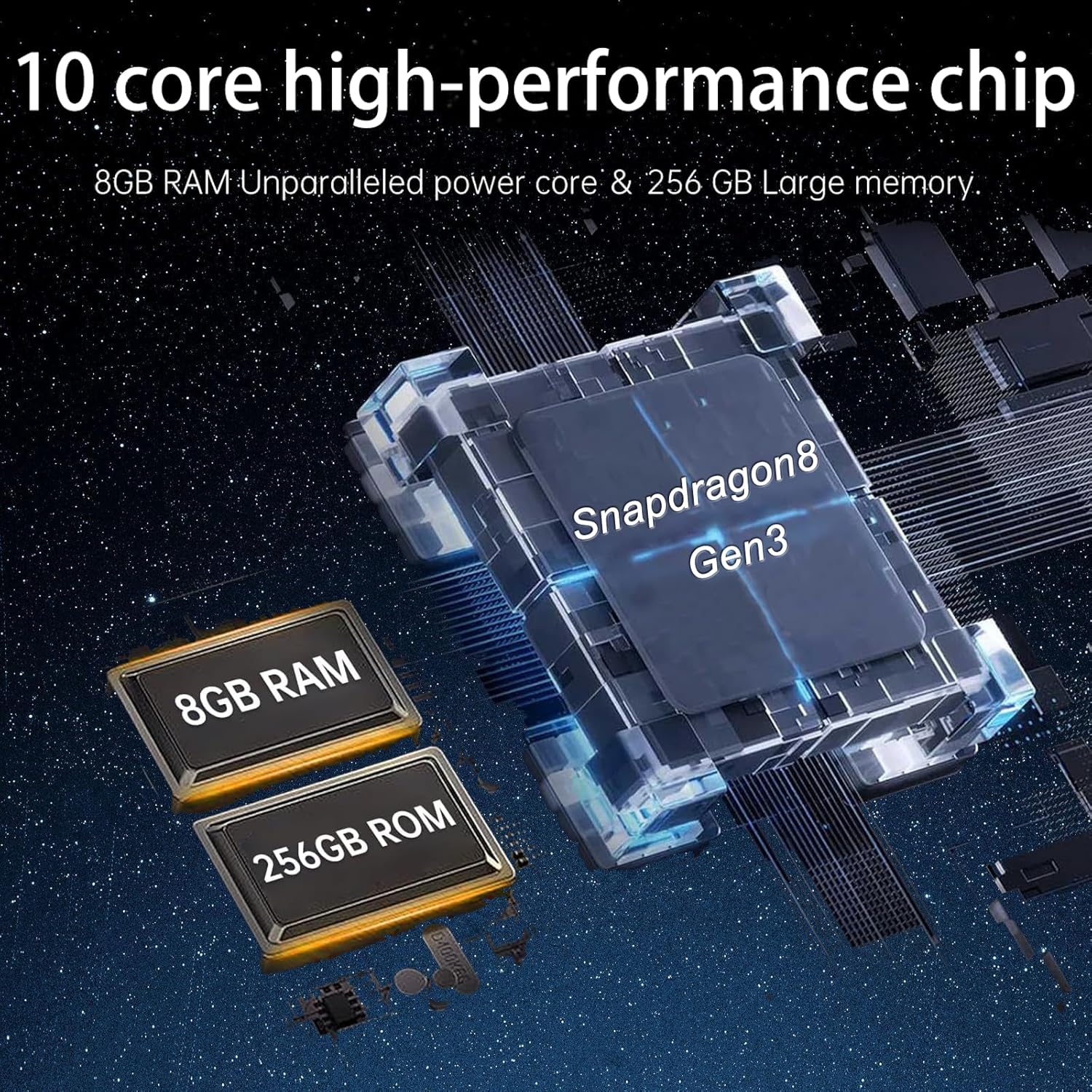
Image: An illustration of the internal components of the G25 Ultra, highlighting the Snapdragon 8 Gen 3 processor, 8GB RAM, and 256GB storage.
Warranty and Support
Your Jopuzia G25 Ultra smartphone comes with an official one-year warranty. For any product-related inquiries, technical assistance, or warranty claims, please contact Jopuzia customer support directly through Amazon. Our support team is available to assist you promptly.