
1. Introduction
This manual provides essential instructions for the safe operation, setup, and maintenance of your BrickCraftWorks BO105 RC Helicopter. Please read this manual thoroughly before operating the aircraft to ensure proper function and to prevent damage or injury.
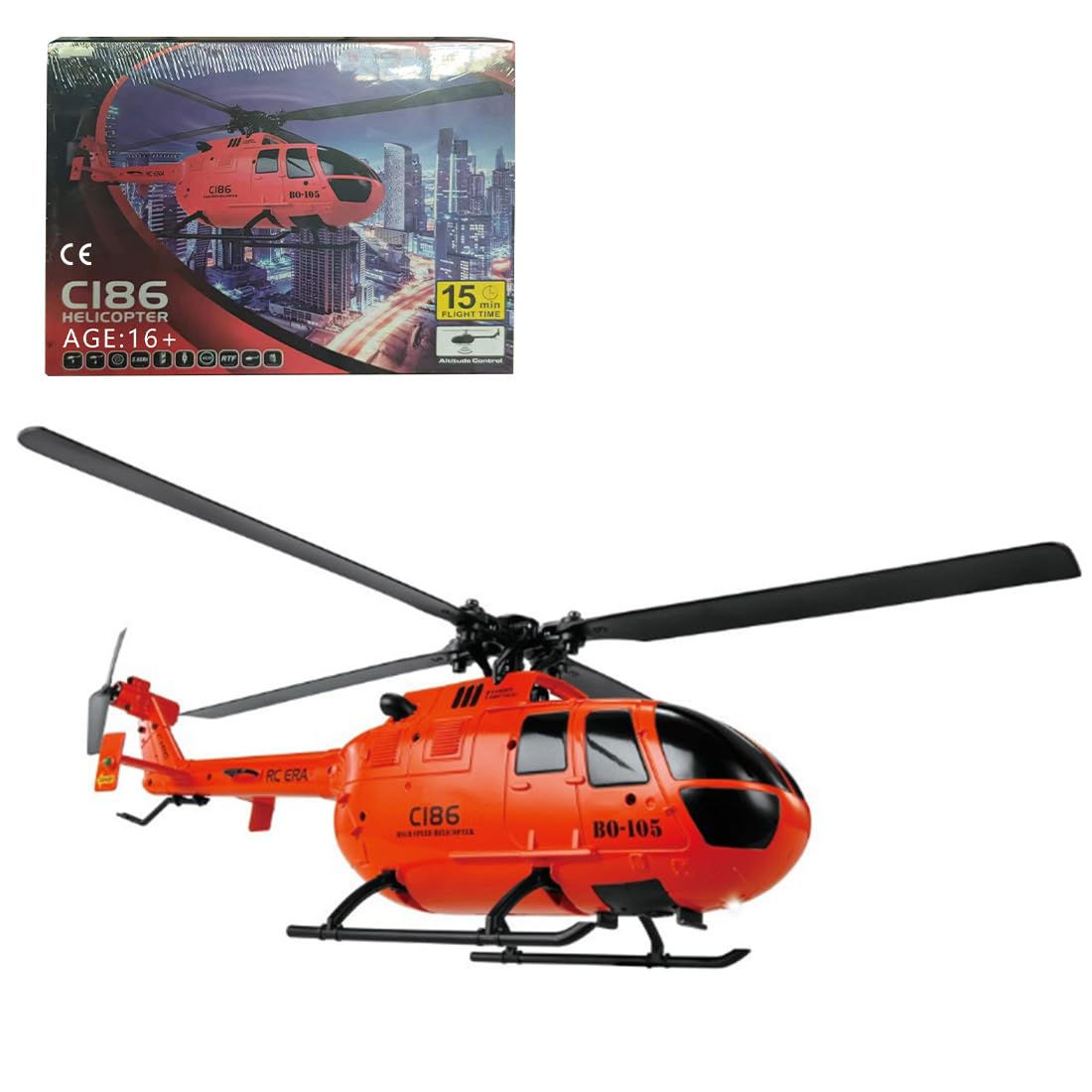
Image 1.1: The BrickCraftWorks BO105 RC Helicopter in orange.
The BO105 is a 2.4G 4-channel remote-controlled helicopter model equipped with a 6-axis gyroscope for stable flight. It features one-key takeoff and landing, height holding, and precise positioning capabilities, making it suitable for both adult and youth enthusiasts.
2. Package Contents
Verify that all items listed below are included in your package:
- Helicopter (1)
- Remote Controller (1)
- USB Charger (1)
- Lithium Battery (1)
- Main Rotor Blade (2)
- Tail Rotor Blade (1)
- Screwdriver (1)
- Hex Wrench (1)
- Instruction Manual (1)
3. Setup
3.1. Charging the Aircraft Battery
- Connect the provided USB charger to a compatible USB power source (e.g., computer USB port, USB wall adapter).
- Connect the helicopter's lithium battery to the USB charger.
- The charging indicator light on the USB charger will illuminate during charging.
- Once charging is complete (approximately 60 minutes), the indicator light will change or turn off. Disconnect the battery from the charger.
- Caution: Do not overcharge the battery. Always supervise charging.
3.2. Installing Remote Controller Batteries
- Open the battery compartment on the back of the remote controller.
- Insert four (4) 1.5V AA batteries (not included) into the compartment, ensuring correct polarity (+/-).
- Close the battery compartment securely.
3.3. Installing the Aircraft Battery
- Locate the battery compartment on the helicopter.
- Carefully insert the fully charged lithium battery into the compartment.
- Connect the battery connector to the helicopter's power port.
- Secure the battery compartment cover.
3.4. Pairing the Helicopter and Remote Controller
- Place the helicopter on a flat, level surface.
- Turn on the helicopter's power switch. The indicator lights on the helicopter will flash.
- Turn on the remote controller's power switch.
- Push the throttle stick (left stick) fully up, then pull it fully down.
- The indicator lights on both the helicopter and remote controller will become solid, indicating successful pairing.
- If pairing fails, turn off both devices and repeat the process.
4. Operating Instructions
4.1. Remote Control Functions

Image 4.1: Overview of the remote controller layout and functions.
- Left Stick (Throttle/Yaw):
- Push up/down: Ascend/Descend (Throttle)
- Push left/right: Rotate left/right (Yaw)
- Right Stick (Pitch/Roll):
- Push up/down: Fly forward/backward (Pitch)
- Push left/right: Fly left/right laterally (Roll)
- One Click Takeoff/Landing Button: Initiates automatic takeoff or landing.
- Gear Switch: Adjusts flight speed mode (e.g., low, medium, high).
- Fine Tuning Buttons: Adjust trim for forward/backward, left/right flight, and direction to correct unwanted drift.
- Power Switch: Turns the remote controller on/off.
4.2. Basic Flight Operations

Image 4.2: Visual guide to the helicopter's flight movements.
- Takeoff: After pairing, press the "One Click Takeoff" button, or slowly push the left throttle stick upwards to lift off.
- Landing: Press the "One Click Landing" button, or slowly pull the left throttle stick downwards until the helicopter lands gently.
- Altitude Hold: The built-in barometer allows the helicopter to maintain a stable altitude when the throttle stick is released to the center position.
- Directional Flight: Use the right stick to control forward, backward, left, and right lateral movements.
- Rotation: Use the left stick (left/right) to rotate the helicopter clockwise or counter-clockwise.
The 6-axis gyroscope provides stability, making it easier for beginners to control. The optical flow technology assists in precise positioning.

Image 4.3: Key features of the BO105 helicopter for enhanced flight experience.
5. Maintenance
- Cleaning: Use a soft, dry cloth to clean the helicopter and remote controller. Avoid using water or chemical cleaners.
- Storage: When not in use, store the helicopter and remote controller in a cool, dry place, away from direct sunlight. Remove batteries from the remote controller if storing for extended periods.
- Battery Care: Always allow the battery to cool down before recharging. Do not store fully charged or fully discharged for long periods.
- Rotor Blades: Inspect rotor blades for damage before each flight. Replace any cracked or bent blades immediately using the provided spare parts and screwdriver.
- General Inspection: Periodically check all screws and connections to ensure they are secure.
6. Troubleshooting
| Problem | Possible Cause | Solution |
|---|---|---|
| Helicopter does not respond to remote. | Not paired; low battery in remote or helicopter; remote not turned on. | Ensure both are powered on and re-pair. Charge helicopter battery. Replace remote batteries. |
| Helicopter drifts during flight. | Trim settings incorrect; uneven surface during takeoff; strong wind. | Use fine-tuning buttons to adjust trim. Take off from a level surface. Fly in calm conditions. |
| Helicopter cannot lift off or flies weakly. | Low helicopter battery; damaged rotor blades. | Fully charge helicopter battery. Inspect and replace damaged rotor blades. |
| Rotor blades do not spin. | Rotor lock safeguard activated; obstruction. | Check for obstructions. Power cycle the helicopter and remote. |
7. Specifications

Image 7.1: Physical dimensions of the BO105 RC Helicopter.
| Feature | Detail |
|---|---|
| Model | BO105 (5A114Q21920NRBJG) |
| Material | PA/PC |
| Rotor Diameter | 25.6 cm |
| Aircraft Weight | 80 g |
| Aircraft Battery | 3.7V 350mAh Lithium Battery |
| Remote Control Battery | 4 x 1.5V AA Batteries (Not Included) |
| Remote Control Distance | 100-120 m |
| Flight Time | Approx. 15 minutes |
| Charging Time | Approx. 60 minutes |
| Product Dimensions | 23.5 x 7.1 x 8.1 cm (9.25 x 2.8 x 3.19 inches) |
| Recommended Age | 16+ years |
| Gyroscope | 6-axis |
| Control Channels | 4 Channels |
8. Warranty and Support
For any questions, technical support, or warranty inquiries regarding your BrickCraftWorks BO105 RC Helicopter, please contact the retailer or manufacturer directly. Please retain your proof of purchase for warranty claims.
Manufacturer: BrickCraftWorks
For further assistance, please refer to the contact information provided with your purchase or visit the official BrickCraftWorks website.