
1. Introduction
The Fancylink TV Gradient Lightstrip 55" with HDMI Sync Box Set provides an immersive lighting experience that synchronizes with your TV's content. Featuring upgraded double light beads and RGBCW technology, this system delivers vibrant, natural, and dynamic lighting to enhance movies, music, and video games. The cutting-edge lighting algorithms ensure near-zero delay in color matching between your screen and the backlight, offering a seamless and responsive visual experience.
2. Package Contents
Before beginning installation, please verify that all components listed below are present in your package. If any items are missing or damaged, please contact Fancylink customer support.

Image: Contents of the Fancylink TV Gradient Lightstrip 55" package, including the lightstrip, HDMI sync box, power adapters, and mounting clips.
- Fancylink TV Gradient Lightstrip (55" length)
- HDMI Sync Box
- Power Adapter for Lightstrip
- Power Adapter for HDMI Sync Box
- HDMI Cable
- Mounting Clips and Adhesives
- User Manual (this document)
3. Safety Information
Please read and follow all safety instructions carefully to prevent injury or damage to the product.
- Do not expose the lightstrip or sync box to water or moisture.
- Ensure the power adapters are connected to appropriate power outlets.
- Do not attempt to disassemble or modify the product. This will void the warranty.
- Keep out of reach of children and pets.
- Avoid direct eye exposure to the LED lights for prolonged periods.
- Use only the provided power adapters.
4. Setup Guide
Follow these steps to properly install your Fancylink TV Gradient Lightstrip system.
4.1. Preparation
- Ensure your TV is turned off and unplugged from the power outlet.
- Clean the back surface of your 55-inch TV where the lightstrip will be applied. Ensure it is free of dust and grease.
4.2. Attaching the Lightstrip

Image: Diagram showing the Fancylink TV Gradient Lightstrip attached to the back of a TV, connected to the HDMI Sync Box.
- Carefully unroll the lightstrip.
- Peel off the adhesive backing from the lightstrip.
- Starting from one corner, firmly press the lightstrip onto the back of your 55-inch TV, following the edges. Ensure the lightstrip is positioned to illuminate the wall behind the TV.
- Use the provided mounting clips for additional security, especially at corners.
4.3. Connecting the HDMI Sync Box
- Connect the lightstrip's cable to the designated port on the HDMI Sync Box.
- Connect your media devices (e.g., gaming console, Blu-ray player, streaming device) to the HDMI IN ports on the Sync Box using HDMI cables.
- Connect the HDMI OUT port of the Sync Box to an HDMI IN port on your TV using the provided HDMI cable.
4.4. Power Connection
- Connect the power adapter for the lightstrip to the lightstrip's power input and then to a power outlet.
- Connect the power adapter for the HDMI Sync Box to the Sync Box's power input and then to a power outlet.
4.5. App Setup (Optional but Recommended)
For full control and customization, download the Fancylink smart app from your device's app store. Follow the in-app instructions to pair your lightstrip system.
5. Operating Instructions
Learn how to use your Fancylink TV Gradient Lightstrip to create an immersive visual experience.
5.1. Powering On/Off
Once connected to power, the system will typically power on automatically. You can control power via the smart app or a physical button on the sync box (if available).
5.2. Syncing with TV Content

Image: A living room scene demonstrating the immersive lighting effect of the Fancylink lightstrip syncing with TV content, creating a vibrant ambiance.

Image: A split image showing a TV setup 'Before' (without TV backlight) and 'After' (with TV backlight), highlighting the enhanced visual experience.
The HDMI Sync Box automatically detects the video signal from your connected devices and translates the on-screen colors to the lightstrip in real-time. This provides a 360-degree glow around your TV, ensuring precise color matching with near-zero delay for an immersive experience.
5.3. Color Control and Modes
Utilize the Fancylink smart app to access a wide range of customization options:
- 16 Million Color Combinations: Choose from a vast spectrum of colors using the RGBCW technology.
- Dynamic Scenes: Select from various pre-set scenes optimized for different moods or content types (e.g., movie, game, party, relaxation).
- Customization: Create and save your own unique lighting effects.
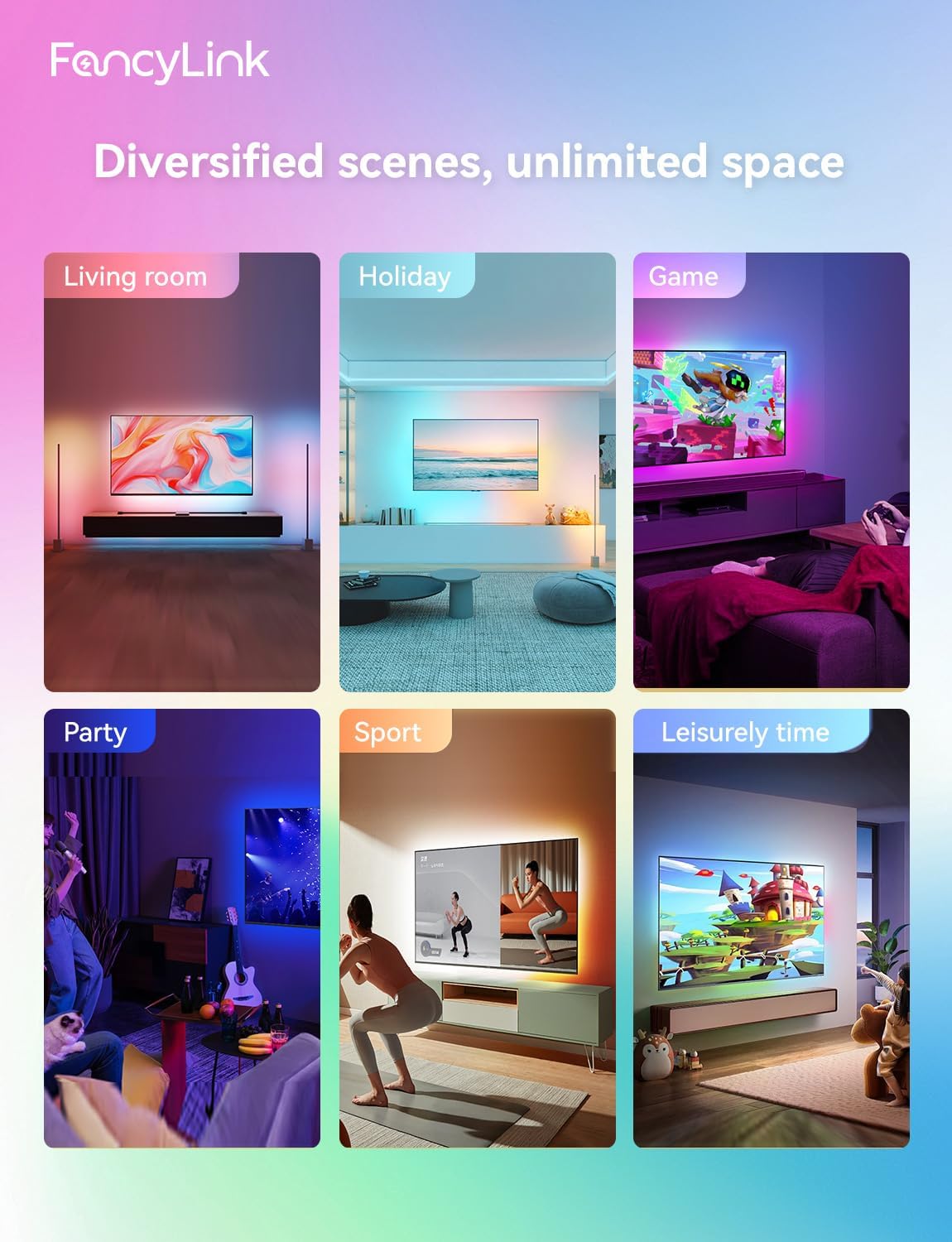
Image: A collage of six different room settings (living room, holiday, game, party, sport, leisurely time) demonstrating how the Fancylink lightstrip adapts to and enhances various environments and activities.
5.4. Music Sync Mode

Image: People singing karaoke in a living room, with the Fancylink lightstrip on the TV displaying dynamic colors, illustrating the
Ask a question about this manual
Ask about setup, troubleshooting, compatibility, parts, safety, or missing instructions. Manuals+ will review the question and use this page’s manual context to help answer it.