
1. Introduction
This manual provides detailed instructions for the safe and effective use of your Xin Tester XT-805 Wire Toner Cable Tracer. This device is designed for accurately tracking network cables, telephone lines, coaxial cables, and audio/video signal cables, as well as diagnosing cable continuity and identifying line status. Please read this manual thoroughly before operation and retain it for future reference.
2. Product Overview
2.1 Components
The XT-805 kit includes the following components:
- Tone Generator (Transmitter)
- Inductive Amplifier (Receiver)
- Test Leads (with alligator clips)
- Modular Cord (RJ11/RJ45)
- Carbon Fiber Replacement Head
- 2 x 9V (6F22) Batteries
- EVA Protective Case
- User Manual (this document)
2.2 Key Features
- Accurate wire finding for various cable types (Cat3, telephone, coaxial, audio/video).
- Two continuity test modes: Continuous (CONT) and Tone.
- Audio line finding and breakpoint location.
- Short-circuit testing capability.
- Telephone line status recognition (busy/idle/ringing) and polarity detection.
- Adjustable sensitivity on the receiver for precise tracing.
- Insulation probe design to prevent conductor short circuits.
2.3 Visual Guide to Components

Figure 1: Detailed view of the XT-805 Tone Generator and Receiver, highlighting the insulation probe, volume control, on/off button, speaker, test leads, modular cord, and battery connections.

Figure 2: The multi-function tone generator kit, illustrating the insulation probe for avoiding short circuits and the volume control for adjusting tone intensity.
2.4 Product Demonstration Video
Video 1: An overview of the XT-805 Wire Toner Cable Tracer kit, demonstrating its components, setup, and basic operation for cable tracing and testing.
3. Setup
3.1 Battery Installation
The XT-805 requires two 9V (6F22) batteries, which are included in the package. To install or replace batteries:
- Locate the battery compartment on the back of both the Tone Generator (Transmitter) and the Inductive Amplifier (Receiver).
- Open the battery compartment cover.
- Insert the 9V battery, ensuring correct polarity (+/-).
- Close the battery compartment cover securely.
3.2 Connecting the Tone Generator
Before tracing, connect the Tone Generator to the cable you wish to test:
- For Network/Telephone Cables: Use the modular cord (RJ11/RJ45) to connect the Tone Generator directly to the port.
- For Other Cables (Coaxial, Audio/Video, Bare Wires): Use the test leads with alligator clips to connect to the conductors. Ensure a secure connection.
Warning: When using the continuity (CONT) mode, do not connect the Tone Generator to any active circuits to prevent damage to the device or electrical shock.

Figure 3: The Tone Generator connected to a telephone line, illustrating its capability to identify line states. Note the warning regarding active circuits.
4. Operating Instructions
4.1 Wire Tracing
To trace a cable using the Tone Generator and Inductive Amplifier:
- Connect the Tone Generator to the cable as described in Section 3.2.
- Set the Tone Generator to 'TONE' mode. This will send an audio signal through the connected cable.
- Turn on the Inductive Amplifier (Receiver) and adjust the sensitivity using the volume control.
- Move the tip of the Inductive Amplifier along the suspected path of the cable. The sound from the receiver will be loudest when it is directly over the cable carrying the tone.
- Follow the sound to trace the cable's route or locate a breakpoint. The sound will diminish or disappear at a break point.
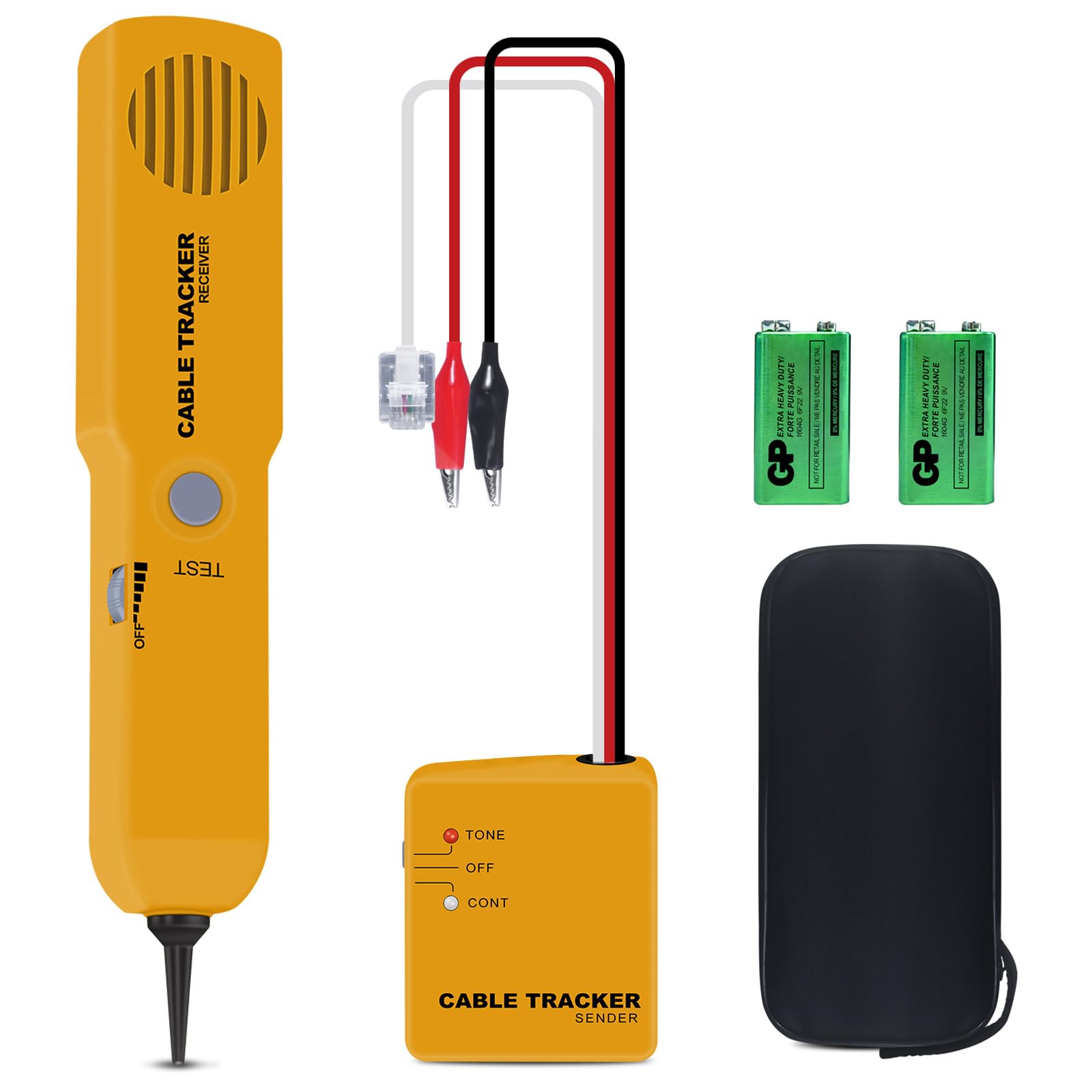
Figure 4: The Inductive Amplifier in use, tracing a network cable to accurately locate its path or potential breakpoints.
4.2 Continuity Testing
The Tone Generator can perform continuity tests:
- Connect the Tone Generator to the cable using the test leads.
- Set the Tone Generator to 'CONT' mode.
- If the cable has continuity (no breaks), the 'CONT' LED on the Tone Generator will illuminate. If there is a break or open circuit, the LED will not light up.
- This mode can also be used for short-circuit testing. If a short circuit is detected, the 'CONT' LED may behave differently or an audible alert might be present, depending on the specific short.

Figure 5: The Wire Tracer Circuit Tester setup, demonstrating the connection points for receiving audio signals and detecting cable continuity.
4.3 Telephone Line Status Recognition
To check the status of a telephone line:
- Connect the Tone Generator to the telephone line using the modular cord.
- Observe the LEDs on the Tone Generator. It will indicate if the line is busy, idle, or ringing.
- The device can also detect the positive and negative polarity of the telephone line.
5. Maintenance
5.1 Carbon Fiber Replacement Head
The Inductive Amplifier's probe tip is designed to be replaceable. If the carbon fiber tip becomes worn or damaged, it can be replaced:
- Gently pull the existing probe tip straight off the receiver.
- Align the new carbon fiber replacement head with the receiver's tip socket.
- Push the new tip firmly into place until it is secure.
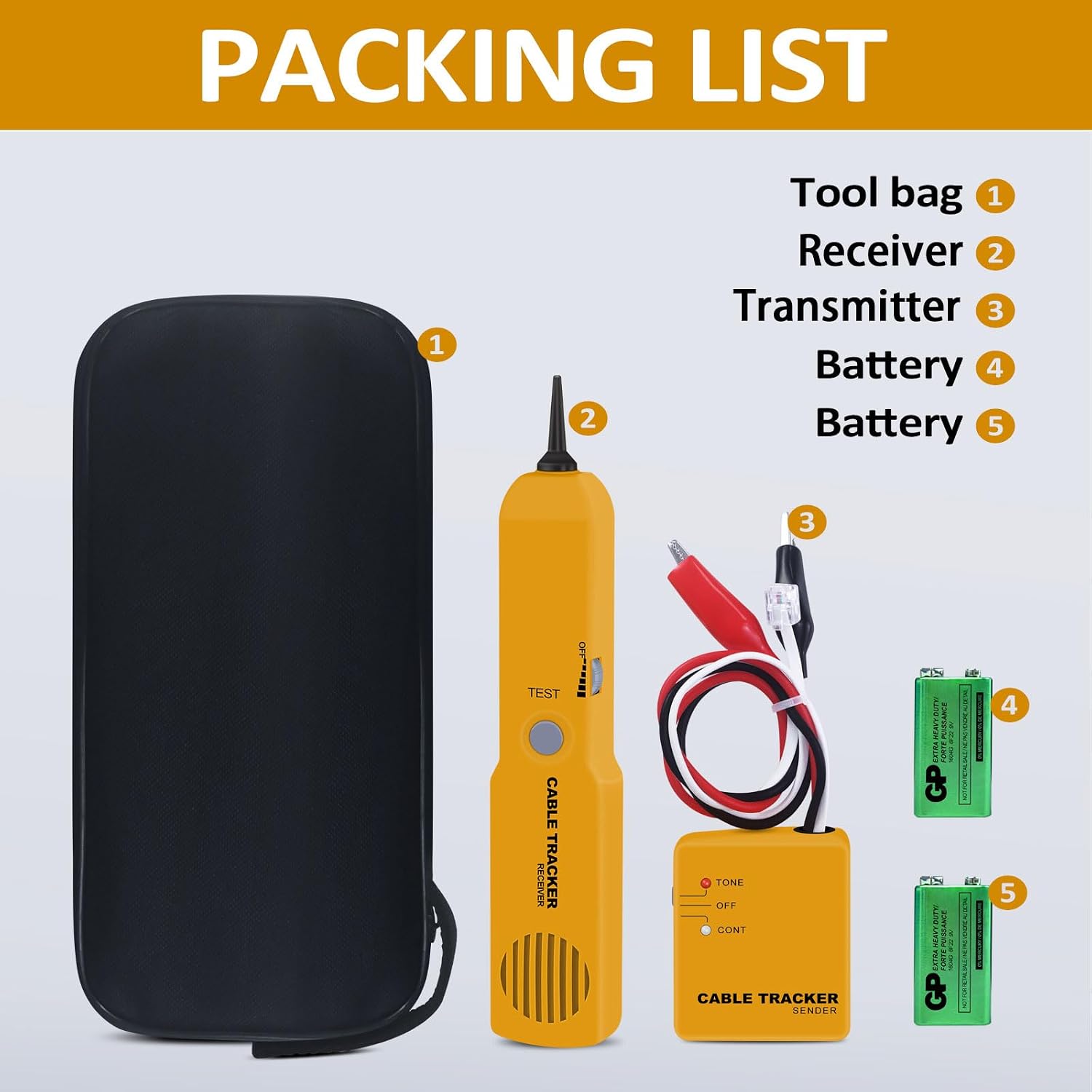
Figure 6: The XT-805 packing list, showing the included carbon fiber replacement head for the receiver.
5.2 General Care and Storage
- Keep the device clean and dry. Wipe with a soft, damp cloth if necessary. Do not use abrasive cleaners or solvents.
- Store the device in its protective EVA case when not in use to prevent damage.
- Remove batteries if the device will not be used for an extended period to prevent battery leakage.
- Avoid exposing the device to extreme temperatures, humidity, or direct sunlight.
6. Troubleshooting
If you encounter issues with your XT-805, consider the following common troubleshooting steps:
- No Power: Check if the batteries are correctly installed and fully charged. Replace batteries if necessary.
- No Tone/Weak Signal: Ensure the Tone Generator is set to 'TONE' mode and properly connected to the cable. Adjust the sensitivity on the Inductive Amplifier. Verify the cable is not damaged or has a complete break.
- Inaccurate Tracing: Ensure the Inductive Amplifier's sensitivity is appropriately adjusted. External electromagnetic interference can affect tracing accuracy; try to minimize such interference.
- Continuity Test Failure: Double-check all connections. Ensure the Tone Generator is in 'CONT' mode. The cable may have an open circuit or a high resistance connection.
If problems persist after attempting these steps, please contact customer support.
7. Specifications
| Feature | Specification |
|---|---|
| Brand | Xin Tester |
| Model | XT-805 |
| Power Source | Battery Powered (2 x 9V 6F22 batteries) |
| Item Weight | 7.8 Ounces |
| Color | Orange |
| Min. Operating Voltage | 8 Volts (AC) |
| Upper Temperature Rating | 100 Degrees Celsius |
| Measurement Type | Ammeter, Frequency Meter |
8. Warranty and Support
Your Xin Tester XT-805 Wire Toner Cable Tracer comes with a user manual and is designed for reliable performance. For any issues or questions not covered in this manual, please feel free to email us. We are committed to providing support for our products.