
XCHANG LA02M EAX61764003(3)
Instruction Manual
XCHANG LA02M EAX61764003(3) TV T-Con Board
1. Product Overview
This manual provides essential information for the XCHANG LA02M EAX61764003(3) TV T-Con Board, a critical component for display functionality in compatible television models such as 55LX9500-CA and 47CE550 LED TVs.
The T-Con (Timing Controller) board is responsible for processing image signals and ensuring their correct display on the LCD panel. Understanding its function and proper handling is crucial for successful installation and operation.
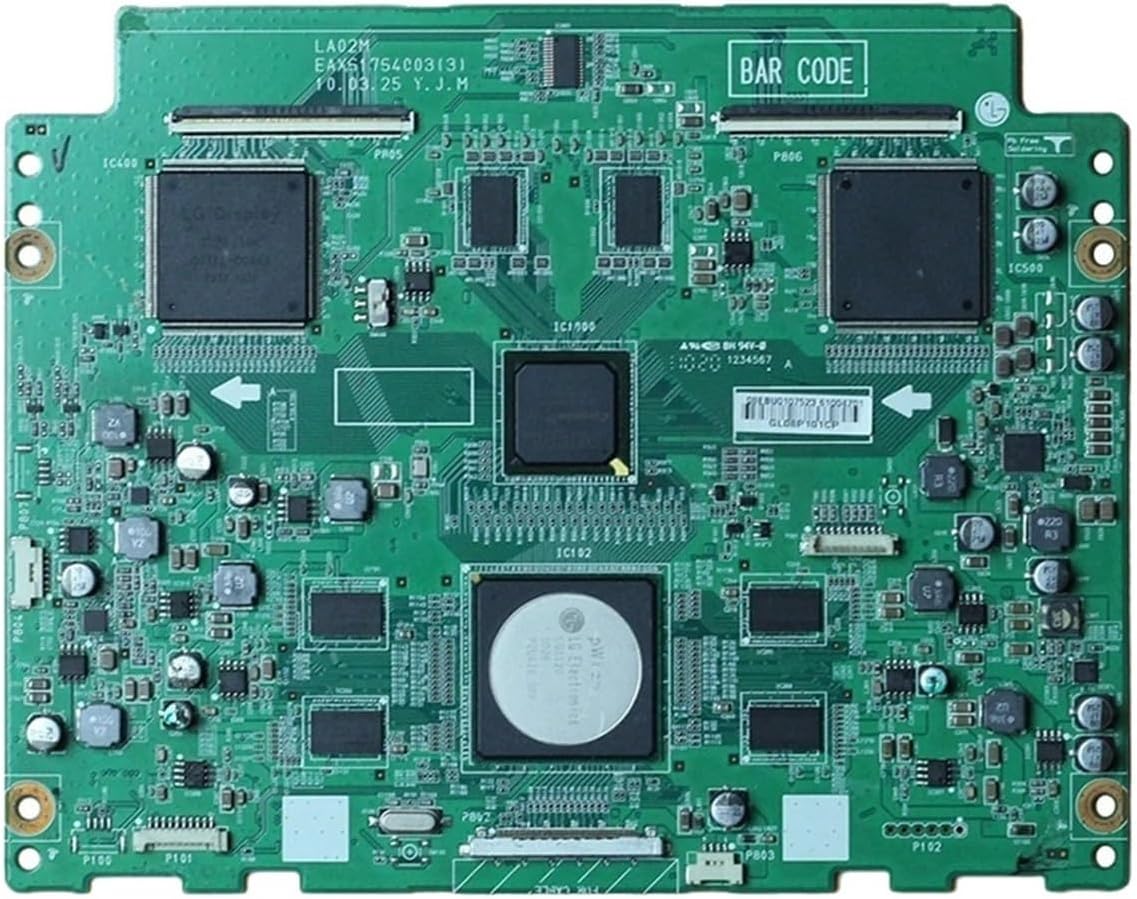
Figure 1: Top view of the XCHANG LA02M EAX61764003(3) TV T-Con Board, showing various chips and connectors.
2. Specifications
| Attribute | Detail |
|---|---|
| Model Number | LA02M EAX61764003(3) |
| Brand | XCHANG |
| Product Dimensions | 1.18 x 0.79 x 0.39 inches |
| Item Weight | 1.76 ounces (50 Grams) |
| Type | TV Logic / TCON Board |
| Compatible TV Models | 55LX9500-CA, 47CE550 LED (and others requiring EAX61764003(3)) |
Note: Specifications are subject to change without prior notice. Always verify compatibility with your specific television model before purchase and installation.
3. Function and Interface
The T-Con board serves as an intermediary between the main board (which processes video signals) and the LCD panel. Its primary functions include:
- Signal Conversion: Receives image signals from host devices and converts them into a format suitable for driving LCD screens.
- Pixel Control: Controls the arrangement, scanning, and refreshing of pixel points to ensure correct image display.
- Timing Control: Generates scanning signals for the LCD screen and controls pixels to display in the correct order.
Interface: T-Con boards typically connect to LCD panels using LVDS (Low Voltage Differential Signaling) interfaces. This interface facilitates high-speed data signal transmission, crucial for high-resolution image quality.
Key Components: The board is equipped with several chips, including image processing chips for signal analysis and timing control chips for display synchronization.

Figure 2: Close-up view of the T-Con board, highlighting the LVDS connectors and integrated circuits. Note the part number GL08P101CP visible on a label.
4. Installation Guide
Disclaimer: Installation of TV components should only be performed by qualified technicians. Improper installation can lead to damage to the board, TV, or personal injury. Always disconnect the TV from power before beginning any work.
4.1. Preparation
- Ensure the TV is unplugged from the power outlet.
- Gather necessary tools: screwdrivers (Phillips, flathead), anti-static wrist strap, plastic pry tools.
- Work in a clean, well-lit, and static-free environment.
- Identify the location of the existing T-Con board within your TV model. This typically involves removing the TV's back panel.
4.2. Removal of Old Board
- Carefully disconnect all ribbon cables (LVDS cables) and power cables connected to the old T-Con board. Note their orientation and connection points.
- Unscrew any mounting screws securing the old T-Con board to the TV chassis.
- Gently lift and remove the old board. Avoid touching the sensitive components on the board.
4.3. Installation of New Board
- Align the new XCHANG LA02M EAX61764003(3) T-Con board with the mounting holes.
- Secure the board with the appropriate screws, ensuring it is firmly in place but not overtightened.
- Carefully re-connect all ribbon cables and power cables. Ensure that ribbon cables are inserted straight and fully into their connectors, and that the locking mechanisms (if present) are engaged. Improper connection of ribbon cables is a common cause of display issues.
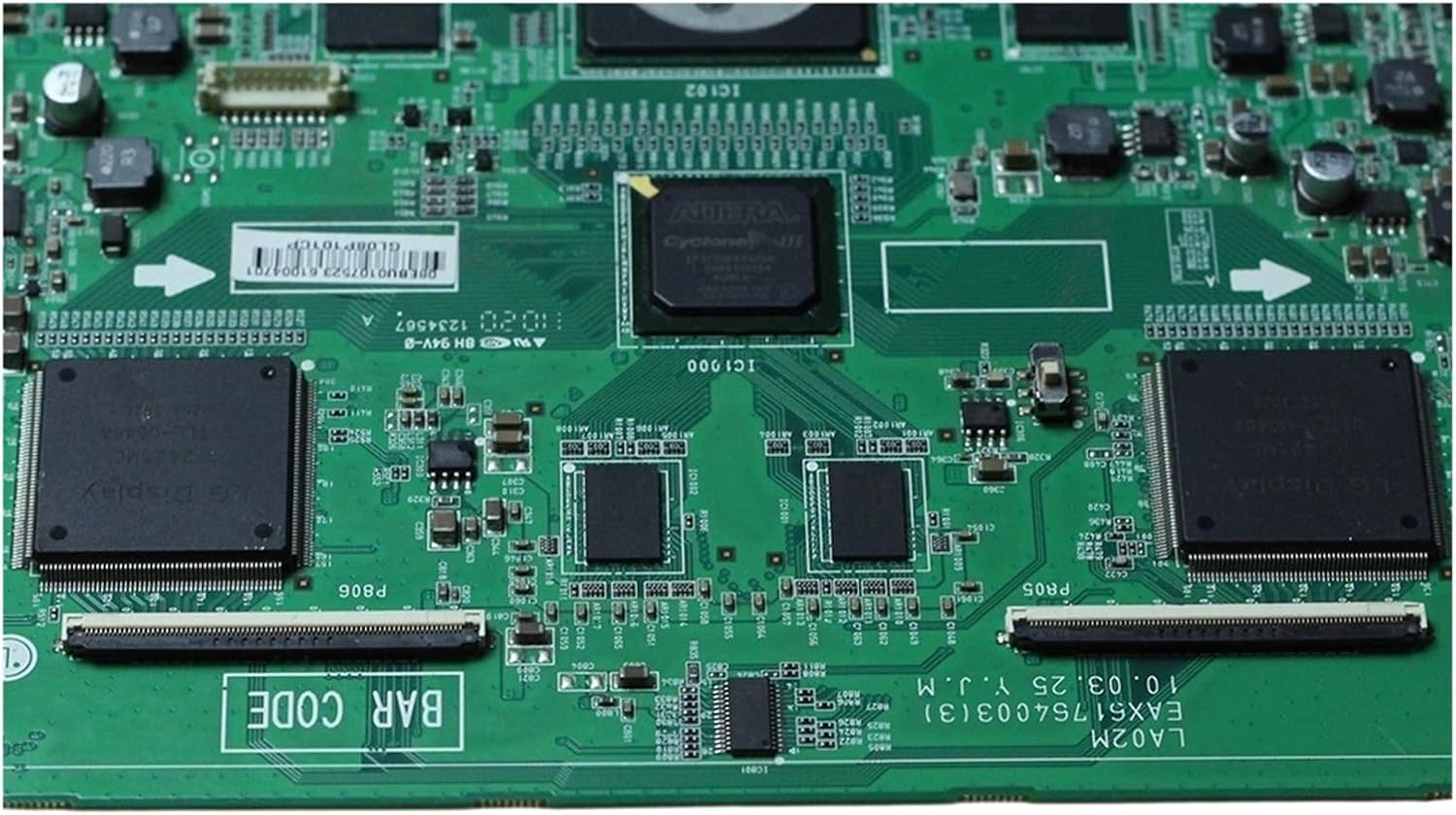
Figure 3: Detailed view of the T-Con board's ribbon cable connectors, crucial for proper installation.
4.4. Post-Installation Check
- Before reassembling the TV, temporarily connect the power cord and power on the TV to check for proper display functionality.
- If the display is normal, disconnect power and reassemble the TV's back panel.
- If issues persist, refer to the Troubleshooting section.
5. Operation Principles
Once installed, the T-Con board operates automatically as part of the television's display system. It continuously performs the following operations:
- Receiving digital video data from the TV's main board.
- Converting the data into a format compatible with the specific LCD panel.
- Generating precise timing signals to control the individual pixels on the LCD panel, ensuring they switch on/off and display the correct color and brightness at the exact moment.
- Distributing these signals to the gate and source drivers of the LCD panel.
The seamless operation of the T-Con board is essential for a clear, stable, and correctly colored image on your television screen.
6. Maintenance and Care
The T-Con board is a sensitive electronic component and generally requires no routine maintenance once installed. However, adhering to the following guidelines can help prolong its lifespan and ensure optimal performance:
- Dust Prevention: Ensure the TV's internal components, including the T-Con board, are kept free from excessive dust accumulation. Dust can act as an insulator, leading to overheating, or can cause short circuits.
- Ventilation: Ensure the TV's ventilation openings are not blocked to allow for proper airflow and heat dissipation.
- Stable Power Supply: Connect your TV to a stable power source. Power surges or fluctuations can damage sensitive electronic components. Consider using a surge protector.
- Avoid Physical Shock: Protect the TV from physical impacts or vibrations, which can dislodge components or damage solder joints on the board.
- Professional Handling: If the TV requires internal cleaning or repair, always seek assistance from a qualified technician.

Figure 4: Rear view of the T-Con board, showing the circuit traces and solder points.
7. Troubleshooting
T-Con board malfunctions can manifest in various display issues. If you experience any of the following symptoms after installation or during normal operation, consider these troubleshooting steps:
| Symptom | Possible Cause | Solution |
|---|---|---|
| Blurry Image / Distorted Picture | Loose or damaged LVDS ribbon cables; faulty image processing chip. | Check and re-seat all ribbon cables firmly. Ensure they are not creased or damaged. If issue persists, professional diagnosis may be needed. |
| Color Distortion / Incorrect Colors | Faulty image processing or timing control chip; incorrect signal processing. | Verify all connections. If the board is new, ensure it is the correct model for your TV. Professional repair or replacement may be required. |
| Flickering Screen / Intermittent Display | Unstable voltage supply to the board; loose connections; timing control chip issue. | Check power connections. Ensure TV is plugged into a stable power outlet. Re-check all ribbon cable connections. |
| No Picture (Sound but no image) | Completely failed T-Con board; severely damaged LVDS cables. | Confirm all cables are correctly connected. If the board is suspected to be faulty, replacement is typically the solution. |
Important: Repairing T-Con boards often requires specialized equipment and knowledge. If basic troubleshooting steps do not resolve the issue, it is highly recommended to seek assistance from a certified television repair technician.
8. Safety Information
Please observe the following safety precautions when handling or installing the T-Con board:
- Disconnect Power: Always unplug the television from the main power supply before opening the TV casing or handling any internal components.
- Static Electricity: Electronic components are sensitive to static discharge. Use an anti-static wrist strap or frequently touch a grounded metal object to discharge static electricity from your body.
- Handle with Care: Avoid touching the surface of integrated circuits (chips) or the gold contacts on ribbon cables. Hold the board by its edges.
- No User-Serviceable Parts: The T-Con board itself contains no user-serviceable parts. Do not attempt to disassemble or repair the board's internal components.
- Ventilation: Ensure proper ventilation around the television to prevent overheating of internal components.
- Keep Away from Liquids: Do not expose the board or the TV's internal components to liquids.
9. Warranty and Support
Specific warranty information for the XCHANG LA02M EAX61764003(3) TV T-Con Board is not provided in this manual. Please refer to your purchase documentation or contact the seller/manufacturer directly for details regarding warranty coverage, return policies, and technical support.
For technical inquiries or assistance with installation and troubleshooting beyond the scope of this manual, it is recommended to consult a professional television repair service.
Related Documents - LA02M EAX61764003(3)
 |
LG T-CON Board Testing Points & Voltages Guide A comprehensive guide detailing testing points and voltage values for LG T-CON boards, crucial for troubleshooting and repairing LG televisions. Includes specific model numbers and part numbers for various LG TV series. |
Ask a question about this manual
Ask about setup, troubleshooting, compatibility, parts, safety, or missing instructions. Manuals+ will review the question and use this page’s manual context to help answer it.