
CODONOVA CA6-B
CODONOVA Mini Wireless Carplay Adapter User Manual
Model: CA6-B
1. Introduction
The 2025 CODONOVA wireless adapter is a revolutionary driving product designed to bring seamless wireless connectivity to your vehicle's infotainment system. This compact device supports both Android Auto and Apple CarPlay, transforming your wired connection into a wireless one with minimal setup time. It ensures stable data transmission, excellent sound quality, and compatibility with various car control methods, including enhanced voice assistant commands.

Image 1.1: The CODONOVA Mini Wireless Carplay Adapter, showcasing its compact design and gold-plated USB interface.
2. Key Features
- Portable Plug-and-Play: Sophisticated and compact design for easy use. Initial setup takes approximately 30 seconds, with automatic reconnection in just 5 seconds for subsequent uses.
- Excellent Sound Quality and Functionality: Supports original Android Auto/CarPlay compatible applications, ensuring 100% image and sound reproduction. Covers popular features such as music, navigation, and calls.
- Distinctive USB Interface for Better Connectivity: Features a unique gold-plated USB interface for superior conductivity, reliable data transmission, and a stronger connection to your car’s USB port, ensuring stable and secure performance.
- Dual Indicator Lights for Easy Status Check: Equipped with indicator lights on both sides, providing clear visual feedback on the connection status, so you always know when the adapter is properly connected and functioning.
- Universal Compatibility: Compatible with Android phones running Android 10 or later, and iPhone models from iPhone 6 and above running iOS 10 or later. Works with cars that have wired Android Auto and CarPlay after 2016. Includes USB-A/Type-C ports for added flexibility.

Image 2.1: Visual representation of stable data transmission, faster speeds, and lower latency provided by the adapter.

Image 2.2: The compact and convenient design of the adapter, shown with its dimensions and dual indicator lights.
3. Compatibility
The CODONOVA Mini Wireless Carplay Adapter offers broad compatibility to ensure a wide range of users can benefit from its features. Please verify your device and vehicle compatibility before purchase.
3.1. Device Compatibility
- For Android Auto: Compatible with Android phones running Android 10 or later.
- For Apple CarPlay: Compatible with iPhone models from iPhone 6 and above, running iOS 10 or later.
3.2. Vehicle Compatibility
- Compatible with cars that have wired Android Auto and/or Apple CarPlay functionality, manufactured after 2016.
- Before purchasing, ensure your vehicle supports wired Android Auto or CarPlay respectively.
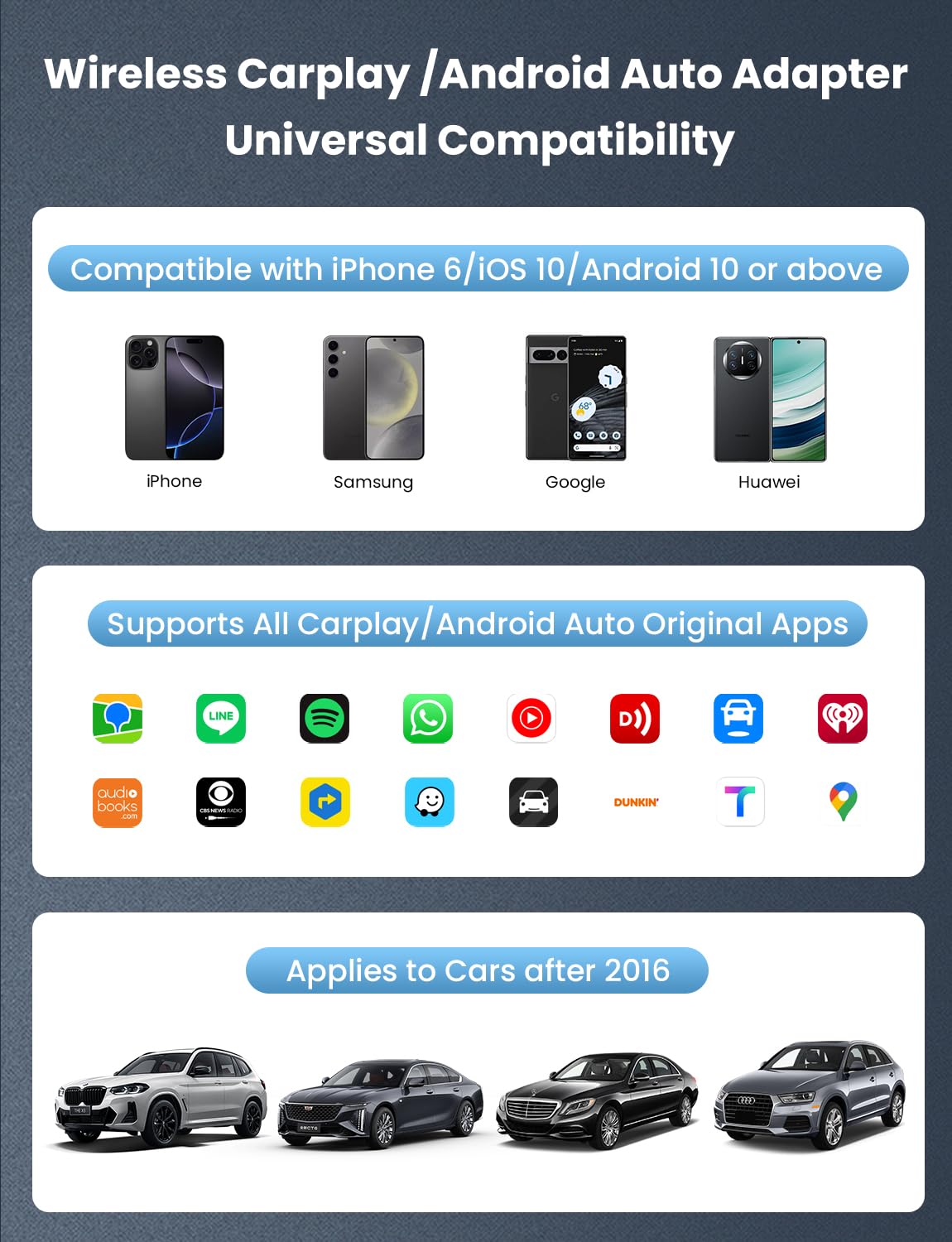
Image 3.1: Overview of the adapter's universal compatibility with various phone brands, popular applications, and car models.
4. Setup Guide
Setting up your CODONOVA Mini Wireless Carplay Adapter is a quick and straightforward process. Follow these steps for initial connection:
- Step 1: Plug In
Connect the CODONOVA wireless adapter to your car's USB port that supports wired CarPlay or Android Auto. The adapter's indicator light will illuminate. - Step 2: Turn On WiFi and Bluetooth
On your smartphone (iPhone or Android), ensure both Wi-Fi and Bluetooth are enabled. Do not connect to any Wi-Fi network at this stage. - Step 3: Bluetooth Pair and Use
On your car's infotainment screen, navigate to the Bluetooth settings. Search for and select the CODONOVA adapter's Bluetooth name (e.g., 'SmartBox-XXXX'). Confirm the pairing request on both your phone and car screen. Once paired, your phone will automatically connect to the adapter's Wi-Fi for data transmission, and wireless CarPlay or Android Auto will launch.
For subsequent uses, the adapter will automatically reconnect to your phone within approximately 5 seconds after plugging it in, provided your phone's Bluetooth and Wi-Fi are active.

Image 4.1: Visual guide illustrating the three simple steps for plugging in, enabling Wi-Fi and Bluetooth, and pairing the device.
5. Operation
Once connected, the CODONOVA Mini Wireless Carplay Adapter allows you to utilize your car's original control methods for a familiar and intuitive experience. The adapter supports all compatible Android Auto and CarPlay applications, excluding video applications for driving safety.
5.1. Supported Control Methods
- Voice Control: Utilize enhanced Siri or Google Assistant commands for hands-free operation, such as navigation, making calls, or playing music.
- Touch Screen: Interact directly with your car's touch screen display to navigate apps and menus.
- OEM Knob: Use your vehicle's factory-installed control knob for precise navigation through the CarPlay or Android Auto interface.
- Wheel Control: Control audio playback, calls, and other functions directly from your steering wheel buttons.
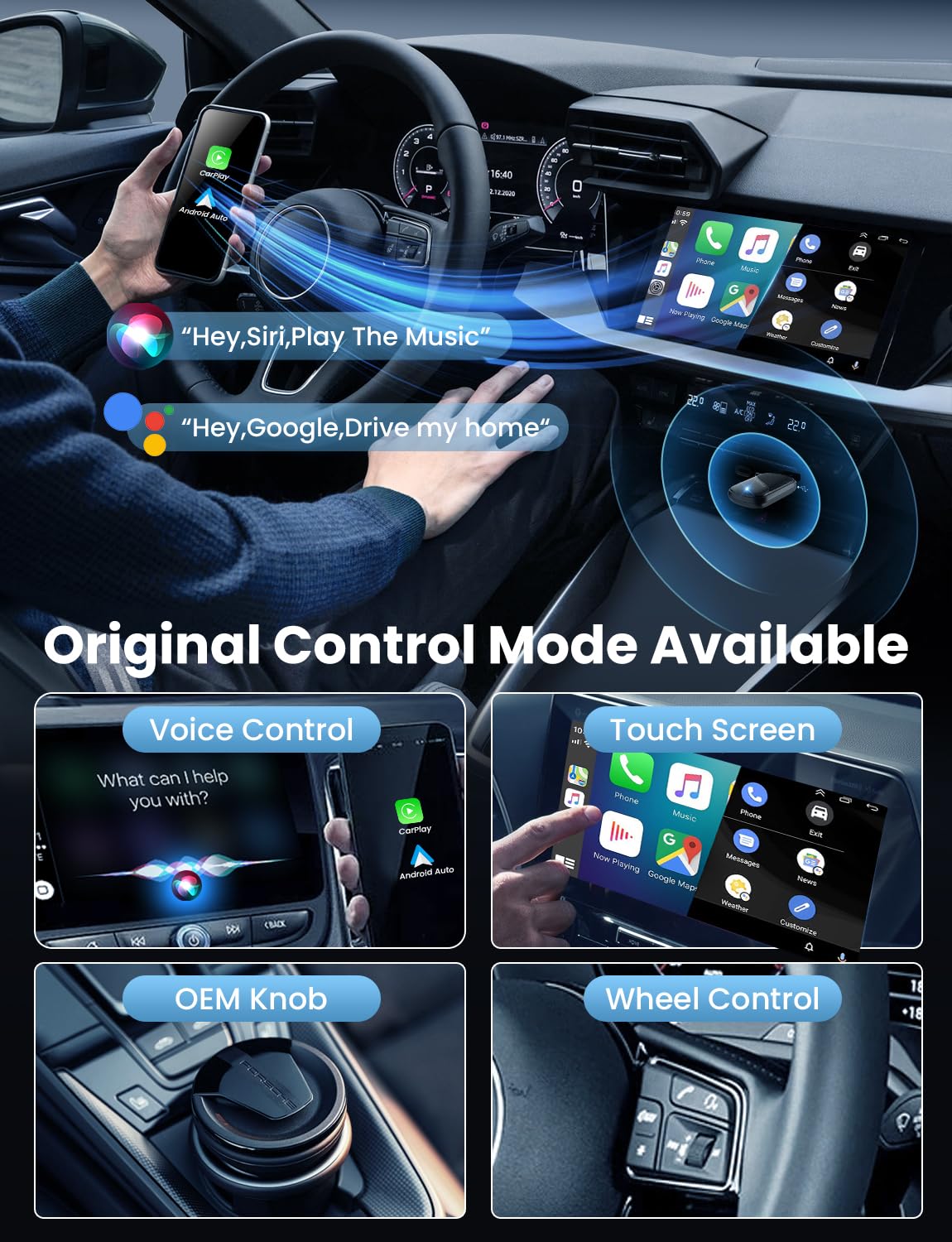
Image 5.1: Demonstration of various control methods supported by the adapter, including voice, touch screen, OEM knob, and steering wheel controls.
6. Maintenance
The CODONOVA Mini Wireless Carplay Adapter is designed for durability and requires minimal maintenance. Follow these general guidelines to ensure its longevity:
- Cleaning: Use a soft, dry cloth to wipe the adapter. Avoid using liquid cleaners or abrasive materials, which can damage the device.
- Storage: When not in use for extended periods, store the adapter in a cool, dry place away from direct sunlight and extreme temperatures.
- Handling: Handle the adapter with care. Avoid dropping it or subjecting it to strong impacts. The gold-plated USB interface is designed for durability, but proper handling will prevent unnecessary wear.

Image 6.1: Illustration highlighting the robust, gold-plated USB design of the adapter, built for durability and reliable connections.
7. Troubleshooting
If you encounter issues with your CODONOVA Mini Wireless Carplay Adapter, please refer to the following common problems and solutions:
7.1. Connection Issues
- Adapter not recognized by car:
- Ensure your car supports wired CarPlay or Android Auto and is a model from 2016 or later.
- Try plugging the adapter into a different USB port in your car, if available.
- Restart your car's infotainment system. - Phone not connecting wirelessly:
- Ensure Bluetooth and Wi-Fi are enabled on your phone.
- Forget the adapter's Bluetooth connection on your phone and car, then re-pair.
- Restart your phone and the adapter (by unplugging and replugging). - Intermittent connection:
- Ensure the adapter is securely plugged into the USB port.
- Check for any physical obstructions or interference near the adapter.
- Update your phone's operating system to the latest version.
7.2. Audio/Display Issues
- No audio or distorted audio:
- Check the volume levels on both your phone and car's infotainment system.
- Ensure no other Bluetooth devices are interfering with the audio connection.
- Disconnect and reconnect the adapter. - Display not showing correctly:
- Ensure your car's infotainment system is updated.
- Try restarting the connection process from Step 1 of the Setup Guide.
8. Technical Specifications
| Feature | Specification |
|---|---|
| Brand | CODONOVA |
| Manufacturer | CODONOVA |
| Model | CA6-B |
| Product Dimensions | 5.31 x 2.41 x 1.09 cm |
| Item Weight | 59 g |
| Hardware Interface | USB |
| Compatible Devices | iPhone (iOS 10+), Android (Android 10+) |
| Special Features | Low Latency |
| Number of items | 1 |
| Audio Output Mode | Stereo |
| Audio Output Type | Bluetooth |
| Voltage | 5 Volts (DC) |
| Power Source | Corded Electric |
| Wireless Type | Bluetooth |
| Connector Type | USB Type C |
| Compatible Media Type | 5Ghz WiFi, Bluetooth |
| Device Interface - Primary | Touchscreen |
| Material | Plastic |
| Media Type | MP3, WAV, WMA, AAC, FLAC |
| Supports Bluetooth Technology | Yes |
| Country of Origin | China |
9. Safety Information
For your safety and the safety of others, please adhere to the following important safety guideline:
- Do not use for video while driving. Distracted driving can lead to serious accidents. Always prioritize road safety.
10. Warranty Information
Specific warranty details for the CODONOVA Mini Wireless Carplay Adapter are not provided within this manual. Please refer to the product packaging, the retailer's website, or contact CODONOVA customer support for comprehensive warranty information.
11. Customer Support
For further assistance, technical support, or inquiries regarding your CODONOVA Mini Wireless Carplay Adapter, please visit the official CODONOVA website or contact their customer service department through the contact information provided on the product packaging or purchase platform. Please have your model number (CA6-B) and purchase details ready when contacting support.
Ask a question about this manual
Ask about setup, troubleshooting, compatibility, parts, safety, or missing instructions. Manuals+ will review the question and use this page’s manual context to help answer it.