
RG10M(2HS)/BGEF, RG10N(2HS)/BGEF
Remote Control User Manual
Model: RG10M(2HS)/BGEF, RG10N(2HS)/BGEF
Introduction
This manual provides essential instructions for the proper use and maintenance of your replacement remote control for Midea AC Air Conditioners. This remote is designed to function with models RG10M(2HS)/BGEF and RG10N(2HS)/BGEF. Please read this manual thoroughly before operating the device.
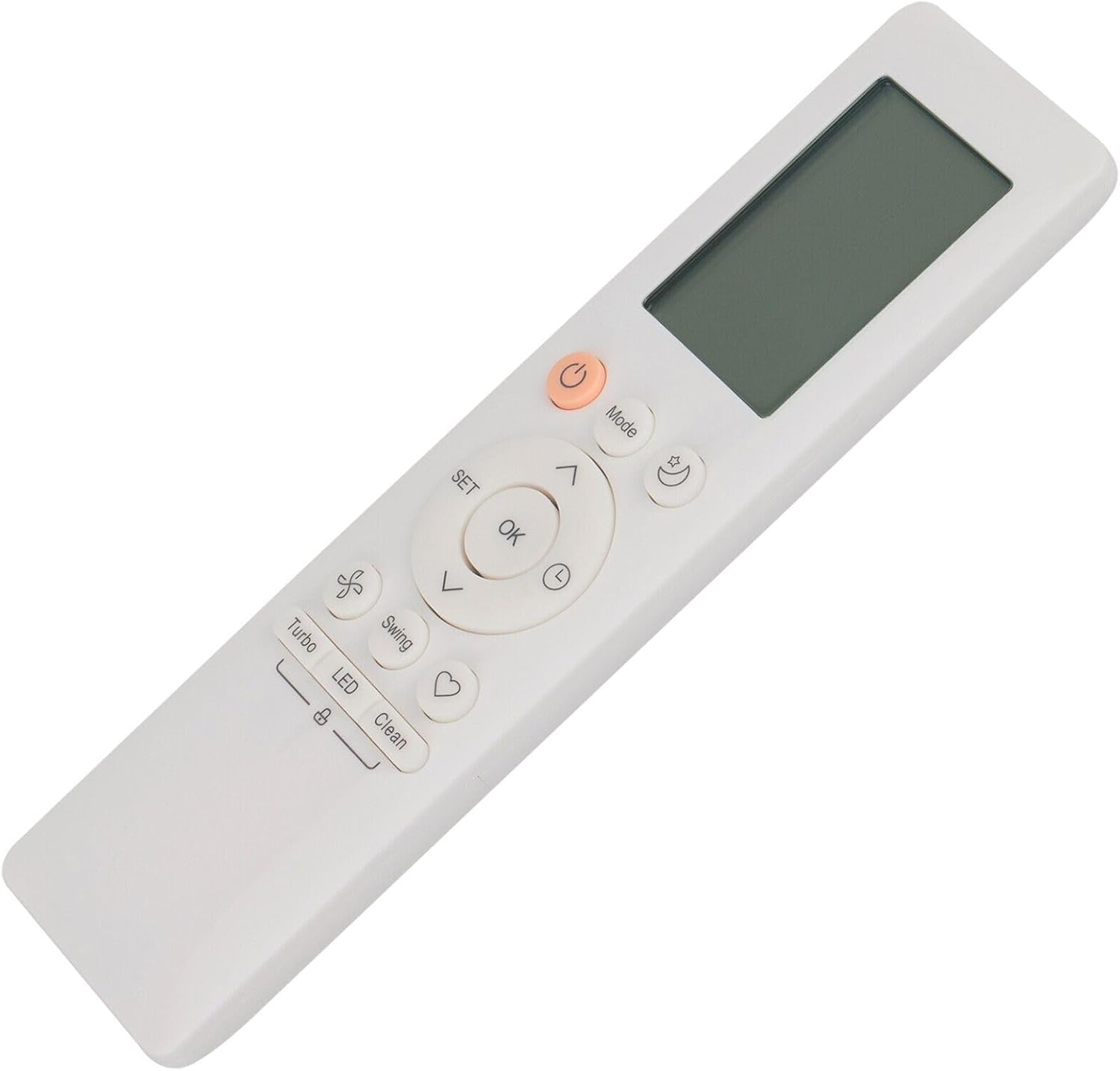
Figure 1: Angled view of the remote control. This image highlights the ergonomic shape and side profile of the remote, providing a different perspective of its physical design.
Safety Information
- Do not expose the remote control to direct sunlight, high temperatures, or high humidity.
- Avoid dropping or subjecting the remote control to strong impacts.
- Do not mix old and new batteries, or different types of batteries.
- Remove batteries if the remote control will not be used for an extended period to prevent leakage.
- Keep batteries out of reach of children.
Package Contents
Please check that your package contains the following item:
- 1 x Replacement Remote Control (Batteries not included)
Setup
Battery Installation
- Locate the battery compartment on the back of the remote control.
- Slide open the battery cover.
- Insert two AAA batteries (not supplied) according to the polarity indicators (+ and -) inside the compartment.
- Close the battery cover securely.
Note: This is a replacement remote control and typically requires no programming or setup. Simply install the batteries, and it should be ready for use with compatible Midea AC units.
Operating Instructions

Figure 2: Front view of the remote control. This image displays the full layout of the remote, including the LCD screen at the top and all control buttons below it. Key buttons visible are Power, Mode, Fan Speed, Swing, Temperature Up/Down, OK, SET, Sleep, Turbo, LED, and Clean.
Button Functions
| Button | Function |
|---|---|
| Power (Orange) | Turns the air conditioner ON or OFF. |
| Mode | Cycles through operating modes (e.g., Cool, Heat, Fan, Dry, Auto). |
| Fan (Fan icon) | Adjusts fan speed. |
| Swing | Controls the horizontal or vertical swing of the air conditioner's louvers. |
| Temp Up/Down (Arrows) | Adjusts the desired temperature setting. |
| OK | Confirms selections. |
| SET | Enters or exits setting modes. |
| Sleep (Moon icon) | Activates or deactivates sleep mode for quiet operation and energy saving. |
| Turbo | Activates rapid cooling or heating. |
| LED | Turns the display light on or off on the air conditioner unit. |
| Clean (Heart icon) | Initiates a self-cleaning function on the air conditioner (if supported). |
Basic Operation
- Turning On/Off: Press the Power button once to turn the unit on, and press it again to turn it off.
- Changing Mode: Press the Mode button repeatedly to cycle through available operating modes.
- Adjusting Temperature: Use the Temp Up and Temp Down arrow buttons to set your desired temperature.
- Adjusting Fan Speed: Press the Fan button to change the fan speed.
Maintenance
Cleaning the Remote Control
Wipe the remote control with a soft, dry cloth. Do not use liquid cleaners, abrasive cleaners, or chemical solvents, as these may damage the surface or internal components.
Battery Replacement
When the remote control's range decreases or it stops responding, it is time to replace the batteries. Follow the battery installation steps outlined in the "Setup" section.
Storage
If the remote control will not be used for an extended period, remove the batteries to prevent potential leakage and damage to the device.
Troubleshooting
| Problem | Possible Cause / Solution |
|---|---|
| Remote control not working. |
|
| Some functions do not work as expected. |
|
Specifications
- Model Numbers: RG10M(2HS)/BGEF, RG10N(2HS)/BGEF
- Compatible Devices: Midea AC Air Conditioners (specific models as listed)
- Power Source: 2 x AAA Batteries (not included)
- Material: ABS
- Special Feature: Digital Display
- Color: Black or White (depending on variant)
Warranty and Support
Specific warranty information for this replacement remote control is not provided in this manual. For any warranty claims, technical support, or further assistance, please contact the seller or manufacturer directly through your purchase platform.
It is recommended to retain your purchase receipt as proof of purchase.
Ask a question about this manual
Ask about setup, troubleshooting, compatibility, parts, safety, or missing instructions. Manuals+ will review the question and use this page’s manual context to help answer it.