
CHNADKS GSP-70S
Instruction Manual for CHNADKS Temperature Data Logger
Model: GSP-70S
1. Product Overview
The CHNADKS GSP-70S is a high-accuracy temperature data logger designed for precise environmental monitoring. It is ideal for applications requiring strict temperature control, such as in pharmaceuticals, food safety, cold storage, and laboratories. This device features a large LCD display for real-time data, extensive storage capacity, and convenient USB export functionality.

Figure 1: CHNADKS GSP-70S Temperature Data Logger. The device features a large screen, three control buttons, and a sleek, portable design.
Key Features:
- Ultra-Precise Monitoring: Measures temperature (±0.3°C) with 0.1 resolution.
- Long Battery Life & Massive Storage: Built-in lithium battery provides over 1 year of operation (with 5-second recording interval). Stores up to 99,990 records.
- USB Export: Data can be exported via USB Type-C, generating PDF and Excel reports for easy analysis and compliance.
- Smart Alerts & LCD Display: Customizable temperature limits with real-time data display and instant alarms for out-of-range values.
- Durable Design: Functions reliably in harsh conditions, supporting a wide temperature range from -22°F to +140°F (-30°C to +60°C).
2. Package Contents and Device Layout
2.1. What's in the Box:
- Temperature Data Logger (GSP-70S) x 1
- Instruction Manual x 1
- USB Type-C Cable x 1 (for charging and data export)
- Wall Mount Plate with Screws x 1
2.2. LCD Display Overview:
The large LCD screen provides comprehensive information at a glance. Refer to the diagram below for a detailed explanation of each indicator.

Figure 2: Detailed view of the GSP-70S LCD display with numbered indicators.
- Instrument connected to the computer.
- Recording in progress.
- Instrument in stopping recording state.
- Battery power display.
- Temperature and humidity detected from the beginning of recording (minimum value).
- Maximum value of temperature and humidity detected from the start of recording.
- Average value of temperature and humidity detected from the start of recording.
- Value exceeds the set upper limit.
- Value falls below the set lower limit.
- Number of records and date and time.
- Locked state; press left and right keys simultaneously to unlock.
- Temperature value.
- Humidity value.
- Indicates the third line of data is displayed as the number of stored records.
- Indicates the third line of data is displayed as the year, month, and day.
- The third line of data shows the current time.
3. Setup and Charging
3.1. Initial Setup:
Upon receiving your data logger, ensure it is fully charged before first use. The device comes with a built-in rechargeable lithium battery.
3.2. Charging the Device:
Connect the provided USB Type-C cable to the port at the bottom of the data logger and plug the other end into a standard USB power adapter or a computer's USB port. The battery indicator on the LCD will show charging status. A full charge can provide over one year of battery life, depending on recording interval settings.
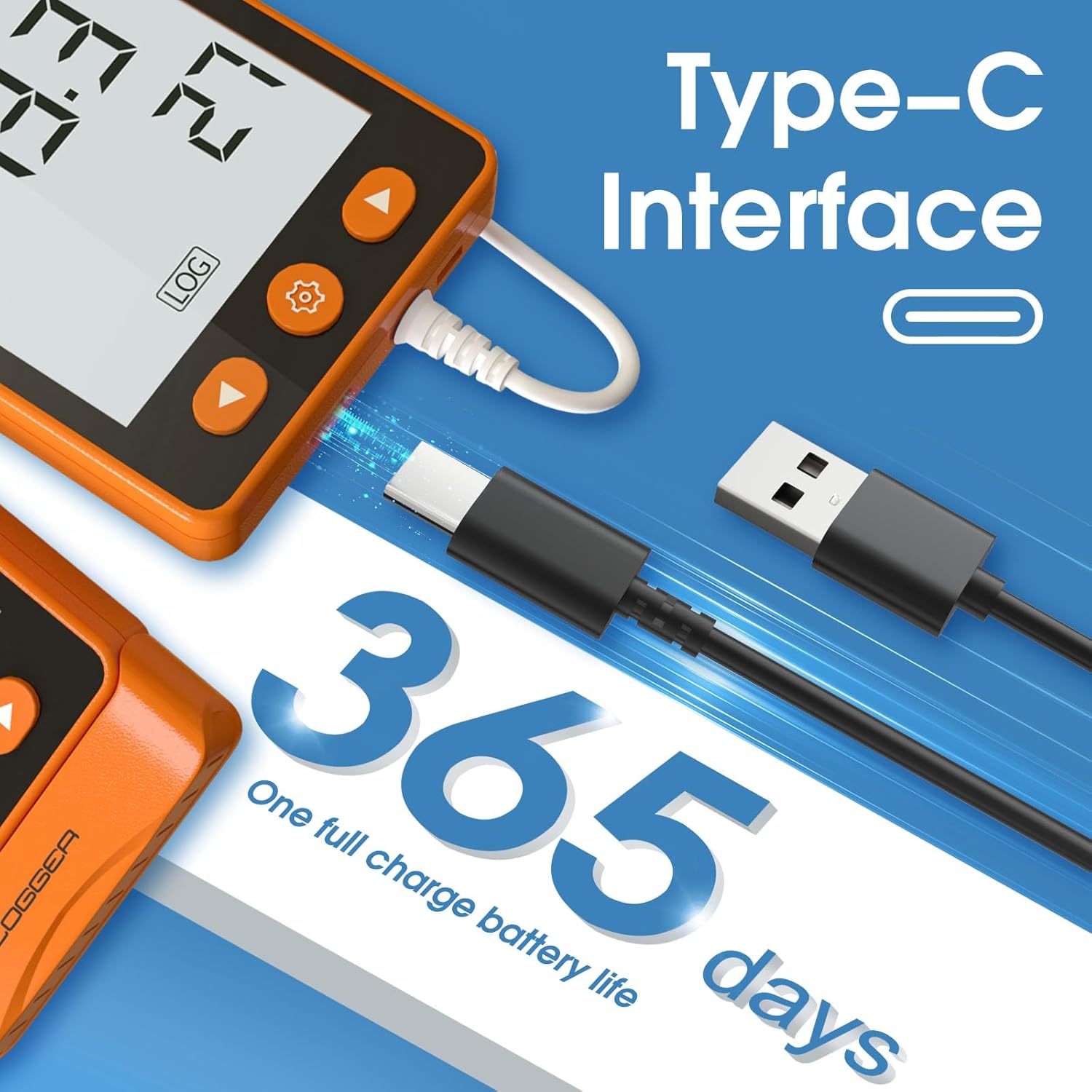
Figure 3: The data logger features a USB Type-C interface for charging and data transfer, offering up to 365 days of battery life on a single charge.
4. Operation
4.1. Power ON/OFF:
- To power ON: Press and hold the Play/Start button (right arrow) for 3 seconds.
- To power OFF: In "STOP" and unlocked state, press and hold the Play/Start button (right arrow) for 3 seconds.
4.2. Start/Stop Recording:
- To start recording: Long press the Play/Start button (right arrow) for 3 seconds. If "REC" is displayed on the screen, recording has started. Note: Once recording starts, previous data will be erased.
- To stop recording: Long press the Stop button (left arrow) for 3 seconds. If "Stop" is displayed, recording has ceased.
4.3. Setting Parameters:
Parameters such as recording interval, alarm thresholds, and unit display can be configured in two ways:

Figure 4: The data logger supports both direct button operation and software configuration for setting parameters.
4.3.1. Button Operation:
In "STOP" and unlocked state, long press the Settings button (gear icon) for 3 seconds. The screen will display a blinking indicator. You can then use the left and right arrow buttons to adjust the setting value, and press the Settings button again to switch to the next parameter or confirm your selection.

Figure 5: Visual guide for button operations including power, unlock, start/stop recording, and setting parameters.
4.3.2. Software Operation:
For more advanced configuration and ease of use, connect the data logger to a computer via the USB Type-C cable. The device can be managed using dedicated software. Please contact CHNADKS customer support for software installation instructions and download links.

Figure 6: The software interface allows for comprehensive parameter settings and data management when connected to a computer.
5. Data Export and Analysis
The GSP-70S data logger simplifies data retrieval and reporting. Once connected to a computer, it automatically generates a PDF report without requiring special software installation.
5.1. Generating Reports:
Plug the data logger into your computer using the USB Type-C cable. The device will appear as a removable drive. Open the drive, and you will find a PDF report containing all recorded data. This report includes equipment information, trip details, configuration settings, statistics, graphs, and data per entry.

Figure 7: Connecting the data logger to a computer via USB automatically generates a PDF data report for easy access and analysis.

Figure 8: Example of a generated PDF report, showing detailed equipment, trip, configuration, statistical, graphical, and raw data.
6. Applications and Usage Scenarios
The CHNADKS GSP-70S data logger is versatile and suitable for a wide range of applications where precise temperature monitoring is critical.

Figure 9: The data logger is suitable for various environments including vaccine refrigerated vehicles, server rooms, warehouse racking, and pharmacy coolers.
- Cold Chain Logistics: Monitoring temperature during transport and storage of perishable goods, vaccines, and pharmaceuticals.
- Laboratories: Ensuring stable environmental conditions for experiments, samples, and equipment.
- Refrigerators & Freezers: Tracking temperatures in commercial and industrial refrigeration units.
- Warehouses & Storage Facilities: Maintaining optimal conditions for sensitive products.
- Server Rooms: Monitoring ambient temperature to prevent overheating of electronic equipment.

Figure 10: Diverse applications for the data logger, including household use, office environments, farms, medicine storage, cold chain, and warehouses.
7. Maintenance
To ensure the longevity and accuracy of your CHNADKS GSP-70S data logger, follow these maintenance guidelines:
- Cleaning: Wipe the device with a soft, dry cloth. Do not use abrasive cleaners or immerse the device in water.
- Storage: Store the data logger in a cool, dry place away from direct sunlight and extreme temperatures when not in use.
- Battery Care: Recharge the battery regularly, especially if the device will be stored for an extended period, to maintain battery health.
- Calibration: While the device is factory calibrated, professional recalibration may be required periodically for applications demanding the highest accuracy. Contact customer support for details.
8. Troubleshooting
If you encounter issues with your data logger, refer to the following common problems and solutions:
| Problem | Possible Cause | Solution |
|---|---|---|
| Device does not power on. | Low battery or incorrect power-on procedure. | Charge the device using the USB Type-C cable. Ensure you long-press the Play/Start button for 3 seconds. |
| Cannot start recording. | Device is not in "STOP" state or not unlocked. | Ensure the device displays "STOP". If locked (padlock icon), press left and right keys simultaneously to unlock, then long-press the Play/Start button. |
| Device not recognized by computer. | Faulty USB cable, incorrect port, or driver issue. | Try a different USB Type-C cable and a different USB port on your computer. Restart your computer. Ensure the device is powered on when connecting. |
| Inaccurate readings. | Sensor obstruction or extreme environmental conditions. | Ensure the sensor area is clear. Avoid placing the device in direct sunlight or near heat/cold sources that do not represent the actual environment to be measured. |
| Alarm not functioning. | Alarm thresholds not set correctly or alarm feature disabled. | Verify alarm settings via button operation or software. Ensure the alarm sound is enabled. |
If the problem persists, please contact CHNADKS customer support for further assistance.
9. Specifications
| Feature | Detail |
|---|---|
| Model Name | GSP-70S |
| Brand | CHNADKS |
| Measurement Range | Temperature: -30°C to +60°C (-22°F to +140°F) |
| Temperature Accuracy | ±0.3°C |
| Resolution | 0.1 |
| Data Storage Capacity | 99,990 records |
| Battery Type | Built-in Rechargeable Lithium Battery |
| Battery Life | 1+ year (at 5-second recording interval) |
| Connectivity | USB Type-C |
| Display Type | LCD Screen |
| Report Format | PDF, Excel (via software) |
| Dimensions | Approx. 4.76 x 4.45 x 1.85 inches |
| Weight | Approx. 7.76 ounces |
| Included Components | Temperature Data Logger, Instruction Manual, USB Type-C Cable, Wall Mount Plate |
10. Warranty and Support
CHNADKS provides a standard warranty for this product. For specific warranty terms, technical support, or service inquiries, please refer to the contact information provided in the product packaging or visit the official CHNADKS website. Please have your product model (GSP-70S) and purchase details ready when contacting support.
For software downloads or advanced troubleshooting, please reach out to CHNADKS customer service.
Ask a question about this manual
Ask about setup, troubleshooting, compatibility, parts, safety, or missing instructions. Manuals+ will review the question and use this page’s manual context to help answer it.