
EUREKA ERGONOMIC ERK-G55-US
EUREKA ERGONOMIC RGB Glass Height Adjustable Gaming Desk
Model: ERK-G55-US
Instruction Manual
Important Safety Information
WARNING: Always use the desk with caution. Do not attempt to adjust the height while sitting or standing on the desk. Keep children and pets away from the desk when adjusting the height. Be careful when handling the glass top to prevent breakage. Always follow the assembly instructions carefully to ensure the desk is properly anchored to the floor.
Product Overview
The EUREKA ERGONOMIC RGB Glass Height Adjustable Gaming Desk, Model ERK-G55-US, is designed for gaming, home office, and studio environments. It features a tempered glass desktop with integrated RGB LED lighting, dual motors for smooth height adjustment, and smart app control.
Key Features:
- Patented RGB Glass Desktop: Unique combination of music sensing and reactive RGB LED light effects.
- Music Sensing LED Effects: Built-in 27 music sync modes, multicolor static mode, 10-spectrum cycle mode, and sleep mode. Adjustable music sensibility, color changing speed, and light intensity.
- Adjustable Height with Dual Motors: Electric height adjustment from 30 inches to 48 inches. Lifting capacity up to 200 lbs.
- Smart CPU Control: Built-in HALL SENSOR and AI CONTROL for stable bilateral movement. Anti-Collision Technology detects obstacles and stops instantly.
- Memory Presets: Two height memory presets for quick adjustments.
- Durable Construction: 6mm thickened, deep tempered glass desktop (heat, scratch, and impact resistant) and custom-grade carbon steel frame with powder-coated finish.
- Connectivity: Built-in USB ports (Type-C & USB).
- Control Options: Smart APP control (Android & iOS) and simple button control.
Specifications
| Feature | Detail |
|---|---|
| Brand | EUREKA ERGONOMIC |
| Model Number | ERK-G55-US |
| Product Dimensions (Approx.) | 28"D x 55"W (Adjustable Height: 30" - 48"H) |
| Color | Glossy Black Glass |
| Desk Design | Standing Desk |
| Top Material Type | Glass (6mm thickened, deep tempered) |
| Base Material | Alloy Steel / Carbon Steel Frame |
| Special Feature | Adjustable, Electric, RGB Lights, Music Sensing |
| Maximum Weight Recommendation | 200 Pounds |
| Lifting Mechanism | Electric Dual Motor |
| Included Components | Built-in USB Port |
| Required Assembly | Yes (Recommended 2 people) |
| Item Weight | 103.4 Pounds |
Setup Instructions
- Unpacking and Inspection: Carefully unpack all components. Verify that all parts listed in the assembly guide are present and undamaged.
- Assembly: Follow the detailed assembly instructions provided in the separate assembly manual. It is recommended that two people assemble the desk due to its weight and size. Ensure all bolts are securely tightened, especially those holding the glass top.

Figure 1: Desk Dimensions and Weight Capacity.
- Power Connection: Connect the power cable to the desk and then to a suitable power outlet.
- App Installation: Download the "LED Chord" app from your device's app store (available for Android and iOS).
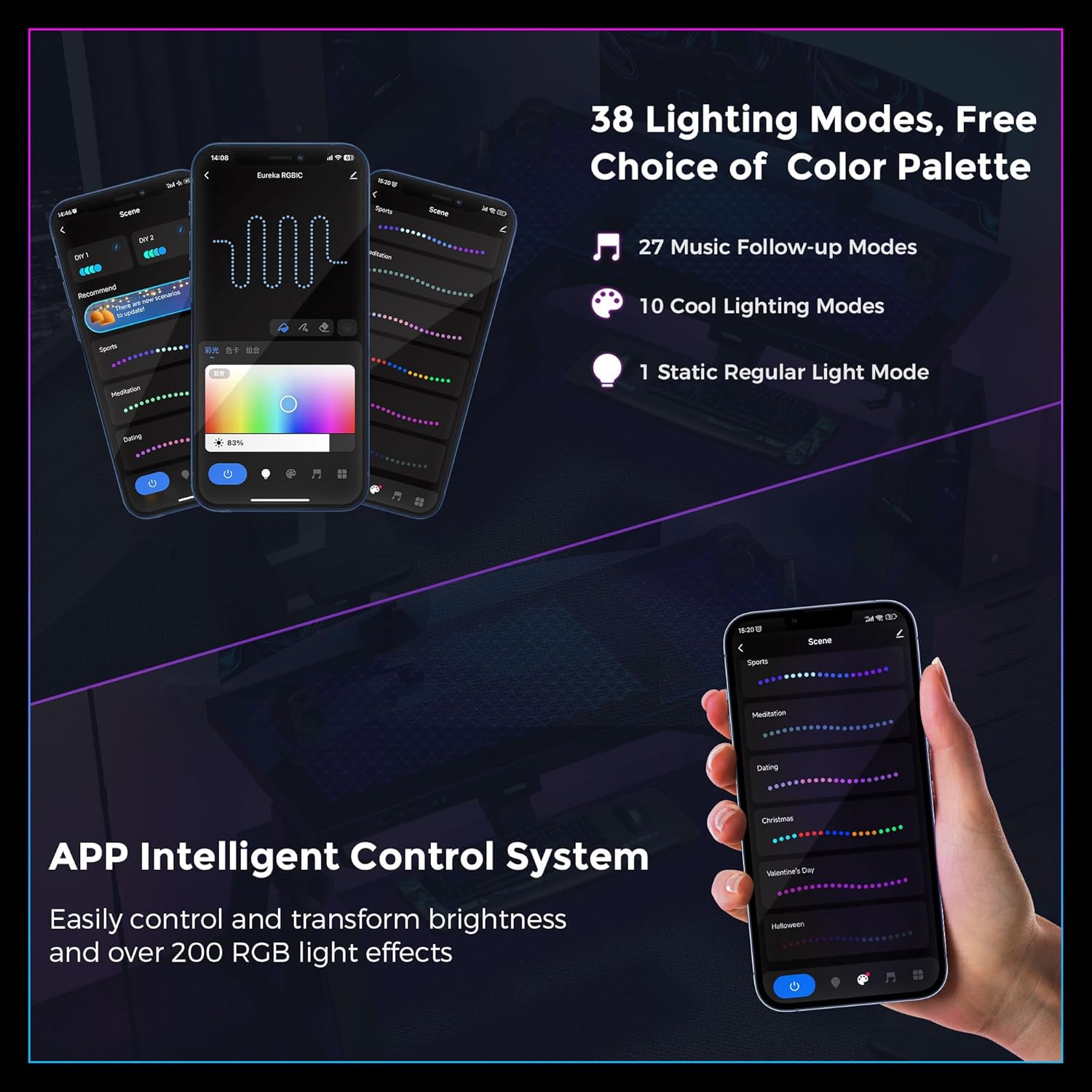
Figure 2: LED Chord App for Intelligent Control System.
- Pairing with App: Follow the in-app instructions to pair your desk with the "LED Chord" application for advanced lighting control.
Operating Instructions
Height Adjustment:
- Adjusting Height: Use the up (^) and down (v) buttons on the desk's control panel to raise or lower the desk to your desired height. The desk features dual motors for smooth and quiet operation.
- Memory Presets: The desk includes two height memory presets (buttons 1 and 2). To save a height, adjust the desk to the desired position, then press and hold the desired memory button (1 or 2) until you hear a beep or see the display flash. To recall a saved height, simply press the corresponding memory button.
- Anti-Collision Feature: The desk is equipped with Anti-Collision Technology. If the desk encounters an obstacle during adjustment, it will stop and retract slightly to prevent damage.

Figure 3: Anti-Collision Technology in action.
RGB LED Lighting Control:
- Button Control: Use the dedicated light control button on the desk's control panel to cycle through basic lighting modes.
- App Control: For full customization, use the "LED Chord" app.
- Access 27 music sync modes that react to audio.
- Choose from 10 cool lighting modes and 1 static regular light mode.
- Adjust music sensibility, color changing speed, and light intensity.
- Control over 200 RGB light effects.
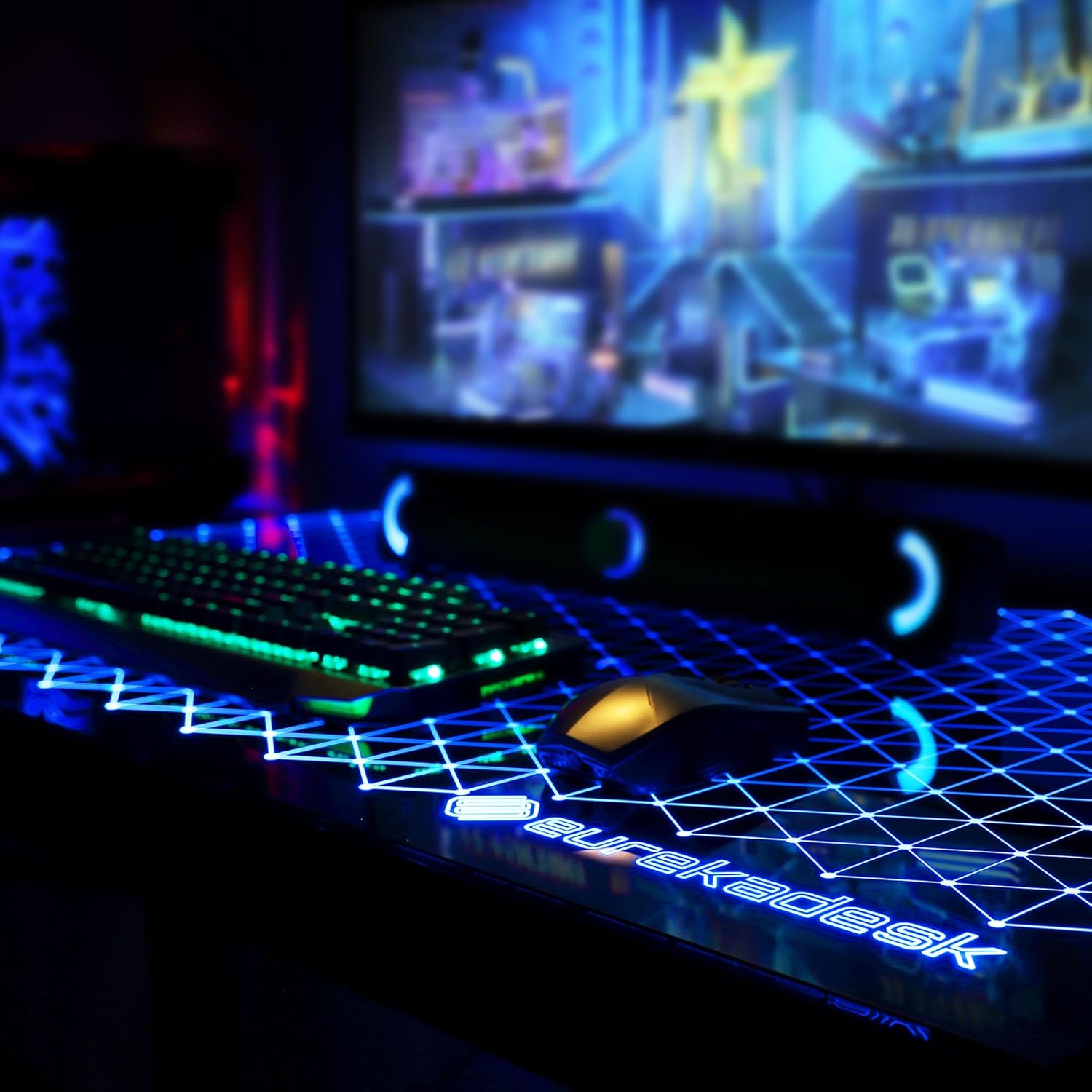
Figure 4: Close-up of the RGB lighting on the desk surface.
USB Ports:
- The desk includes built-in USB and Type-C charging ports for convenient device charging.

Figure 5: Integrated USB and Type-C Charging Ports.
Maintenance
- Cleaning: Wipe the desk surfaces with a damp cloth. Avoid abrasive cleaners or harsh chemicals that could damage the glass or finish.
- Cable Management: Utilize the integrated cable management features, such as the power strip holder and cable ties, to keep your workspace tidy and prevent cable damage.
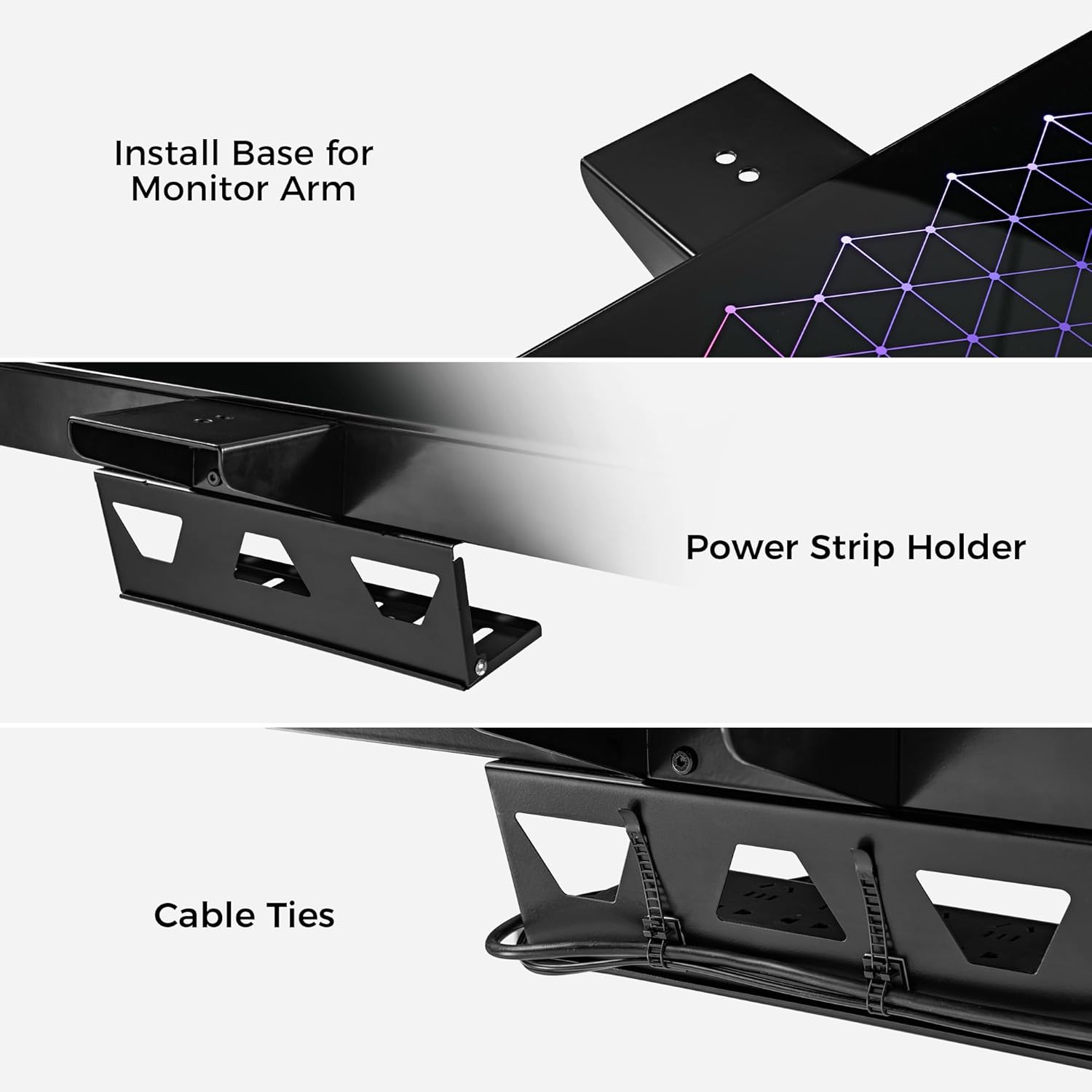
Figure 6: Cable Management Features.
- Regular Checks: Periodically check all screws and connections to ensure they remain tight.
Troubleshooting
| Problem | Possible Cause | Solution |
|---|---|---|
| Desk does not adjust height. | Power not connected, motor issue, or anti-collision activated. |
|
| RGB lights are not working or are dim/flickering. | App connection issue, power supply problem, or LED strip malfunction. |
|
| Desk wobbles. | Uneven floor or loose assembly. |
|
| App control not working. | Bluetooth not enabled, app not paired, or app malfunction. |
|
Warranty and Support
The EUREKA ERGONOMIC RGB Glass Height Adjustable Gaming Desk comes with a 1-year limited service warranty. For any questions, technical assistance, or warranty claims, please contact our 24-hour US-based customer service.
For further support, visit the official EUREKA ERGONOMIC Store: EUREKA ERGONOMIC Store.
Ask a question about this manual
Ask about setup, troubleshooting, compatibility, parts, safety, or missing instructions. Manuals+ will review the question and use this page’s manual context to help answer it.