
1. Introduction
This manual provides essential information for the safe and efficient operation of your Josbuynls 1000W Grid Tie Inverter. Please read these instructions carefully before installation and use. This inverter is designed to convert DC power from 36V solar panels or 36V batteries into AC power for grid connection.
2. Safety Information
Important Safety Instructions:
- Read all instructions before installing or using the inverter.
- Installation must be performed by qualified personnel in accordance with local electrical codes.
- Do not disassemble the inverter. There are no user-serviceable parts inside.
- Ensure proper grounding to prevent electrical shock.
- Do not operate the inverter in wet conditions or near flammable materials.
- Disconnect all power sources (DC and AC) before performing any maintenance or wiring.
- The inverter generates high voltage. Exercise extreme caution.
3. Product Overview
3.1 Features
- High Efficiency: Utilizes unique circuit design, imported industrial electronic components, isolated high-frequency transformer, and MPPT technology for over 99% efficiency.
- Pure Sine Wave Output: Provides clean and stable AC power, suitable for sensitive electronic devices.
- Electrical Isolation: Complete electrical isolation between machine output and input enhances safety.
- Durable Construction: Made from aluminum alloy, offering heat resistance, cold resistance, and protection against drops and collisions.
- Integrated Protection: Features various electrical protection functions.
3.2 Components

Figure 1: Front view of the Josbuynls 1000W Grid Tie Inverter with key dimensions (21cm length, 16.5cm width, 5.3cm height).
The inverter features a robust aluminum alloy casing with heat dissipation fins along its sides. The front panel includes the AC output port, a power switch, and indicator lights for 'RUN' and 'ERROR'. The rear panel provides DC input terminals (positive and negative) and fuse holders.

Figure 2: Rear view showing DC input terminals, cooling fan, and fuse access points.
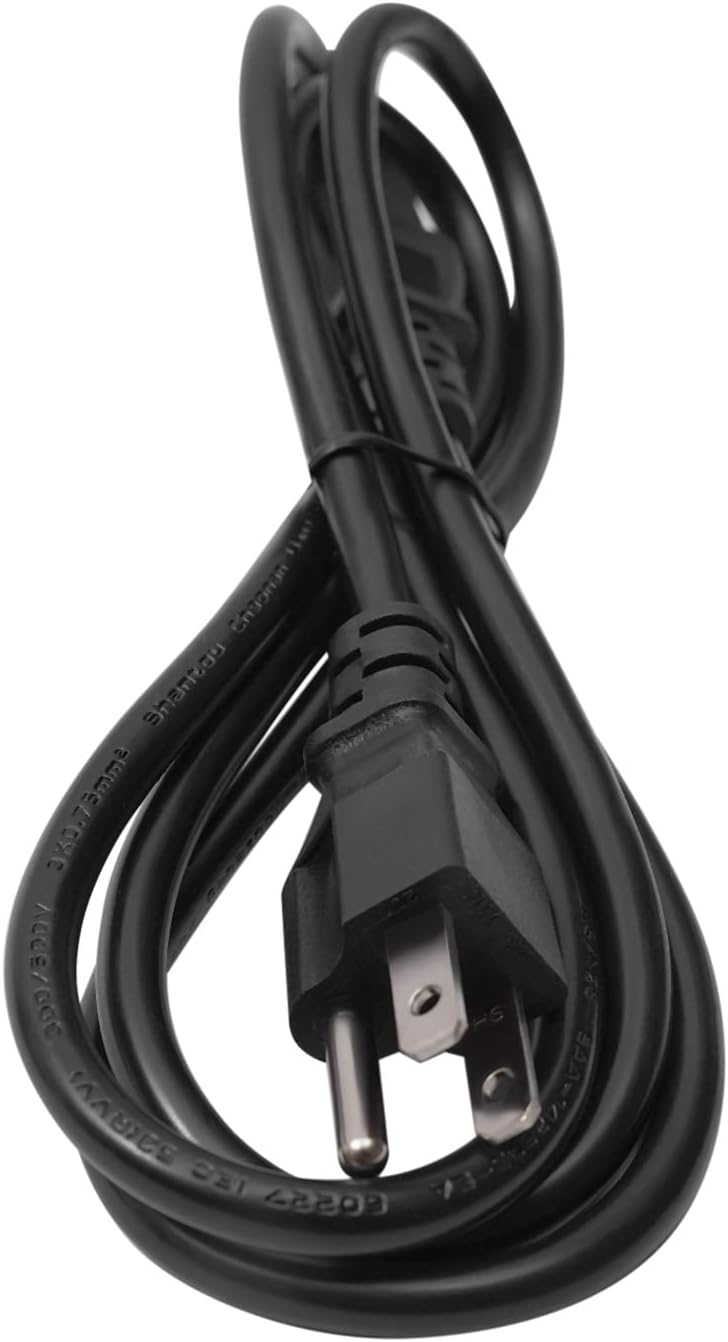
Figure 3: Included AC power cord for connecting the inverter to the grid.
4. Specifications
| Parameter | Value |
|---|---|
| Model | GTI1000W |
| AC Output Power | 1000W |
| Maximum AC Output Power | 1050W |
| AC Output Voltage | 110V (AC 90V-140V) |
| DC Input Voltage Range | 22-50VDC |
| Frequency Range | 48-62Hz (Self-adaption) |
| MPPT Range | 26-38V |
| Applicable Solar Panel/Battery | 36V Solar Panel and 36V Battery |
| Material | Aluminium Alloy |
| Product Dimensions | 21 x 16.5 x 5.3 cm (8.27 x 6.5 x 2.09 inches) |
| Net Weight | 3.5 kg (7.7 lbs) |
5. Setup
Before Installation: Ensure the installation location is well-ventilated, dry, and away from direct sunlight or heat sources. The inverter should be mounted securely using appropriate hardware. The included gaskets can assist in stable mounting.
5.1 Mounting the Inverter
- Choose a vertical surface for mounting to optimize heat dissipation.
- Use the provided gaskets and mounting screws to secure the inverter firmly.
- Ensure adequate clearance around the inverter for airflow, especially around the heat dissipation holes and fan.
5.2 DC Input Connection (Solar Panel / Battery)
- Ensure the DC power source (36V solar panel array or 36V battery) is disconnected or switched off.
- Connect the positive (+) terminal of your DC source to the positive (+) DC input terminal on the inverter.
- Connect the negative (-) terminal of your DC source to the negative (-) DC input terminal on the inverter.
- Verify all DC connections are tight and secure.
- The DC input voltage must be within the 22-50VDC range.
5.3 AC Output Connection (Grid)
- Ensure the AC grid connection point is de-energized.
- Connect the included AC power cord to the AC output port on the inverter.
- Connect the other end of the AC power cord to a dedicated AC outlet or grid connection point, ensuring it is properly grounded.
- Confirm that the AC voltage at the connection point is within the inverter's specified range (90V-140V AC).
5.4 Grounding
Proper grounding is critical for safety. Connect the inverter's grounding terminal to an earth ground according to local electrical codes.
6. Operating Instructions
- Initial Power-Up: After all connections are securely made and verified, first connect the DC power source.
- Connect to AC Grid: Plug the AC power cord into the grid outlet.
- Turn On Inverter: Flip the power switch on the inverter to the 'ON' position.
- Monitor Indicators:
- The 'RUN' indicator light should illuminate, indicating normal operation.
- If the 'ERROR' indicator light illuminates, refer to the Troubleshooting section.
- Normal Operation: The inverter will automatically begin converting DC power to AC power and feeding it into the grid. The MPPT function will optimize power extraction from your solar panels.
- Shut Down: To power off the inverter, first disconnect the AC power cord from the grid, then switch off the inverter, and finally disconnect the DC power source.
7. Maintenance
Regular maintenance ensures optimal performance and longevity of your inverter.
- Cleaning: Periodically clean the exterior of the inverter with a dry, soft cloth. Ensure the heat dissipation holes are free from dust and debris to maintain proper cooling. Do not use liquid cleaners.
- Connection Checks: Regularly inspect all DC and AC connections for tightness and signs of corrosion. Loose connections can lead to overheating or poor performance.
- Environmental Check: Ensure the operating environment remains within specified temperature and humidity ranges.
- Fuse Replacement: If a fuse blows, replace it with a fuse of the same type and rating. Refer to the specifications for fuse details.
8. Troubleshooting
This section addresses common issues you might encounter. For problems not listed here, contact customer support.
| Problem | Possible Cause | Solution |
|---|---|---|
| Inverter not powering on / No output |
|
|
| 'ERROR' indicator light is on |
|
|
| Low power output |
|
|
9. Warranty and Support
Your Josbuynls 1000W Grid Tie Inverter comes with a warranty. Please refer to the separate Warranty Card included in your product package for detailed terms and conditions.
For technical support, troubleshooting assistance beyond this manual, or warranty claims, please contact your retailer or the manufacturer directly using the contact information provided with your purchase or on the Warranty Card.