
ZEXVIDA C-10002
ZEXVIDA C-Shaped End Table with Charging Station User Manual
Model: C-10002
Introduction
Thank you for purchasing the ZEXVIDA C-Shaped End Table with Charging Station. This manual provides detailed instructions for assembly, operation, maintenance, and troubleshooting to ensure safe and efficient use of your new furniture. Please read this manual thoroughly before beginning assembly or use.
This versatile C-shaped end table is designed to fit seamlessly into various living spaces, offering convenient surface area and integrated power for your devices. Its compact design makes it ideal for use beside sofas, beds, or chairs.
Safety Information
- Do not exceed the maximum weight limit of 80 lbs (36.3 kg) on the table surface or shelves.
- Ensure all screws and fasteners are securely tightened before use. Periodically check and re-tighten as needed.
- Keep the charging station away from water or excessive moisture.
- Do not attempt to modify the electrical components of the charging station.
- Keep small parts and packaging materials away from children to prevent choking hazards.
- Use on a flat, stable surface to prevent tipping.
Package Contents
Please verify that all components are present before beginning assembly. If any parts are missing or damaged, please contact customer support.
| Part | Description | Quantity |
|---|---|---|
| A | Top Board | 1 |
| B | Bottom Board | 1 |
| C | Side Frame (Long) | 2 |
| D | Side Frame (Short) | 2 |
| E | Middle Shelf with Charging Station | 1 |
| F | Storage Bag | 1 |
| G | Adjustable Feet | 4 |
| H | Screws (M6x30mm) | 8 |
| I | Screws (M4x15mm) | 4 |
| J | Hex Key | 1 |
Setup & Assembly Instructions
Follow these steps carefully for proper assembly. An assembly video is also available for visual guidance.
Step 1: Attach Side Frames to Bottom Board
Place the Bottom Board (B) on a soft, clean surface to prevent scratches. Attach the two Long Side Frames (C) and two Short Side Frames (D) to the Bottom Board (B) using Screws (H). Ensure the holes align properly. Use the Hex Key (J) to tighten the screws.
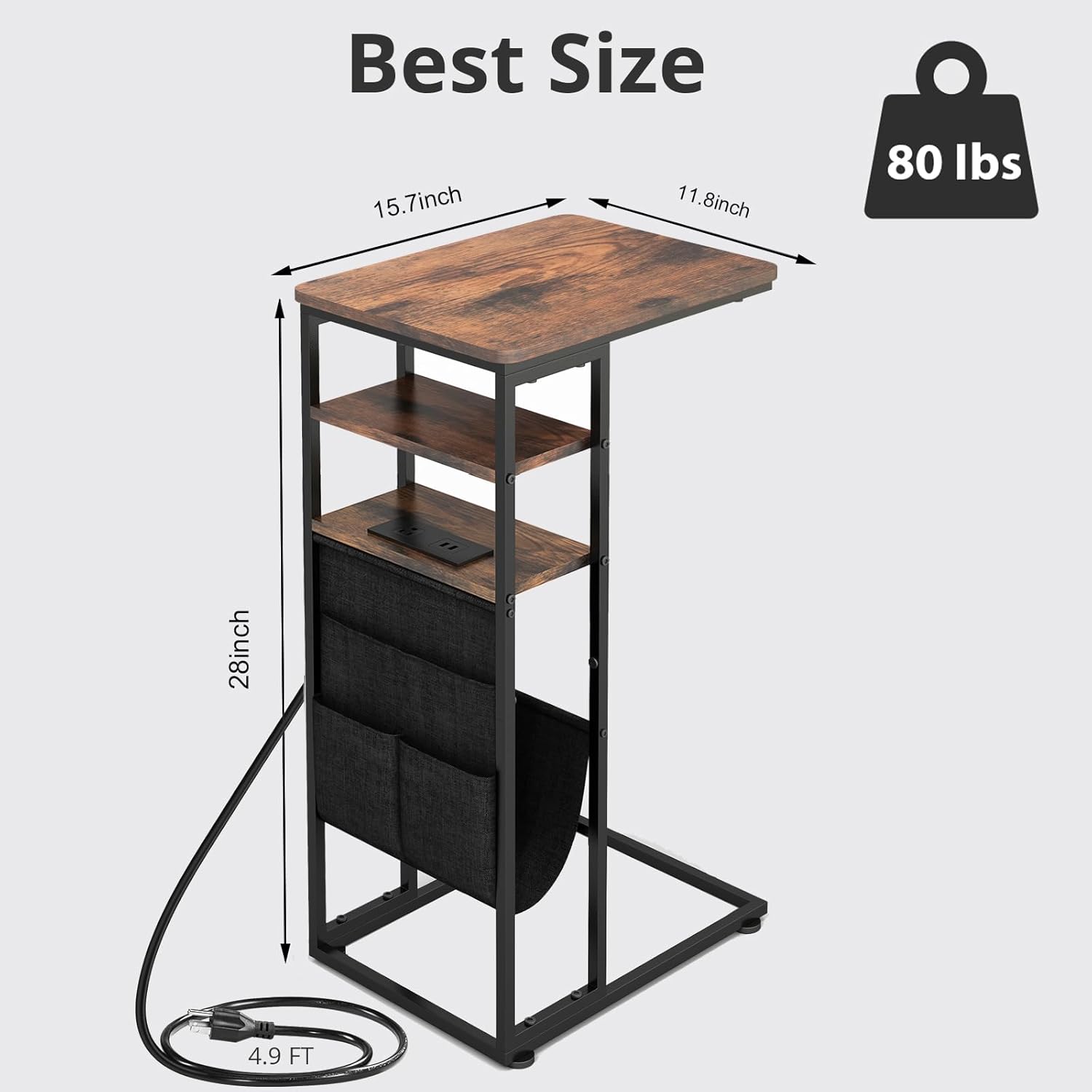
Image: Illustration showing the attachment of side frames to the bottom board.
Step 2: Attach Top Board and Adjustable Feet
Carefully place the Top Board (A) onto the assembled frame, aligning the screw holes. Secure it using Screws (H). Then, screw the Adjustable Feet (G) into the bottom of the frame. These feet help stabilize the table on uneven surfaces.

Image: The C-shaped end table fully assembled, showing the top board and adjustable feet.
Step 3: Install Middle Shelf with Charging Station
Slide the Middle Shelf with Charging Station (E) into the designated slots on the side frames. Secure it in place using Screws (I). Ensure the charging station faces the desired direction. The power cord should hang freely for easy access to an outlet.

Image: Close-up of the middle shelf with the integrated charging station being installed.
Step 4: Attach Storage Bag
Attach the Storage Bag (F) to the side of the table frame using the integrated fasteners or hooks. The bag is designed to hold tablets, newspapers, magazines, and smaller items like remotes and phones.

Image: The storage bag attached to the side of the C-shaped end table, showing its compartments.
Assembly Video
For a visual guide on the assembly process, please refer to the official assembly video:
Video: A detailed assembly guide for the ZEXVIDA C-Shaped End Table. This video demonstrates each step of the assembly process, from unboxing to final setup, ensuring a smooth and easy experience for users.
Operating Instructions
Using the Charging Station
- Plug the table's power cord into a standard 120V/12A AC wall outlet.
- The charging station features two 5V/2A USB fast charging interfaces and one 120V/12A AC outlet.
- Connect your devices (e.g., smartphones, tablets, laptops) to the appropriate USB ports or AC outlet.
- The charging station is equipped with a safety detection system to ensure safe power delivery.

Image: The C-shaped end table in use, demonstrating devices charging via the integrated power outlets.
Utilizing Storage Features
- The top surface is suitable for holding drinks, books, laptops, or decorative items.
- The two open shelves below the top surface provide additional space for small electronics, books, or decor.
- The attached storage bag offers convenient compartments for magazines, tablets, and remote controls, keeping your essentials organized and within reach.

Image: The C-shaped end table positioned next to a sofa in a living room, showcasing its functional design and storage capabilities.
Maintenance
- Cleaning: Wipe the table surfaces with a soft, damp cloth. Avoid harsh chemicals or abrasive cleaners that may damage the finish.
- Spills: Immediately wipe up any spills to prevent water damage, especially on the wooden board which is designed to be waterproof.
- Tightening: Periodically check all screws and connections to ensure they remain tight. Re-tighten as necessary to maintain stability.
- Placement: Avoid placing the table in direct sunlight or near heat sources to prevent warping or discoloration of the wood.

Image: Detailed view of the table's surface, highlighting its anti-scratch and waterproof properties for easy maintenance.
Troubleshooting
| Problem | Possible Cause | Solution |
|---|---|---|
| Table is wobbly/unstable. | Screws are loose; uneven floor. | Tighten all assembly screws. Adjust the adjustable feet on the bottom of the table to level it. |
| Charging station not working. | Not plugged in; power outlet issue; device issue. | Ensure the table's power cord is securely plugged into a working wall outlet. Test the outlet with another device. Check if your device is charging properly with another power source. |
| Parts missing from package. | Packaging error. | Contact ZEXVIDA customer support with your purchase details for replacement parts. |
Specifications
- Model: C-10002
- Brand: ZEXVIDA
- Dimensions (D x W x H): 15.7" x 11.8" x 28" (39.9 cm x 30 cm x 71.1 cm)
- Weight: 7.9 Pounds (3.58 kg)
- Maximum Weight Recommendation: 80 Pounds (36.3 kg)
- Material: Wood (Top), Iron (Frame)
- Charging Station: 2x 5V/2A USB ports, 1x 120V/12A AC outlet
- Power Cord Length: 4.9 feet (1.5 meters)
- Color: Retro With Socket
Warranty
ZEXVIDA products are designed and manufactured to the highest quality standards. For information regarding warranty coverage and terms, please refer to the warranty card included with your product or visit the official ZEXVIDA website.
Customer Support
If you have any questions, concerns, or require assistance with your ZEXVIDA C-Shaped End Table, please do not hesitate to contact our professional support team. We are dedicated to ensuring every household can enjoy a beautiful life with our products.
Contact Information:
- Website: Visit the ZEXVIDA Store on Amazon
- Email: [Insert Customer Support Email Here - if available, otherwise omit]
- Phone: [Insert Customer Support Phone Number Here - if available, otherwise omit]
Ask a question about this manual
Ask about setup, troubleshooting, compatibility, parts, safety, or missing instructions. Manuals+ will review the question and use this page’s manual context to help answer it.