
Teko HI2180BE
Teko Reachr Vacuum User Manual
Model: HI2180BE | Brand: Teko
1. Introduction
Thank you for choosing the Teko Reachr Vacuum. This powerful and lightweight handheld vacuum is designed for efficient cleaning in various environments, from hard floors and carpets to car interiors and hard-to-reach areas. Its extendable design and multiple attachments make it a versatile tool for maintaining a clean living space. Please read this manual thoroughly before operating your new vacuum to ensure safe and optimal performance.
2. Safety Instructions
- Always disconnect the vacuum from the power source before cleaning or performing maintenance.
- Do not use the vacuum to pick up flammable or combustible liquids, such as gasoline, or fine dust like plaster dust.
- Keep hair, loose clothing, fingers, and all parts of the body away from openings and moving parts.
- Do not operate the vacuum with a damaged cord or plug. If the vacuum is not working as it should, has been dropped, damaged, left outdoors, or dropped into water, return it to a service center.
- Use only as described in this manual. Use only manufacturer's recommended attachments.
- Store the vacuum indoors in a dry place.
3. Package Contents
Verify that all items listed below are included in your package:
- Teko Reachr Vacuum Unit
- Corner Attachment
- Floor Attachment
- Brush Attachment
- Air Filter (pre-installed or spare)
- Charging Cable

Figure 3.1: Teko Reachr Vacuum with all included accessories, including the main unit, corner attachment, floor attachment, brush attachment, and air filter.

Figure 3.2: Detailed view of the various cleaning attachments: Corner Attachment, Floor Attachment, Brush Attachment, and Air Filter, alongside the main Reachr unit.
4. Setup and Charging
4.1 Initial Charging
- Before first use, fully charge the Teko Reachr Vacuum.
- Connect the charging cable to the vacuum's charging port.
- Plug the other end of the charging cable into a standard wall outlet.
- The indicator lights will show charging status. Allow several hours for a full charge.
4.2 Attaching Accessories
To attach any accessory (Corner, Floor, or Brush Attachment), align the attachment with the vacuum's nozzle and push firmly until it clicks into place. To remove, press the release button (if present) and pull the attachment off.
5. Operating Instructions
5.1 Powering On/Off and Adjusting Suction
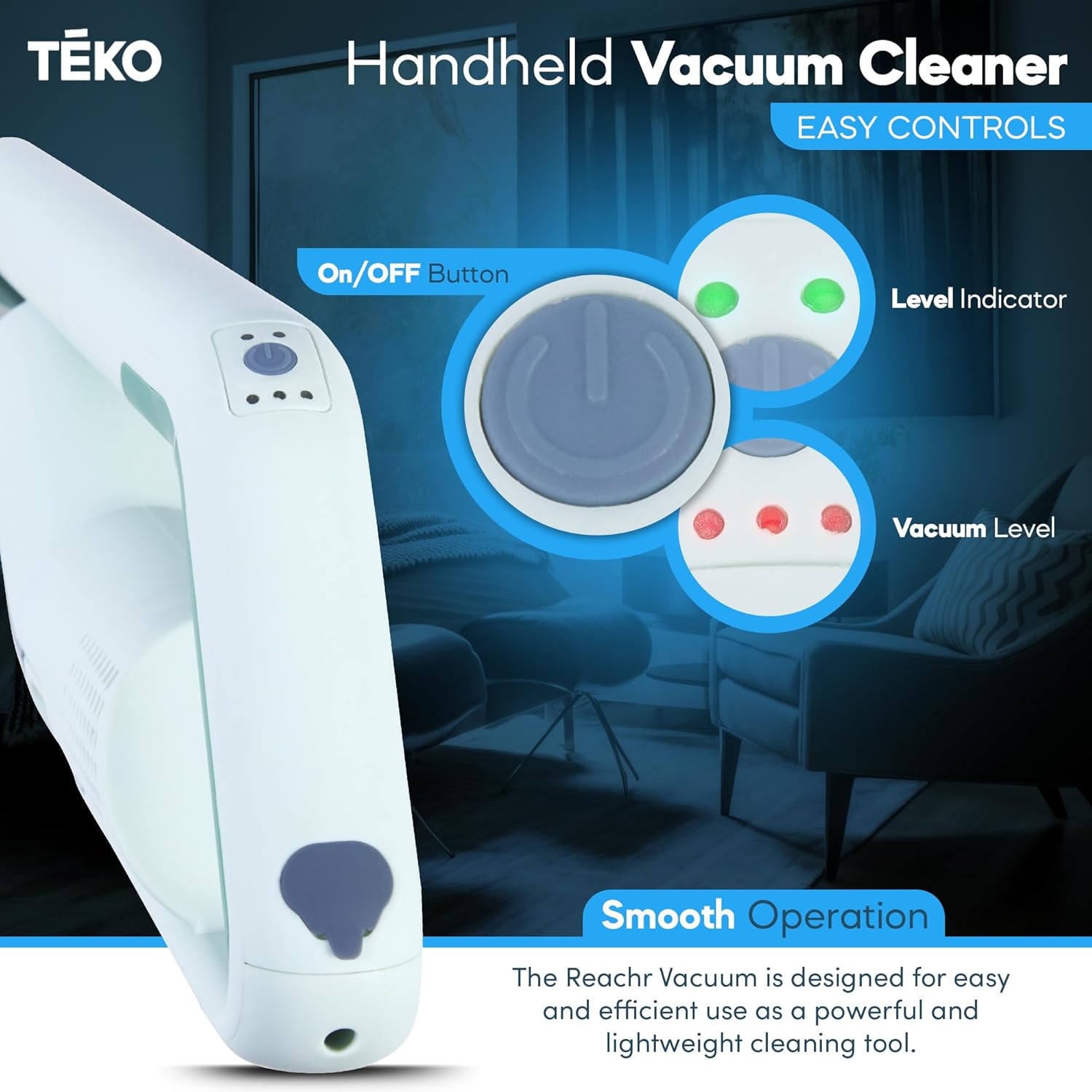
Figure 5.1: The easy-to-use controls of the Teko Reachr Vacuum, showing the On/Off button, Level Indicator, and Vacuum Level settings.
- Press the On/Off button to power on the vacuum.
- Press the button again to cycle through different vacuum levels (if applicable) or to power off the unit.
- The Level Indicator lights will show the current suction power setting.
5.2 Using the Extendable Design

Figure 5.2: The Teko Reachr Vacuum's convenient extension feature allows it to reach high areas like ceiling fans and high corners, as well as under furniture and into cabinets.
The Teko Reachr Vacuum extends over 36 inches, making it ideal for reaching difficult areas. To extend, gently pull the extension rod until it locks into the desired length. To retract, press the release button on the rod and push it back in.
5.3 Utilizing Attachments
- Floor Attachment: Best for cleaning large surfaces like hard floors, rugs, and carpets.
- Corner Attachment: Ideal for narrow spaces, corners, and crevices.
- Brush Attachment: Excellent for dusting delicate surfaces, upholstery, and car interiors.

Figure 5.3: The brush attachment is highly effective for cleaning tight spaces, such as those found in a car's interior, allowing for thorough cleaning of hard-to-reach spots.
5.4 Powerful and Lightweight Operation
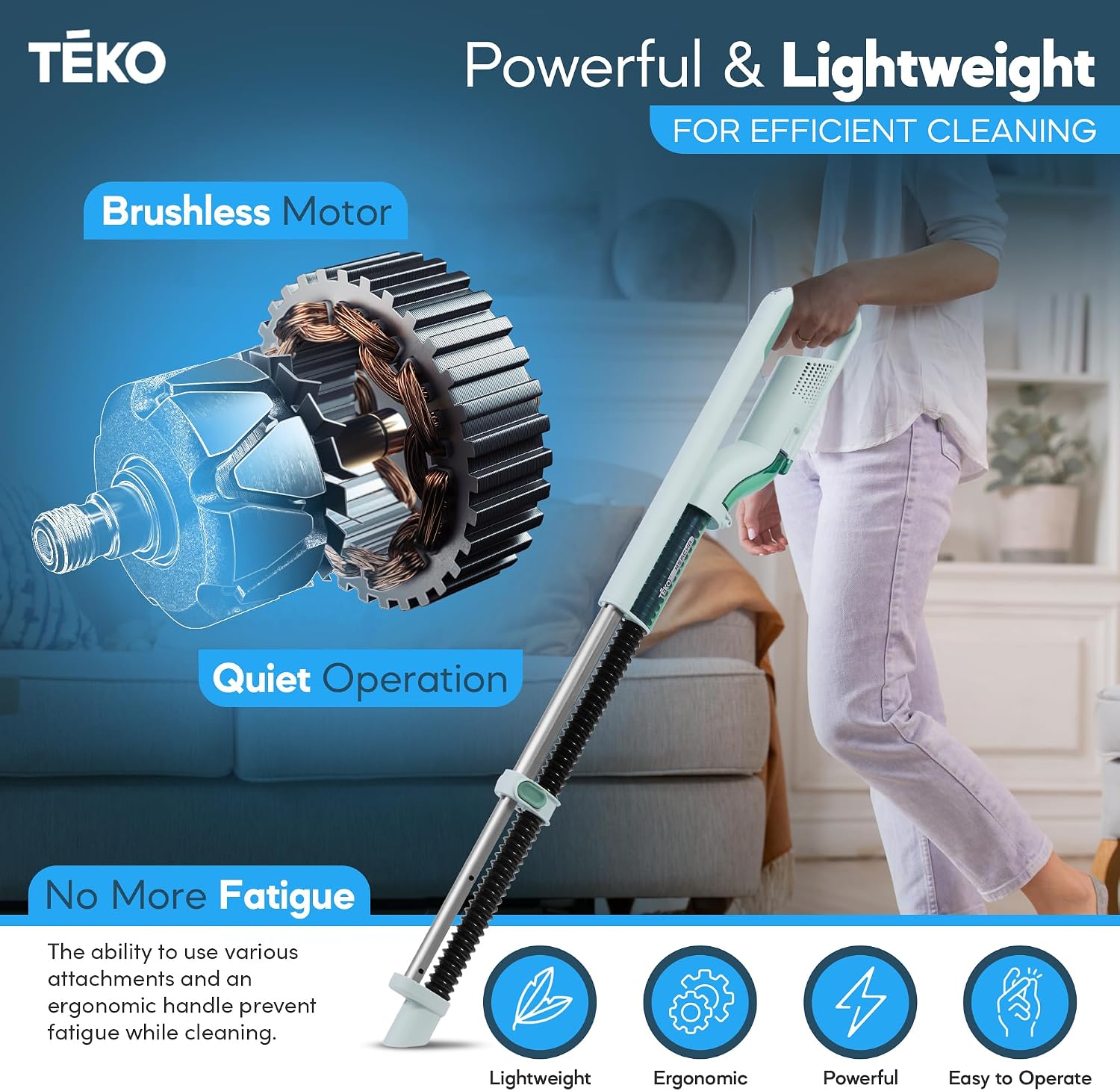
Figure 5.4: The Teko Reachr Vacuum features a powerful brushless motor for efficient cleaning and quiet operation, ensuring a comfortable user experience without fatigue.
Weighing only 2.3 lbs, the Teko Reachr Vacuum is designed for easy maneuverability and extended use without causing fatigue. Its powerful brushless motor effectively picks up dust, debris, and even denser particles.
6. Maintenance
6.1 Emptying the Dustbin
- Ensure the vacuum is powered off.
- Locate the dustbin release button and press it to detach the dustbin from the main unit.
- Carefully empty the contents of the dustbin into a trash receptacle.
- Reattach the dustbin until it clicks securely into place.
6.2 Cleaning the Filter
The foam filter should be cleaned regularly to maintain optimal suction power.
- Remove the dustbin as described above.
- Carefully remove the foam filter from the dustbin.
- Tap the filter gently over a trash can to remove loose dust.
- For a deeper clean, rinse the filter under cool running water until the water runs clear.
- Allow the filter to air dry completely for at least 24 hours before reinserting it into the dustbin. Do not use the vacuum with a wet filter.
6.3 Cleaning Attachments and Exterior
Wipe down attachments and the exterior of the vacuum with a damp cloth. Do not immerse the main vacuum unit in water.
7. Troubleshooting
| Problem | Possible Cause | Solution |
|---|---|---|
| Vacuum does not turn on. | Battery is depleted. | Charge the vacuum fully. |
| Vacuum has low suction. | Dustbin is full. | Empty the dustbin. |
| Filter is clogged. | Clean or replace the filter. | |
| Nozzle or attachment is blocked. | Remove any obstructions from the nozzle or attachment. | |
| Vacuum makes unusual noise. | Obstruction in the hose or motor. | Check for and remove any blockages. If noise persists, contact customer support. |
8. Specifications
| Feature | Detail |
|---|---|
| Brand | Teko |
| Model Name | Reachr |
| Model Number | HI2180BE |
| Color | Sage Green |
| Product Dimensions | 36"L x 5"W x 5"H |
| Item Weight | 3 pounds |
| Filter Type | Foam |
| Capacity | 50 Grams |
| Is Cordless? | Yes |
| Control Method | Touch |
| Manufacturer | TEKO |
| Country of Origin | USA |
9. Warranty Information
Teko products are manufactured to the highest quality standards. Specific warranty details, including duration and coverage, are typically provided with your purchase documentation or can be found on the official Teko website. Please retain your proof of purchase for warranty claims.
Optional protection plans may be available for extended coverage. For details on 2-Year or 3-Year Protection Plans, please refer to your retailer or the product's purchase page.
10. Customer Support
For any questions, technical assistance, or support regarding your Teko Reachr Vacuum, please visit the official Teko website or contact their customer service department. Contact information is usually available on the product packaging or the brand's online presence.
Related documentsHI2180BE

Ask a question about this manual
Ask about setup, troubleshooting, compatibility, parts, safety, or missing instructions. Manuals+ will review the question and use this page’s manual context to help answer it.