
1. Safety Information
Read all safety warnings and instructions carefully before installing and operating this appliance. Keep this manual for future reference. Improper installation, adjustment, alteration, service, or maintenance can cause injury or property damage. Refer to this manual for assistance or contact a qualified installer or service agency.
- Electrical Safety: Ensure the power supply matches the unit's requirements. Do not use damaged power cords or plugs.
- Installation: Installation must be performed by qualified personnel in accordance with national wiring standards. Do not attempt to install the unit yourself.
- Children: Keep children away from the unit during operation and maintenance.
- Flammable Refrigerant: This unit uses R-32 refrigerant. Handle with care and ensure proper ventilation during installation and servicing.
2. Product Overview
The Blue Star 1 Ton 5 Star Wi-Fi Smart Inverter Split AC (Model ID512ZNURS) is designed for efficient cooling in small to medium-sized rooms. It features advanced technologies such as AI Pro, Voice Command, DigiQ Hepta Sensors, and 4-Way Swing for enhanced comfort and energy savings.
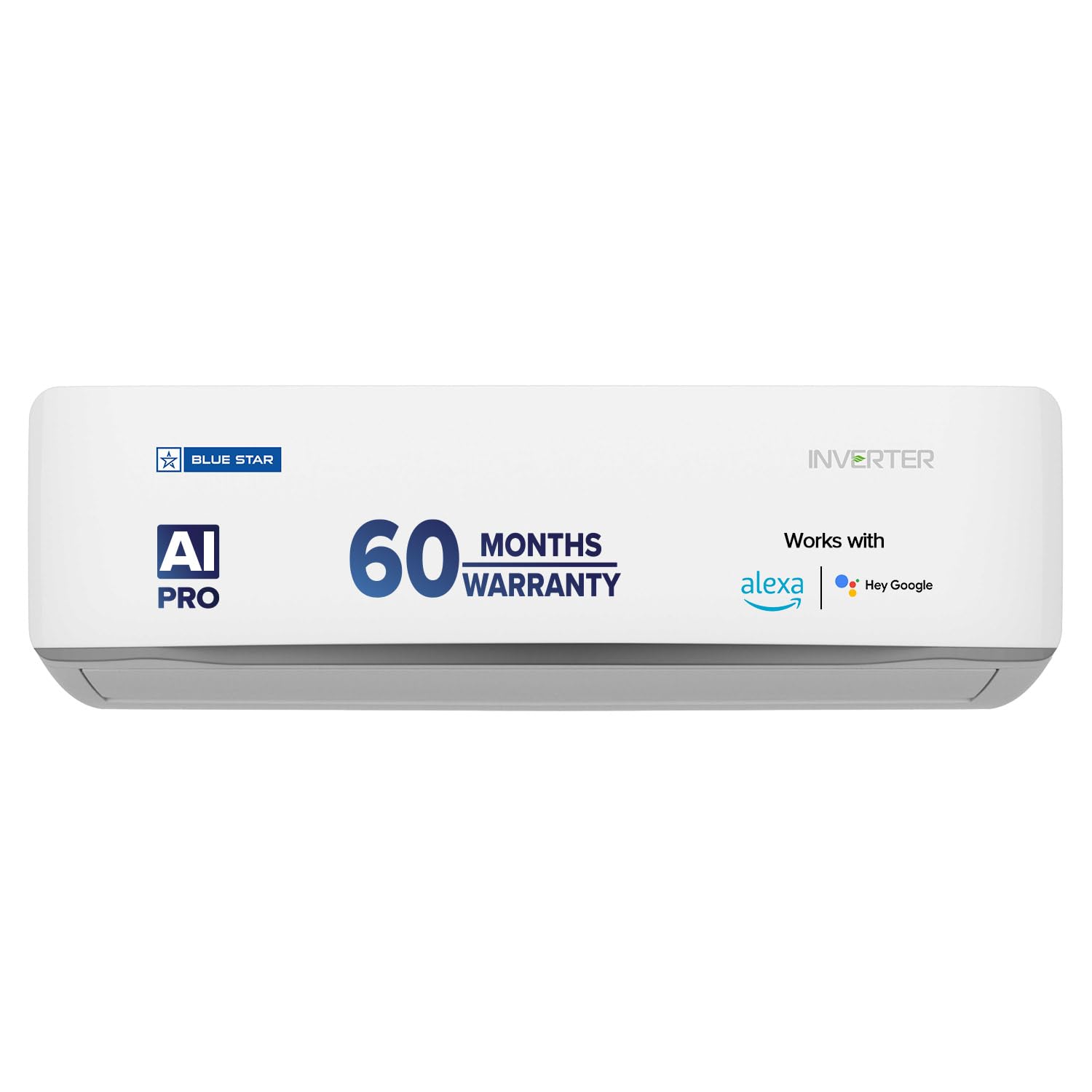
Image: Blue Star 1 Ton 5 Star Wi-Fi Smart Inverter Split AC Indoor Unit.
Key Features:
- Wi-Fi Smart App Control: Operate your AC remotely using a smartphone.
- AI Pro: Intelligently adjusts cooling and fan speed based on indoor and outdoor conditions.
- Voice Command: Compatible with Amazon Alexa and Google Home for hands-free control.
- Convertible 5-in-1 Cooling: Adjusts cooling capacity as per requirement.
- DigiQ Hepta Sensors: Seven intelligent digital sensors for precise cooling and component protection.
- 4-Way Swing: Ensures uniform air distribution across the room.
- Hexa Inverter Technology: Provides enhanced performance and energy savings.
- 100% Copper: Ensures durability and efficient heat transfer.
- Active Carbon Filter: Improves air quality.

Image: Energy Savings Guide highlighting 5-star rating, ISEER 5.05, 100% copper, and R32 refrigerant.
3. Setup
3.1. Professional Installation
The Blue Star Split AC requires professional installation. Contact authorized service personnel for installation to ensure proper functioning and warranty validity. The installation process includes mounting the indoor and outdoor units, connecting copper piping, drain pipe, and electrical wiring.
3.2. Included Components
The product package includes:
- 1 Indoor Unit
- 1 Outdoor Unit
- Copper wire (3 m)
- Inter Connecting Pipe (3.5 m)
- 1 Remote Control
- User Manual (this document)
3.3. Dimensions and Weight
Refer to the following dimensions for planning installation space:
- Indoor Unit (IDU): 83.8 cm (W) x 20.3 cm (D) x 30 cm (H)
- Outdoor Unit (ODU): 74 cm (W) x 25 cm (D) x 48 cm (H)
- IDU Weight: 9.8 Kg
- ODU Weight: 22.2 Kg
- Total Item Weight: 32000 Grams

Image: Diagram showing the dimensions of the indoor and outdoor units, and the remote control.
4. Operating Instructions
This section covers the basic operation of your Blue Star AC using the remote control.
4.1. Remote Control Functions
The remote control allows you to power on/off the unit, select operating modes, adjust temperature, fan speed, and access special features. Ensure the remote control is pointed towards the indoor unit's receiver.
4.2. Operating Modes
- Cooling Mode: Provides cooling by lowering the room temperature to the set value.
- Dry Mode: Reduces humidity in the room without significant cooling.
- Eco Mode: Operates the AC with optimized settings to save energy.
- Turbo Cool: Activates maximum cooling power for rapid temperature reduction.
- Convertible 5-in-1 Cooling: Allows you to adjust the AC's cooling capacity (e.g., 100%, 80%, 60%, 40%, 110% capacity) to match your comfort needs and save energy.

Image: Illustration of 5-in-1 Convertible Cooling, showing different capacity levels.
4.3. Temperature and Fan Speed Adjustment
Use the temperature up/down buttons on the remote to set your desired temperature. Adjust the fan speed (Auto, Low, Medium, High) to control airflow.
4.4. 4-Way Swing
The 4-Way Swing feature automatically adjusts the horizontal and vertical louvers to distribute cool air evenly throughout the room. Activate this feature via the remote control.

Image: Depiction of AI Pro sensing ambient temperature and Voice Command Technology for operation.
5. Smart Features
Your Blue Star AC is equipped with smart features for enhanced convenience and control.
5.1. Wi-Fi Smart App Control
Control your AC from anywhere using the Blue Star Smart App on your smartphone. The app allows you to turn the AC on/off, adjust temperature, change modes, and monitor energy usage. Download the app from the official Blue Star website or your device's app store.
Download the Blue Star Smart App: https://download.bluestarindia.com/app/bluestarsmartapp
5.2. Voice Command Technology
Integrate your AC with Amazon Alexa or Google Home devices for voice-activated control. You can issue commands to switch the AC on/off, set the temperature, and control cooling settings hands-free.
5.3. AI Pro
The AI Pro feature senses both the ambient temperature outside and the conditions inside the room. It then intelligently adjusts and optimizes the cooling and fan speed to ensure maximum comfort and efficiency.
5.4. Customized Sleep
Adjust and set the fan speed and temperature hourly for up to 12 hours during your sleep period, ensuring optimal comfort throughout the night.
5.5. Smart Scheduler
Program your AC to switch on or off at desired start and end times on a weekly basis, aligning with your schedule and saving energy.
5.6. Energy Management
The Energy Management feature provides flexibility to control AC usage by setting daily hours or units (kWh) of operation. The app displays actual usage against set limits over weekly, monthly, and yearly periods.

Image: Overview of Smart Wi-Fi AC features, including app control, voice command, and energy management.
6. Maintenance
Regular maintenance ensures optimal performance and longevity of your AC unit.
6.1. Filter Cleaning
The Active Carbon Filter should be cleaned regularly (e.g., every two weeks or as needed) to maintain air quality and cooling efficiency. Refer to the detailed instructions in the full user manual for filter removal and cleaning procedures.
6.2. General Cleaning
Wipe the indoor unit's exterior with a soft, damp cloth. Do not use harsh chemicals or abrasive cleaners. Ensure the unit is powered off before cleaning.
6.3. Professional Servicing
Schedule periodic professional servicing for thorough cleaning of coils, drain pipes, and system checks. This helps prevent issues and maintains efficiency.
7. Troubleshooting
If you encounter issues with your AC, refer to the following common troubleshooting steps. For complex problems, contact customer support.
7.1. Common Issues
- No Power: Check the power supply, circuit breaker, and ensure the unit is properly plugged in.
- Insufficient Cooling: Verify temperature settings, clean air filters, ensure no obstructions to airflow, and check if doors/windows are closed.
- Unusual Noise: Minor noises during operation are normal. If loud or unusual noises occur, power off the unit and contact service.
- Water Leakage: Check the drain pipe for blockages. Ensure the indoor unit is level.
7.2. Self-Diagnosis Feature
The AC is equipped with a self-diagnosis feature that displays error codes on the indoor unit's display. Refer to the comprehensive user manual for a list of error codes and their meanings.
7.3. When to Contact Service
Contact Blue Star customer service if the problem persists after troubleshooting, if you observe unusual smells or sounds, or if any electrical issues arise.
8. Specifications
| Feature | Specification |
|---|---|
| Brand | Blue Star |
| Model Number | ID512ZNURS |
| Capacity | 1 Ton |
| Energy Star Rating | 5 Star (BEE 2025 guidelines) |
| Seasonal Energy Efficiency Ratio (ISEER) | 5.05 |
| Annual Energy Consumption | 538.94 kWh |
| Refrigerant | R-32 |
| Compressor Type | Rotary Scroll (Inverter) |
| Noise Level (Indoor Unit) | 46 Decibels |
| Core Material | Copper |
| Control Method | App, Remote Control |
| Voltage | 230 Volts |
| Wattage | 3517 Watts |
| Product Dimensions (IDU) | 20.3D x 83.8W x 30H Centimeters |
| Item Weight (Total) | 32000 Grams |
9. Warranty and Support
9.1. Warranty Information
The Blue Star 1 Ton 5 Star Wi-Fi Smart Inverter Split AC (ID512ZNURS) comes with a 5-year warranty on the product and 10 years on the Inverter Compressor (Terms & Conditions apply). This warranty covers repairs, rectification, or replacement of components such as Electronic PCB, IDU Evaporating Coil, and ODU Condenser Coil. It excludes air filters, plastic/metal parts, remote handset, and gas charging (unless associated with Compressor/Evaporator/Condenser coil issues, in which case gas charging costs are borne by the customer). This warranty applies to residential usage only.
9.2. Customer Support
For queries, assistance, or to avail warranty services, please contact Blue Star customer support:
- Telephone: 89 7678 1177
- WhatsApp: Send 'Hi' to 829 100 1177
- Email: customerservice@bluestarindia.com
When contacting support, provide the product's model name (ID512ZNURS) and seller's details from your invoice. For units installed by entities outside of Blue Star's service network, warranty repairs for defects attributed to installation may be charged by the Brand.