
1. Introduction
Thank you for choosing the SANAG G36S Open Ear OWS Wireless Earbuds. These earbuds are designed to provide a 360° dynamic acoustic sound experience with open-ear comfort, long battery life, and advanced noise cancellation. This manual will guide you through the setup, operation, and maintenance of your new earbuds to ensure optimal performance and longevity.
The G36S features Bluetooth 5.4 for stable connectivity, a 60-hour total playback time with the charging case, and a sweat and water-resistant design, making them ideal for outdoor activities and daily use.
2. What's in the Box
- SANAG G36S Open Ear OWS Wireless Earbuds
- Wireless Charging Case
- Charging Cable
- User Manual

Image: The SANAG G36S Open Ear OWS Wireless Earbuds and their charging case, showing the complete product package contents.
3. Setup
3.1 Charging the Earbuds and Case
Before first use, fully charge the earbuds and the charging case.
- Place the earbuds into the charging case, ensuring they are correctly seated.
- Connect the charging cable to the charging port on the case and the other end to a USB power source (e.g., computer, wall adapter).
- The indicator lights on the case will show the charging status. Once fully charged, the lights will indicate completion or turn off.
The earbuds offer up to 6 hours of single playback, with the charging case providing multiple additional charges for a total of 60 hours of playback.
3.2 Pairing with Your Device
The SANAG G36S earbuds use Bluetooth 5.4 for a stable and fast connection.
- Open the charging case. The earbuds will automatically enter pairing mode.
- On your device (smartphone, tablet, computer), go to Bluetooth settings and turn on Bluetooth.
- Search for "SANAG G36S" in the list of available devices and select it to connect.
- Once connected, you will hear an audible confirmation, and the indicator lights on the earbuds will change.
The earbuds will automatically reconnect to the last paired device when taken out of the case, if Bluetooth is enabled on the device.
3.3 Wearing the Earbuds
The G36S features an open-ear design for comfort and situational awareness.
- Identify the left (L) and right (R) earbuds.
- Gently hook the earbud over your ear, ensuring the speaker portion is positioned near your ear canal without entering it.
- Adjust the ear hook for a secure and comfortable fit. The design allows for adjustable elasticity for stability.

Image: A man wearing the SANAG G36S earbuds, demonstrating how the adjustable design fits various ear types and provides stability.

Image: A woman running while wearing the SANAG G36S earbuds, illustrating the open-ear design that allows awareness of surroundings and comfortable wear.
4. Operating Instructions
The SANAG G36S earbuds feature button controls for easy management of audio and calls.
4.1 Power On/Off
- Power On: Open the charging case, or press and hold the multi-function button on each earbud for 2 seconds.
- Power Off: Place the earbuds back into the charging case and close the lid, or press and hold the multi-function button on each earbud for 5 seconds.
4.2 Music Playback
- Play/Pause: Single press the multi-function button on either earbud.
- Next Track: Double press the multi-function button on the right earbud.
- Previous Track: Double press the multi-function button on the left earbud.
- Volume Up: Triple press the multi-function button on the right earbud.
- Volume Down: Triple press the multi-function button on the left earbud.
4.3 Call Management
- Answer/End Call: Single press the multi-function button on either earbud.
- Reject Call: Press and hold the multi-function button on either earbud for 2 seconds.
- Activate Voice Assistant: Press and hold the multi-function button on either earbud for 3 seconds (when not on a call).
5. Key Features
- Open Ear Design: More secure for outdoor activities, allowing you to stay aware of your surroundings.
- Sweat and Water Resistant: Enjoy your workouts without fear, in any weather condition.
- No Sound Leakage: Advanced technology ensures minimal sound leakage, protecting your privacy and enhancing your listening experience.
- Noise Cancellation: Dynamically eliminates ambient sound and enhances human voice, ensuring clear audio even in noisy environments.
- Extended Battery Life: Up to 6 hours of single playback, with the charging case providing a total of 60 hours of playback.

Image: A detailed view of the earbud highlighting the Directional Voice Transmission DT6.0 technology, which reduces sound leakage by 96%.
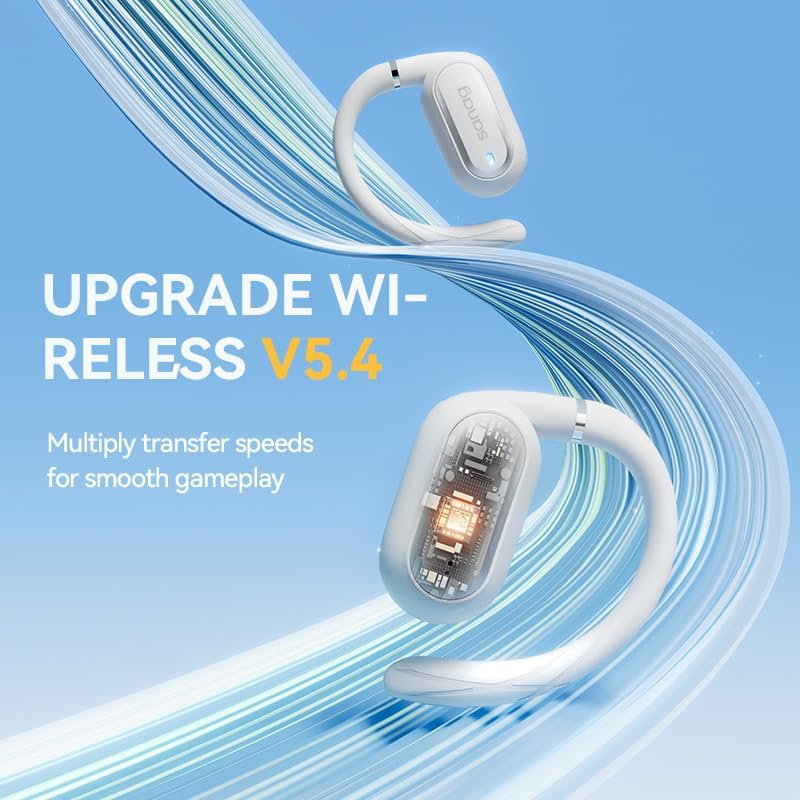
Image: The SANAG G36S earbuds showcasing the upgraded Wireless V5.4 technology, which provides faster transfer speeds for smooth audio and gaming.

Image: Two individuals conversing while wearing the SANAG G36S earbuds, illustrating the Denoise 3.0 technology for clear calls by dynamically eliminating ambient sound.

Image: An exploded view diagram of the 14.2mm Bass Dome Moving Coil, highlighting the ACA Acoustic Cavity for a surging bass effect.

Image: A visual summary of the SANAG G36S's customized comfort features, including directional sound transmission, omni-directional swivel, intelligent loss prevention, interactive app, and 60-hour endurance.
6. Specifications
| Feature | Detail |
|---|---|
| Model | G36S |
| Brand | SANAG |
| Connectivity Technology | Wireless (Bluetooth 5.4) |
| Ear Placement | Open-Ear (External to ear) |
| Control Type | Button Control |
| Battery Life (Earbuds) | Approx. 6 hours |
| Total Playtime (with Case) | Approx. 60 hours |
| Material | Plastic |
| Color | White |
| Item Weight | 170 g |
| Package Dimensions | 13.3 x 11.19 x 5 cm |
7. Maintenance
Proper maintenance ensures the longevity and optimal performance of your SANAG G36S earbuds.
- Cleaning: Use a soft, dry, lint-free cloth to clean the earbuds and charging case. Do not use abrasive cleaners, alcohol, or chemical solvents.
- Storage: When not in use, store the earbuds in their charging case to protect them from dust and damage. Store in a cool, dry place away from direct sunlight and extreme temperatures.
- Water Resistance: While sweat and water-resistant, avoid submerging the earbuds in water. Dry them thoroughly if they get wet before placing them back in the charging case.
- Charging: Use the provided charging cable and a certified power adapter. Avoid overcharging for extended periods.
8. Troubleshooting
If you encounter any issues with your SANAG G36S earbuds, please refer to the following common solutions:
| Problem | Possible Solution |
|---|---|
| Earbuds not powering on | Ensure earbuds are charged. Place them in the charging case and check the case's battery level. |
| Cannot pair with device |
|
| No sound from earbuds |
|
| Charging case not charging |
|
| Sound quality is poor or distorted |
|
9. Warranty and Support
SANAG products are designed and manufactured to the highest quality standards. For information regarding warranty coverage, technical support, or service inquiries, please refer to the warranty card included with your product or visit the official SANAG website.
Please retain your proof of purchase for warranty claims.