
1. Introduction
This user manual provides comprehensive instructions for the Sayrelances Bone Sound Headphones, Model X20. It covers product features, setup, operation, maintenance, and troubleshooting. Please read this manual carefully before using the headphones to ensure proper function and longevity of the device.
2. Safety Information
- Do not attempt to disassemble, repair, or modify the headphones. This may void the warranty and cause damage.
- Keep the headphones away from extreme temperatures, direct sunlight, and corrosive materials.
- Ensure the charging port is completely dry before charging to prevent short circuits and damage.
- While the headphones are IPX8 waterproof, Bluetooth connectivity does not function underwater. Switch to MP3 mode for underwater use.
- Avoid prolonged listening at high volumes to prevent hearing damage.
- The open-ear design allows awareness of surroundings, but always exercise caution in environments requiring full attention.
3. Product Overview
The Sayrelances Bone Sound Headphones X20 are designed for active lifestyles, featuring bone conduction technology, IPX8 waterproofing, and dual Bluetooth/MP3 modes.

Figure 3.1: Sayrelances Bone Sound Headphones X20 with included earplugs and storage bag, submerged in water to demonstrate waterproof capability.
3.1 Key Features
- IPX8 Waterproof Rating: Designed for swimming and other water sports.
- Bone Conduction Technology: Delivers sound through vibrations to the cheekbones, leaving ears open.
- Dual Mode (MP3 & Bluetooth 5.4): Seamlessly switch between 32GB internal MP3 player and Bluetooth connectivity.
- 32GB Internal Memory: Stores up to 9000 songs or audiobooks for offline listening.
- AI Intelligent Noise Cancellation: Optimizes sound quality in noisy environments.
- Multipoint Connection: Connects to two Bluetooth devices simultaneously.
- Lightweight and Comfortable: Weighs only 27 grams with adjustable shoulder straps.

Figure 3.2: Visual representation of key features including IP68 waterproofness, 32GB storage, AI intelligent noise reduction, Bluetooth 5.4 chip, fully waterproof material, and adjustable band, highlighting open-ear comfort.
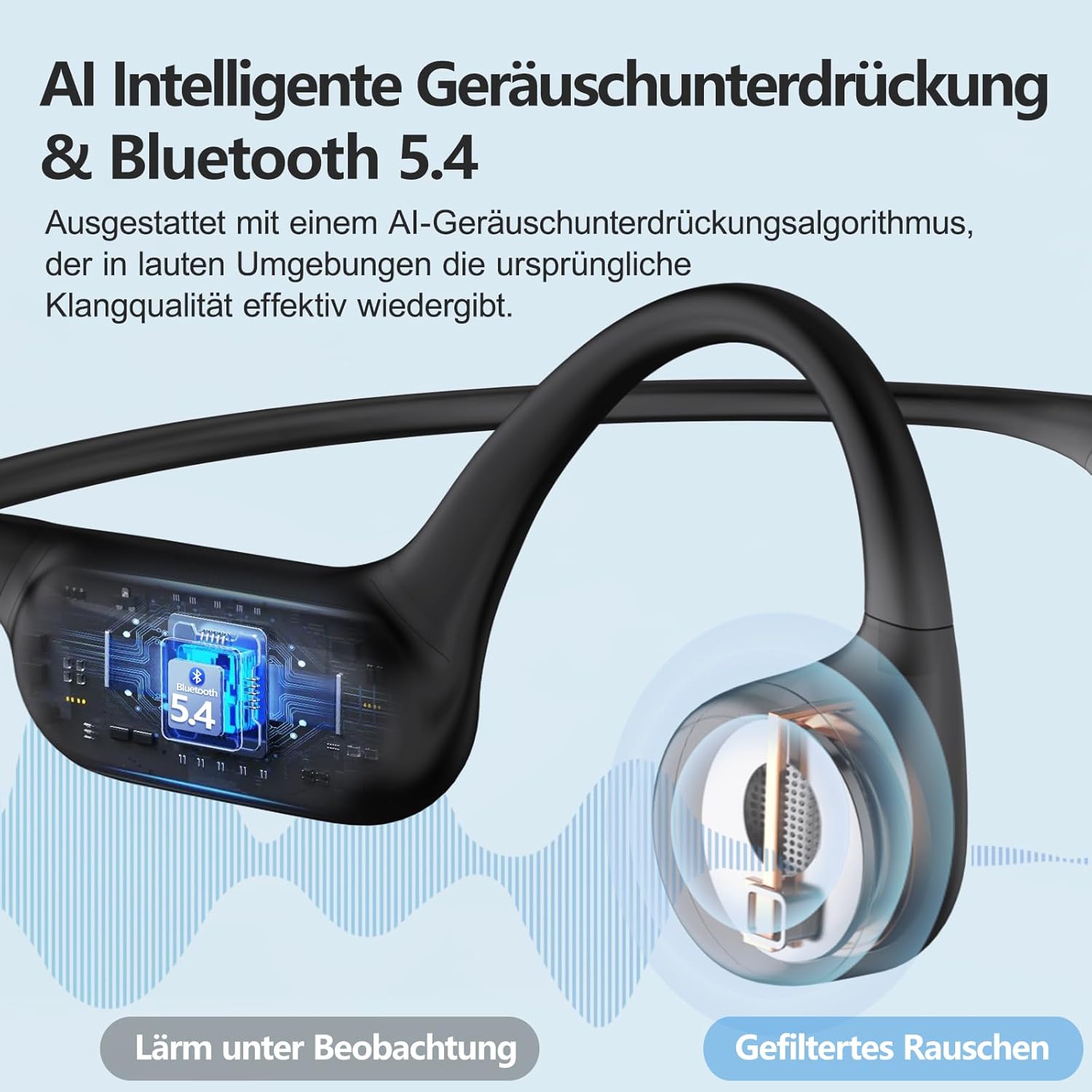
Figure 3.3: An illustration demonstrating the AI Intelligent Noise Cancellation algorithm and Bluetooth 5.4 technology, showing how background noise is filtered for clearer sound.

Figure 3.4: This image illustrates the multipoint connection capability, allowing the headphones to be simultaneously connected to two Bluetooth main devices, such as a laptop and a smartphone, for easy switching.

Figure 3.5: A cross-section diagram detailing the new waterproof technology, showing layers of aerospace-grade silicone, a sealed tube layer, a mesh protection layer, and memory/copper wire, ensuring robust water resistance.
4. What's in the Box
Upon opening the package, please verify that all the following items are included:
- Sayrelances Bone Sound Headphones (X20)
- Charging Cable
- Storage Bag
- One Pair of Earplugs
- Adjustment Strap

Figure 4.1: The retail packaging for the Sayrelances Bone Conduction Open Ear Motion Headphones.
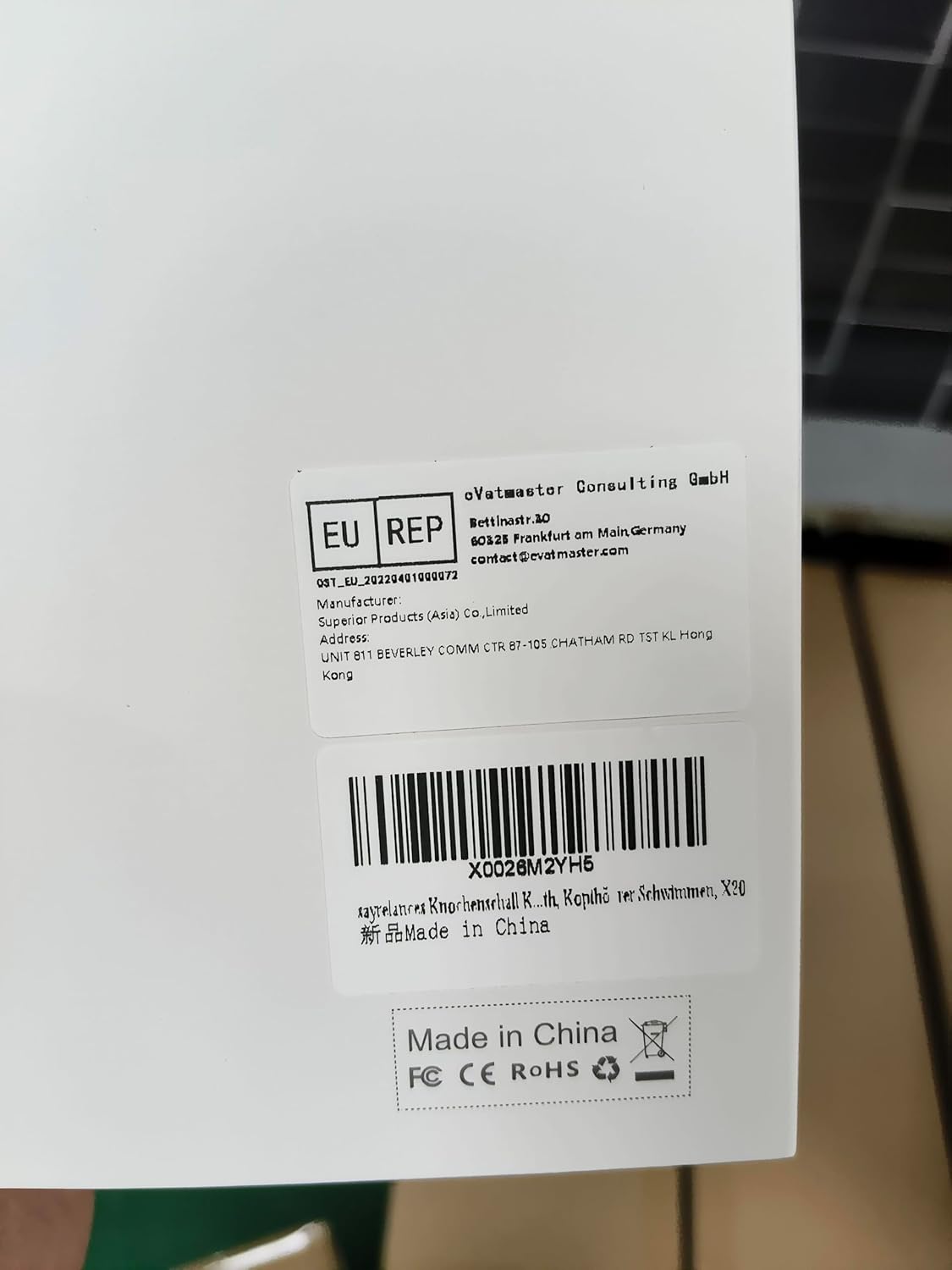
Figure 4.2: The back of the product box, displaying manufacturer details, EU representative information, and the product barcode (X0026M2YH5).

Figure 4.3: Side of the product box, indicating recommended activities such as running, cycling, swimming, diving, and mountaineering.
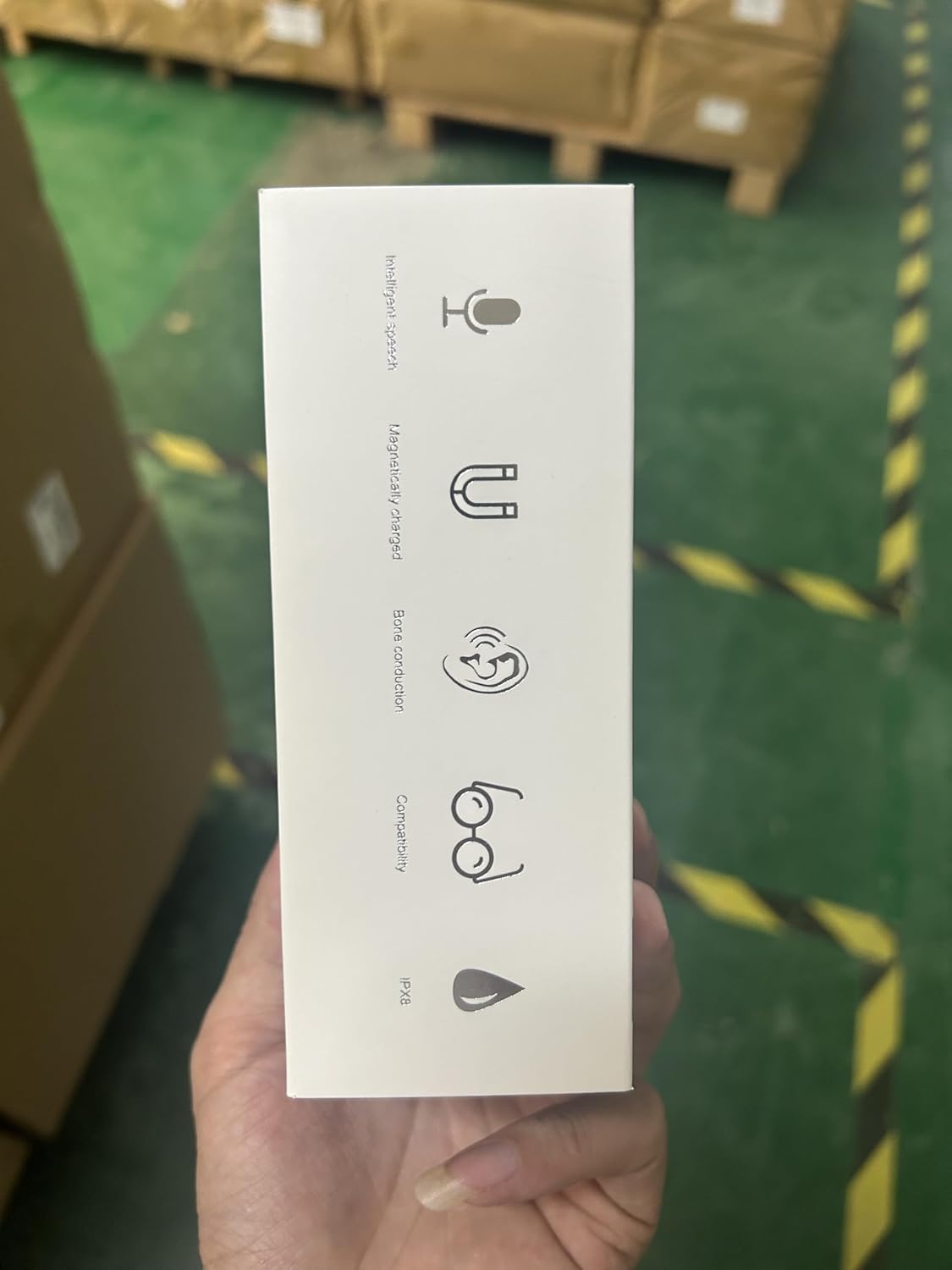
Figure 4.4: Side of the product box, highlighting key features like immersive sound, magnetic charging, bone conduction, compatibility with glasses, and IPX8 waterproof rating.
5. Setup Guide
5.1 Initial Charging
Before first use, fully charge the headphones. Connect the provided charging cable to the magnetic charging port on the headphones and a USB power source. The LED indicator will show charging status and turn off when fully charged. A full charge provides up to 8 hours of battery life.
5.2 Bluetooth Pairing
- Ensure the headphones are powered off.
- Press and hold the power button until the LED indicator flashes blue and red, indicating pairing mode.
- On your device (smartphone, tablet, laptop), enable Bluetooth and search for available devices.
- Select "X20" from the list of devices.
- Once connected, the LED indicator will show a solid blue light.
The headphones can connect to two Bluetooth main devices simultaneously. To switch between devices, simply play audio from the desired connected device.
5.3 Switching Between MP3 and Bluetooth Mode
The headphones support both Bluetooth streaming and an internal MP3 player. To switch between modes:
- Double press the power button to toggle between MP3 mode and Bluetooth mode.
Note: Bluetooth does not work underwater. Always switch to MP3 mode before swimming.
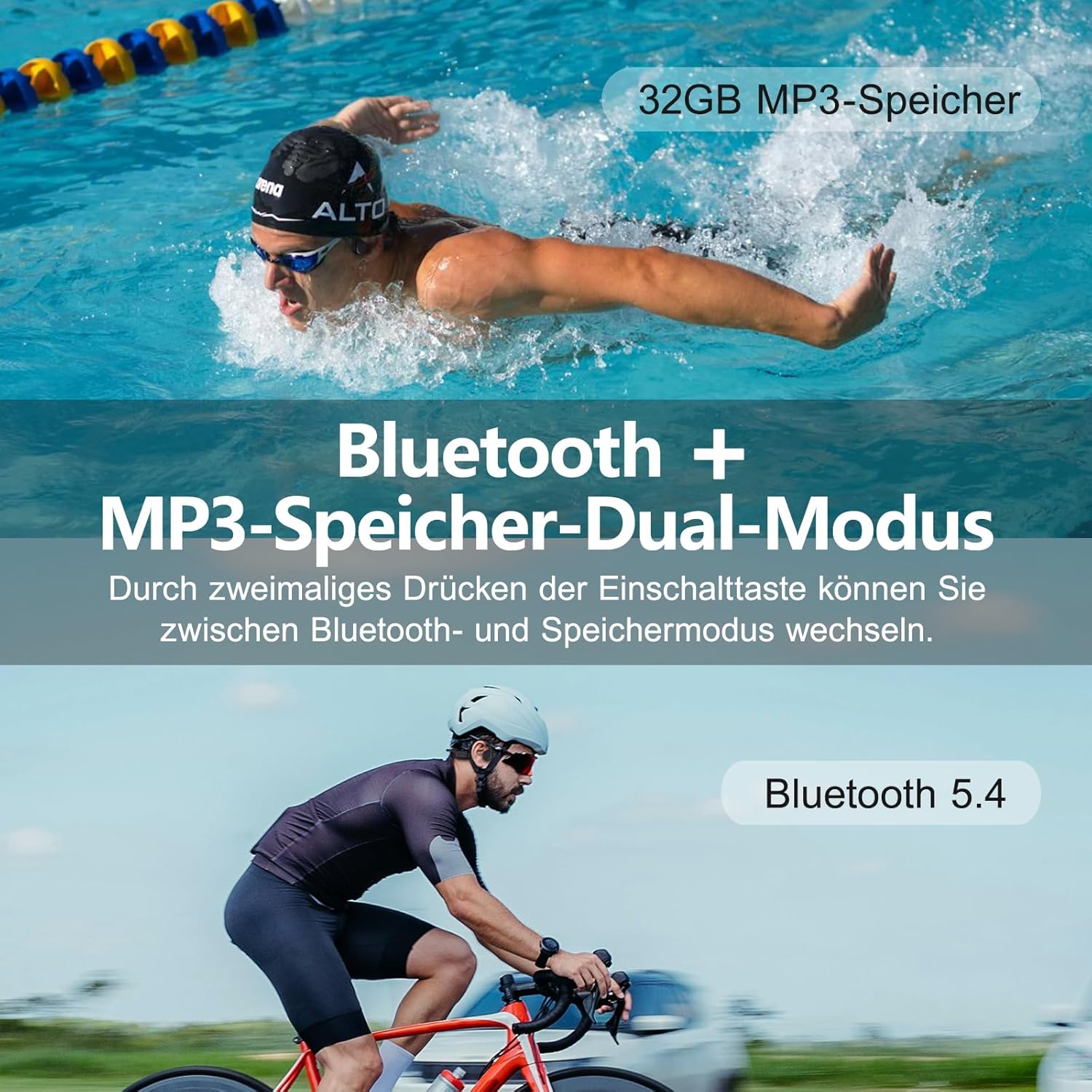
Figure 5.1: This image demonstrates the dual Bluetooth and MP3 storage modes. It highlights that a double press of the power button allows switching between Bluetooth and internal storage modes, suitable for activities like cycling and swimming.

Figure 5.2: A swimmer wearing the Sayrelances headphones underwater, emphasizing the IP68 waterproof rating. A crucial note reminds users to switch to MP3 mode before swimming, as Bluetooth signals do not transmit underwater.
6. Operating Instructions
6.1 Basic Controls
| Button/Action | Function |
|---|---|
| Power Button (Press & Hold) | Power On/Off, Enter Pairing Mode |
| Power Button (Double Press) | Switch between MP3 Mode and Bluetooth Mode |
| Power Button (Triple Press in MP3 Mode) | Switch between Sequential Play and Random Play |
| Volume Up (+) | Increase Volume |
| Volume Down (-) | Decrease Volume |
| Multi-function Button (e.g., Play/Pause, Answer Call) | (Specific controls not detailed in provided data, refer to product diagram if available) |
6.2 Using MP3 Mode
The headphones feature 32GB of internal memory for storing music files. To transfer files:
- Connect the headphones to your computer using the provided charging cable.
- The headphones will appear as a removable disk drive.
- Drag and drop your audio files (e.g., MP3, WAV) into the headphone's storage folder.
- Safely eject the device from your computer before disconnecting.
In MP3 mode, you can switch between sequential and random playback by triple pressing the power button.
6.3 Using Bluetooth Mode
Once paired, the headphones will automatically connect to the last paired device when powered on. If connecting to a new device or re-pairing, follow the Bluetooth Pairing steps in Section 5.2.
The Bluetooth 5.4 chip provides a stable connection up to 10 meters. The AI intelligent noise cancellation algorithm enhances sound quality in noisy environments.

Figure 6.1: A woman in a swimming pool wearing the Sayrelances mini waterproof headphones, demonstrating their suitability for water activities. The headphones are designed to withstand various environments, allowing users to train harder while swimming, running, cycling, or exercising.
7. Maintenance
- Cleaning: After use, especially after swimming, rinse the headphones with fresh water to remove chlorine or salt residue. Wipe them dry with a soft, clean cloth. Do not use abrasive cleaners or solvents.
- Storage: Store the headphones in a cool, dry place, away from direct sunlight and extreme temperatures. Use the provided storage bag for protection.
- Charging Port: Always ensure the magnetic charging port is clean and dry before connecting the charging cable.
8. Troubleshooting
| Problem | Possible Cause | Solution |
|---|---|---|
| Headphones do not power on. | Low battery. | Charge the headphones fully. |
| Cannot pair with Bluetooth device. | Headphones not in pairing mode; device Bluetooth off; too far from device. | Ensure headphones are in pairing mode (flashing blue/red); turn on device Bluetooth; bring devices closer (within 10m). |
| No sound in water. | Still in Bluetooth mode. | Double press the power button to switch to MP3 mode before entering water. |
| Poor sound quality. | Low battery; improper fit; noisy environment. | Charge headphones; adjust fit on cheekbones; AI noise cancellation is active, but extreme noise may still affect quality. |
| Cannot transfer files to MP3. | Improper connection; file format not supported. | Ensure headphones are properly connected to computer; check file format compatibility (e.g., MP3, WAV). |
9. Specifications
| Feature | Detail |
|---|---|
| Model | X20 |
| Wireless Communication Technology | Bluetooth |
| Bluetooth Version | 5.4 |
| Bluetooth Range | 10 Metres |
| Water Resistance Level | IPX8 Waterproof |
| Internal Memory | 32GB (up to 9000 songs) |
| Material | Acrylonitrile Butadiene Styrene (ABS) |
| Item Weight | 180 g |
| Battery Life | Up to 8 hours |
| Battery Type | Lithium Ion (rechargeable) |
| Recommended Uses | Cycling, Running, Skateboarding, Swimming, Fitness, Sports |
| Manufacturer | Sayrelances |
| ASIN | B0DP4X6HBQ |
10. Warranty and Support
Sayrelances provides a 2-year customer service warranty for these headphones. If you encounter any issues or have questions regarding your Sayrelances Bone Sound Headphones, Model X20, please do not hesitate to contact the Sayrelances service team for assistance.
For support, please refer to the contact information provided with your product packaging or visit the official Sayrelances website.