
Avamia BKJ-15B-FE
Avamia H14 HEPA Filter Replacement for BKJ-15B Air Purifier Instruction Manual
Model: BKJ-15B-FE
1. Introduction
This manual provides essential instructions for the proper installation and maintenance of your Avamia H14 HEPA Filter Replacement, designed for the BKJ-15B Air Purifier. Adhering to these guidelines will ensure optimal performance and longevity of your air purification system.
2. Safety Information
- Always unplug the air purifier from the power outlet before attempting to replace the filter.
- Handle the new filter carefully to avoid damage to the filter media.
- Dispose of used filters according to local regulations.
- Keep new filters in their sealed packaging until ready for installation to maintain their effectiveness.
3. Product Overview
The Avamia H14 HEPA Filter Replacement is engineered to provide superior air filtration. It features a multi-layer design to capture various airborne particles.

Image 3.1: Filter Layer Diagram. This diagram illustrates the two primary filtration layers: the True H14 HEPA filter, which captures fine particles like pet dander, pollen, and airborne particles, and the Nylon pre-filter, designed to block larger particles such as pet hair, fibers, and lint.
- True H14 HEPA Filter: Captures 99.99% of airborne particles as small as 0.3 microns, including pet dander, pollen, dust, and other fine particulates.
- Nylon Pre-filter: Blocks larger particles such as pet hair, fibers, and lint, extending the life of the HEPA filter.
4. Specifications
| Brand | Avamia |
| Model Number | BKJ-15B-FE |
| Product Dimensions | 17.5 cm (6.88 in) diameter x 13.6 cm (5.35 in) height |
| Filter Type | H14 True HEPA with Nylon Pre-filter |
| MERV Rating | 17 |
| Compatible Devices | Avamia BKJ-15B Air Purifier |
| Package Contents | 2 x Avamia H14 HEPA Replacement Filters |
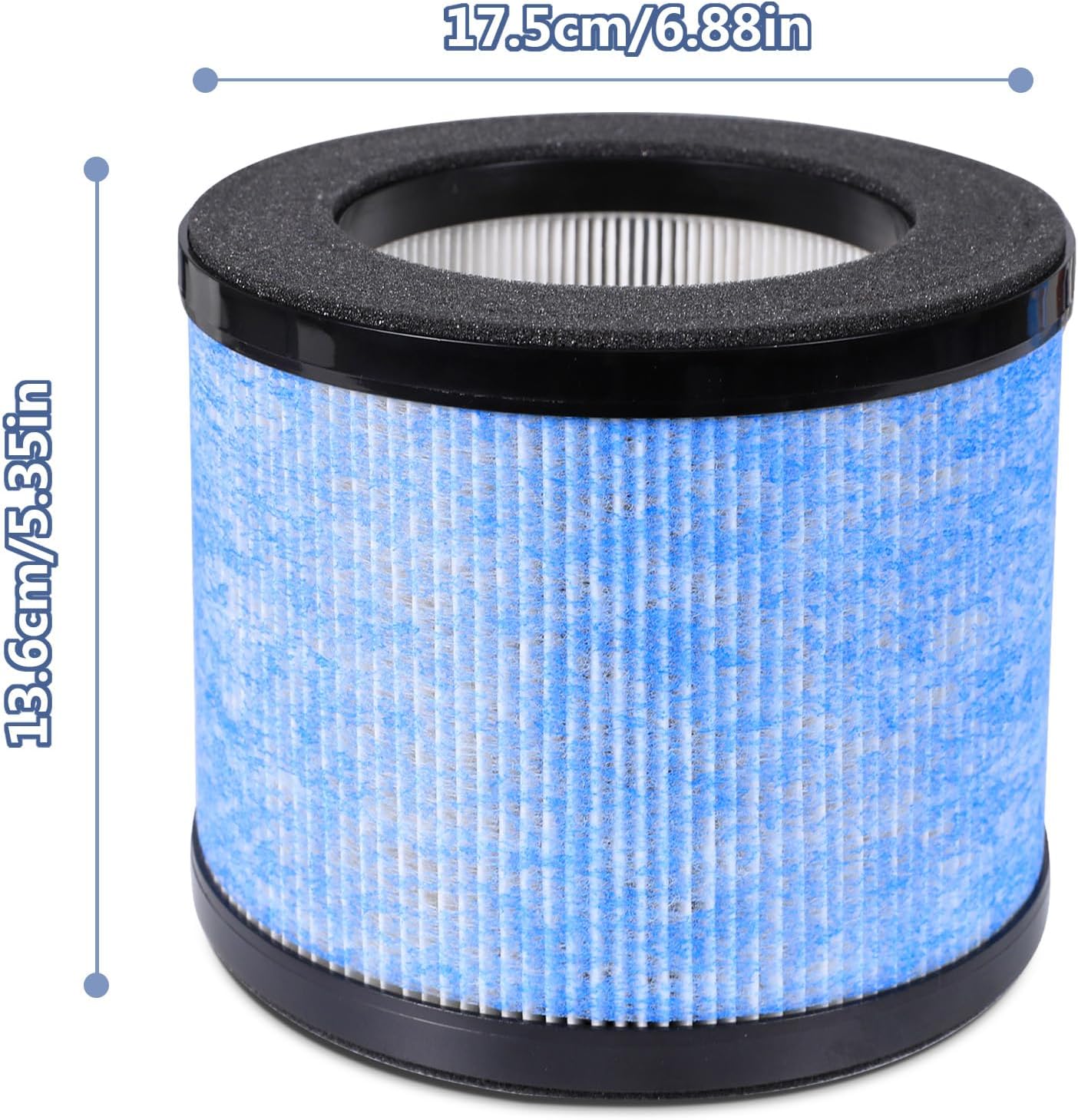
Image 4.1: Filter Dimensions. This image provides a visual representation of the filter's measurements, indicating a diameter of 17.5 cm (6.88 inches) and a height of 13.6 cm (5.35 inches).
5. Installation (Filter Replacement)
- Power Off and Unplug: Ensure your Avamia BKJ-15B Air Purifier is turned off and unplugged from the electrical outlet before proceeding.
- Locate Filter Compartment: Refer to your air purifier's user manual to locate and open the filter compartment. This is typically at the bottom or back of the unit.
- Remove Old Filter: Carefully remove the used filter. It may be dusty, so avoid shaking it excessively.
- Prepare New Filter: Remove the new Avamia H14 HEPA filter from its protective packaging.
- Insert New Filter: Insert the new filter into the compartment, ensuring it is seated correctly and securely. Follow any directional arrows on the filter or air purifier.
- Close Compartment: Close the filter compartment cover securely.
- Restore Power: Plug the air purifier back into the power outlet and turn it on.
- Reset Filter Indicator (if applicable): If your air purifier has a filter replacement indicator, follow its specific instructions to reset it.

Image 5.1: Filter Replacement Reminder. This image shows an air purifier alongside a new filter, emphasizing the importance of replacing the filter promptly to ensure efficient air circulation and a consistently fresh environment.
6. Operating Considerations
Once the new filter is installed, your Avamia BKJ-15B Air Purifier will continue to operate as usual, providing clean air. The H14 HEPA filter works continuously to remove pollutants from your environment.
- Ensure the air purifier is placed in an open area, away from walls or furniture that might obstruct airflow.
- For optimal performance, operate the air purifier continuously, especially in areas with higher pollution levels or during allergy seasons.
7. Maintenance
Regular filter replacement is crucial for maintaining the efficiency and effectiveness of your air purifier.
- Replacement Frequency: It is recommended to replace the Avamia H14 HEPA filter every 6 months on average. This duration may vary depending on usage frequency, air quality in your environment, and the presence of pets or smokers.
- Filter Indicator: Pay attention to your air purifier's filter replacement indicator light, if available. This light signals when a replacement is due.
- Visual Inspection: Periodically inspect the filter. If it appears heavily discolored or clogged with dust and debris, it may need to be replaced sooner than the recommended interval.
8. Troubleshooting
If you encounter issues after replacing the filter, consider the following:
- Air Purifier Not Turning On:
- Ensure the air purifier is properly plugged into a working electrical outlet.
- Check that the filter compartment cover is securely closed. Some purifiers have a safety switch that prevents operation if the cover is open.
- Poor Air Quality After Replacement:
- Verify that the new filter was installed correctly and is not obstructed.
- Ensure the filter's protective plastic packaging has been completely removed.
- Allow some time for the air purifier to circulate air with the new filter.
- Check if the filter replacement indicator has been reset (if applicable).
- Unusual Noise:
- Ensure the filter is seated properly and not loose within the compartment.
- Check for any foreign objects inside the air purifier.
If problems persist, consult the original user manual for your Avamia BKJ-15B Air Purifier or contact Avamia customer support.
9. Customer Support
For further assistance or inquiries regarding your Avamia H14 HEPA Filter Replacement, please visit the official Avamia website or contact their customer service department. Refer to your air purifier's original manual for specific contact details.
You can also visit the Avamia Store on Amazon for more information.