1. Introduction
This manual provides essential information for the safe and efficient operation of your ROOMEDAL UL1741 12KW Solar Hybrid Inverter. This powerful pure sine wave inverter is designed for off-grid and backup power systems, converting 48V DC to settable 110/240V AC split-phase output. It features built-in MPPT solar charge controllers and is compatible with various battery types. Please read this manual thoroughly before installation and use.
2. Safety Information
WARNING: Improper installation or operation can lead to serious injury or damage to the equipment. Always follow local electrical codes and safety guidelines.
- Ensure all power sources are disconnected before installation or maintenance.
- This inverter is UL 1741 ETL certified, ensuring safety and reliability.
- Install the inverter in a well-ventilated area, away from flammable materials and moisture.
- Do not open the inverter casing unless you are a qualified service technician.
- Verify battery voltage and polarity before connecting to the inverter.

Figure 2.1: Inverter safety features including UL 1741 ETL certification, and protection against overload, short circuit, over voltage, over temperature, and low voltage.
3. Product Overview
3.1 Key Features
- Pure Sine Wave Output: Provides clean and stable power suitable for sensitive electronics.
- Split-Phase Output: Converts 48V DC to 110/240V AC, settable for various power requirements.
- Dual MPPT Controllers: Built-in 80A MPPT controllers maximize solar energy harvesting efficiency.
- Battery Compatibility: Supports AGM, GEL, lead-acid, lithium-ion, and LiFePO4 batteries.
- Auto Generator Start (AGS): Automatically starts a generator when battery voltage is low or grid power is absent.
- Comprehensive Protection: Includes over/low voltage, overtemperature, and overload protection.
- Adjustable Charging Current: Max charging current of 200A, adjustable from 0% to 100%.
3.2 Components

Figure 3.1: Front view of the inverter highlighting the LCD display, dual cooling fans, and internal configuration.

Figure 3.2: Rear panel connections including 48VDC battery terminals, AC input/output, PV inputs, and communication ports (RS232, RS485, WiFi, USB).
4. Setup
4.1 Battery Connection
The inverter is compatible with various battery types. Ensure your battery bank is 48V DC. Connect the positive terminal of the battery bank to the positive terminal of the inverter and the negative terminal of the battery bank to the negative terminal of the inverter. Use appropriate gauge wiring and ensure all connections are secure.
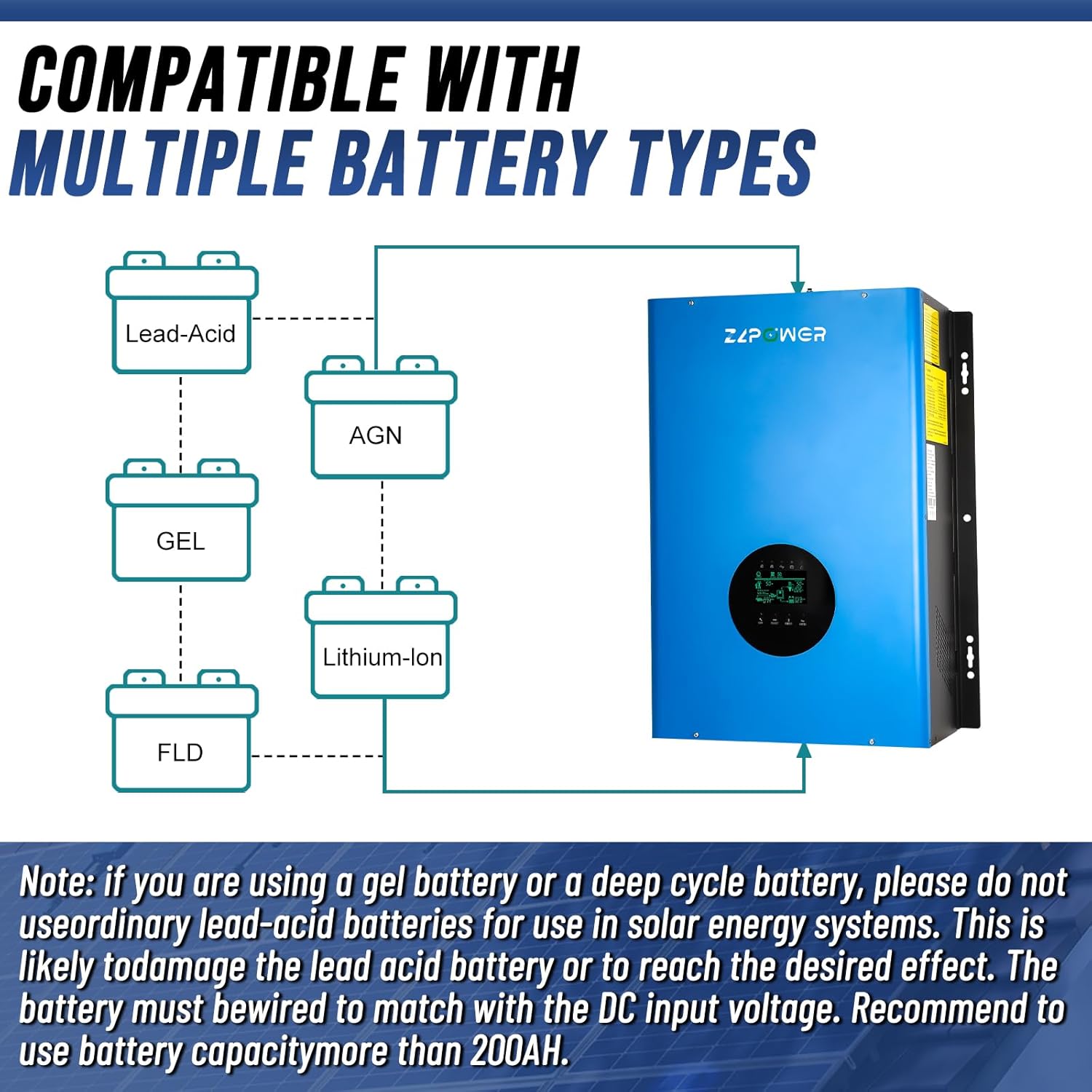
Figure 4.1: Battery compatibility diagram. Note: If using a gel or deep cycle battery, do not use ordinary lead-acid batteries for solar energy systems. The battery must match the DC input voltage. Recommended capacity is more than 200AH.

Figure 4.2: Example of inverter connected to a battery bank.
4.2 AC Input/Output Wiring
Connect your AC input (grid or generator) to the AC INPUT terminals and your household loads to the AC OUTPUT terminals. The inverter supports 110/240V split-phase output. Ensure all wiring is correctly sized and securely fastened. Refer to the wiring diagram on the inverter for specific terminal assignments.
4.3 Solar Panel Connection
Connect your solar panels to the PV1 INPUT and PV2 INPUT terminals. The inverter features dual 80A MPPT controllers to optimize solar power input. Ensure correct polarity and voltage limits for your solar array.

Figure 4.3: Typical application diagram for off-grid and backup power systems.
4.4 Grounding
Proper grounding is essential for safety. Connect the inverter's ground terminal to a reliable earth ground using appropriate grounding wire.
4.5 Communication Setup
The inverter supports various communication options including RS232, RS485, and WiFi for remote monitoring and management. Connect the appropriate communication cable to the designated port on the inverter. For WiFi connectivity, refer to the SmartESS app instructions.

Figure 4.4: Steps for connecting to the inverter via WiFi using the SmartESS app. Download the app from App Store or Google Play.
Video 4.1: Official product video demonstrating the UL1741 Solar Hybrid Inverter Off Grid setup and features. This video is provided by ROOMEDAL Tech.
5. Operating Instructions
Once all connections are secure and verified, you can power on the inverter. The LCD screen provides real-time operational data and allows for configuration adjustments.
5.1 LCD Display Navigation
The LCD display allows you to monitor system status and adjust settings. Use the 'CONF', 'SELECT', and 'ENTER' buttons to navigate through the menus and confirm selections.

Figure 5.1: Inverter LCD display with navigation buttons.
5.2 Frequency and Voltage Settings
The inverter's output frequency can be switched between 50Hz and 60Hz via the LCD screen settings. Output voltage (110V/240V) is also settable.
5.3 Charging Current Adjustment
The maximum charging current can be adjusted from 0% to 100% (up to 200A) to suit your battery bank's requirements and prolong battery life.
5.4 Power Saving Mode
Utilize the power saving mode to reduce energy consumption when loads are low, optimizing system efficiency.
6. Maintenance
- Regularly inspect all wiring connections for tightness and signs of corrosion.
- Keep the inverter's ventilation openings clear of dust and debris to ensure proper cooling.
- Check battery terminals for cleanliness and secure connections.
- Monitor the LCD display for any warning or error messages.

Figure 6.1: Inverter cooling fans. Ensure these are kept clear for optimal performance.
7. Troubleshooting
If you encounter any issues with your inverter, please refer to the following general troubleshooting tips:
- No Power Output: Check battery connections, AC input breaker, and inverter power switch. Verify battery voltage is within operating range.
- Overload Warning: Reduce the connected load. The inverter has overload protection.
- Overtemperature Warning: Ensure proper ventilation and clear any obstructions from the cooling fans.
- Communication Issues: Verify communication cable connections and app settings.
For persistent issues or complex problems, please contact technical support.
8. Specifications
| Feature | Detail |
|---|---|
| Model Name | Solar Hybrid Inverter |
| Wattage | 12 KW (Peak 24,000 watts) |
| Power Source | Battery Powered |
| DC Input | 48V |
| AC Output | 110/240V (Settable) |
| Frequency | 50Hz/60Hz (Settable) |
| MPPT Controllers | Dual 80A |
| Max Charging Current | 200A (Adjustable) |
| Certifications | UL 1741, ETL |
| Product Dimensions | 16.38 x 8.03 x 24.68 inches |
9. Warranty & Support
This ROOMEDAL Solar Hybrid Inverter comes with a 12-month warranty. For any technical assistance, questions regarding product usage, or warranty claims, please contact our technical service team. We are committed to providing prompt support within 24 hours.
Contact information for technical service is typically found on the product packaging or the official ROOMEDAL website.