
1. Important Safety Information
Please read and understand all instructions before assembly and use. Keep this manual for future reference.
- Always unplug the vanity from the power source before assembly, cleaning, or maintenance.
- Exercise caution during assembly to avoid sharp edges and pinch points.
- Keep liquids away from all electrical components, including the mirror lights, power outlets, and USB ports.
- Do not exceed the weight limit of the vanity's shelves and drawers. Refer to the specifications section for details.
- Ensure all connections are secure and stable after assembly.
- This product is intended for indoor use only.
2. Product Overview
The Wodeer Makeup Vanity Desk is designed for comprehensive beauty storage and functionality. It features integrated lighting, diverse storage options, and convenient power access.

Image 2.1: The Wodeer Makeup Vanity Desk, showcasing its overall design and features in a bedroom environment.
2.1. Key Features
- LED Mirror with Adjustable Lighting: The large mirror offers three lighting modes (warm yellow, warm white, cool white) with adjustable brightness, controlled by a touch sensor.
- Hidden Storage Behind Mirror: The mirror slides to reveal additional storage compartments, keeping your tabletop organized.
- RGB Cabinet Lighting: A glass-front cabinet features RGB lighting, controllable via an app or switch, adding ambiance and visibility to stored items.
- Recessed Jewelry Organizer: The top shelf includes a dedicated organizer for earrings and other accessories, protecting them from dust.
- Modern Glass Tabletop: A transparent glass surface provides a clear view of items stored in the drawer below, enhancing both aesthetics and functionality.
- Built-In Charging Station: Equipped with 2 AC outlets (125V/12A) and 2 USB ports (5V/2.1A) for convenient device charging and powering hair tools.
- Hair Dryer Holder: An integrated holder keeps your hair dryer accessible and organized.
- Ample Storage: Includes 3 drawers, 2 cabinets, and open shelving for various beauty essentials. A large drawer features a 9-grid organizer and a jewelry tray.

Image 2.2: A comprehensive diagram highlighting the various storage compartments, mirror, and electrical features of the vanity desk.

Image 2.3: The sliding mirror revealing hidden storage shelves for cosmetics and personal items.
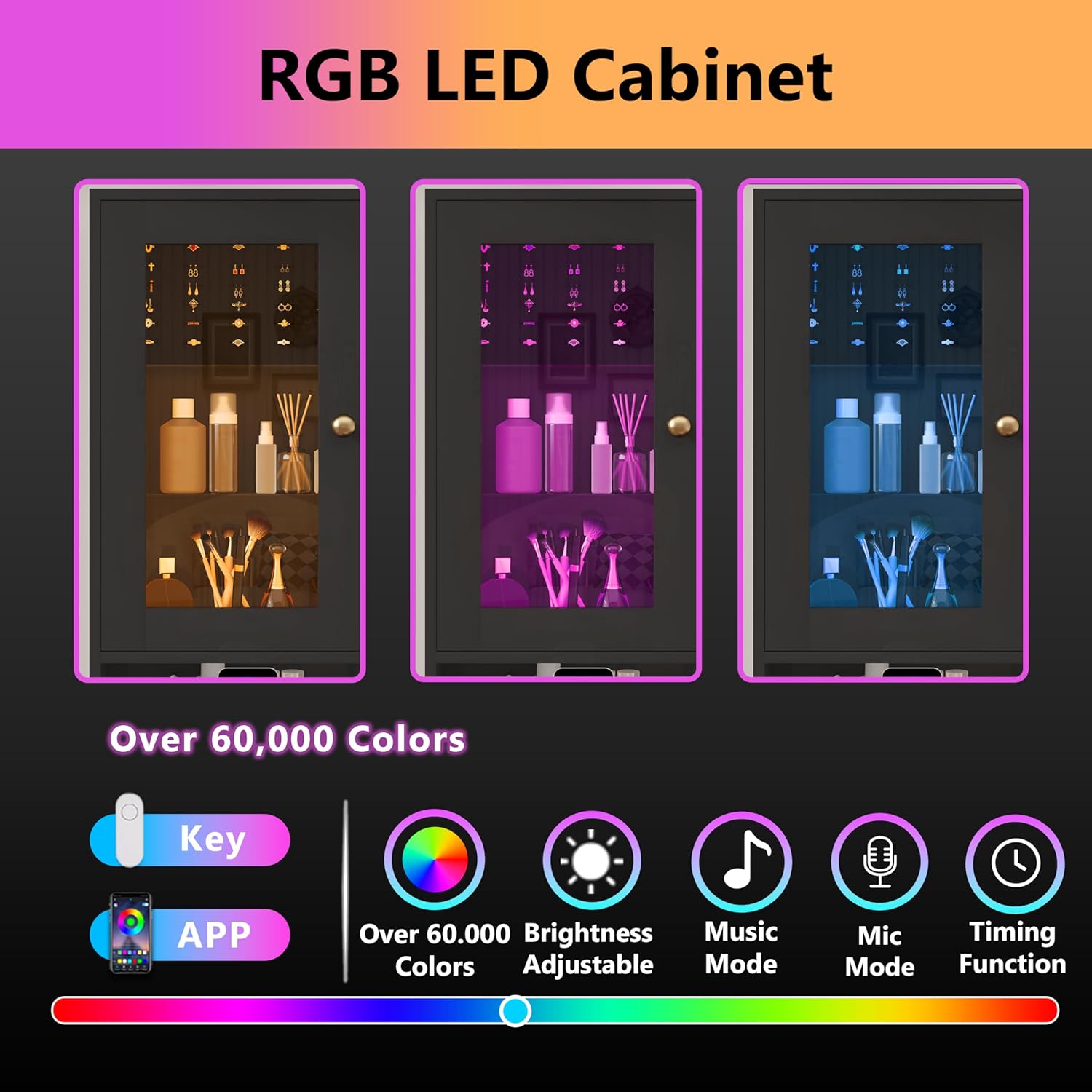
Image 2.4: Illustration of the RGB LED cabinet lighting, showing different color modes and control options via app or remote.

Image 2.5: The LED mirror demonstrating its three light color settings (Warm Yellow, Warm White, Cold White) and brightness adjustment.

Image 2.6: Close-up of the built-in power strip with two AC outlets and two USB ports, alongside the hair dryer holder.
Video 2.7: An official product video from Wodeer demonstrating the features and storage capabilities of the Makeup Vanity Desk.
3. Setup and Assembly
The Wodeer Makeup Vanity Desk is designed for straightforward assembly. All necessary parts are labeled, and detailed instructions are included in the packaging.
3.1. Before You Begin
- Unpack all components and verify against the parts list provided in the separate assembly guide.
- Ensure you have adequate space for assembly and the necessary tools (e.g., screwdriver, hammer).
- Work on a soft, clean surface to prevent scratching the furniture.
3.2. Assembly Steps
Follow the step-by-step instructions and diagrams provided in the dedicated assembly manual included with your product. Pay close attention to the orientation of each piece and the type of fasteners used.
For assistance during assembly, please refer to the customer support information in Section 6.
4. Operating Instructions
4.1. LED Mirror Operation
- Power On/Off: Touch the power icon on the mirror surface to turn the LED lights on or off.
- Change Light Color: Briefly touch the power icon to cycle through the three light modes: warm yellow, warm white, and cool white.
- Adjust Brightness: Press and hold the power icon to adjust the brightness level. Release when the desired brightness is achieved.
4.2. RGB Cabinet Lighting Operation
The RGB lighting in the glass cabinet can be controlled via a dedicated switch or a compatible smartphone application.
- Switch Control: Use the physical switch located near the cabinet to turn the RGB lights on/off and cycle through basic color modes.
- App Control: Download the recommended app (details in assembly guide) to access advanced features, including a wider range of colors, brightness adjustment, music mode, mic mode, and timing functions.
4.3. Charging Station Usage
The integrated charging station provides convenient power access.
- Plug the vanity's main power cord into a standard wall outlet.
- Use the 125V/12A AC outlets for hair tools or other small appliances.
- Use the 5V/2.1A USB ports to charge smartphones, tablets, or other USB-powered devices.
- The hair dryer holder is designed to securely store your hair dryer when not in use.
5. Maintenance and Care
Proper care will ensure the longevity and appearance of your vanity desk.
- Cleaning Surfaces: Wipe all surfaces with a soft, damp cloth. Avoid abrasive cleaners or harsh chemicals that may damage the finish.
- Glass Care: Use a glass cleaner for the mirror and glass tabletop. Spray cleaner onto a cloth, not directly onto the glass, to prevent liquid from seeping into edges.
- Electrical Components: Ensure all electrical components are unplugged before cleaning. Wipe gently with a dry cloth.
- Drawer Slides: Periodically check and clean drawer slides to ensure smooth operation.
- Tighten Fasteners: Over time, fasteners may loosen. Periodically check and tighten all screws and bolts to maintain stability.
6. Troubleshooting
If you encounter any issues with your Wodeer Makeup Vanity Desk, please refer to the following common solutions:
- LED Mirror Lights Not Working: Ensure the vanity is properly plugged into a functional power outlet. Check if the power icon on the mirror is being touched correctly.
- RGB Cabinet Lights Not Responding: Verify the power connection. If using app control, ensure Bluetooth is enabled on your device and the app is correctly paired. Try using the physical switch to rule out app-related issues.
- Charging Station Not Providing Power: Confirm the vanity's main power cord is securely plugged in. Test the outlets with another device to ensure they are functional.
- Drawers Sticking or Not Sliding Smoothly: Check for any obstructions in the drawer slides. Ensure the drawer slides are properly aligned and free of debris.
If problems persist, please contact Wodeer customer support for further assistance.
7. Specifications
| Feature | Detail |
|---|---|
| Model Number | WD-HLG056-58-9 |
| Product Dimensions | 15.5"D x 39.3"W x 53.7"H (15.5 x 39.3 x 53.7 inches) |
| Item Weight | 74.7 pounds |
| Frame Material | Engineered Wood |
| Furniture Finish | Polish |
| Color | Black |
| Size | 39" with Glass Top |
| Power Outlets | 2 AC Outlets (125V/12A) |
| USB Ports | 2 USB Ports (5V/2.1A) |
| Power Cord Length | 5.9 Feet |
| Assembly Required | Yes |
8. Warranty and Customer Support
Wodeer stands behind the quality of its products. For warranty information, please refer to the documentation included with your purchase or contact customer support.
If you have any questions, require assistance with assembly, or need to report a damaged part, please contact Wodeer customer support through the retailer where the product was purchased or visit the official Wodeer store online.
Visit the Wodeer Store for more products and support.