
Xvive P58
Xvive P58 Wireless Guitar Pedal System User Manual
Model: P58 | Brand: Xvive
Introduction
The Xvive P58 Wireless Guitar Pedal System offers a reliable and high-fidelity wireless solution for guitarists and bassists. Operating on the 5.8 GHz frequency band, it provides crystal-clear 24-bit/48 kHz audio with minimal latency and a robust transmission range. This system features a versatile transmitter compatible with both active and passive pickups, and a pedal-style receiver that doubles as a chromatic tuner with switchable true or buffered bypass. Designed for seamless integration into any setup, the P58 ensures stable performance whether on stage or in the studio.
What's Included
Your Xvive P58 Wireless Guitar Pedal System package contains the following components:
- A58T Transmitter
- P58R Pedal Receiver
- Type-C USB Charging Cable
- DC 12V Power Adapter
- User Guide
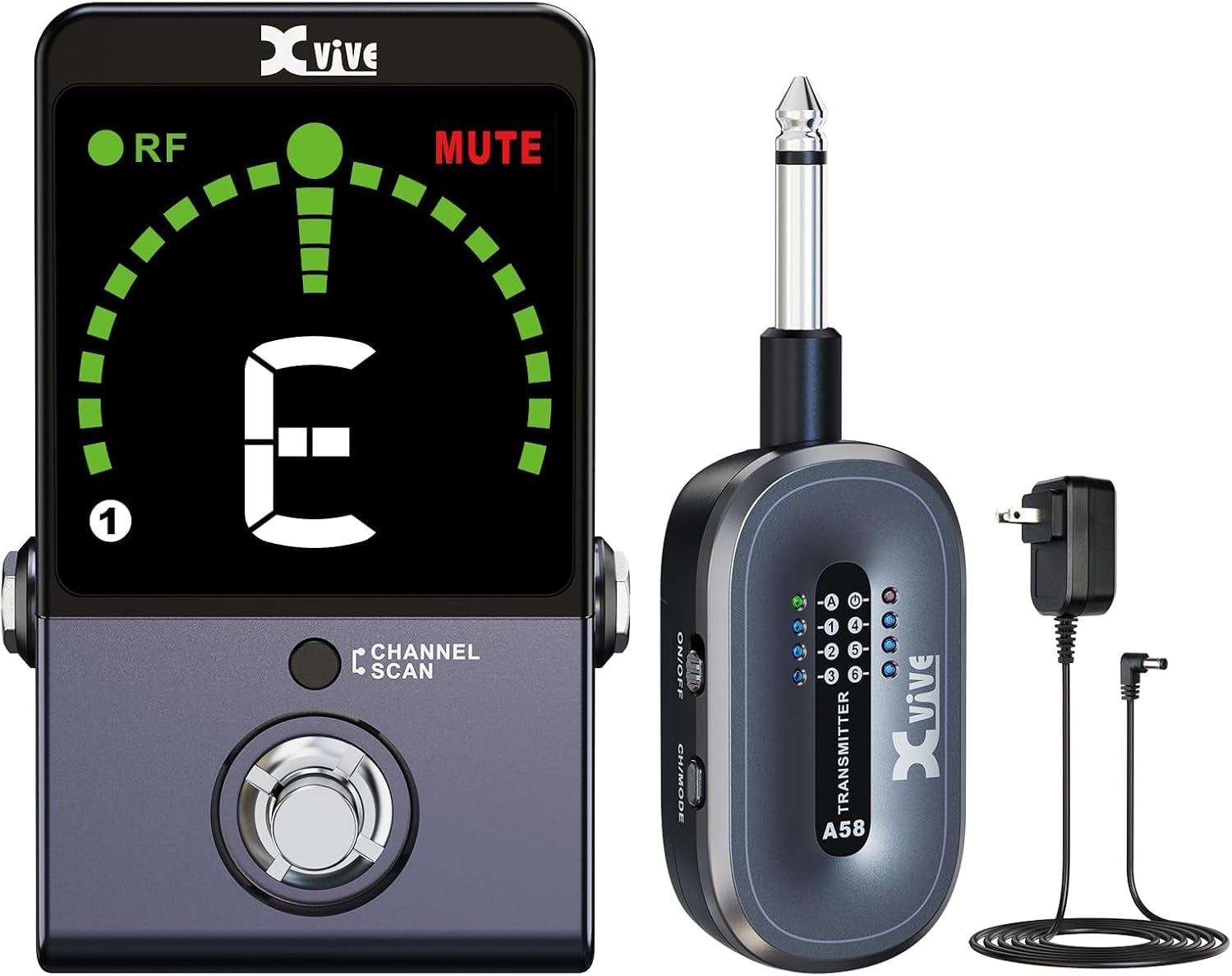
Image: The Xvive P58 system showing the A58T transmitter, P58R pedal receiver, and included power adapter and cable.
Product Overview
Familiarize yourself with the various parts and controls of your P58 system.

Image: Detailed diagram labeling all ports, buttons, and indicators on both the A58T transmitter and P58R receiver.
P58R Pedal Receiver Features:
- Tuner ON/OFF Footswitch: Activates or deactivates the tuner function.
- Channel / Scan Button: Used to manually select channels or initiate a channel scan.
- Tuner Screen: Displays tuning information, wireless RF LED, and current channel.
- 1/4" TS Output: Connects to your amplifier or other audio equipment.
- DC 9-12V Input: Power input for the receiver.
- USB Type-C Output: Provides power for charging the A58T transmitter.
- True Bypass/Buffered Bypass Switch: Selects between true bypass for pure signal or buffered bypass for signal integrity over long cable runs.
- 1/4" TS Guitar Input: For direct wired connection of your instrument (disables wireless receiver module).
A58T Transmitter Features:
- Power LED: Indicates power status.
- Active/Passive Mode LED: Shows the current pickup mode.
- Channel LED: Displays the selected wireless channel.
- Battery Compartment: Houses the rechargeable battery.
- Power ON/OFF Switch: Turns the transmitter on or off.
- CH/MODE Button: Selects the channel or switches between Active/Passive modes.
- 1/4" TS Input: Connects to your instrument's output jack.
- USB Charging Port: For charging the transmitter.
Setup
1. Initial Charging
Before first use, fully charge both the A58T transmitter and P58R receiver. Use the provided Type-C USB cable and DC 12V adapter. The transmitter can also be charged directly from the receiver's USB Type-C output port.
Video: Official Xvive P58 Wireless Guitar Pedal System overview, demonstrating charging and key features. This video shows the charging process and various functionalities of the system.
2. Connecting the Transmitter
Plug the A58T transmitter's 1/4" TS input directly into your guitar or bass's output jack. Ensure it is securely connected.
3. Connecting the Receiver
Connect the P58R receiver's 1/4" TS output to your amplifier, audio interface, or the input of your first pedal on your pedalboard. Power the receiver using the DC 12V adapter.

Image: The P58R receiver integrated into a guitar pedalboard, connected to other pedals and an instrument.
Operating Instructions
1. Powering On and Pairing
Turn on both the A58T transmitter and P58R receiver using their respective ON/OFF switches. The units will automatically attempt to pair. The RF LED on the receiver will illuminate solid green when successfully connected.
2. Channel Scan Mode
To find the clearest available wireless channel, press and hold the P58R receiver's Channel button for 3 seconds. The receiver's LED will flash during scanning and then stay solid on the optimal channel. Manually set the transmitter's channel to match the receiver's channel by pressing its CH/MODE button repeatedly until the correct channel is selected.

Image: A close-up of the P58R receiver's screen showing the channel scan in progress, indicating the selection of the best wireless channel.
3. Active and Passive Modes
The P58 system supports both active and passive pickups. To activate Active mode for high-output active pickups, hold the A58T transmitter's CH/MODE button for 3 seconds. The Active LED on the transmitter will illuminate. For passive pickups, ensure the Active LED is off.

Image: Visual representation of the P58 transmitter's compatibility with bass, electric guitar, and piezo-electric acoustic guitar, highlighting active and passive pickup support.
4. Tuner Function
The P58R receiver features a built-in chromatic tuner. Tap the footswitch to activate the tuner. When the tuner is active, the output signal will be muted, and the MUTE LED will light up. The tuner screen will display the note you are tuning. Blue dots indicate flat, red dots indicate sharp, and a green circle indicates a perfectly tuned note.

Image: A graphic illustrating the tuner display, explaining the meaning of RF LED, MUTE LED, channel display, and how to interpret flat, sharp, and in-tune indications.
5. True Bypass / Buffered Bypass
The P58R receiver offers a switch to select between True Bypass and Buffered Bypass modes. True Bypass provides a completely unaltered signal path when the pedal is off, while Buffered Bypass maintains signal integrity over long cable runs or through complex pedal chains.
Technical Specifications
| Feature | Specification |
|---|---|
| Wireless Frequency Band | 5.8 GHz |
| Audio Quality | 24-bit/48 kHz High-Resolution Audio |
| Transmission Range | Up to 100 feet (line of sight) |
| Latency | Less than 5 ms |
| Signal-to-Noise Ratio | 110 dB |
| Frequency Response | 20Hz - 20kHz |
| Wireless Channels | 6 |
| Transmitter Battery Life | Up to 5 hours |
| Transmitter Battery Type | Lithium Ion (included) |
| Receiver Power Input | DC 9-12V |
| Product Dimensions | 3.2 x 2.5 x 2.5 inches |
| Item Weight | 4 ounces |
Troubleshooting
- No Signal/Interference:
- Ensure both transmitter and receiver are powered on and fully charged.
- Perform a Channel Scan on the receiver to find a clear channel, then match the transmitter's channel.
- Check for other 5.8 GHz wireless devices nearby that might be causing interference.
- Ensure the transmitter is securely plugged into the instrument and the receiver into the amplifier/pedalboard.
- Poor Sound Quality:
- Verify the transmitter is in the correct Active/Passive mode for your instrument's pickups.
- Check cable connections for looseness or damage.
- Ensure the units are within the specified 100-foot range and have a clear line of sight.
- Tuner Not Responding:
- Ensure the tuner is activated by pressing the footswitch.
- Check that the instrument is properly connected to the receiver's input.
- Battery Draining Quickly:
- Ensure units are fully charged before use.
- Turn off units when not in use to conserve battery life.
Maintenance
- Cleaning: Use a soft, dry cloth to clean the units. Avoid using abrasive cleaners or solvents.
- Storage: Store the system in a cool, dry place away from direct sunlight and extreme temperatures.
- Battery Care: For optimal battery longevity, avoid completely discharging the units regularly. If storing for extended periods, charge the batteries to about 50% every few months.
Warranty and Support
For warranty information, technical support, or service inquiries, please refer to the official Xvive website or contact Xvive customer support directly. Keep your purchase receipt as proof of purchase for warranty claims.
Visit the Xvive Store: Xvive Official Store
Related documentsP58


Ask a question about this manual
Ask about setup, troubleshooting, compatibility, parts, safety, or missing instructions. Manuals+ will review the question and use this page’s manual context to help answer it.