
Introduction
This manual provides detailed instructions for the installation, operation, and maintenance of your new Generic phone case and tempered glass screen protector. Designed specifically for the Cricket Magic 2 5G 2024 and AT&T Propel 2 5G models, this product offers enhanced protection and functionality. Please read this manual thoroughly before use to ensure proper installation and to maximize the lifespan of your product.
Package Contents
- 1 x Phone Case (Model: YGH+JGP)
- 1 x Tempered Glass Screen Protector
- 1 x Mobile Phone Holder (Ring Kickstand, attached to case)
Note: Please inspect all items upon receipt. If any components are missing or damaged, contact customer support.
Setup and Installation
1. Installing the Phone Case
- Clean Your Device: Ensure your Cricket Magic 2 5G 2024 or AT&T Propel 2 5G phone is clean and free of dust or smudges before installation.
- Align the Case: Gently align your phone with the case, ensuring that the camera cutouts and port openings match correctly.
- Insert the Phone: Press the phone firmly into the case, starting from one corner and working your way around until the phone is securely seated. Ensure all edges are properly covered by the case.
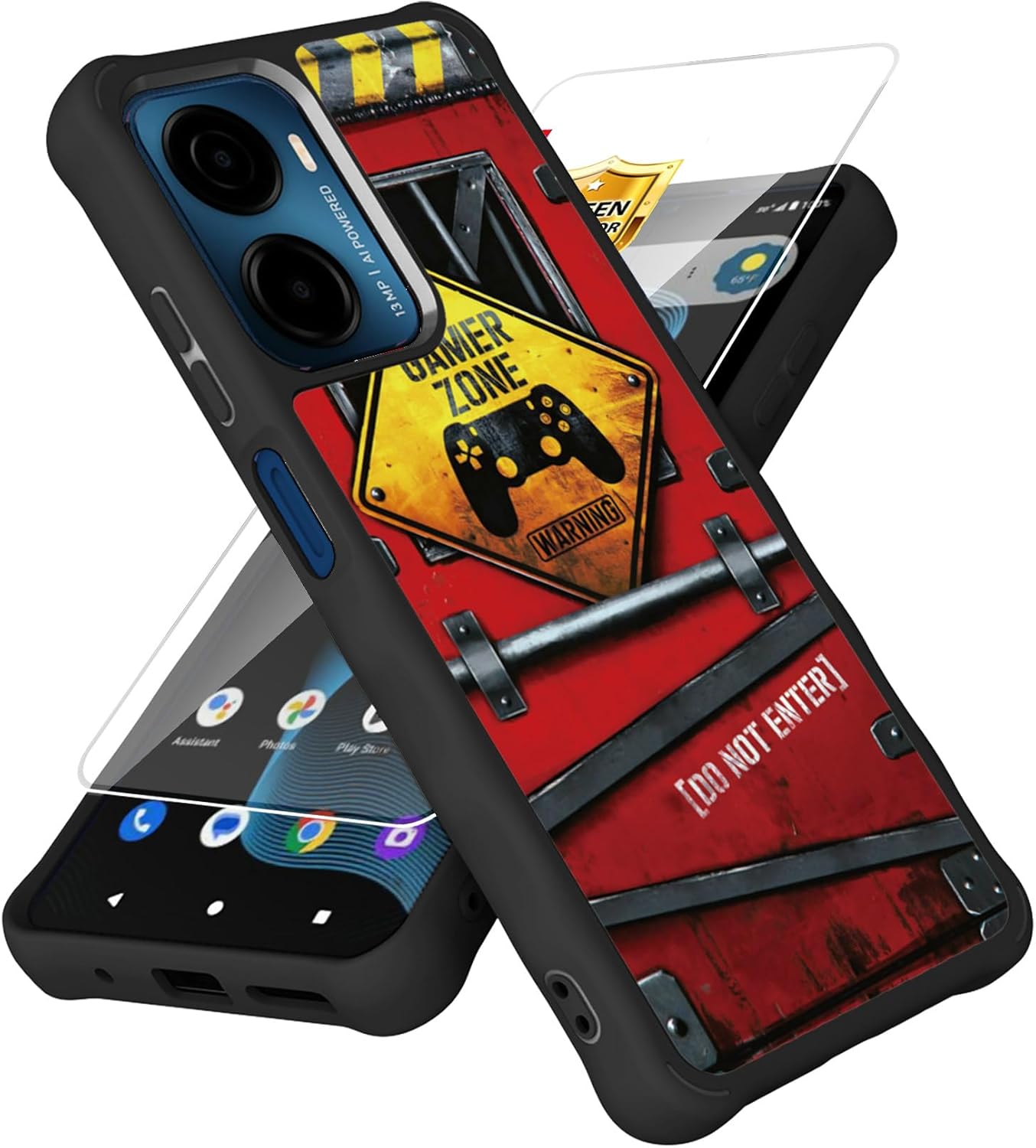
Image 1: Phone case and screen protector components.

Image 2: The phone case and screen protector, illustrating the four-corner airbag protection.
2. Installing the Tempered Glass Screen Protector
- Prepare the Screen: Use the provided cleaning wipes (if included, otherwise a microfiber cloth) to thoroughly clean your phone's screen. Remove all dust, fingerprints, and smudges.
- Remove Protective Film: Carefully peel off the protective film from the adhesive side of the tempered glass screen protector. Avoid touching the adhesive surface.
- Align the Protector: Align the screen protector with your phone's screen, ensuring that the cutouts for the speaker and camera are correctly positioned.
- Apply and Smooth: Once aligned, gently lower the screen protector onto the screen. It will adhere automatically. Use a clean cloth or your finger to gently press out any air bubbles towards the edges.
Note: The screen protector is designed for a precise fit. Ensure careful alignment during installation to avoid misalignment or bubbles.
Operating Instructions
Case Features
- Enhanced Grip: The case features a delicate frosted process on its surface, providing a comfortable, non-slip grip and resistance to fingerprints.
- Airbag Protection: Invisible airbags are integrated into the four corners of the case. These airbags are designed to cushion impact and reduce the risk of damage to your phone and screen during accidental drops.
- Precise Cutouts: The case is designed with accurate cutouts for the keypad, charging port, speakers, and camera, ensuring full functionality without obstruction.
- Luminous Effect: The high-definition image on the case is designed to glow in the dark, providing a unique visual effect.

Image 3: The phone case featuring a 360° rotatable ring kickstand for versatile viewing angles.
Using the Ring Kickstand
The integrated mobile phone holder on the back of the case functions as a 360° rotatable ring kickstand. Pull out the ring to use it as a stand for hands-free viewing in both portrait and landscape orientations. It can also provide a more secure grip when holding the phone.
Maintenance
- Cleaning the Case: To clean the phone case, gently wipe it with a soft, damp cloth. Avoid using harsh chemicals or abrasive materials, as these may damage the frosted finish or the luminous design.
- Cleaning the Screen Protector: Use a microfiber cloth to wipe the tempered glass screen protector. For stubborn smudges, a screen cleaner specifically designed for electronics can be used.
- Avoid Extreme Temperatures: Do not expose the case or screen protector to extreme heat or cold, as this may affect their material integrity and performance.
- Regular Inspection: Periodically inspect the case and screen protector for any signs of wear or damage. Replace if significant damage is observed to maintain optimal protection.
Troubleshooting
Screen Protector Issues
- Air Bubbles: If air bubbles appear after installation, gently press them towards the nearest edge with a soft cloth. For persistent bubbles, carefully lift a corner of the protector and reapply, ensuring no dust particles are trapped underneath.
- Misalignment: If the screen protector is misaligned, carefully lift it from one corner and reapply, ensuring precise alignment with the screen and cutouts.
- Screen Protector Does Not Fit: While designed for specific models, variations can occur. If the screen protector does not fit your device (Cricket Magic 2 5G 2024 / AT&T Propel 2 5G), please contact customer support for assistance.
Case Fit Issues
- Loose Fit: Ensure your phone model is exactly "Cricket Magic 2 5G 2024" or "AT&T Propel 2 5G". A loose fit might indicate an incorrect model match.
- Buttons Unresponsive: Verify that the phone is correctly seated within the case and that the case's button covers align perfectly with the phone's buttons.
Specifications
| Product Name | Phone Case with Tempered Glass Screen Protector |
|---|---|
| Compatible Models | Cricket Magic 2 5G 2024, AT&T Propel 2 5G |
| Material | Polyurethane (Case), Tempered Glass (Screen Protector) |
| Special Features | Frosted finish, Four-corner anti-drop airbag, Slim Fit, Luminous Effect, Integrated Ring Kickstand |
| Dimensions (Product) | 0.39 x 0.39 x 0.39 inches (approximate) |
| Item Weight | 2.46 ounces |
| Manufacturer | Generic |
| Model Number (Internal) | HE-GZ-Cricket Magic 2 5G 2024 YGH+JGP |

Image 4: The phone case designed with shock-absorbing materials to protect against drops.

Image 5: An exploded view of the phone case, illustrating its precise cutouts for ports and buttons, and showing the separate components for comprehensive protection.
Warranty Information
Specific warranty details are not provided in the product information. Please refer to the seller's return policy or contact the seller directly for warranty inquiries.
Customer Support
For further assistance, questions, or concerns regarding your product, please contact the seller through the platform where the purchase was made. Ensure you have your order details available for faster service.


