
1. Introduction
This manual provides essential information for the proper installation, operation, and maintenance of your WWEIFUS Air Conditioning Motherboard. This replacement motherboard is designed to be compatible with specific Midea air conditioning units, including models CE-KFR26G/BP2N1Y-11M.D.11.NP2-1 and CE-KFR32G/BP2N1Y-11M. Please read this manual thoroughly before proceeding with any installation or service to ensure safe and correct usage.
2. Safety Information
WARNING: Electrical shock hazard. Installation and servicing should only be performed by qualified personnel.
- Always disconnect power to the air conditioning unit before attempting any installation, repair, or maintenance.
- Wear appropriate personal protective equipment (PPE), including insulated gloves and safety glasses.
- Ensure all connections are secure and correctly polarized to prevent damage to the unit or personal injury.
- Do not operate the air conditioning unit with damaged wiring or components.
- Keep the motherboard dry and free from moisture.
3. Product Overview
The WWEIFUS Air Conditioning Motherboard serves as a direct replacement or upgrade component for compatible Midea air conditioning systems. It is engineered for seamless integration and reliable performance, ensuring the continued efficient operation of your unit.
Key Features:
- Direct replacement motherboard for Midea air conditioning units.
- Compatible with models CE-KFR26G/BP2N1Y-11M.D.11.NP2-1 and CE-KFR32G/BP2N1Y-11M.
- Durable construction for long-lasting performance and reliability.
- Designed for straightforward installation to minimize downtime.

Figure 3.1: The WWEIFUS Air Conditioning Motherboard, identified as an 'A Board' variant, showing its general layout and components.

Figure 3.2: A detailed view of the motherboard, with red circles indicating key connection points for wiring and components, crucial for proper installation.
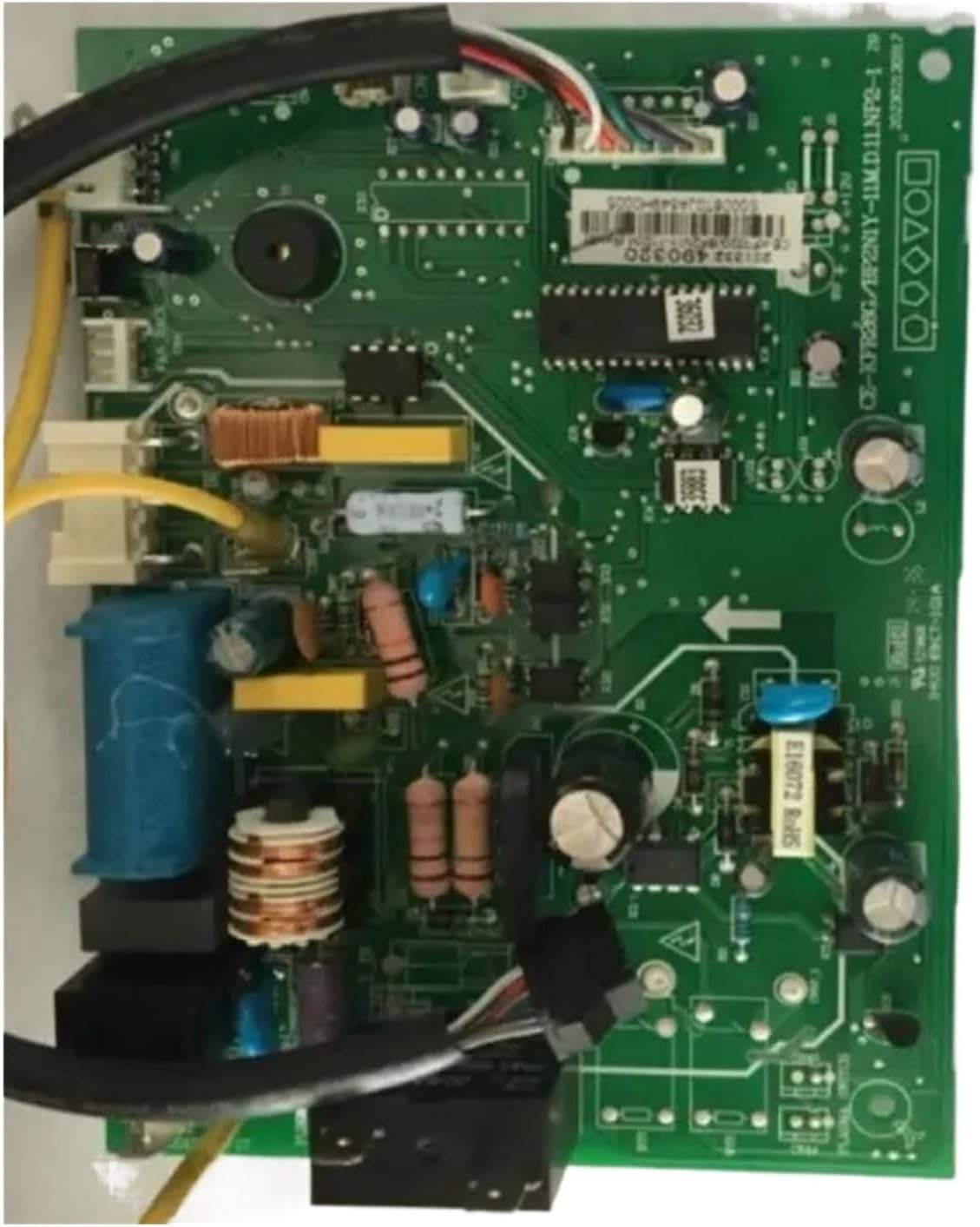
Figure 3.3: An overhead perspective of the WWEIFUS Air Conditioning Motherboard, showcasing the arrangement of integrated circuits, capacitors, and other electronic components.
4. Setup and Installation
IMPORTANT: Installation should only be performed by a certified HVAC technician or a qualified electrician.
- Power Disconnection: Ensure the main power supply to the air conditioning unit is completely disconnected at the circuit breaker. Verify with a voltage tester.
- Access Panel Removal: Carefully remove the outer casing or access panel of the indoor air conditioning unit to expose the existing motherboard.
- Document Connections: Before disconnecting any wires, take clear photographs or make detailed diagrams of all existing wire connections to the old motherboard. Pay close attention to wire colors and terminal labels.
- Disconnect Old Motherboard: Systematically disconnect all wires and connectors from the old motherboard. Remove any mounting screws or clips securing it in place.
- Install New Motherboard: Position the new WWEIFUS motherboard in the same location as the old one. Secure it with the appropriate screws or clips.
- Reconnect Wiring: Using your documented connections (photos/diagrams), carefully reconnect all wires and connectors to the new motherboard. Double-check each connection for accuracy and security.
- Inspect and Verify: Visually inspect all connections to ensure no wires are loose, pinched, or incorrectly routed. Confirm that the motherboard is securely mounted.
- Replace Access Panel: Once all connections are verified, reattach the air conditioning unit's access panel and outer casing.
- Restore Power: Restore power to the air conditioning unit at the circuit breaker.
- Test Functionality: Power on the air conditioning unit and test its various functions (e.g., cooling, heating, fan speeds) to ensure the new motherboard is operating correctly.
5. Operating Instructions
The WWEIFUS Air Conditioning Motherboard is an internal component that facilitates the control and operation of your air conditioning unit. Once correctly installed, its operation is integrated into the existing air conditioning system. Users should refer to their specific Midea air conditioner's user manual for instructions on how to operate the unit, adjust settings, and utilize its features. The motherboard itself does not require direct user interaction.
6. Maintenance
The WWEIFUS Air Conditioning Motherboard is designed for minimal maintenance. However, to ensure its longevity and optimal performance, consider the following:
- Regular System Checks: Ensure your overall air conditioning system receives regular professional maintenance. This includes cleaning filters, checking refrigerant levels, and inspecting electrical components, which can indirectly benefit the motherboard.
- Environmental Control: Protect the air conditioning unit from extreme temperatures, humidity, and dust, as these can negatively impact electronic components.
- Visual Inspection: During any routine service of the AC unit, a qualified technician can perform a visual inspection of the motherboard for any signs of wear, corrosion, or loose connections.
7. Troubleshooting
If your air conditioning unit experiences issues after motherboard replacement, consider the following common troubleshooting steps. Always ensure power is disconnected before inspecting internal components.
- No Power: Check the circuit breaker. Verify all power connections to the motherboard are secure and correctly wired.
- Unit Not Responding: Ensure all control wiring (e.g., thermostat connections) is correctly attached to the motherboard. Check for any blown fuses on the motherboard itself (if present).
- Incorrect Functionality: Double-check all wiring against your installation diagrams. An incorrect connection can lead to improper operation of specific features (e.g., fan not working, incorrect temperature readings).
- Error Codes: If the AC unit displays an error code, consult your Midea air conditioner's specific service manual for the meaning of the code and recommended solutions.
- Intermittent Operation: Inspect for any loose connections or signs of overheating on the motherboard components.
If issues persist, it is highly recommended to contact a qualified HVAC technician for diagnosis and repair.
8. Specifications
| Feature | Detail |
|---|---|
| Brand | WWEIFUS |
| Model Number | CE-KFR26G/BP2N1Y-11M.D.11.NP2-1 (Compatible with CE-KFR32G/BP2N1Y-11M) |
| Item Model Number (Manufacturer) | hsujd |
| Type | Air Conditioner Parts (Motherboard) |
| Package Dimensions | 1.18 x 0.79 x 0.39 inches |
| Item Weight | 1.76 ounces |
| Main Power Connector Type | 24-Pin |
| Graphics Card Interface | Integrated |
| Date First Available | November 26, 2024 |
9. Warranty and Support
For warranty information regarding your WWEIFUS Air Conditioning Motherboard, please refer to the terms and conditions provided at the time of purchase or contact your retailer directly. As a general guideline, electronic components typically come with a limited manufacturer's warranty against defects in materials and workmanship.
If you encounter any issues or require technical assistance, please contact the seller or WWEIFUS customer support through the platform where the product was purchased. When contacting support, please have your product model number (CE-KFR26G/BP2N1Y-11M.D.11.NP2-1) and purchase details readily available.