
1. Introduction
This manual provides detailed instructions for the installation, operation, maintenance, and troubleshooting of the S25HH0 DC Brush Motor Speed Regulator, model JYMC-220B-I. This control board is designed for precise speed regulation of DC brush motors, commonly used in applications such as mini lathes. Please read this manual thoroughly before using the device to ensure safe and efficient operation.
2. Safety Instructions
To prevent injury or damage to the device, observe the following safety precautions:
- Always disconnect power before performing any installation, wiring, or maintenance.
- Ensure that the input voltage (230VAC) and current (12ADC) ratings match the specifications of your motor and power supply.
- Installation should only be performed by qualified personnel.
- Avoid contact with live electrical components.
- Do not operate the device in wet or damp conditions.
- Ensure proper ventilation to prevent overheating.
- Keep children and unauthorized personnel away from the operating machinery.
3. Product Overview
The JYMC-220B-I is a compact and efficient DC brush motor speed regulator designed for integration into various control systems, particularly for mini lathes. It provides stable and adjustable motor speed control.
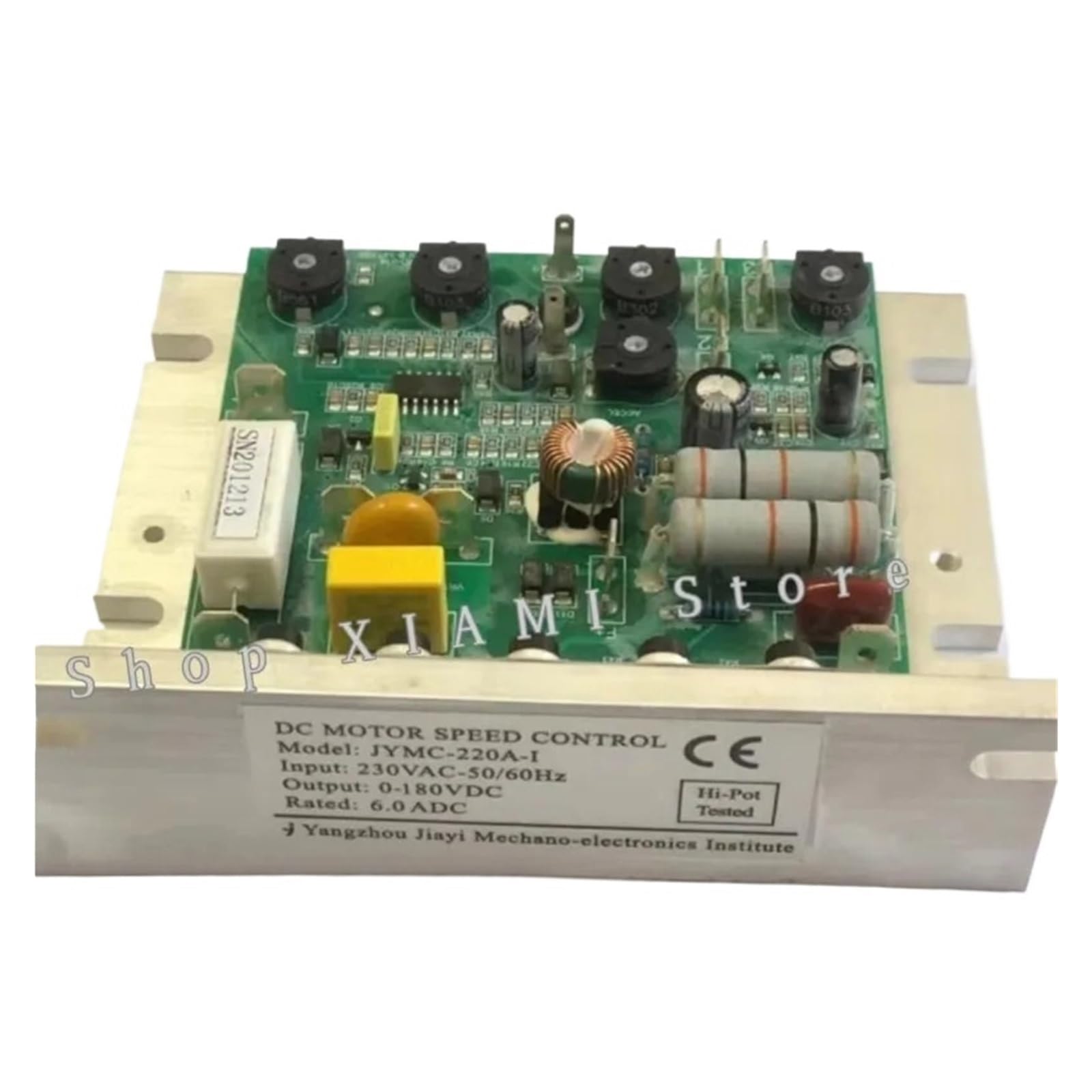
Figure 3.1: S25HH0 DC Brush Motor Speed Regulator JYMC-220B-I. This image displays the compact control board with various terminals and components for motor speed regulation.
4. Specifications
| Feature | Specification |
|---|---|
| Model | JYMC-220B-I |
| Operating Voltage | 230 Volts (AC) |
| Maximum Current | 12 Amperes (DC) |
| Operation Mode | Automatic |
| Wattage | 2760 watts |
| Mounting Type | PCB Mount |
| Terminal Type | Screw |
| Actuator Type | Push Button |
| Package Dimensions | 1.18 x 0.79 x 0.39 inches |
| Item Weight | 1.76 ounces |
5. Setup and Installation
Follow these steps for proper installation of the speed regulator:
- Power Disconnection: Ensure all power to the motor and control system is disconnected before beginning installation.
- Mounting: Mount the JYMC-220B-I control board securely in a suitable enclosure or directly onto the PCB, ensuring it is protected from environmental factors and has adequate ventilation.
- Wiring Input Power: Connect the 230VAC power supply to the designated AC input terminals on the control board. Observe correct polarity if indicated.
- Wiring Motor: Connect the DC brush motor leads to the DC output terminals on the control board. Ensure secure connections to prevent arcing or intermittent operation.
- Control Wiring: Connect any external control signals, such as a potentiometer for speed adjustment or a push button for on/off control, to their respective terminals as per the wiring diagram (if provided with the product packaging).
- Verification: Double-check all wiring connections for correctness and security before applying power.
6. Operating Instructions
Once installed and wired correctly, operate the speed regulator as follows:
- Power On: Apply 230VAC power to the control board. The system should initialize.
- Speed Adjustment: Use the connected potentiometer or control interface to adjust the motor speed. Rotate clockwise to increase speed and counter-clockwise to decrease speed.
- Start/Stop: Utilize the integrated push button or external control signal to start and stop the motor.
- Monitoring: Observe the motor's behavior and ensure it operates smoothly within the desired speed range.
- Emergency Stop: Familiarize yourself with the emergency stop procedure for your overall system.
7. Maintenance
Regular maintenance ensures the longevity and reliable operation of your speed regulator:
- Cleaning: Periodically clean the control board and its enclosure to remove dust and debris. Use a soft, dry brush or compressed air. Ensure power is disconnected before cleaning.
- Connection Check: Regularly inspect all wiring connections for tightness and signs of corrosion or damage. Re-tighten loose connections.
- Environmental Conditions: Ensure the operating environment remains within specified temperature and humidity ranges to prevent component degradation.
- Visual Inspection: Look for any signs of physical damage, discoloration, or burnt components on the board. If any are found, discontinue use and seek professional assistance.
8. Troubleshooting
Refer to the table below for common issues and their potential solutions:
| Problem | Possible Cause | Solution |
|---|---|---|
| Motor does not start | No power supply; Incorrect wiring; Faulty motor. | Check power connections; Verify wiring against diagram; Test motor independently. |
| Motor speed is erratic | Loose connections; Faulty potentiometer; Overload. | Inspect and secure all connections; Replace potentiometer; Reduce motor load. |
| Device overheats | Insufficient ventilation; Excessive load; Short circuit. | Ensure proper airflow; Reduce load; Check for short circuits in wiring. |
| No speed control | Potentiometer not connected or faulty; Control board issue. | Check potentiometer wiring; Test or replace potentiometer; Contact support if board is suspected. |
9. Warranty and Support
This product is manufactured by S25HH0. For specific warranty details, please refer to the documentation provided at the time of purchase. Typically, products are covered by a return policy for a period of 30 days from the date of purchase for refund or replacement.
For technical support or inquiries regarding the JYMC-220B-I speed regulator, please contact your vendor or the manufacturer directly through their official channels. When contacting support, please have your product model (JYMC-220B-I) and purchase information readily available.