
1. Product Overview
The exsulity K118 Language Translation Earbuds are designed to facilitate seamless communication across language barriers, supporting translation for up to 144 languages. These earbuds also function as standard Bluetooth headphones for music playback and phone calls, offering a versatile audio experience for business, travel, and daily use.

Image: K118 Earbuds in their charging case, showcasing the digital battery display.
2. Package Contents
Please verify that all items are present in your package:
- K118 Language Translation Earbuds (Left and Right)
- Charging Case
- USB Type-C Charging Cable
- User Manual
Video: An unboxing and overview of the exsulity K118 Language Translator Earbuds, demonstrating the contents and initial setup.
3. Setup and Connection
3.1 Charging the Earbuds and Case
Before first use, fully charge the earbuds and the charging case. Place the earbuds into the charging case. Connect the USB Type-C cable to the charging port on the case and a power source. The digital display on the case will show the current battery percentage. The earbuds will display indicator lights (green for charging, off when fully charged).
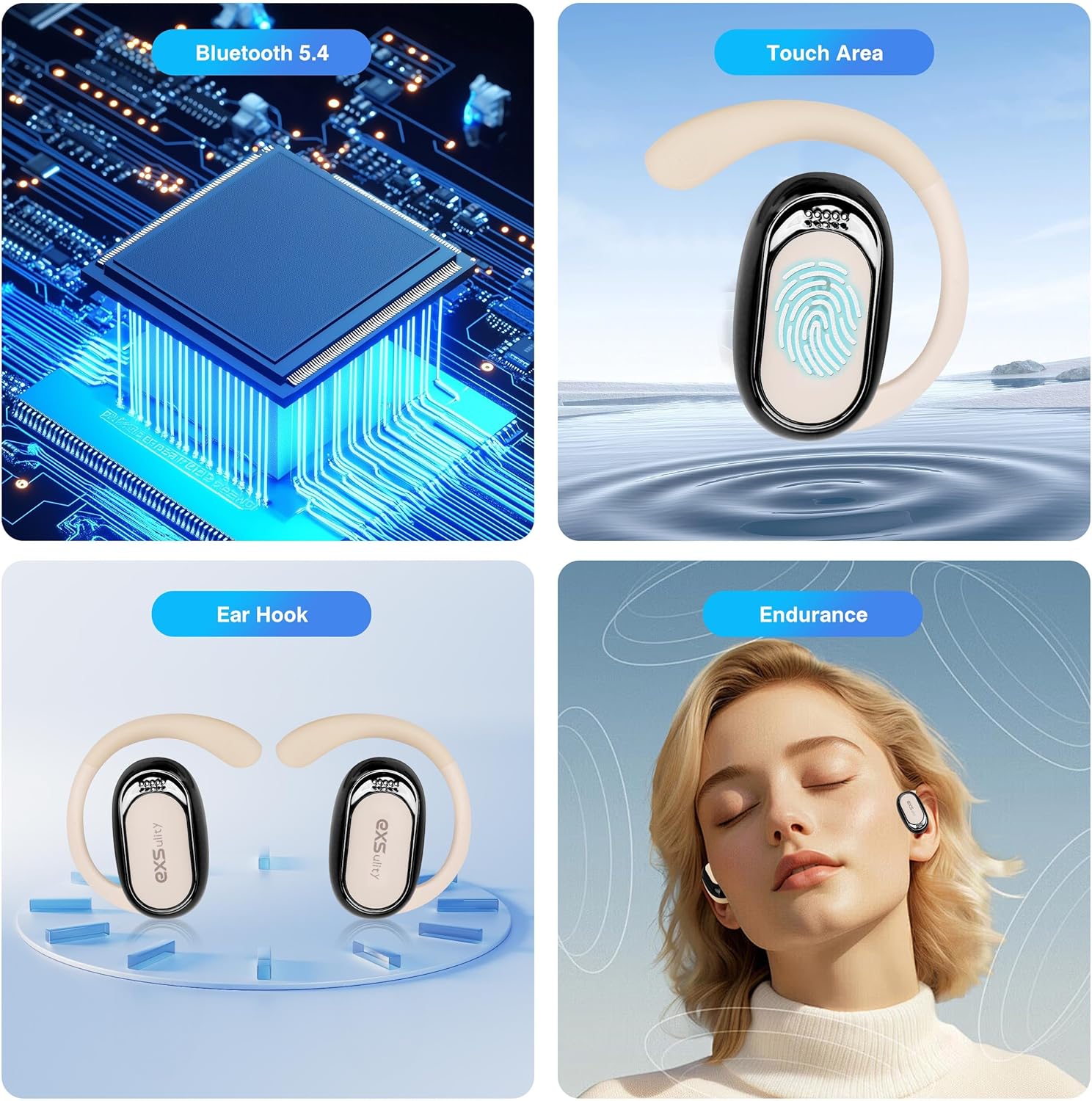
Image: Visual representation of key features including Bluetooth 5.4, touch controls, ear hook design, and comfortable wear.
3.2 App Download and Pairing
To utilize the translation features, you must download the companion application. The app is named "Wooask" and is available on both App Store (iOS) and Android platforms.
- Download the App: Search for "Wooask" in your device's app store and download it. Note: Some packaging may contain a QR code that leads to an outdated or unofficial link. It is recommended to search directly in your app store for "Wooask" to ensure you download the correct and sanctioned version.
- Enable Bluetooth: Ensure Bluetooth is enabled on your smartphone.
- Pair Earbuds: Open the Wooask app. The app will guide you through connecting the K118 earbuds via Bluetooth. Once connected, the app will display "To connect" or a similar confirmation.

Image: The Wooask application interface displaying different translation modes.
4. Operating Modes (Translation)
The Wooask app offers five distinct translation modes to suit various communication scenarios:
- Touch Mode: Ideal for two people. Each person wears an earbud. Tap the earbud to speak, and the translation will be heard by the other person in real-time.
- Speaker Mode: One person wears an earbud, and the other person speaks into the smartphone. The translation is played through the phone's speaker, suitable for situations where only one person needs to wear an earbud.
- Free Talk Mode: Both users wear an earbud. This mode allows for continuous real-time translation without needing to press buttons, facilitating natural conversation.
- Photo Translation: Translate text from images by taking a photo through the app or importing an existing photo.
- Offline Mode: Allows for translation without an internet connection for certain pre-downloaded languages. Note: Some offline language packs or advanced features may require a subscription within the app.
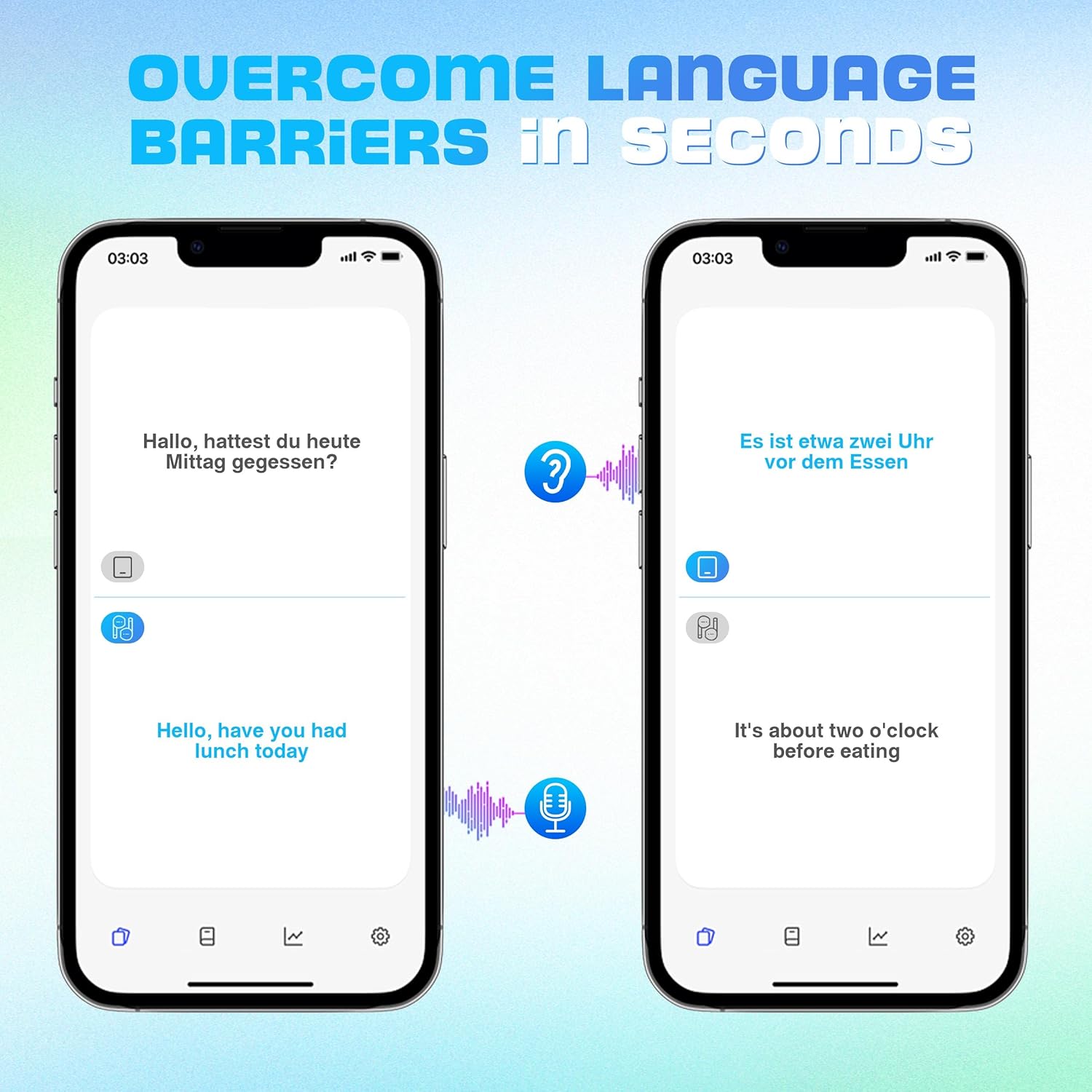
Image: Demonstration of real-time translation on smartphone screens, showing spoken phrases and their translated text.
5. Music Playback and Calls
The K118 earbuds also function as high-quality audio devices for music and calls.
- Play/Pause Music: Press the touch area on either earbud once to play or pause music.
- Next Song: Press the touch area on either earbud twice to skip to the next song.
- Answering/Ending Calls: Press the touch area once to answer an incoming call or end an ongoing call.
- Sound Quality: The earbuds feature Hi-Fi audio for clear sound quality during music playback and calls.

Image: Illustration of the Hi-Fi audio capability with noise reduction, showing sound waves before and after processing.
6. Maintenance
To ensure the longevity and optimal performance of your K118 earbuds:
- Keep the earbuds and charging case clean and dry. Use a soft, dry cloth for cleaning.
- Avoid exposing the device to extreme temperatures, humidity, or direct sunlight.
- Store the earbuds in their charging case when not in use to protect them and keep them charged.
7. Troubleshooting
If you encounter issues with your K118 earbuds, please refer to the following common solutions:
| Problem | Possible Cause / Solution |
|---|---|
| Earbuds not pairing with app. | Ensure Bluetooth is enabled on your phone. Make sure you have downloaded the official "Wooask" app directly from your device's app store, not via a QR code on the packaging which may be outdated. Restart the app and try again. |
| Translation lag or inaccuracy. | A slight lag is normal for real-time translation. Ensure a stable internet connection for online translation modes. Speak clearly and at a moderate pace. For offline modes, ensure the necessary language packs are downloaded. |
| Earbuds not charging. | Ensure the charging cable is securely connected to both the case and the power source. Check if the charging case itself has power (indicated by the digital display). Clean the charging contacts on both the earbuds and the case. |
| No sound or poor audio quality. | Check the volume levels on both your earbuds and your connected device. Ensure the earbuds are properly seated in your ears. Re-pair the earbuds with your device. |
| App features require subscription. | Some advanced features or offline language packs within the Wooask app may require an in-app purchase or subscription. This is an intended feature of the application. |
8. Specifications
| Feature | Detail |
|---|---|
| Model Number | K118 (exsulityvourgiws5b-12) |
| Connectivity | Bluetooth 5.4 (up to 15 meters range) |
| Supported Languages | 144 (via companion app) |
| Audio Quality | Hi-Fi Audio with Noise Reduction |
| Battery Life | Up to 5 hours of use (earbuds), extended with charging case |
| Charging Time | Approximately 5 hours for full charge (case and earbuds) |
| Item Weight | 4.6 ounces |
| Package Dimensions | 6.15 x 3.82 x 1.54 inches |
| Country of Origin | China |
9. Warranty and Support
For warranty information or technical support, please contact the manufacturer, exsulity, or the seller directly through your purchase platform. Retain your proof of purchase for any warranty claims.
For additional assistance, you may visit the exsulity Store on Amazon.