
Introduction
This manual provides detailed instructions for the assembly, use, and care of your YOFUN Human Body Skeleton Model Kit. Designed for children aged 6 and up, this interactive kit offers a hands-on approach to learning about human anatomy, including bones, muscles, and organs. Please read through these instructions carefully before beginning assembly or use.
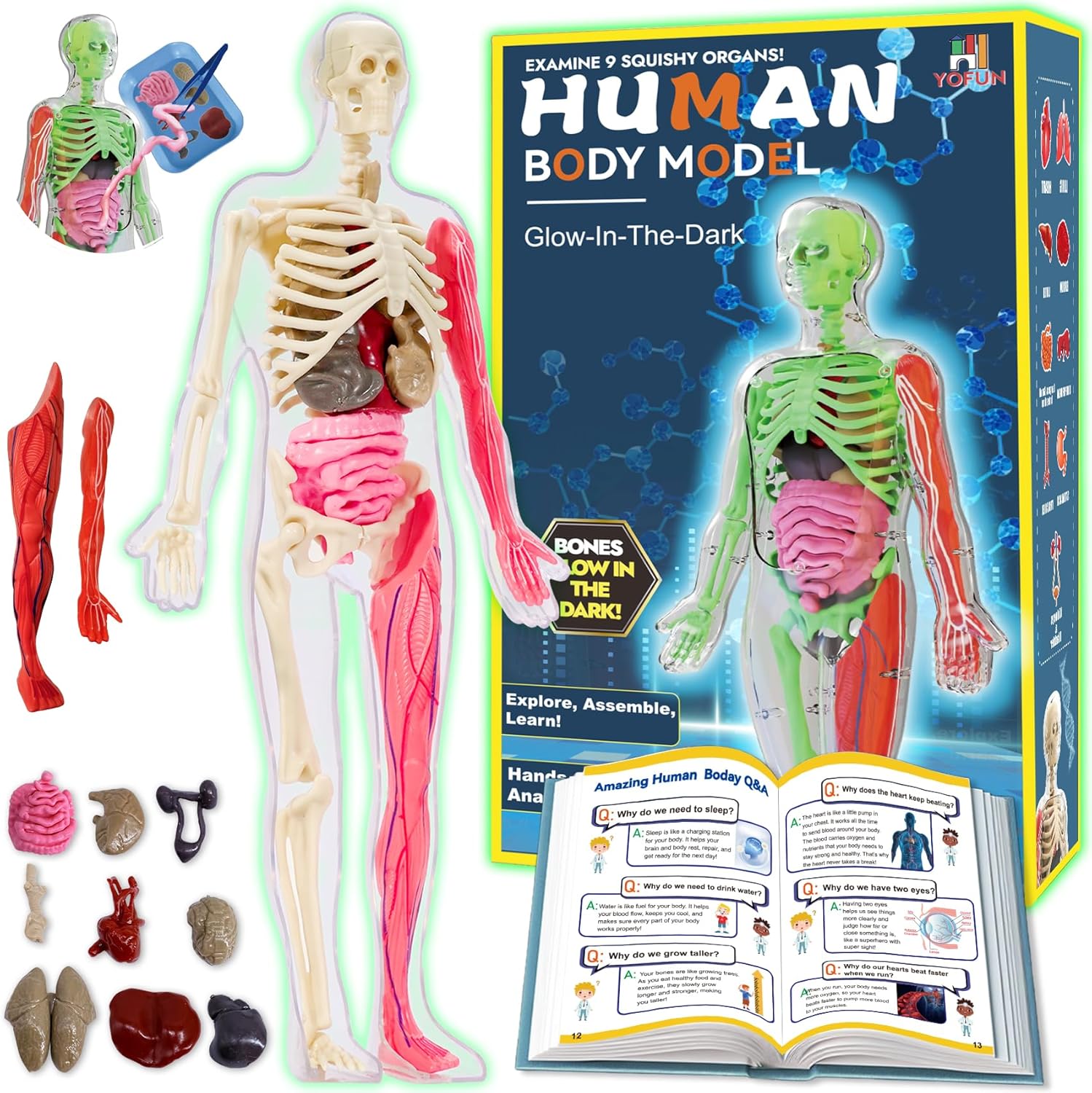
Image: The complete YOFUN Human Body Skeleton Model Kit, showing the transparent body, skeleton, organs, muscles, and the instruction manual.
Safety Information
WARNING: CHOKING HAZARD - Small parts. Not suitable for children under 3 years due to potential choking risks.
- Always supervise young children during assembly and play.
- Keep all small components out of reach of infants and toddlers.
- Ensure all parts are securely attached to prevent detachment during play.
What's in the Box
Your YOFUN Human Body Skeleton Model Kit includes the following components:
- Skeleton Model (various bone pieces)
- Transparent Human Body Casing
- Removable Muscle Pieces
- Removable Organ Models (9 squishy organs)
- Assembly Instructions Manual
- Educational Human Anatomy Manual

Image: A top-down view of all individual components of the kit, including the transparent body, skeleton parts, muscle parts, and organ models, laid out on a surface.
Assembly Instructions
Follow these steps to assemble your human body model. Refer to the included Assembly Instructions Manual for detailed diagrams.
- Prepare the Skeleton: Carefully detach all bone pieces from their frames. Identify the skull, spine, ribs, and limb bones.
- Assemble the Skeleton: Begin by attaching the skull to the spine. Then, connect the rib cage and pelvis. Proceed to attach the arm and leg bones to form a complete skeleton. Ensure all connections are secure but do not force pieces together.
- Place Skeleton into Casing: Gently place the assembled skeleton into one half of the transparent human body casing. Align the skeleton with the internal pegs and grooves.
- Insert Organs: Using the provided tweezers (if included) or your fingers, carefully place the squishy organ models into their corresponding positions within the skeleton's cavity. Refer to the anatomy manual for correct placement.
- Attach Muscles: Position the red muscle pieces onto the transparent casing, aligning them with the skeletal structure.
- Close the Casing: Once all internal components (skeleton and organs) and external muscles are in place, carefully align the second half of the transparent casing and snap it shut.
For a visual guide to assembly, please watch the official product video below:
Video: Official YOFUN product video demonstrating the assembly process of the Human Body Skeleton Model Kit, showing how to place bones, organs, and muscles into the transparent body casing.

Image: A child carefully placing an organ into the transparent human body model, with the instruction manual open nearby.
Operating and Learning
The YOFUN Human Body Skeleton Model Kit is designed for interactive learning. Use the assembled model in conjunction with the comprehensive human anatomy manual to explore the various systems of the body.
- Identify Body Parts: Use the manual to locate and identify each bone, muscle, and organ in the model.
- Understand Functions: The anatomy manual provides in-depth information about the function of each body part, making learning simple and enjoyable.
- Glow-in-the-Dark Feature: The skeleton's bones glow in the dark after exposure to light, adding an engaging element to learning. Expose the bones to sunlight for 5 minutes or ultraviolet light for 30 seconds for optimal glow.
- Disassembly and Reassembly: The model can be disassembled and reassembled multiple times, allowing for repeated learning and exploration.
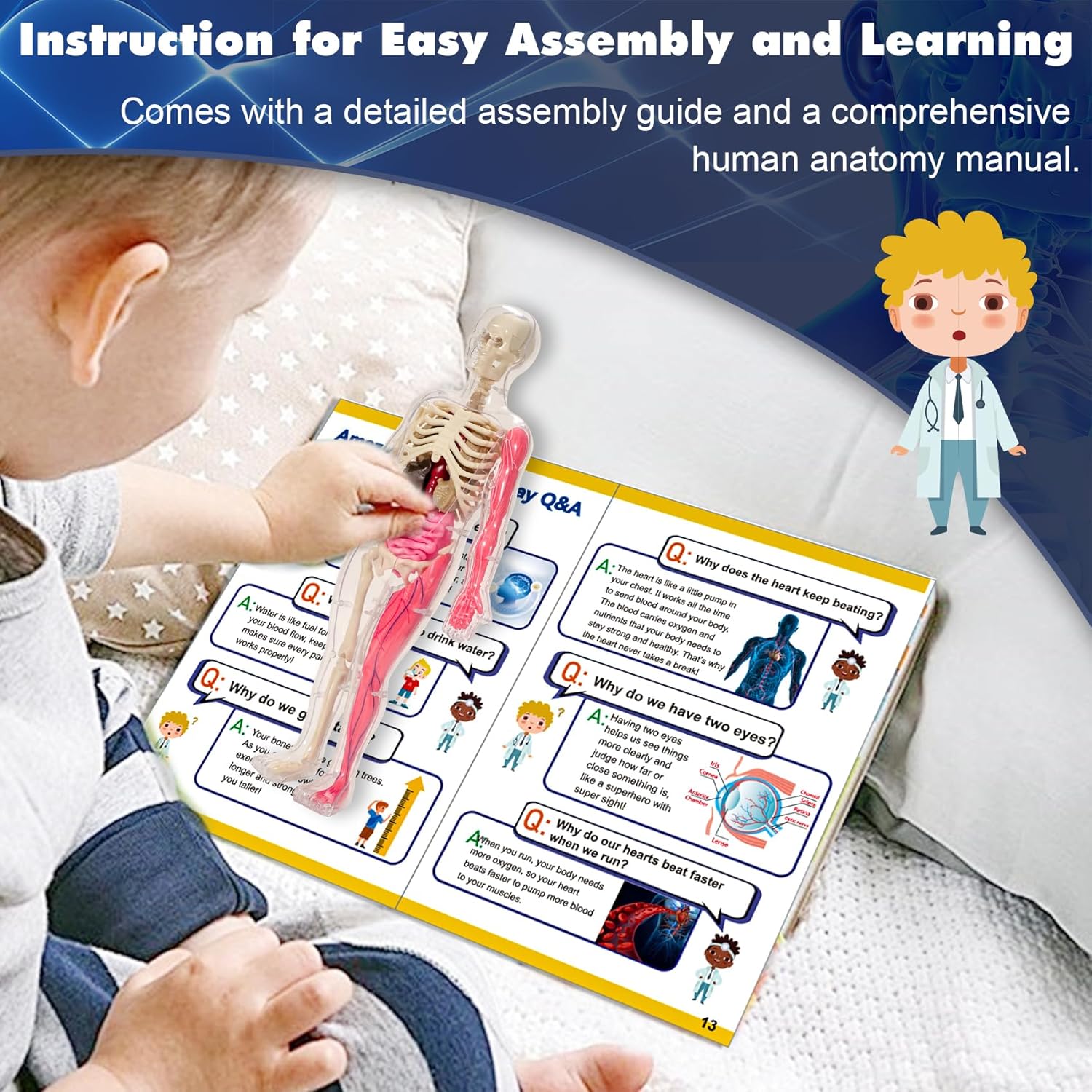
Image: A child examining the human body model while referencing the detailed anatomy manual, highlighting the interactive learning experience.
Maintenance
- Cleaning: Wipe the model and its components with a soft, damp cloth. Avoid harsh chemicals or abrasive cleaners.
- Storage: Store the kit in its original packaging or a designated container to keep all parts organized and prevent loss. Keep away from direct sunlight and extreme temperatures to preserve material integrity.
- Handling: Handle all parts, especially the smaller bone and organ pieces, with care to prevent damage.
Troubleshooting
- Difficulty Assembling Parts: If pieces are difficult to connect, ensure they are correctly oriented according to the manual. Apply gentle, even pressure. Avoid forcing parts, as this may cause breakage.
- Parts Not Staying Together: Verify that all connection points are fully engaged. If a part repeatedly detaches, inspect for any manufacturing defects or damage.
- Glow-in-the-Dark Feature Not Working: Ensure the skeleton bones have been adequately exposed to a light source (sunlight or UV light) for the recommended duration. The glow effect will diminish over time and requires re-exposure to light.
- Missing or Damaged Parts: If any parts are missing or damaged upon arrival, please contact Y YOFUN customer support for assistance.
Specifications
| Product Dimensions: | 6 x 2.4 x 12.6 inches |
| Item Weight: | 15.8 ounces |
| Manufacturer Recommended Age: | 6 years and up |
| ASIN: | B0DP2RSRVH |
| Manufacturer: | Y YOFUN |
Warranty and Support
This product is designed for durability and educational value. For any questions, concerns, or support regarding your YOFUN Human Body Skeleton Model Kit, please contact the manufacturer directly through their official channels or the retailer where the product was purchased.
Please retain your proof of purchase for any warranty claims or support inquiries.