
ELIDAIP T-M2
ELIDAIP T-M2 Super Mini Walkie Talkie User Manual
Model: T-M2 | Brand: ELIDAIP
Introduction
The ELIDAIP T-M2 Super Mini Walkie Talkie is a compact and lightweight two-way radio designed for various applications, including restaurant management, family trips, workplaces, hiking, camping, and indoor/outdoor sports. It features long-range communication, clear sound quality with noise cancellation, and a rechargeable battery for extended use. This manual provides essential information for setting up, operating, and maintaining your T-M2 walkie talkie.

Figure 1: ELIDAIP T-M2 Super Mini Walkie Talkie.
What's in the Box
Please check the package contents to ensure all items are present:
- Mini Walkie Talkie (1 unit)
- USB Cable and Power Adaptor (1 set)
- Special Earpiece (1 unit)
- Lanyard (1 unit)
- User Manual (this document)
Product Overview
Familiarize yourself with the components and controls of your T-M2 Walkie Talkie.

Figure 2: T-M2 Walkie Talkie Components.
- Antenna
- PTT (Push-To-Talk) Button
- Speaker
- CH UP/Monitor Button
- Headset Jack
- LED Indicator
- Charging/PC Port (Micro USB)
- Microphone
- CH DOWN/Scan Button
- Power Switch

Figure 3: Key Design Features including durable ABS material, portable back clip, and elastic PTT button.
Setup
1. Charging the Battery
The T-M2 Walkie Talkie is equipped with a 1100 mAh Lithium Polymer battery. Before first use, fully charge the device.
- Connect the provided Micro USB charging cable to the Charging/PC Port (7) on the walkie talkie.
- Connect the other end of the USB cable to the power adaptor, a PC, car charger, power bank, or any standard USB slot.
- The LED Indicator (6) will show charging status. A full charge typically takes about 3 hours.
- A fully charged battery supports up to 12 hours of continuous talk time and approximately 72 hours of standby time.

Figure 4: Battery Life and Charging Options.
2. Powering On/Off
- To power on, rotate the Power Switch (10) clockwise until you hear a click and the device powers on.
- To power off, rotate the Power Switch (10) counter-clockwise until you hear a click and the device powers off.
Operating Instructions
1. Channel Selection
The T-M2 Walkie Talkie supports 16 channels. To communicate with another walkie talkie, both devices must be on the same channel.
- Press the CH UP/Monitor Button (4) to increase the channel number.
- Press the CH DOWN/Scan Button (9) to decrease the channel number.
- The device will audibly announce the selected channel number.
2. Making a Call (Push-To-Talk)
- Ensure you are on the desired channel.
- To transmit, press and hold the PTT (Push-To-Talk) Button (2) located on the side of the device. Speak clearly into the Microphone (8).
- Release the PTT button to listen for a response.
3. Using the Earpiece
For private communication or in noisy environments, use the included special earpiece.
- Plug the earpiece into the Headset Jack (5) on the side of the walkie talkie.
- The earpiece features a soft silicone earhook for comfortable wear, even for extended periods. It can be worn on either the left or right ear.
- When the earpiece is plugged in, audio will be routed through the earpiece instead of the internal Speaker (3).

Figure 5: Clear Sound Quality with Speaker or Earpiece.
Video 1: Demonstrating the portability and earphone usage of the ELIDAIP T-M2 Walkie Talkie.
4. Scan Function
- To activate the scan function, press and hold the CH DOWN/Scan Button (9) for a few seconds. The walkie talkie will scan through active channels.
- Release the button to stop scanning or when an active channel is found.
5. Portability and Carrying Options
The T-M2 is designed for easy portability due to its mini size and lightweight construction (only 1.4 ounces).
- Back Clip Design: The integrated back clip allows for quick attachment to belts, collars, or backpacks.
- Lanyard: Use the included lanyard to wear the walkie talkie around your neck for convenient access.
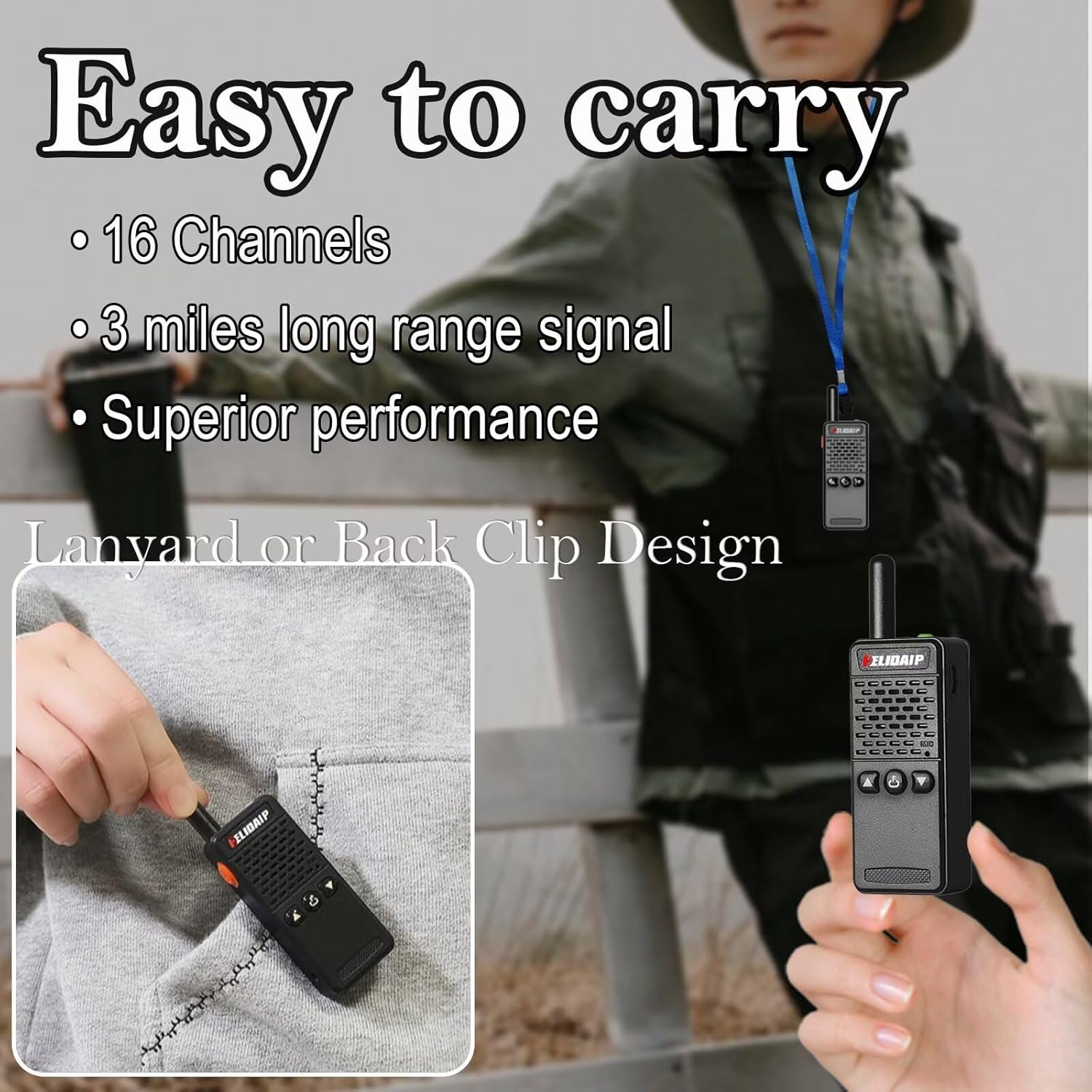
Figure 6: Easy Carrying Options.

Figure 7: Mini and Lightweight Design.
Maintenance
- Cleaning: Wipe the device with a soft, damp cloth. Do not use harsh chemicals or abrasive cleaners.
- Storage: Store the walkie talkie in a cool, dry place away from direct sunlight and extreme temperatures.
- Battery Care: For optimal battery life, avoid fully discharging the battery frequently. Charge the device regularly, even if not in use for extended periods.
- Antenna: The T-M2 features a short fixed antenna designed to be durable and less prone to breakage. Avoid bending or twisting the antenna forcefully.

Figure 8: Durable Design Elements.
Troubleshooting
| Problem | Possible Cause | Solution |
|---|---|---|
| No power | Battery is low or depleted. | Charge the walkie talkie using the provided USB cable and power adaptor. |
| Cannot communicate with other radios | Radios are on different channels. | Ensure all radios are set to the same channel. |
| Poor sound quality / Static | Out of range; Obstructions; Low battery. | Move closer to the other radio; Reduce obstructions; Charge battery. |
| Short communication range | Environmental factors (buildings, terrain); Low battery. | Move to an open area; Ensure battery is fully charged. |
If you encounter issues not listed here, please refer to the support information provided in this manual.
Specifications
| Feature | Detail |
|---|---|
| Model Number | T-M2 |
| Brand | ELIDAIP |
| Item Weight | 1.4 ounces |
| Product Dimensions | 3.74 x 0.7 x 1.14 inches |
| Batteries | 1 Lithium Polymer battery (included) |
| Number of Channels | 16 |
| Frequency Range | 462.55MHz~467.71MHz |
| Talking Range Maximum | 2 Miles |
| Display Type | No Display |
| Water Resistance Level | Water Resistant |
| Special Features | Portable, Mini Walkie Talkie, Lightweight, Microphone Included, Loud and Clear Voice, Noise Reduction |
Safety Information
Legal Disclaimer
ELIDAIP T-M2 walkie-talkie has been granted the FCC's transmission and reception certification and authorization, FCC ID: 2AIJ4T-M2. The ELIDAIP T-M2 walkie-talkie is only to be used within the frequency point of the FCC certification authorization range.
Warranty and Support
This product comes with a manufacturer's warranty. For any questions or support, please contact ELIDAIP customer service. We aim to respond within 12 hours.
Programming Software: For advanced configuration, programming software is available at hldradio.com/download/1.html.
Applicable Scenarios
The ELIDAIP T-M2 Super Mini Walkie Talkie is versatile and suitable for a wide range of uses:
- Hotel Management
- Villas
- Restaurant Kitchens
- Outings & Family Trips
- Outdoor Mountain Climbing & Hiking
- Construction Sites & Factory Warehouses
- Car Driving & Cruise Ships
- Schools & Churches
- Retail Stores & Supermarkets
- Security Personnel
- Safety Maintenance Personnel
- Indoor & Outdoor Sports

Figure 9: Versatile Use Cases for the T-M2 Walkie Talkie.
Ask a question about this manual
Ask about setup, troubleshooting, compatibility, parts, safety, or missing instructions. Manuals+ will review the question and use this page’s manual context to help answer it.