
1. Introduction
This manual provides detailed instructions for the assembly, operation, maintenance, and troubleshooting of your HARDURA 30x72 inch Stainless Steel Commercial Prep Table with Wheels and 2-inch Backsplash. Please read these instructions carefully before assembly and use to ensure safe and efficient operation.

Figure 1.1: HARDURA 30x72 inch Stainless Steel Commercial Prep Table with Wheels.
2. Safety Information
- Always ensure all components are securely fastened before use.
- Do not exceed the maximum load capacities for the top shelf (695 lb) and undershelf (495 lb).
- Use caution when moving the table, especially on uneven surfaces. Engage wheel brakes when stability is required.
- Keep hands and fingers clear of moving parts during assembly and adjustment.
- This table is designed for commercial and industrial use. Follow all local safety regulations.
3. Package Contents
Verify that all parts are present and undamaged before beginning assembly. If any parts are missing or damaged, contact customer support.
- Stainless Steel Table Top with 2" Backsplash
- Adjustable Undershelf
- 4 Legs (Galvanized)
- 4 Swivel Wheels (2 with brakes)
- Mounting Hardware (screws, set screws, Allen wrench)
4. Assembly Instructions
Assembly typically requires two people. A rubber mallet may be useful for securing components.
4.1 Unpacking and Protective Film Removal
Carefully remove all packaging materials. The stainless steel surfaces are covered with a protective plastic film. To remove it cleanly, lift the film around all edges slowly, gently, and evenly. Aim to remove it in one piece to avoid tearing.
4.2 Attaching the Legs to the Table Top
- Place the stainless steel table top upside down on a soft, clean surface to prevent scratches.
- Insert each of the four galvanized legs into the corner sockets on the underside of the table top. Ensure they are fully seated.
- Secure each leg using the provided set screws and Allen wrench. Tighten firmly but do not overtighten.
4.3 Installing the Undershelf
- Slide the adjustable undershelf onto the legs from the bottom.
- Adjust the undershelf to your desired height. The shelf is secured by four collars that clamp onto the legs.
- Once the desired height is set, tighten the screws on each collar to firmly secure the undershelf in place.

Figure 4.1: Illustration of the adjustable undershelf mechanism.
4.4 Attaching the Swivel Wheels
- For each wheel, fully unscrew the rubber insert before attempting to insert it into the leg. This allows the insert to slide easily into the leg tube.
- Insert the wheel stem with the unscrewed rubber insert into the bottom of each leg.
- Once inserted, tighten the collar of the wheel base. This will expand the rubber insert inside the leg tube, creating a secure and stable fit. A wrench may not be necessary for a solid fit if the insert is properly expanded.
- Ensure the two wheels with brakes are positioned on the same side for easier locking.

Figure 4.2: Detail of wheel attachment and other features.

Figure 4.3: The table equipped with swivel wheels, highlighting mobility. Bullet feet are an alternative option if included.
5. Operation
Your HARDURA stainless steel table is designed for versatile use in various environments.
- Work Surface: The 30x72 inch top provides ample space for food preparation, assembly tasks, or general workspace.
- Backsplash: The integrated 2-inch backsplash helps contain spills and prevents items from falling behind the table, protecting walls and keeping tools within reach.
- Undershelf Storage: Utilize the adjustable undershelf for storing equipment, ingredients, or supplies, keeping your main work surface clear.
- Mobility: The swivel wheels allow for easy repositioning of the table. Engage the brakes on the two locking wheels to secure the table in a stationary position when stability is required.

Figure 5.1: Example of the table in use for food preparation.
6. Maintenance
Regular cleaning and maintenance will prolong the life and appearance of your stainless steel table.
- Cleaning: Wipe down stainless steel surfaces regularly with a soft cloth and a mild detergent or stainless steel cleaner. Avoid abrasive cleaners or scouring pads, which can scratch the finish.
- Spills: Clean spills immediately to prevent staining, especially from acidic foods.
- Inspection: Periodically check all screws and fasteners to ensure they remain tight. Retighten as necessary.
- Wheel Care: Keep wheels free of debris to ensure smooth movement. Lubricate wheel axles if necessary.
7. Troubleshooting
| Problem | Possible Cause | Solution |
|---|---|---|
| Table is wobbly or unstable. | Legs or undershelf not fully tightened; wheels not properly installed or brakes not engaged. | Ensure all leg and undershelf fasteners are tight. Verify wheel installation as per Section 4.4. Engage wheel brakes for stationary use. |
| Wheels do not roll smoothly. | Debris in wheels; wheel brakes engaged. | Clear any debris from the wheels. Disengage wheel brakes. |
| Protective film tears during removal. | Film removed too quickly or unevenly. | Lift the film slowly, gently, and evenly around all edges. |
| Minor dents or scratches on arrival. | Shipping damage. | Minor cosmetic imperfections typically do not affect functionality. For significant damage, contact customer support. |
8. Specifications
| Feature | Detail |
|---|---|
| Model | WTG3072RC |
| Material | 18-gauge 430 Stainless Steel (Top), Galvanized Steel (Legs) |
| Dimensions (D x W x H) | 30" x 72" x 34" |
| Backsplash Height | 2 inches |
| Top Shelf Load Capacity | 695 lb |
| Undershelf Load Capacity | 495 lb |
| Wheels | 4 Swivel Wheels (2 with brakes) |
| Assembly Required | Yes |
| Certifications | NSF Certified |

Figure 8.1: Detailed product dimensions.
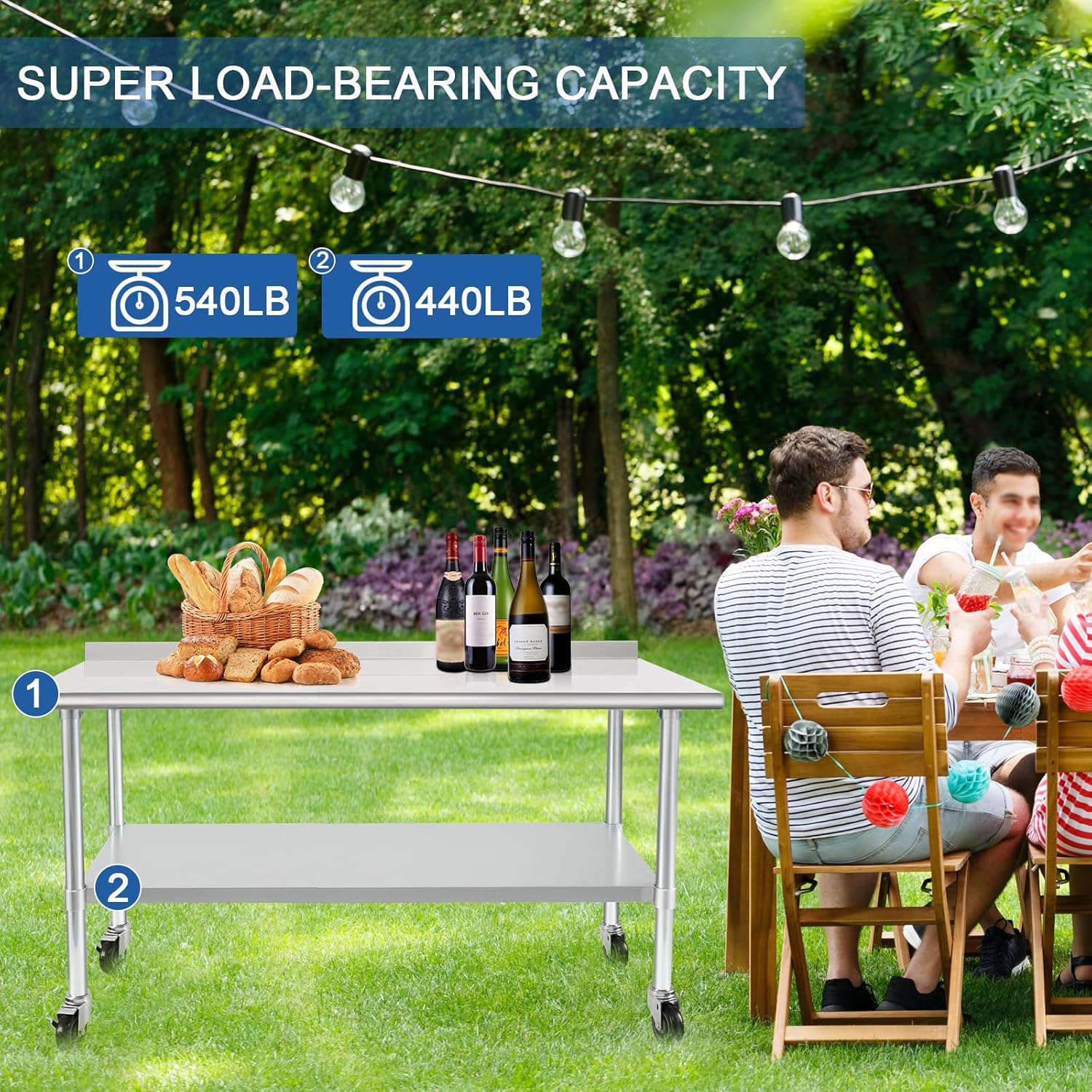
Figure 8.2: Load capacity details for the top and undershelf.
9. Warranty and Support
For warranty information, technical support, or to inquire about replacement parts, please contact HARDURA Restaurant Equipment customer service. Refer to your purchase documentation for specific contact details or visit the official HARDURA website.
You can also visit the HARDURA Restaurant Equipment Store on Amazon for additional product information and support.