Introduction
Welcome to your new Sofirn SC33 Flashlight and Sofirn HS11 Headlamp. This combination provides versatile and powerful illumination for various activities. The SC33 is a high-output handheld flashlight, while the HS11 is a compact, zoomable headlamp. Please read this manual thoroughly before operating your devices to ensure proper function and safety.

Image: The Sofirn SC33 Flashlight and Sofirn HS11 Headlamp, showcasing both devices included in the package.
Package Contents
- 1 x Sofirn SC33 Flashlight
- 1 x Sofirn HS11 Headlamp
- 2 x Rechargeable Batteries (pre-installed or separate)
- 2 x USB-C Charging Cables
- 1 x Headband for HS11
- 1 x User Manual
Safety Instructions
- Do not look directly into the light beam. High intensity light can cause temporary vision impairment or eye damage.
- Keep devices out of reach of children.
- Use only the specified rechargeable batteries. Improper battery use can lead to fire, explosion, or leakage.
- Do not disassemble the devices; this will void the warranty and may cause damage.
- Avoid exposing the devices to extreme temperatures or direct sunlight for prolonged periods.
- Ensure the USB-C port covers are properly sealed to maintain water resistance.
Setup
Battery Charging
Both the Sofirn SC33 Flashlight and HS11 Headlamp feature built-in USB-C charging ports. Before first use, fully charge both devices.
- Locate the USB-C charging port on each device. For the SC33, it is typically under a rubber flap on the side. For the HS11, it is usually on the side of the lamp body.
- Open the rubber flap to expose the USB-C port.
- Connect one end of the provided USB-C cable to the device and the other end to a USB power source (e.g., wall adapter, computer USB port).
- The battery level indicator will show red during charging and turn green when fully charged.
- Once charging is complete, disconnect the cable and securely close the rubber flap to maintain water resistance.

Image: The Sofirn SC33 Flashlight connected to a USB-C charging cable, with the battery level indicator visible.

Image: The Sofirn HS11 Headlamp showing its built-in USB-C charging port and the indicator light changing from red (charging) to green (fully charged).
HS11 Headband Assembly
To use the HS11 as a headlamp, attach it to the provided headband.
- Slide the HS11 headlamp into the rubber mount on the headband. Ensure it is securely seated.
- Adjust the elastic straps of the headband for a comfortable and secure fit on your head.
- The headlamp can be tilted up or down within the mount to direct the light beam.
Operating the Sofirn SC33 Flashlight
Basic Operation (Tail E-Switch)
The SC33 is operated using a single electronic switch located at the tail of the flashlight.
- Turn On/Off: Single click the tail switch to turn the flashlight on or off.
- Cycle Modes: When the flashlight is on, press and hold the tail switch to cycle through the standard brightness modes: Moonlight → Eco → Low → Medium → High. Release the switch to select the desired mode.
- Turbo Mode: From any mode (on or off), double-click the tail switch to activate Turbo mode. Double-click again to return to the previous mode.
- Strobe Mode: From any mode (on or off), triple-click the tail switch to activate Strobe mode. Single click to turn off or return to the previous mode.
- Mode Memory: The SC33 will remember the last used standard brightness mode (Moonlight, Eco, Low, Medium, High) when turned off and back on.

Image: A person using the Sofirn SC33 Flashlight outdoors, illustrating the different brightness levels from Moonlight to Turbo and Strobe modes.
Operating the Sofirn HS11 Headlamp
Basic Operation
The HS11 headlamp is operated via its single side switch.
- Turn On/Off: Press and hold the switch for approximately 0.5 seconds to turn the headlamp on or off.
- Cycle Modes: When the headlamp is on, single-click the switch to cycle through the standard brightness modes: Moonlight → Low → Medium → High.
- Turbo Mode: From any mode (on or off), double-click the switch to activate Turbo mode. Double-click again to return to the previous mode.
- Mode Memory: The HS11 will remember the last used standard brightness mode (Moonlight, Low, Medium, High) when turned off and back on.
Zoom Function
The HS11 features a zoomable lens to adjust the beam from a wide flood to a focused spot.
- To adjust the beam, grasp the head of the lamp and slide it forward or backward.
- Sliding forward typically narrows the beam (zoom in), while sliding backward widens it (zoom out).
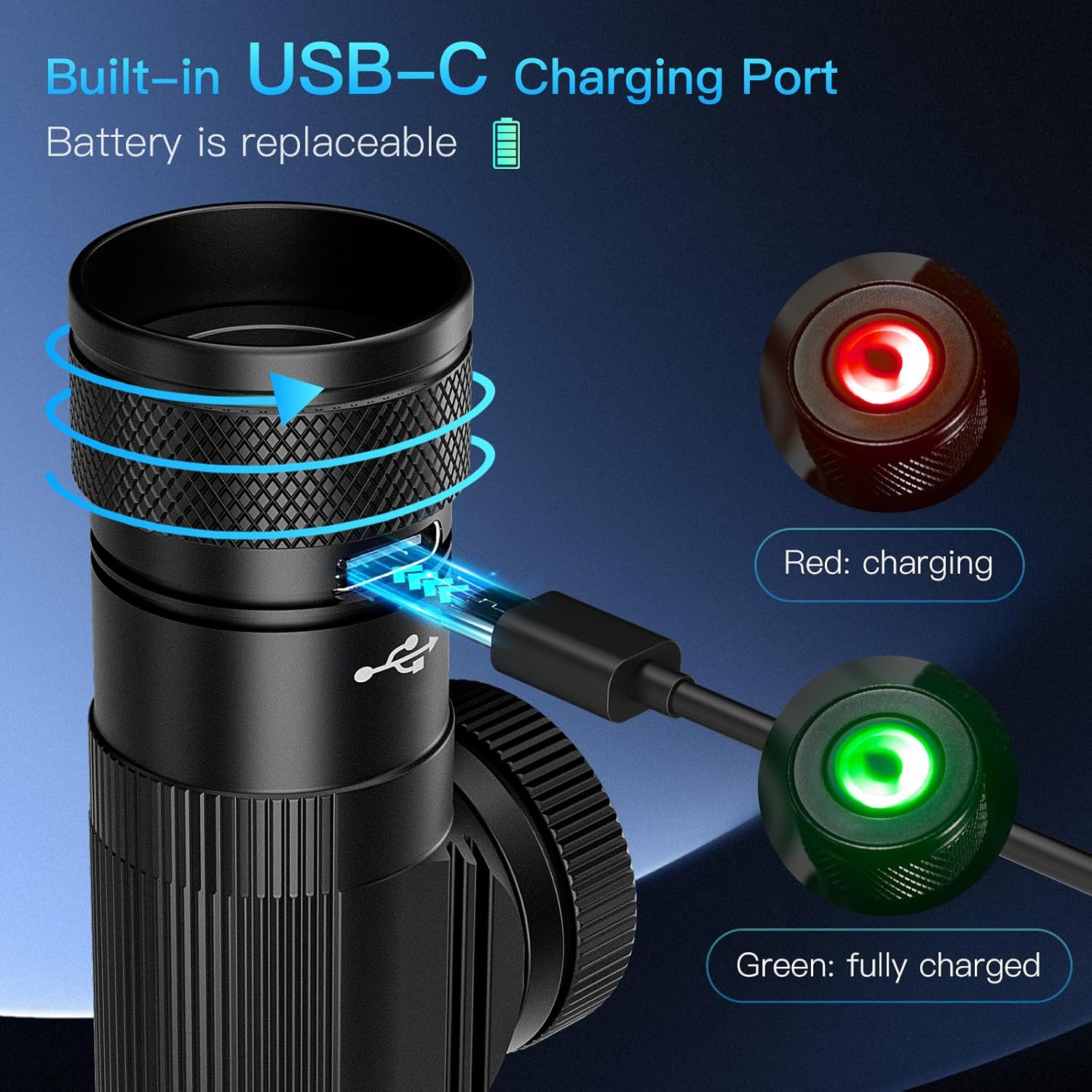
Image: The Sofirn HS11 Headlamp showing its zoom-out (wide flood) and zoom-in (focused spot) capabilities.
HS11 Mode and Runtime Table

Image: A table detailing the operational modes, corresponding light output (lumens), and approximate runtimes for the Sofirn HS11 Headlamp.
| Operation | Press and hold / 1-click / 2-click | ||||
|---|---|---|---|---|---|
| Mode | Moonlight | Low | Medium | High | Turbo |
| Output | 5lm | 25lm | 140lm | 350lm | 630lm |
| Runtime | 145h | 35h | 7h30min | 3h30min | 3h5min |
Maintenance
- Cleaning: Wipe the devices with a soft, damp cloth. Do not use abrasive cleaners or solvents.
- Lubrication: Periodically apply silicone grease to the O-rings (if accessible) to maintain water resistance.
- Battery Care: If storing the devices for an extended period, charge the batteries to approximately 50% and recharge every 3-6 months to prolong battery life.
- Storage: Store the devices in a cool, dry place away from direct sunlight and corrosive materials.
Troubleshooting
- Light does not turn on:
- Ensure the battery is charged.
- Check if the battery is inserted correctly (if removable).
- For SC33, ensure the tail cap is tightened securely.
- Light is dim or flickers:
- The battery may be low; recharge the device.
- Clean the battery contacts and threads (if applicable).
- Device not charging:
- Ensure the USB-C cable is fully inserted into both the device and the power source.
- Try a different USB-C cable or power adapter.
- Check for debris in the charging port.
Specifications
Sofirn SC33 Flashlight
- Max Output: 5200 Lumens
- Max Beam Distance: 327 Meters
- Light Source Type: LED
- Power Source: Battery Powered
- Bulb Features: Rechargeable
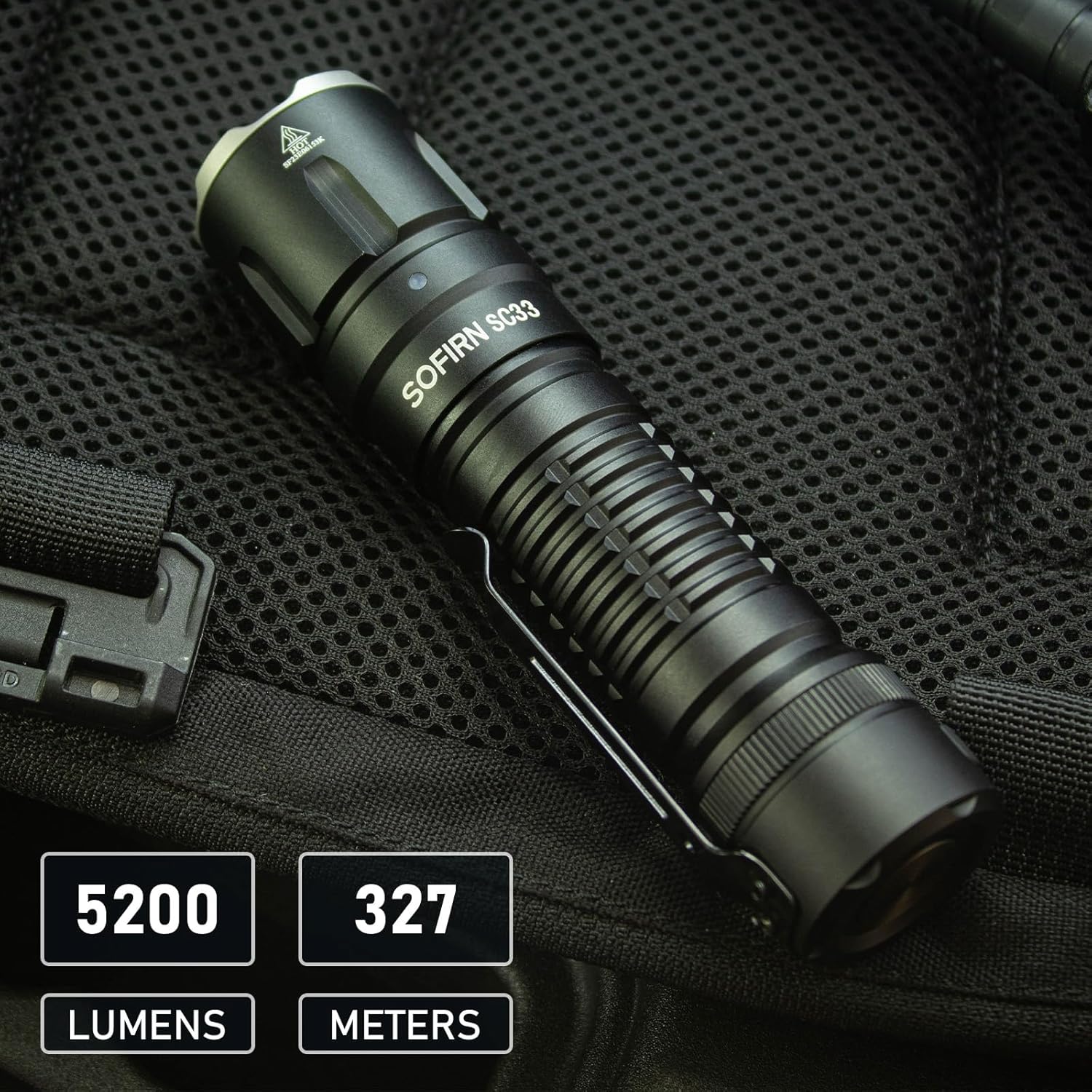
Image: The Sofirn SC33 Flashlight highlighting its maximum output of 5200 lumens and a beam distance of 327 meters.
Sofirn HS11 Headlamp
- Max Output: 630 Lumens (Turbo)
- Weight: 86g
- Dimensions: 86mm (length), 24mm (head diameter), 32mm (body diameter)
- Light Source Type: LED
- Power Source: Battery Powered
- Bulb Features: Rechargeable, Zoomable
General Specifications (Both Devices)
- Brand: CSTEBOKE
- Battery Cell Composition: Alkaline (Note: Devices use rechargeable batteries, likely Li-ion, but product data lists Alkaline. Please refer to product packaging for exact battery type.)
- Water Resistance Level: Water Resistant
Warranty and Support
Limited Warranty
These products come with a limited warranty against manufacturing defects. The warranty period typically covers a specific duration from the date of purchase. Please retain your proof of purchase for warranty claims. For specific warranty terms and conditions, refer to the product packaging or contact customer support.
Customer Support
If you encounter any issues or have questions regarding your Sofirn SC33 Flashlight or HS11 Headlamp, please contact our customer support team. You can typically find contact information on the product packaging, the seller's website, or through your point of purchase.
For online purchases, you may also refer to the seller's support page on the platform where the product was purchased.


