
1. Introduction
This manual provides instructions for the assembly, operation, maintenance, and troubleshooting of your HYZQ Sectional Sofa Model 11006. Please read this manual thoroughly before assembly and use to ensure proper function and longevity of your product. Keep this manual for future reference.
2. Safety Information
- Keep the sofa away from open flames or high heat sources to prevent fire hazards.
- Do not overload the charging ports (USB, Type-C, Wireless) to prevent electrical hazards.
- Supervise children and pets to avoid entrapment risks in storage compartments.
- Do not expose the sofa to direct sunlight for prolonged periods or to excessive moisture/water.
- Always follow the manufacturer's instructions for safe handling and installation.
- Ensure all connections are secure before use.
3. Package Contents
Your HYZQ Sectional Sofa is shipped in two (2) separate boxes. Please ensure you have received both packages before beginning assembly. The packages may arrive at different times. Verify all components are present according to the packing list (not provided in this manual, refer to your product's specific packing list).

Figure 3.1: Product dimensions and packaging details. The sofa ships in 2 cartons, requires approximately 40 minutes for assembly, and has a weight capacity of 350 lbs per seat.
Important Note: The ottoman pieces are typically hidden inside the sofa armrests. Locate and open the Velcro fasteners on the bottom of the armrests to retrieve them before assembly.
4. Setup and Assembly
Assembly typically takes approximately 2 hours. It is recommended to have a second person assist with assembly.
- Unpack Components: Carefully remove all parts from both boxes. Lay them out on a clean, soft surface to prevent scratches.
- Locate Ottomans: As noted, the ottoman components are stored within the sofa armrests. Open the Velcro on the underside of the armrests to access these parts.
- Cushion Expansion: The cushions are vacuum-compressed for shipping. After opening their packaging, allow them approximately 48 hours to fully expand and return to their original shape.
- Assemble Ottoman Bases: Attach the legs to the ottoman bases. Do not overtighten bolts initially; tighten them securely once all parts are aligned. Ensure the storage box mechanism is correctly placed before fully screwing.
- Connect Sofa Sections: Join the main sofa sections according to the provided diagrams. Ensure all connecting brackets are properly engaged and secured.
- Attach Sofa Legs: Securely attach the sofa legs. Attach them loosely first, then adjust to ensure the sofa is level before fully tightening. Note that the feet for the middle part of the sofa may be separate attachments, not standard legs.
- Connect Smart Module Wiring: Locate the power plug for the smart module (wireless charging, USB, Type-C, RGB lights). Connect the necessary wires. Ensure the LED wires are properly interconnected for the lights to function.
- Final Check: Verify all bolts are tightened, and the sofa is stable. Test the smart module functionalities.
5. Operating Instructions
5.1 Smart Module Functionality

Figure 5.1: Smart module control panel.
- Wireless Charging: Place compatible devices on the designated wireless charging pad. Ensure the device is centered for optimal charging.
- USB/Type-C Ports: Connect your electronic devices using appropriate cables to the USB and Type-C ports for charging.
- RGB LED Lights: The smart module includes controls for the RGB LED light strip.
- Power On/Off: Use the dedicated button to turn the lights on or off.
- Static Modes: Select from 7 static light modes to display a single color.
- Dynamic Modes: Choose from 7 dynamic RGB light modes for color-changing effects.
- Music Sync Mode: Activate this mode to synchronize the light color and brightness with the rhythm of music.
- Brightness Adjustment: Use the brightness control buttons to increase or decrease the light intensity.
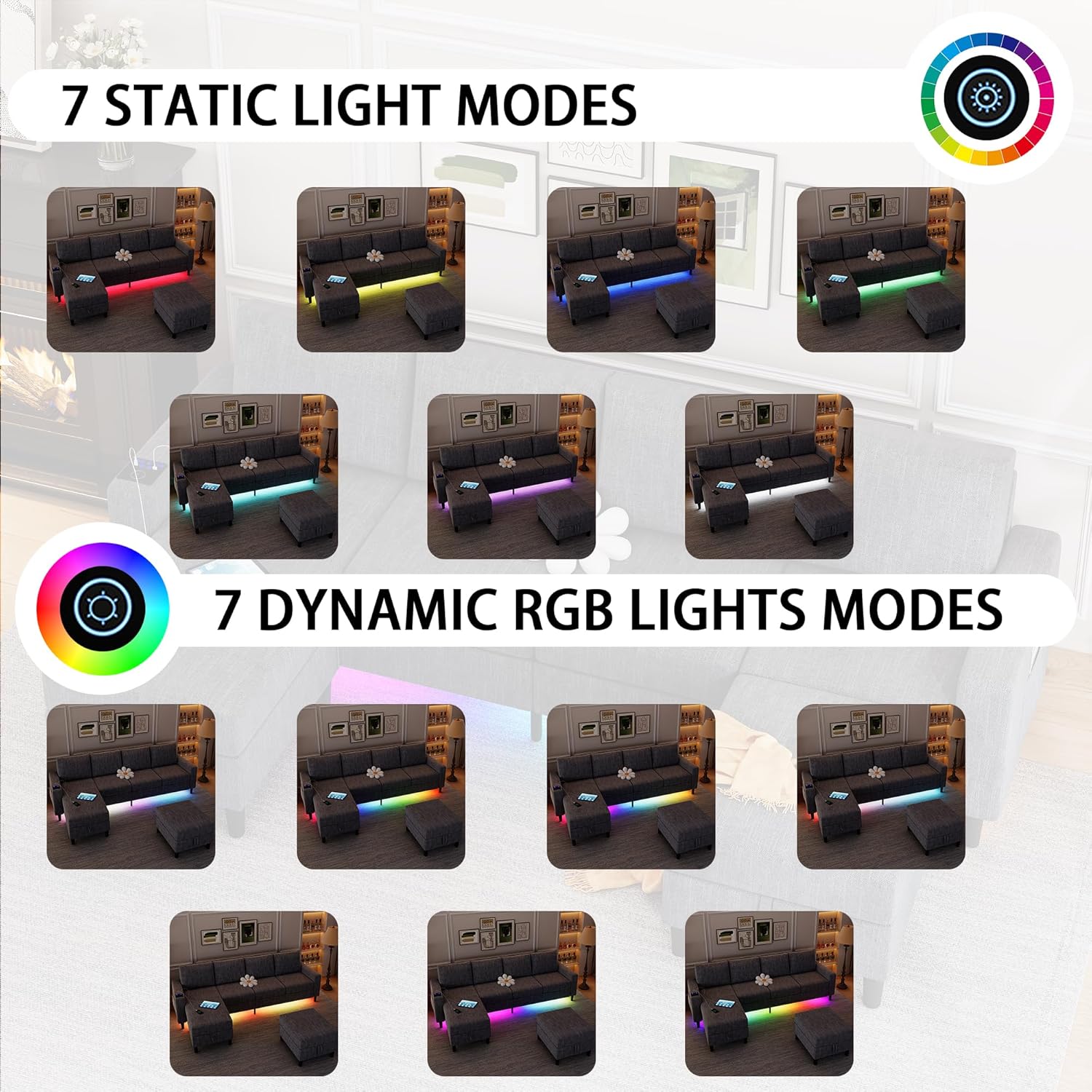
Figure 5.2: Visual representation of the 7 static and 7 dynamic RGB light modes.
5.2 Reversible Chaise Lounge
The chaise lounge component can be positioned on either the left or right side of the sofa to suit your living space configuration.
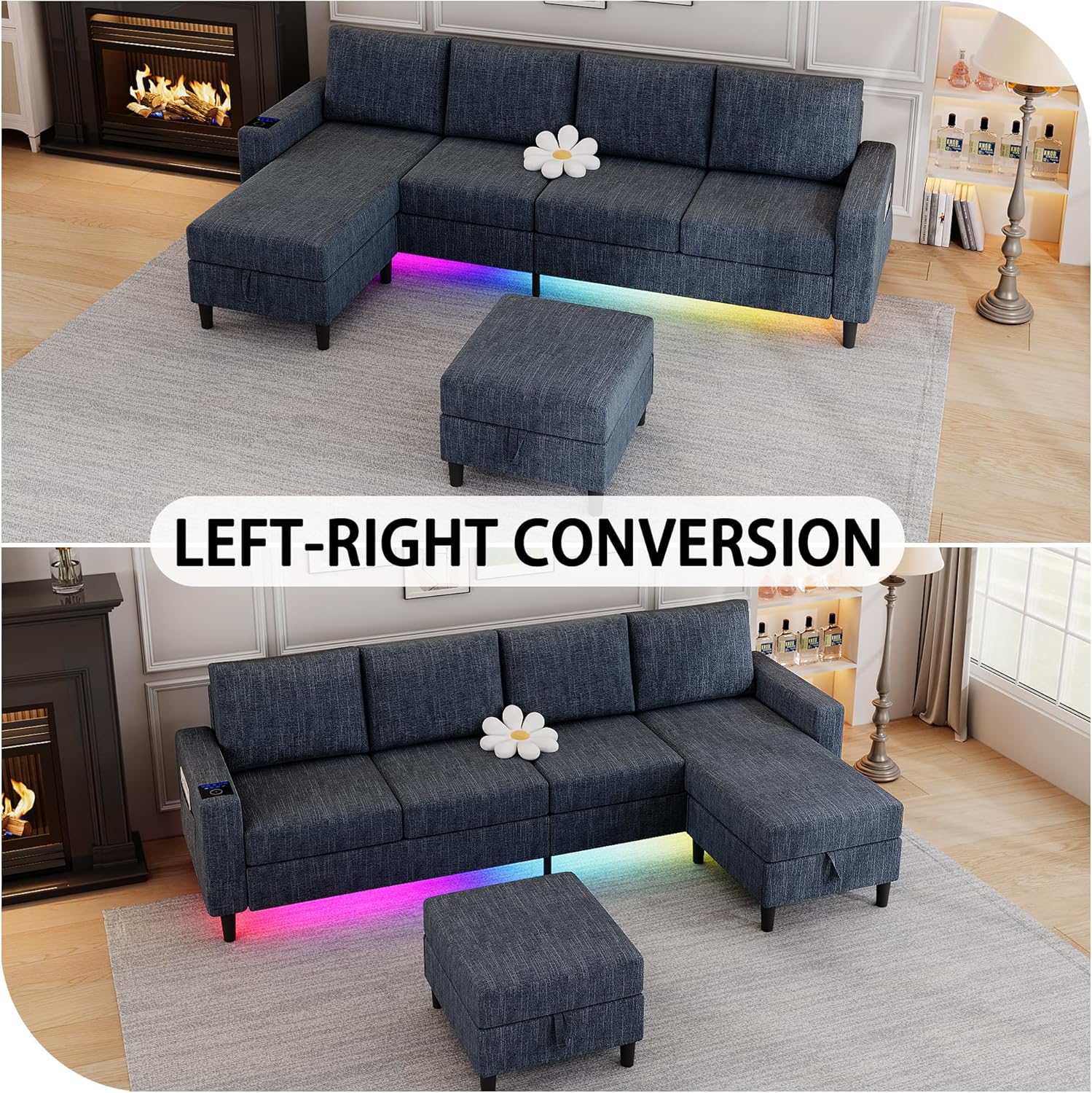
Figure 5.3: The chaise lounge can be converted for left or right side placement.
5.3 Storage Ottoman
The sofa includes two movable storage ottomans. To access the storage space, lift the top cushion of the ottoman. These provide convenient storage for various items.

Figure 5.4: The movable ottomans offer integrated storage space.
6. Maintenance
- Cleaning: For general cleaning, wipe the linen fabric with a dry cloth. For spills, blot immediately with a clean, dry cloth. Avoid harsh chemicals or abrasive cleaners.
- Cushion Care: Periodically fluff and rotate cushions to maintain their shape and extend their lifespan.
- Structural Integrity: Regularly check all bolts and connections to ensure they remain tight. Retighten as necessary.
- Smart Module: Keep the smart module area clean and free of dust. Do not spill liquids on the charging ports or control panel.

Figure 6.1: Key features of the sofa's construction and materials, including stable legs, wood frame, breathable linen, and thick cushions.
7. Troubleshooting
- Lights Not Working: Ensure the smart module is properly plugged into a power outlet. Verify that all LED wiring connections are secure and undamaged. Check the power button on the control panel.
- Charging Ports Not Functioning: Confirm the smart module is powered. Test with different devices and cables to rule out device-specific issues. Ensure no debris is blocking the ports.
- Parts Do Not Fit During Assembly: Double-check that you are using the correct parts for each step as per the assembly diagrams. Ensure components are oriented correctly. Do not force parts together; if significant resistance is met, re-evaluate the step.
- Sofa Feels Unstable: Verify that all legs are securely attached and tightened. Ensure the sofa sections are properly connected and locked into place. Adjust leg levelers if present.
- Cushions Not Fully Expanded: Allow up to 48 hours for vacuum-compressed cushions to fully expand after unpacking. Gentle fluffing can assist the process.
8. Specifications
| Feature | Detail |
|---|---|
| Brand | HYZQ |
| Model Number | 11006 |
| Material | Linen, Metal, Wood |
| Product Dimensions (L x W x H) | 109 x 57 x 33 inches |
| Item Weight | 104 pounds |
| Assembled Seat Height | 18.1 inches |
| Weight Capacity (per seat) | 350 lbs |
| Special Features | Charging Station (Wireless, USB, Type-C), RGB LED Lights, Storage Ottoman, Reversible Chaise |
| Product Care Instructions | Wipe with Dry Cloth |
9. Warranty and Support
For warranty information or technical support, please refer to the documentation included with your purchase or contact HYZQ customer service directly. Contact details are typically available on the product packaging or the manufacturer's official website.