
1. Introduction
This manual provides essential information for the installation, operation, and maintenance of your new Generic Speed Drive Cable, part number 946-05121A. This cable is designed to restore efficient and responsive speed control to compatible walk-behind lawn mowers. Please read these instructions carefully before proceeding with installation or use to ensure proper function and safety.

Image 1.1: Overview of the Generic Speed Drive Cable 946-05121A, showing its full length and components.
2. Compatibility
The Speed Drive Cable 946-05121A is compatible with a range of walk-behind lawn mower models. Verify your mower's model number against the list below to ensure proper fitment.
- Columbia: SP21HW-H, SP21S, SP21SE, SP21S-H
- Craftsman: M320
- MTD: M310 (2023 models)
- Snapper: SP105
- Troy-Bilt: TB360, TB370, TB380ES, TB390ES
- SC500Z, SC500EZ, SC500E+, SC500HW, SC500EZ+, SC500EQ
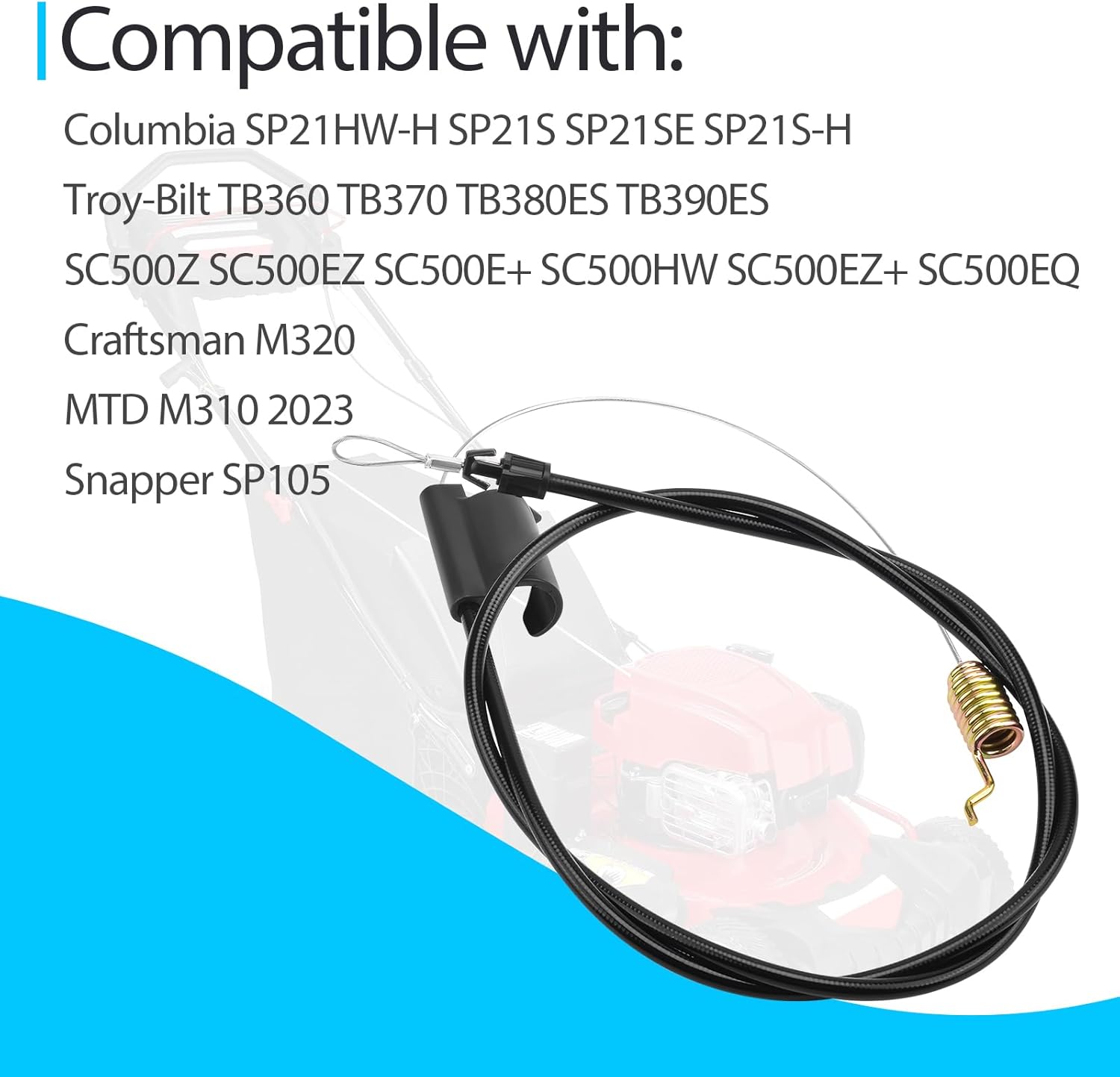
Image 2.1: Visual representation of the compatible lawn mower models for the speed drive cable.
3. Replacement Part Numbers
This speed drive cable replaces the following original equipment manufacturer (OEM) part numbers:
- 946-05121A
- 946-05121
- 746-05121A
- 746-05121

Image 3.1: A visual display of the various part numbers that this speed drive cable replaces.
4. Product Features
- Sturdy Construction: Engineered for durability, ensuring a long service life and resistance to wear and tear during regular mowing operations.
- Smooth Operation: Guarantees efficient and responsive speed control, providing a seamless mowing experience with precise adjustments to suit various terrains and conditions.
- Easy Installation: Designed for direct replacement, allowing for installation without specialized tools or professional assistance, which can save time and money.

Image 4.1: Detailed view of the cable's components, highlighting its sturdy construction and connection points.
5. Setup and Installation
Follow these general steps for replacing your lawn mower's speed drive cable. Always refer to your specific lawn mower's owner's manual for detailed instructions and safety precautions.
5.1 Safety First
- Ensure the lawn mower engine is off and cool.
- Disconnect the spark plug wire to prevent accidental starting.
- Wear appropriate personal protective equipment, such as gloves.
5.2 Removal of Old Cable
- Locate the existing speed drive cable. It typically connects from the control handle to the transmission or drive mechanism.
- Carefully disconnect the cable from both ends, noting how it is routed and attached. Take photos if necessary for reference.
- Remove any clips or fasteners securing the cable along its path.
5.3 Installation of New Cable
- Route the new cable along the same path as the old one, ensuring it is not kinked or pinched.
- Attach the new cable to the drive mechanism first, then to the control handle, following the reverse of the removal process.
- Secure the cable with any necessary clips or fasteners.
- Ensure all connections are secure and the cable moves freely without obstruction.
5.4 Testing
- Reconnect the spark plug wire.
- Start the engine and engage the drive system in a safe, open area.
- Verify that the drive engages smoothly and the mower moves at the expected speed.
- Disengage the drive to ensure it stops completely.

Image 5.1: The speed drive cable positioned in front of a lawn mower, illustrating its role in speed control.
6. Operating the Speed Drive Cable
The speed drive cable is an integral part of your lawn mower's self-propel system. Its primary function is to transmit the engagement signal from the operator's control handle to the mower's drive mechanism. When the control handle is engaged, the cable pulls, activating the drive system and propelling the mower forward. Releasing the handle disengages the drive.
Ensure the cable operates smoothly. Any stiffness or resistance in the control handle may indicate an issue with the cable or its connections.
7. Maintenance
Regular maintenance helps ensure the longevity and proper function of your speed drive cable.
- Inspection: Periodically inspect the entire length of the cable for signs of wear, fraying, kinks, or damage to the outer casing. Check the connection points for looseness or corrosion.
- Cleaning: Keep the cable and its connection points free from dirt, grass clippings, and debris. A clean cable is less likely to bind.
- Lubrication (if applicable): Some cables may benefit from light lubrication at the ends where they connect to moving parts. Consult your mower's manual for specific lubrication recommendations. Avoid over-lubricating, which can attract dirt.
8. Troubleshooting
If you experience issues with your lawn mower's drive system after installing or using the speed drive cable, consider the following:
- Drive Not Engaging:
- Check if the cable is properly connected at both the control handle and the drive mechanism.
- Ensure the cable is not kinked or obstructed along its path.
- Verify that the cable's length is correct for your mower model.
- Jerky or Inconsistent Drive:
- Inspect the cable for any signs of internal damage or fraying that might cause inconsistent pulling.
- Ensure the cable is routed smoothly and not rubbing against other components.
- Check for proper tension if your mower's system allows for adjustment.
- Cable Stiffness or Resistance:
- Clean any debris from the cable's ends and casing.
- If the cable feels stiff, it may be damaged internally or require replacement.
9. Specifications
| Attribute | Detail |
|---|---|
| Product Dimensions | 7 x 0.4 x 0.4 inches |
| Item Weight | 5.8 ounces |
| Item Model Number | DaYHbaowen223 |
| Manufacturer | Baowen |
10. Warranty and Support
For information regarding warranty coverage or technical support, please refer to the retailer or manufacturer from whom the product was purchased. Keep your proof of purchase for any warranty claims.