
1. Product Overview
The Artman NP-F550 is a high-capacity, rechargeable Lithium-Ion battery designed as a replacement for various Sony NP-F series batteries. It features a convenient USB Type-C charging port for direct charging and is compatible with a wide range of camera equipment, including cameras, camcorders, LED video lights, and field monitors.

Image 1.1: The Artman NP-F550 battery, highlighting its 7.4V, 2900mAh, 21.5Wh specifications and USB-C charging capability.
Key Features:
- USB-C Charging: Integrated Type-C port allows direct charging without a dedicated charger.
- High Capacity: 2900mAh (21.5Wh) for extended operational times.
- Wide Compatibility: Replaces Sony NP-F550, NP-F570, NP-F750, NP-F770, NP-F930, NP-F950, NP-F960, NP-F970 batteries.
- Advanced Protection: Built-in circuit protection against overcharging, short circuits, overheating, overcurrent, and overvoltage.
2. Setup and Charging
2.1 Initial Charge
Before first use, fully charge the battery. The NP-F550 battery features a USB Type-C port for convenient charging.

Image 2.1: Connecting the USB-C cable to the battery for charging. The red LED indicates charging is in progress.
Charging Steps:
- Connect a USB Type-C cable (included) to the battery's USB-C port.
- Connect the other end of the USB-C cable to a compatible power source (e.g., wall charger, power bank, laptop, car charger). Ensure the power source provides 5V/2A input for optimal charging speed.
- The LED indicator on the battery will illuminate red to signify that charging is in progress.
- Once the battery is fully charged, the LED indicator will turn green. A full charge typically takes approximately 2 hours.

Image 2.2: Visual representation of the LED indicator states: red for charging, green for fully charged.
2.2 Multiple Charging Options
The versatility of the USB-C port allows for charging from various common power sources:
- Wall Charger (USB-A to USB-C or USB-C to USB-C)
- Power Bank
- Laptop USB Port
- Car Charger
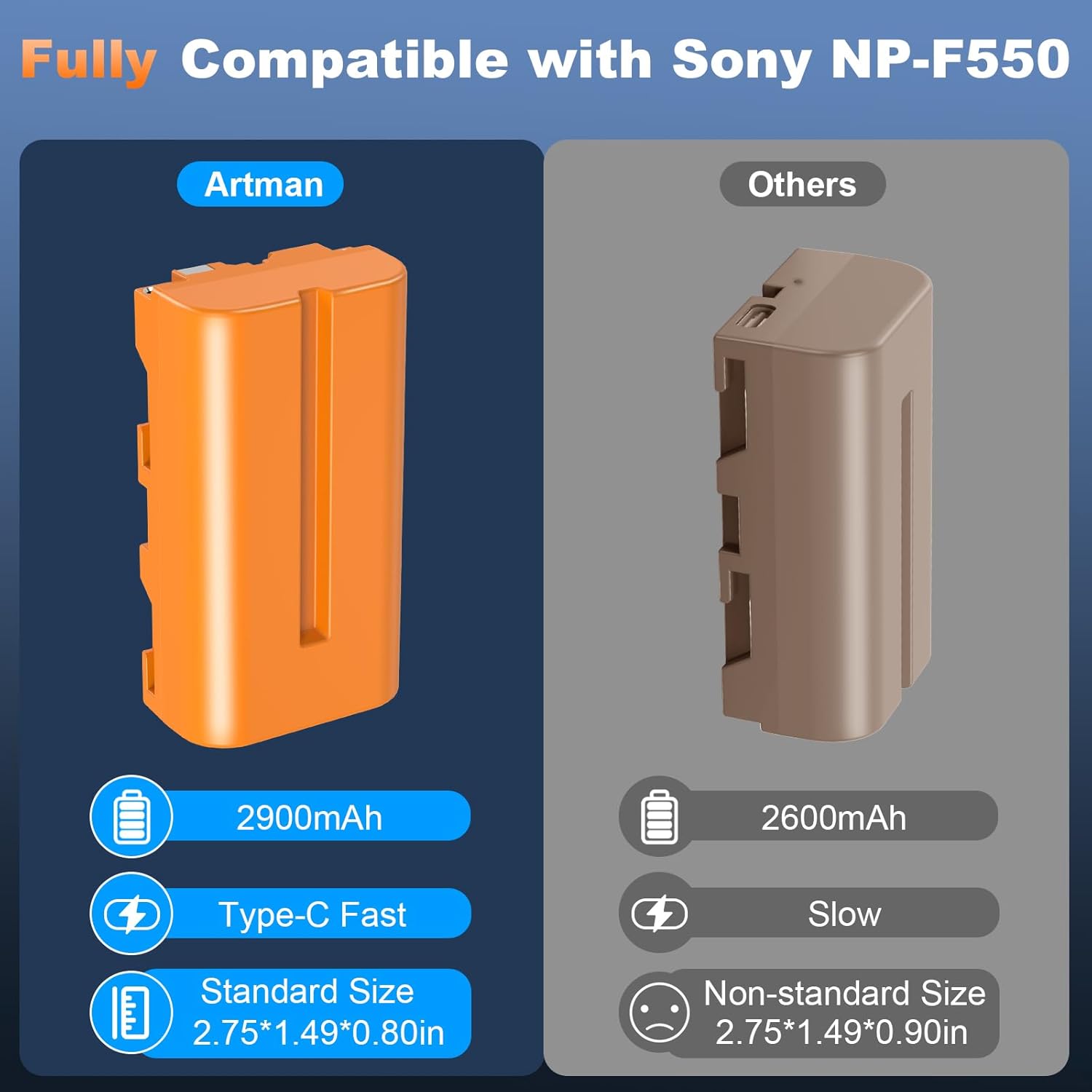
Image 2.3: The Artman NP-F550 battery can be charged using a wall adapter, power bank, car charger, or laptop.
3. Operating Instructions
3.1 Installing the Battery
Insert the fully charged Artman NP-F550 battery into the battery compartment of your compatible device (camera, camcorder, LED light, monitor) according to the device's instructions. Ensure the battery is securely seated.

Image 3.1: The NP-F550 battery is compatible with a range of devices such as camcorders, LED lights, and camera monitors.
3.2 Compatibility
The Artman NP-F550 battery is designed to be fully compatible with devices that use Sony NP-F550, NP-F570, NP-F750, NP-F770, NP-F930, NP-F950, NP-F960, and NP-F970 batteries. Its physical dimensions are consistent with the original NP-F550, allowing direct insertion into battery covers of models like CCD-SC55, TR516, TR716, TR818, TR910, TR917, LED lights, monitors, and camera sliders.
3.3 Powering Devices
Once installed, the battery will provide power to your device. The 2900mAh capacity ensures a reliable and extended power supply for long video productions and photography sessions.
4. Maintenance and Safety
4.1 General Care
- Keep the battery contacts clean to ensure optimal performance.
- Store batteries in a cool, dry place when not in use.
- Avoid exposing the battery to extreme temperatures.
4.2 Safety Precautions
To prevent potential hazards and ensure longevity of the battery, observe the following:
- DO NOT disassemble the battery.
- DO NOT dispose of the battery in fire.
- DO NOT store the battery in temperatures over 60°C (140°F).
- Avoid physical shock or impact to the battery.
- Keep out of reach of children.
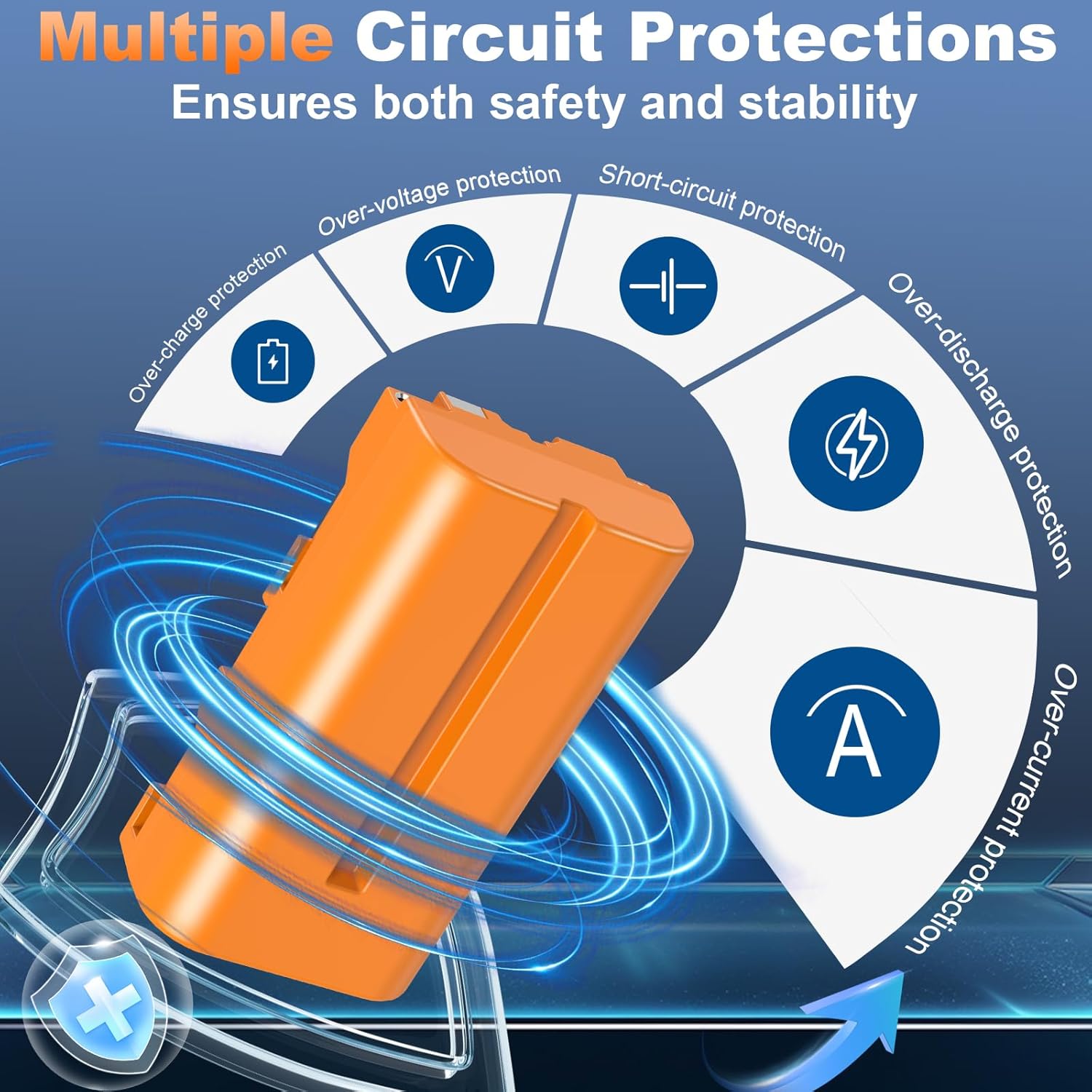
Image 4.1: The battery incorporates multiple circuit protections for safe and stable operation.
5. Troubleshooting
5.1 Battery Not Charging
- Check Cable Connection: Ensure the USB-C cable is securely connected to both the battery and the power source.
- Verify Power Source: Confirm that the wall adapter, power bank, laptop, or car charger is functioning correctly and providing power. Try a different power source if necessary.
- Inspect USB-C Cable: Use the provided USB-C cable or another known good cable. Damaged cables can prevent charging.
- LED Indicator: The LED should be red during charging. If it remains off or green immediately, the battery may already be fully charged or there is a connection issue.
5.2 Short Operating Time
- Full Charge Confirmation: Ensure the battery is fully charged (green LED indicator) before use.
- Device Power Consumption: High power-consuming devices (e.g., bright LED lights, high-resolution monitors) will deplete the battery faster.
- Environmental Factors: Extreme cold temperatures can reduce battery performance and capacity.
5.3 Incompatibility Issues
- Verify Model: Double-check that your device is listed as compatible with NP-F550 series batteries.
- Physical Fit: Ensure the battery fits correctly and securely into the device's battery compartment.
6. Specifications
| Feature | Specification |
|---|---|
| Model Number | NP-F550 |
| Battery Type | Rechargeable Lithium Ion |
| Capacity | 2900mAh |
| Voltage | 7.4V |
| Energy | 21.5Wh |
| Charging Port | USB Type-C |
| Charging Input | 5V/2A (recommended) |
| Charging Time | Approx. 2 hours (with 5V/2A input) |
| Dimensions | 2.75 x 1.49 x 0.80 inches (approx.) |
| Weight | 88g (approx.) |
| Package Content | 2x NP-F550 Batteries, 2-in-1 USB-C Cables |
7. Warranty and Support
7.1 Manufacturer's Warranty
This Artman NP-F550 battery comes with a 1 Year Manufacturer Warranty. Please retain your proof of purchase for warranty claims.
7.2 Customer Support
For any questions, technical assistance, or warranty inquiries, please contact Artman customer support through the retailer's platform or the official Artman website. Provide your product model number and purchase details for efficient service.
8. Product Video
Watch the official product video for a visual guide on the Artman NP-F550 battery's features and usage.
Video 8.1: Official Artman NP-F550 Battery overview, demonstrating its features, charging capabilities, and compatibility with various devices.