Introduction
This document provides essential instructions for the use and maintenance of your Generic replacement remote control. This remote is specifically designed to be compatible with Ridgeway QS-2821 and QS-855 portable stereo power amplifiers, offering a direct replacement for your original remote without requiring any programming.
Please read this manual thoroughly to ensure proper operation and longevity of your remote control.
Setup: Battery Installation
The remote control requires batteries for operation. Batteries are not included in the package and must be purchased separately.
- Locate the battery compartment on the back of the remote control.
- Slide open the battery compartment cover.
- Insert one (1) AAA battery, ensuring the positive (+) and negative (-) terminals align correctly with the markings inside the compartment.
- Close the battery compartment cover securely.
Once new batteries are inserted, the remote control is ready for immediate use with your compatible Ridgeway amplifier.
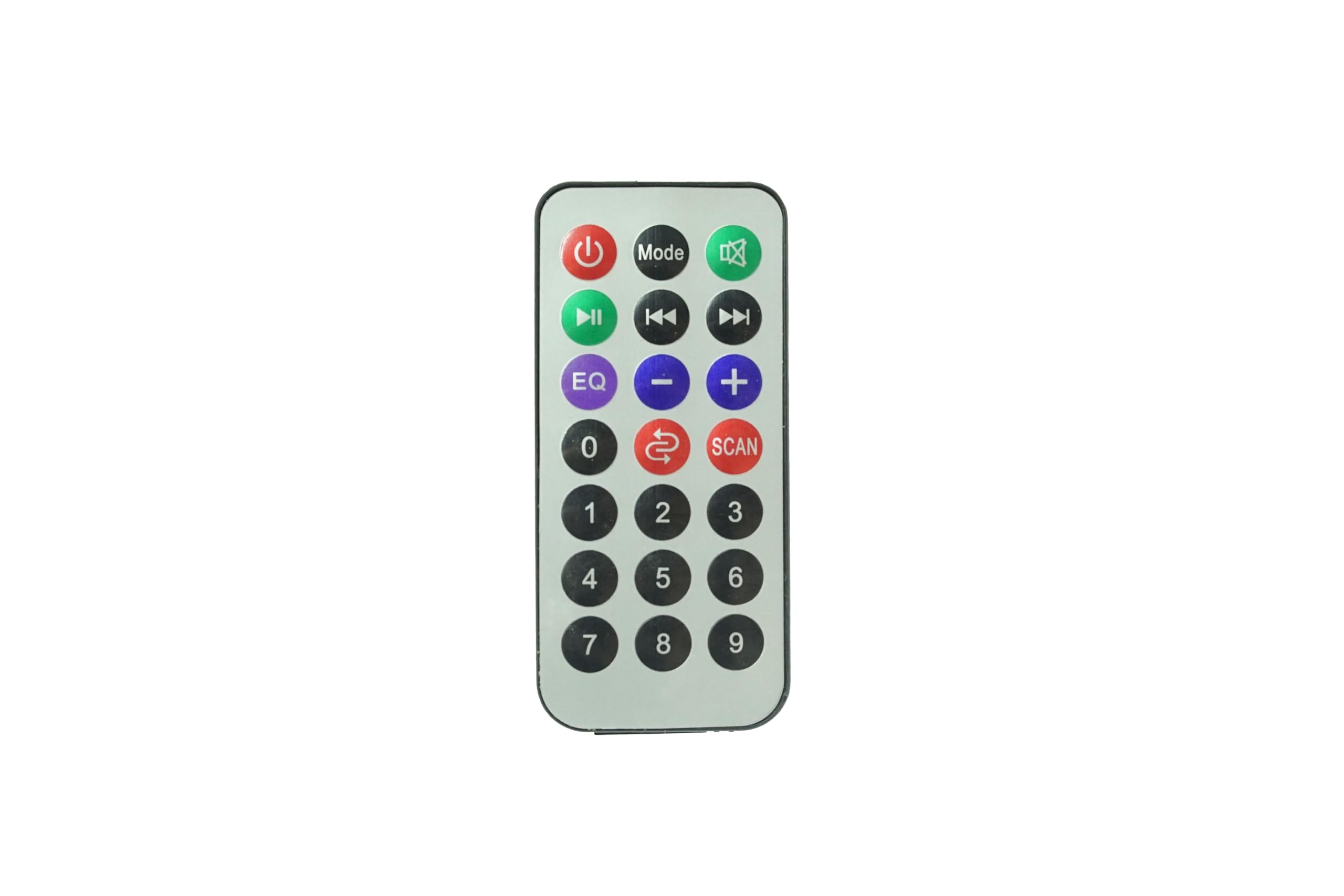
Image: Front view of the Generic Replacement Remote Control. This image displays the layout of buttons including power, volume, and navigation controls, designed for compatibility with Ridgeway QS-2821 and QS-855 amplifiers.
Operating Instructions
This replacement remote control is pre-programmed and requires no additional setup or coding. It functions identically to the original remote control for your Ridgeway QS-2821 or QS-855 amplifier.
To operate your amplifier:
- Power On/Off: Press the POWER button to turn the amplifier on or off.
- Volume Control: Use the VOLUME + and VOLUME - buttons to adjust the sound level.
- Input Selection: Use the INPUT or source buttons to switch between different audio inputs (e.g., AUX, USB, Bluetooth).
- Playback Controls: For media playback, use buttons such as PLAY/PAUSE, SKIP FORWARD, and SKIP BACKWARD.
- Mute: Press the MUTE button to temporarily silence the audio.
Ensure there is a clear line of sight between the remote control and the infrared (IR) receiver on your amplifier for optimal performance.
Maintenance
- Cleaning: Wipe the remote control with a soft, dry cloth. Do not use liquid cleaners or abrasive materials, as they may damage the surface or internal components.
- Battery Replacement: Replace batteries when the remote control's response becomes sluggish or stops working. Always replace with new batteries of the specified type (AAA).
- Storage: Store the remote control in a cool, dry place away from direct sunlight and extreme temperatures. If the remote will not be used for an extended period, remove the batteries to prevent leakage.
- Avoid Drops: Protect the remote from physical impact, as drops can damage internal circuitry.
Troubleshooting
| Problem | Possible Cause | Solution |
|---|---|---|
| Remote control is not working. |
|
|
| Buttons are unresponsive or delayed. |
|
|
| Remote works for some functions but not others. |
|
|
Specifications
- Brand: Generic
- Compatible Devices: Ridgeway QS-2821, Ridgeway QS-855 Portable Stereo Power Amplifiers
- Special Feature: No Programming Required
- Connector Type: Infrared (IR)
- Batteries Required: 1 x AAA (not included)
- Max Number of Supported Devices: 1
- Color: As Shown
Warranty and Support
Specific warranty information for this Generic replacement remote control is not provided in the product details. For any warranty claims, technical support, or inquiries regarding your purchase, please contact the seller directly through the platform where the item was purchased.
Please retain your proof of purchase for any support requests.


