
1. Introduction
Welcome to the NAFYRE N11 PRO GPS Drone User Manual. This guide provides essential information for setting up, operating, maintaining, and troubleshooting your new drone. The N11 PRO is a versatile quadcopter featuring a 4K UHD camera, GPS and Optical Flow positioning, and intelligent flight modes, designed for both beginners and experienced pilots.
2. Safety Guidelines
Always prioritize safety when operating your drone. Failure to follow these guidelines may result in injury, damage to property, or legal issues.
- Flight Environment: Fly in open, unobstructed areas, away from people, buildings, and high-voltage lines. Avoid flying near airports or restricted airspace.
- Weather Conditions: Do not fly in strong winds, rain, snow, or fog. Optimal flight conditions are calm and clear.
- Battery Safety: Use only the provided charger and batteries. Do not overcharge or puncture batteries. Store batteries in a cool, dry place away from flammable materials.
- Propeller Safety: Ensure propellers are correctly installed and free from damage before each flight. Keep hands and face clear of rotating propellers.
- FAA Registration: The N11 PRO drone weighs under 0.55lb (250g), which means it does not require FAA registration for recreational use in the United States. However, always check local regulations before flying.
3. Package Contents
Verify that all items are present in your package:
- N11 PRO GPS Drone
- Remote Controller
- 3 x Lithium Ion Batteries (2000mAh each)
- Propellers (spare set included)
- USB Charger
- Screwdriver
- Carrying Case
- User Manual (this document)

This image displays the NAFYRE N11 PRO GPS Drone along with its remote controller, three batteries, spare propellers, USB charging cables, a screwdriver, and the protective carrying case.
4. Product Overview
Familiarize yourself with the main components of your N11 PRO drone.

This image shows the NAFYRE N11 PRO GPS Drone in its folded, compact state, highlighting its portable design.

This image illustrates the NAFYRE N11 PRO GPS Drone, its remote controller with a smartphone mounted, demonstrating the complete operational setup.

A close-up view of the drone's brushless motor, which provides efficient and powerful flight performance.
5. Setup
5.1 Battery Installation and Charging
The N11 PRO comes with three 2000mAh Lithium Ion batteries, providing up to 90 minutes of total flight time.
- Insert the drone battery into the battery compartment until it clicks securely.
- Connect the USB charging cable to the battery and a suitable USB power adapter (not included).
- Charge the battery until the indicator lights show a full charge.
- For the remote controller, insert 3 AA batteries (not included) into the battery compartment.

This image displays one of the drone's 2000mAh Lithium Ion batteries, ready for charging or installation.

This graphic illustrates the efficient power management system, highlighting the total flight time of approximately 90 minutes when utilizing all three included batteries.
5.2 Propeller Installation
Attach the propellers according to the markings (A and B) on the propellers and motor arms. Ensure they are securely fastened.
5.3 Remote Controller Setup
Power on the remote controller. Press and hold the power button until the indicator lights illuminate. Follow the pairing instructions in the quick start guide to connect the controller to the drone.
5.4 App Installation and Connection
Download the official NAFYRE drone app from your smartphone's app store. Ensure your phone supports 5GHz Wi-Fi for stable FPV transmission. Connect your smartphone to the drone's Wi-Fi network as instructed in the app.
6. Operating Instructions
6.1 Pre-Flight Checklist
- Ensure drone and controller batteries are fully charged.
- Check that propellers are installed correctly and free from damage.
- Select an open, clear area for flight, away from obstacles and people.
- Calibrate the drone and remote controller as per the app instructions.
- Wait for sufficient GPS signal acquisition before outdoor flight.
6.2 Takeoff and Landing
After calibration and GPS lock (for outdoor flight), press the One-Key Takeoff button on the remote controller or in the app. The drone will automatically ascend to a safe hovering height. To land, press the One-Key Landing button, and the drone will descend and land automatically.
6.3 Flight Modes and Intelligent Features
The N11 PRO utilizes a Dual Positioning System for stable flight:
- GPS Positioning: For outdoor flight, providing stable hovering and precise positioning.
- Optical Flow Positioning: For indoor flight, assisting with stable hovering in environments without GPS signal.
Intelligent flight features (available via the app with GPS signal):
- Follow Me: The drone will automatically follow the remote controller or smartphone.
- Tap Fly (Waypoint Flight): Draw a path on the app map, and the drone will fly along the designated route.
- Point of Interest (Surrounding Flight): Select a central point, and the drone will circle around it at a set radius and altitude.
6.4 Camera Operation
The N11 PRO is equipped with a 4K UHD camera capable of capturing stunning 4096x3072 photos and 2048x1080 videos. The camera features a 100° wide-angle lens and can be adjusted vertically by 90° via the remote control or app.

This image provides a detailed view of the drone's 4K UHD camera, highlighting its adjustable angle feature.

This image highlights the advanced Electronic Image Stabilization (EIS) feature of the 4K UHD camera, ensuring sharp visuals and smooth video recording.
6.5 Auto Return Home (RTH)
The drone features an intelligent Auto Return Home function, ensuring its safe return under various conditions:
- Low Battery RTH: The drone will automatically return when the battery level is critically low.
- Signal Loss RTH: If the connection between the drone and controller is lost, the drone will return to its takeoff point.
- One Key Return: You can manually initiate the return home function by pressing the dedicated button on the remote controller or in the app.
This image visually represents the drone's intelligent Return to Home (RTH) feature, showing it automatically returning to its takeoff location, guided by GPS.
7. Maintenance
Proper maintenance ensures the longevity and optimal performance of your N11 PRO drone.
- Cleaning: After each flight, gently wipe the drone body with a soft, dry cloth. Avoid using harsh chemicals.
- Propeller Inspection: Regularly check propellers for cracks, bends, or other damage. Replace damaged propellers immediately using the provided screwdriver.
- Battery Care: Store batteries in a cool, dry place. If storing for extended periods, charge them to about 50% capacity. Do not fully discharge batteries before storage.
- Storage: When not in use, store the drone and its accessories in the provided carrying case to protect them from dust and physical damage.
8. Troubleshooting
If you encounter issues with your N11 PRO drone, refer to the following common problems and solutions:
| Problem | Possible Cause | Solution |
|---|---|---|
| Drone does not power on. | Battery not charged or not installed correctly. | Ensure battery is fully charged and securely inserted. |
| Drone drifts during flight. | Improper calibration or strong wind interference. | Perform a full calibration of the drone. Avoid flying in windy conditions. |
| Video feed is choppy or disconnected. | Weak Wi-Fi signal or interference. | Ensure your smartphone supports 5GHz Wi-Fi. Fly in an open area with minimal Wi-Fi interference. |
| Forward/backward flight control confused. | Control system temporary glitch. | Land the drone, power it off, then power it back on and re-calibrate. |
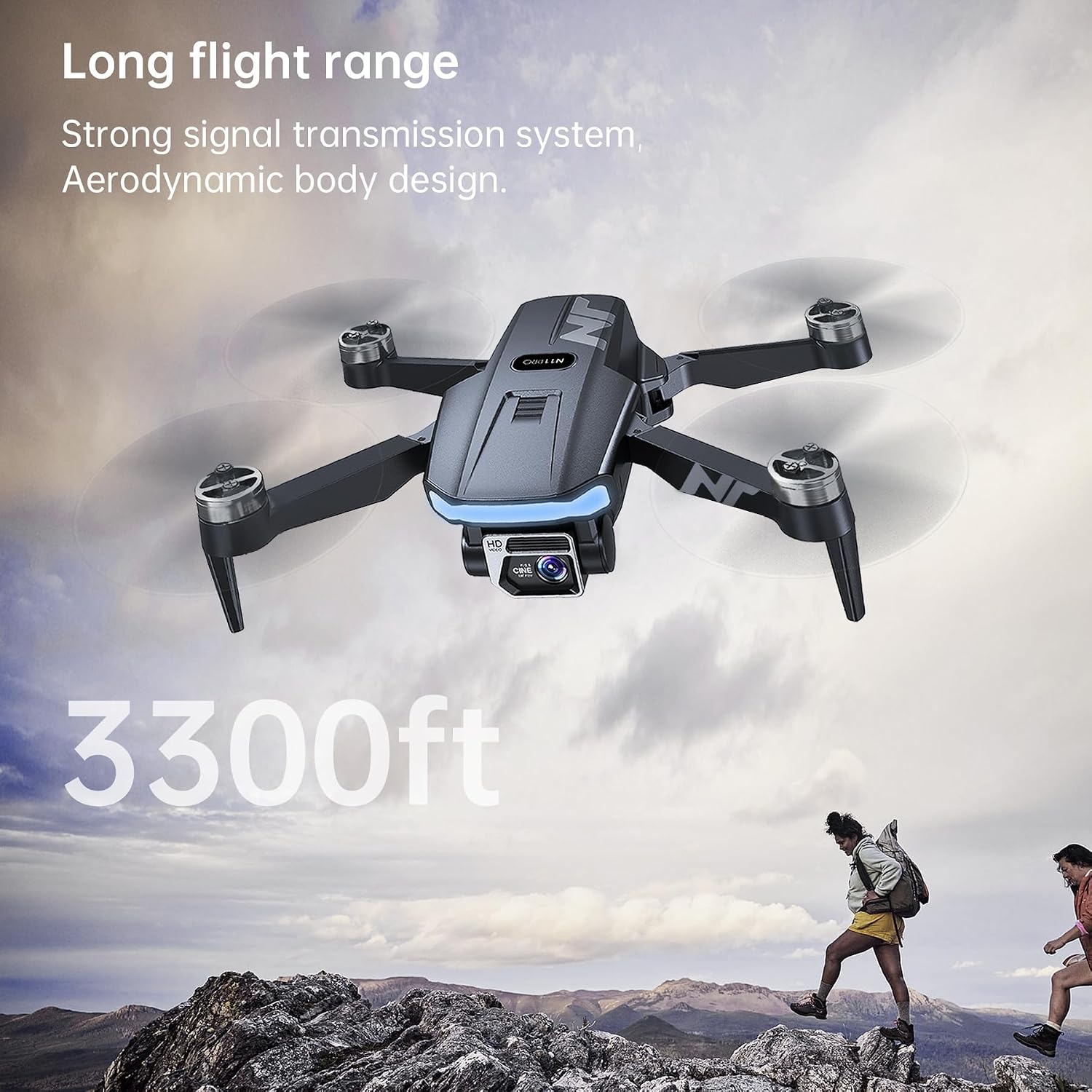
| Drone does not respond to controller. | Not paired or out of range. | Ensure drone and controller are paired. Stay within the specified control range (3328 feet). |
9. Specifications
Detailed technical specifications for the NAFYRE N11 PRO GPS Drone:
- Brand: NAFYRE
- Model Name: N11 PRO
- Item Weight: 180 Grams (6.3 ounces)
- Product Dimensions: 4.72"L x 2.95"W x 1.96"H (folded)
- Max Flight Time: Up to 90 minutes (with 3 batteries)
- Max Control Range: 3328 Feet
- Video Capture Resolution: 4K (2048x1080)
- Photo Resolution: 4096x3072
- Camera Features: 100° Wide-Angle Lens, 90° Remote Adjustable, Electronic Image Stabilization (EIS)
- FPV Transmission: 5GHz Wi-Fi
- Positioning System: GPS and Optical Flow
- Motor Type: Brushless
- Battery Capacity: 2000 Milliamp Hours (per battery)
- Frequency: 2440–2468mhz
- Output Power: 2mW
- Included Components: Drone, Controller, 3 Batteries, Propellers, Screwdriver, USB Charger, User Manual, Carrying Case

This image emphasizes the drone's ultra-portable and lightweight design, weighing under 249g, which exempts it from FAA registration requirements.

This image highlights the drone's impressive control range of 3300 feet, enabled by its strong signal transmission system and aerodynamic body design.
10. Warranty and Support
NAFYRE offers a 1-year warranty for replacing damaged parts and a 30-day money-back guarantee for any reason. For any questions, technical assistance, or warranty claims, please contact NAFYRE customer support through the platform where you purchased the product or refer to the contact information provided in your product packaging.


