

Introduction
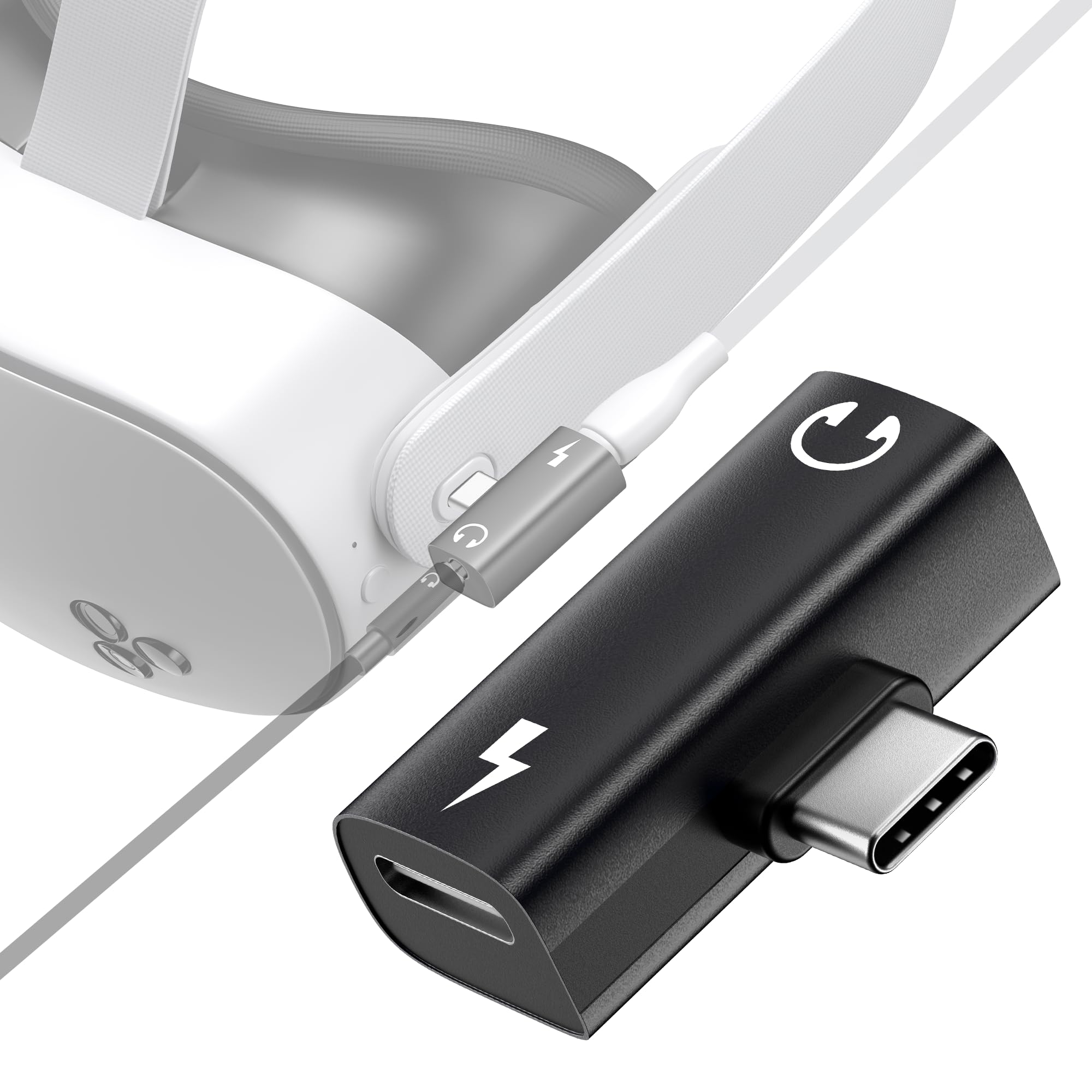
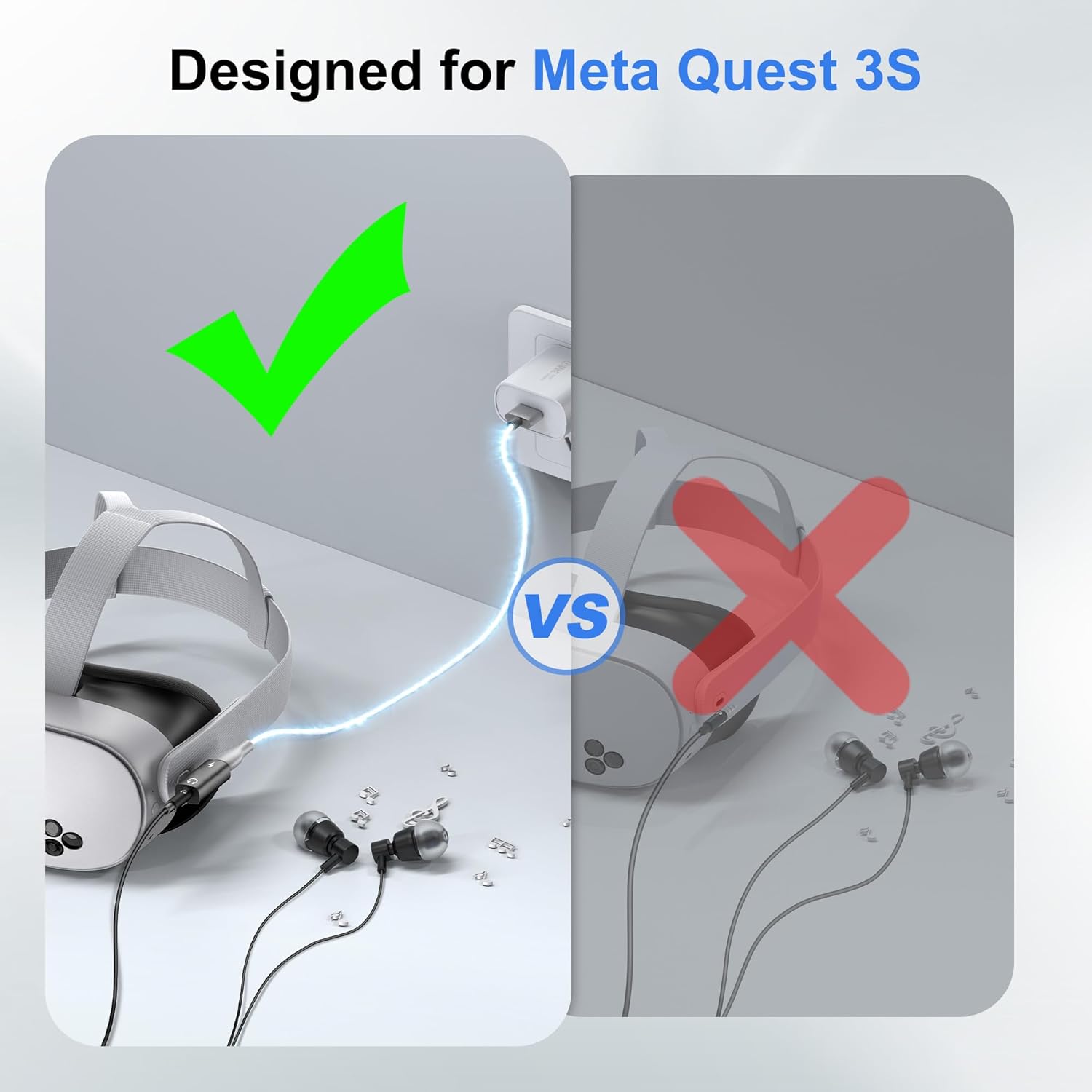
This manual provides essential information for the proper setup, operation, and maintenance of your STARTRC GAMES USB C to 3.5mm Headphone and Charger Adapter. This 2-in-1 adapter is designed to enhance your audio and charging experience, particularly for devices like the Meta Quest 3S/3 that lack a dedicated 3.5mm audio jack.
The adapter allows simultaneous audio output through a 3.5mm jack and fast charging via a PD-compatible USB-C port. It features a built-in AI smart chip for optimal charging and supports Hi-Res audio for an immersive sound experience.
Product Overview

Key Features:
- 2-in-1 Functionality: Splits your USB-C port into a PD-compatible USB-C port and a 3.5mm audio jack.
- PD 30W Fast Charging: Supports up to 30W Power Delivery charging.
- Hi-Fi Audio Playing: Compatible with CTIA, supports digital high-resolution audio (44.1/48/96 sample rate, 16/24/32-bit).
- Smart Chip: Built-in AI smart chip provides optimal current and voltage.
Note: This adapter does NOT support data transfer.
Compatibility
The STARTRC GAMES USB C to 3.5mm Headphone and Charger Adapter is compatible with most Type-C devices, including:
- Meta Quest 3S
- Meta Quest 3
- Most smartphones with a USB-C port
- iPad models with a USB-C port

Setup Instructions
- Connect the Adapter: Insert the USB-C male connector of the 2-in-1 adapter into the USB-C port of your Meta Quest 3S/3 or other compatible device.
- Connect Headphones: Plug your 3.5mm headphones into the 3.5mm audio jack on the adapter.
- Connect Charger (Optional): If charging is desired, connect a USB-C charging cable to the PD-compatible USB-C port on the adapter, then connect the other end to a power source.


Setup Video Guide:
Official product video demonstrating the features and setup of the USB C to 3.5mm Headphone and Charger Adapter, including its use with the Meta Quest 3S.
Operating Instructions
Once connected, the adapter operates automatically. Audio will be routed through the 3.5mm jack, and power will be supplied through the USB-C charging port.
- Audio Playback: Ensure your headphones are securely plugged into the 3.5mm jack. Adjust volume settings on your connected device.
- Fast Charging: When a compatible PD charger is connected, the adapter's smart chip will regulate power delivery for efficient charging.
- Hi-Fi Sound: The adapter supports high-resolution audio. For optimal sound quality, use high-quality audio files and headphones.

Maintenance
To ensure the longevity and optimal performance of your adapter, follow these simple maintenance guidelines:
- Keep the adapter clean and free from dust and debris. Use a soft, dry cloth for cleaning.
- Avoid exposing the adapter to extreme temperatures or moisture.
- Do not apply excessive force when plugging or unplugging cables to prevent damage to the ports.
- Store the adapter in a safe place when not in use to prevent physical damage.
Troubleshooting
If you encounter any issues with your adapter, please refer to the following common problems and solutions:
- No Audio Output:
- Ensure headphones are fully plugged into the 3.5mm jack.
- Verify the adapter is securely connected to your device's USB-C port.
- Check your device's volume settings.
- Test with different headphones to rule out headphone issues.
- Audio Quality Issues (Static, Buzzing, Intermittent Cuts):
- Ensure all connections are secure. A loose connection can cause static or intermittent audio.
- Disconnect and reconnect the adapter and headphones.
- While this is a combo charging/audio adapter, some minor audio interference can occur. If persistent, try using the adapter without charging simultaneously to see if the issue resolves.
- Avoid placing the adapter near strong electromagnetic interference sources.
- Charging Not Working:
- Ensure the USB-C charging cable and power source are functional.
- Verify the charging cable is securely connected to the adapter's PD port.
- Confirm your power adapter supports Power Delivery (PD) for fast charging.
- Adapter Feels Loose or Disconnects Easily:
- Ensure the USB-C connector is fully inserted into your device's port.
- Avoid putting strain on the adapter or connected cables during use.
- Increased Device Battery Drain:
- If you notice increased battery drain when the adapter is connected but not in use, disconnect it when not needed.
Specifications
| Feature | Specification |
|---|---|
| Model Number | 6e104b31-3e24-48e5-85a4-8e30dc5dcd57 |
| Package Dimensions | 2.87 x 2.09 x 0.71 inches |
| Item Weight | 0.317 ounces |
| Compatible Devices | Meta Quest 3S, Smartphones, iPad |
| Connector Type | Auxiliary, USB Type C |
| Color | Black |
| Number of Ports | 2 |
| Charging Support | PD 30W Fast Charge |
| Audio Compatibility | CTIA, Hi-Res Audio (44.1/48/96 sample rate, 16/24/32-bit) |
Warranty and Support
For warranty information or technical support, please contact STARTRC GAMES customer service through the retailer where the product was purchased or visit the official STARTRC GAMES website. Please have your product model number and purchase details ready when contacting support.