
QDVOPHZA w0u5903wei
V380 PRO 4K 8MP Wireless CCTV Camera User Manual
Model: w0u5903wei | Brand: QDVOPHZA
Introduction
Thank you for choosing the QDVOPHZA V380 PRO 4K 8MP Wireless CCTV Camera. This advanced security camera is designed to provide high-definition surveillance for both indoor and outdoor environments, featuring solar power capabilities, intelligent motion tracking, two-way audio, and robust weather resistance. This manual will guide you through the setup, operation, and maintenance of your new camera to ensure optimal performance and security.
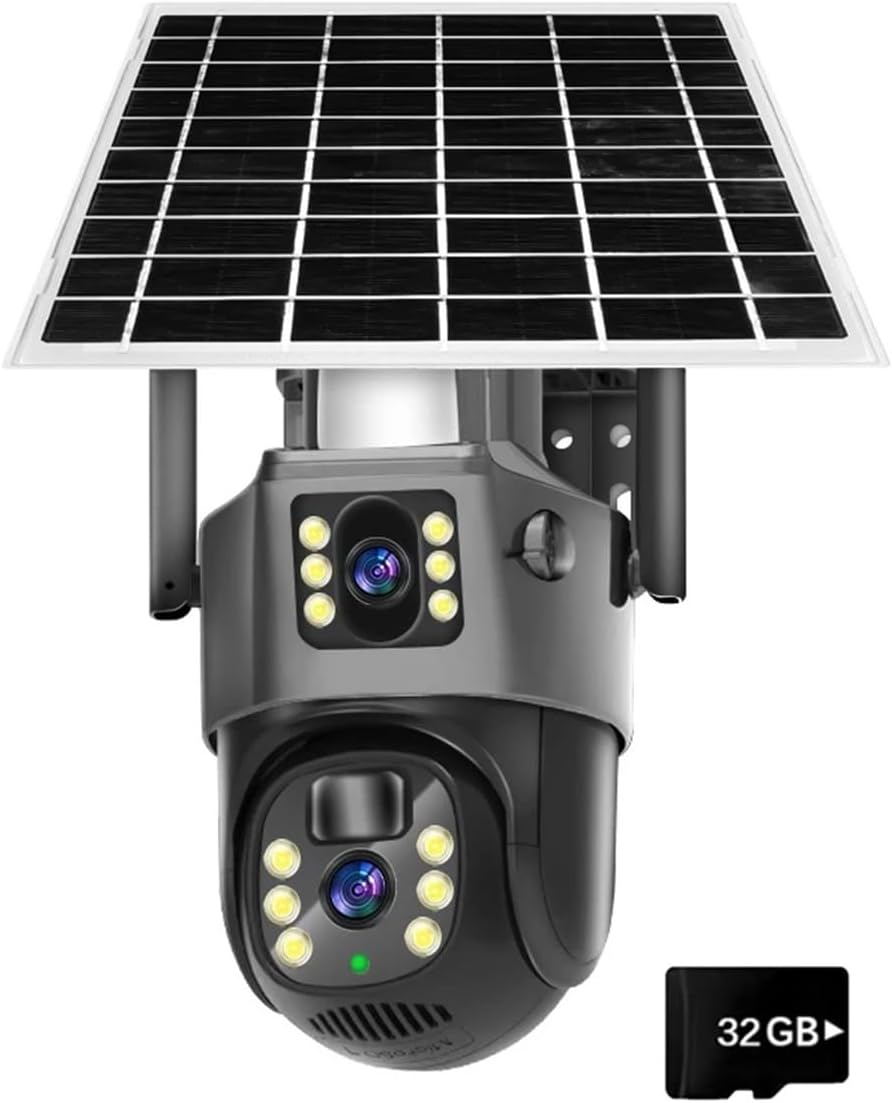
Figure 1: V380 PRO 4K 8MP Wireless CCTV Camera with integrated solar panel and included 32GB storage.
Setup Guide
1. Unboxing and Initial Inspection
- Carefully remove all components from the packaging.
- Verify that all parts are present and undamaged.
- Familiarize yourself with the camera unit, solar panel, and mounting accessories.
2. Charging the Camera
The V380 PRO camera is equipped with a solar panel for continuous charging. For initial setup or if the battery is completely depleted, it is recommended to fully charge the camera using a standard USB power adapter (not included) before installation.

Figure 2: The camera utilizes solar energy for efficient and continuous charging, reducing the need for traditional power sources.
3. App Download and Account Registration
- Download the "V380 PRO" application from your mobile device's app store (iOS App Store or Google Play Store).
- Open the app and follow the on-screen instructions to register a new account.
4. Camera Pairing
- Power on the camera.
- In the V380 PRO app, select "Add Device" and choose the appropriate camera model.
- Follow the in-app instructions to connect the camera to your Wi-Fi network. Ensure your Wi-Fi signal is strong at the installation location.
5. Mounting the Camera
Choose a suitable outdoor location that provides a clear view of the area you wish to monitor and receives ample sunlight for the solar panel.
- Mark the drilling points on the wall or mounting surface using the provided template.
- Drill holes and insert wall anchors if necessary.
- Secure the mounting bracket to the surface using screws.
- Attach the camera unit to the mounting bracket, ensuring it is firmly in place.
- Adjust the solar panel's angle to maximize sun exposure.
Operating Instructions
1. Live View and Remote Control
- Open the V380 PRO app and select your camera from the device list to access the live video feed.
- Use the on-screen controls to pan (355°) and tilt (90°) the camera lens, allowing for comprehensive area coverage.

Figure 3: Easily control the camera's pan (355°) and tilt (90°) movements via the mobile application for full coverage.
2. Motion Detection and Tracking
- The camera features intelligent motion detection. When motion is detected, the camera can automatically track the subject.
- Configure motion detection sensitivity and alert settings within the app. You can receive push notifications to your mobile device.
3. Two-Way Audio
- Utilize the built-in microphone and speaker for two-way communication.
- Tap the microphone icon in the live view to speak through the camera, and listen to audio from the camera's surroundings.

Figure 4: The two-way audio function allows for direct communication through the camera, useful for interacting with visitors or deterring intruders.
4. Night Vision Modes
The camera supports both color night vision and infrared (IR) night vision for clear monitoring in low-light conditions. The camera automatically switches modes based on ambient light.

Figure 5: Comparison of Color Night Vision (left) and IR Night Vision (right) capabilities, ensuring clear visibility day and night.
5. Video Recording and Playback
- The camera supports local storage via a microSD card (32GB included).
- Recorded footage can be accessed and played back directly through the V380 PRO app.
- Configure recording settings, such as continuous recording or motion-triggered recording, in the app.
Maintenance
- Cleaning: Periodically wipe the camera lens and solar panel with a soft, damp cloth to remove dust, dirt, or debris. Ensure the solar panel is clean for optimal charging efficiency.
- Firmware Updates: Check the V380 PRO app regularly for available firmware updates. Keeping your camera's firmware up-to-date ensures improved performance, new features, and enhanced security.
- Connection Check: Occasionally verify the camera's Wi-Fi connection strength in the app to ensure stable operation.
- Physical Inspection: Inspect the mounting hardware and cables (if any) for any signs of wear or damage, especially after severe weather conditions.
Troubleshooting
| Problem | Possible Cause | Solution |
|---|---|---|
| Camera not powering on/charging. | Insufficient sunlight; battery depleted; faulty connection. | Ensure solar panel is in direct sunlight. Fully charge via USB if needed. Check all connections. |
| Cannot connect to Wi-Fi. | Incorrect Wi-Fi password; camera too far from router; router issues. | Verify Wi-Fi password. Move camera closer to router or use a Wi-Fi extender. Restart router. |
| Poor image quality. | Dirty lens; low light; network bandwidth issues. | Clean the camera lens. Ensure adequate lighting for color night vision. Check network speed. |
| Motion detection not working. | Sensitivity too low; detection zone not set; obstructions. | Adjust motion detection sensitivity in the app. Define detection zones. Clear any obstructions. |
| Two-way audio issues. | Microphone/speaker blocked; app permissions; network delay. | Ensure microphone/speaker are clear. Grant app audio permissions. Check network stability. |
Specifications
The following table outlines the key technical specifications for the QDVOPHZA V380 PRO 4K 8MP Wireless CCTV Camera:
| Feature | Detail |
|---|---|
| Model Number | V380-PS8-black (w0u5903wei) |
| Resolution | 8.0 Megapixels (4K) |
| Lens | 3.6mm |
| Connectivity | WIFI |
| Pan/Tilt Angle | Pan: 355°, Tilt: 90° |
| Night Vision | Color Night Vision, IR Night Vision |
| Audio | Two Way Audio (Built-in microphone and speaker) |
| AI Functions | Motion Detection, Intelligent Tracking |
| IP Rating | IP66 Waterproof (Suitable for indoor and outdoor) |
| Power Source | Solar Power, Battery |
| Shell Material | Plastic |
| Storage | Supports MicroSD card (32GB included) |
| Item Weight | 1.76 ounces (50 Grams) |
| Package Dimensions | 1.18 x 0.79 x 0.39 inches |
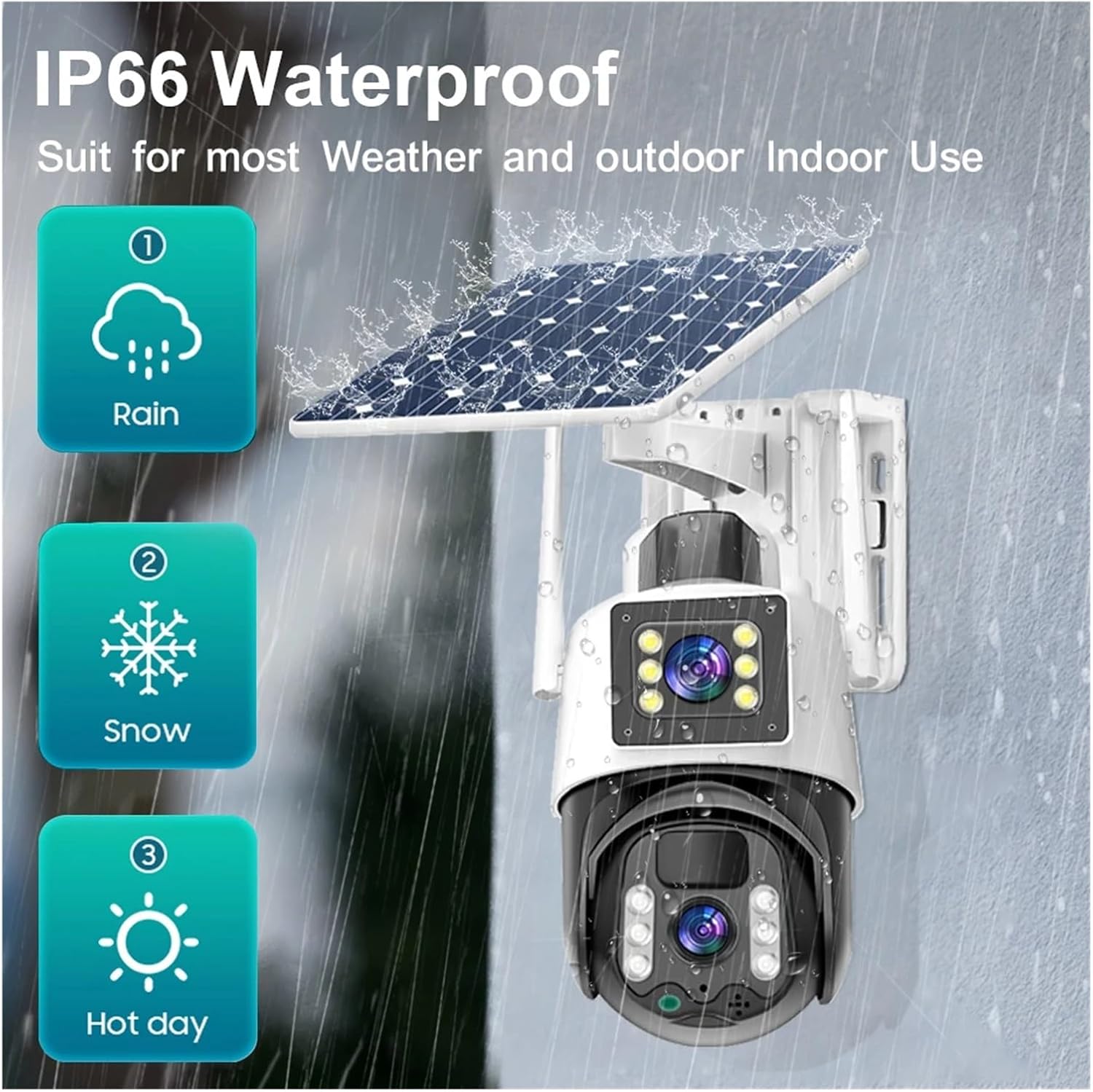
Figure 6: The IP66 waterproof rating ensures the camera's durability against rain, snow, and hot weather conditions.
Warranty and Support
For specific warranty information and terms, please refer to the documentation included with your product packaging or visit the official QDVOPHZA website.
If you encounter any issues not covered in this manual or require further assistance, please contact QDVOPHZA customer support through their official channels.
no relevant documents