
Introduction
Thank you for choosing the V380 PRO 4K 8MP Wireless CCTV Camera. This solar-powered IP security monitoring camera is designed to provide high-definition surveillance for both indoor and outdoor environments. With its advanced features like 4K 8MP resolution, intelligent motion tracking, 360-degree rotation, two-way audio, and IP66 waterproof rating, it offers comprehensive security and peace of mind. This manual will guide you through the setup, operation, and maintenance of your new camera.
Product Overview
The V380 PRO camera integrates cutting-edge technology to deliver superior surveillance capabilities. Below are key components and features.

Figure 1: V380 PRO 4K 8MP Wireless CCTV Camera with integrated solar panel and included 128GB storage card. This image shows the main unit, solar panel, and a microSD card.
Key Features:
- 4K 8MP Ultra HD Resolution: Provides clear, detailed images and videos, allowing for precise identification of subjects.
- Solar Power Supply: Equipped with efficient solar panels for continuous operation, reducing reliance on traditional power sources and enabling flexible installation.
- Intelligent Motion Tracking: Automatically detects and tracks movement from humans, animals, or vehicles, ensuring no suspicious activity goes unnoticed.
- 360-Degree Rotation (Pan & Tilt): Offers a wide field of view with remote control via the mobile application, eliminating blind spots.
- IP66 Waterproof Rating: Designed to withstand various weather conditions, including heavy rain, snow, and extreme sunlight, for reliable outdoor performance.
- Two-Way Audio: Built-in microphone and speaker allow for real-time communication through the camera.
- Color and IR Night Vision: Provides clear monitoring in low-light conditions, with options for both full-color and infrared night vision.

Figure 2: Illustration of the camera's pan (355°) and tilt (90°) rotation capabilities, controllable via a mobile phone application.

Figure 3: Diagram illustrating the solar energy feature, highlighting fast absorption, high conversion, and fast charging from sunlight.

Figure 4: Comparison of Color Night Vision and IR Night Vision modes, demonstrating clearer monitoring at night.
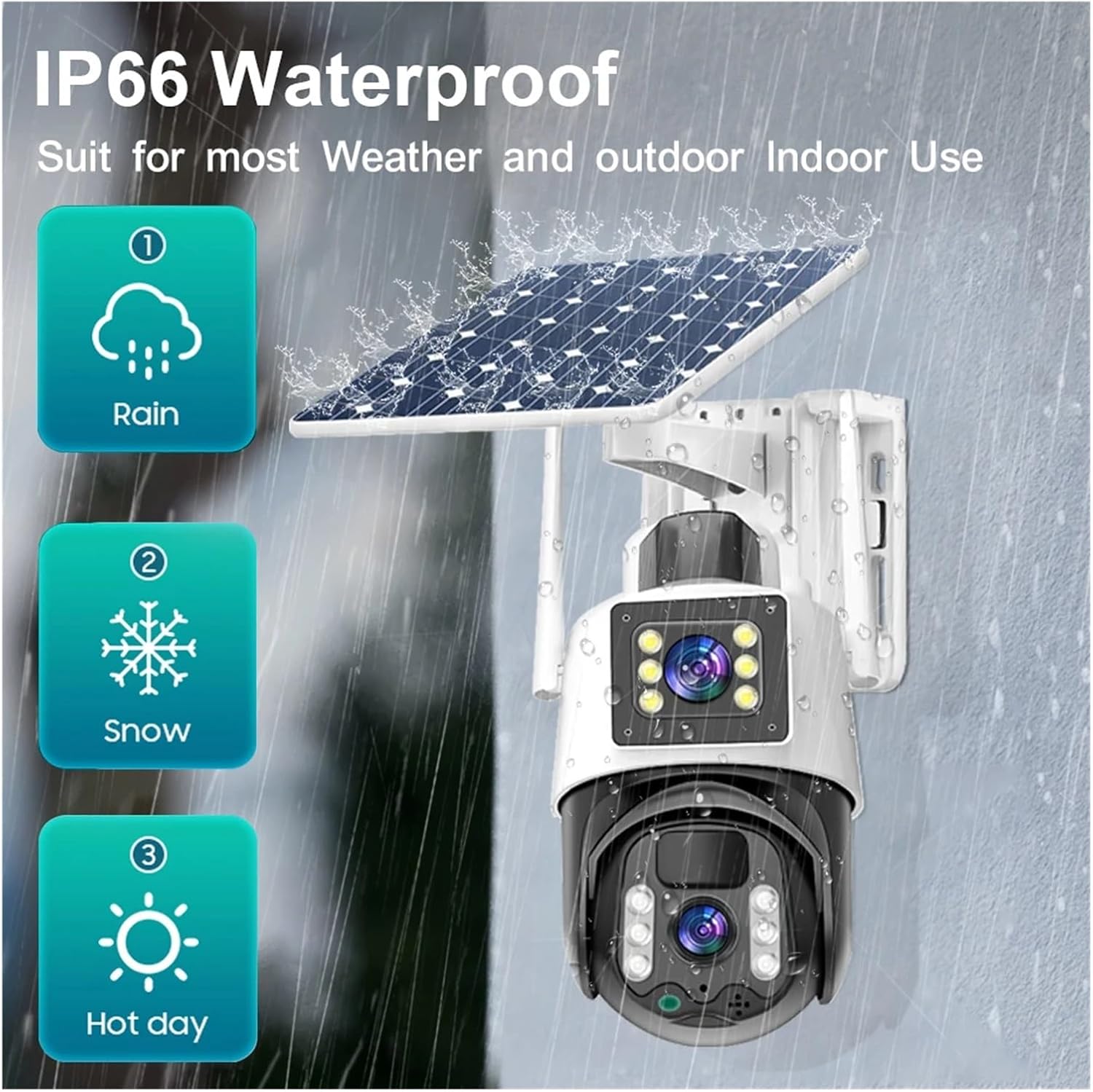
Figure 5: Visual representation of the IP66 Waterproof rating, indicating suitability for various weather conditions including rain, snow, and hot days.

Figure 6: Depiction of the Two-way Audio feature, showing how the built-in microphone and speaker enable communication with visitors or delivery personnel.
Specifications
| Attribute | Detail |
|---|---|
| AI Functions | Motion Detection |
| Shell Material | Plastic |
| Color Night Vision | YES |
| IP Rating | IP66 |
| Scene | Indoor and outdoor |
| Megapixels | 8MP |
| Audio Output | Two Way Audio |
| Model Number | V380-PS8-black (Note: Product is white, model number might refer to a series) |
| Lens (mm) | 3.6mm |
| Connectivity | WIFI |
| High Definition | 8.0 Megapixels |
| Style | Dome Camera (Note: Product appears to be a bullet/PTZ style, not a traditional dome) |
| Item Weight | 1.76 ounces (50 Grams) |
| Package Dimensions | 1.18 x 0.79 x 0.39 inches |
Note: Some specifications like "Model Number" and "Style" might be generic descriptions from the manufacturer and may not perfectly match the visual appearance or specific variant.
Setup Guide
Follow these steps to set up your V380 PRO camera.
- Charge the Camera: Although solar-powered, it is recommended to fully charge the camera using a USB power adapter (not included) before initial use to ensure optimal battery performance.
- Insert SD Card: Locate the SD card slot (usually under a protective cover) and insert the provided 128GB microSD card. Ensure it clicks into place.
- Download V380 PRO App: Search for "V380 PRO" in your mobile device's app store (iOS App Store or Google Play Store) and download the official application.
- Register Account: Open the V380 PRO app and register a new user account.
- Add Device: In the app, tap the "+" icon to add a new device. Select "Add Camera" or "Scan QR Code" if available on the camera. Follow the on-screen instructions to connect the camera to your Wi-Fi network. Ensure your Wi-Fi is 2.4GHz.
- Mount the Camera: Choose a suitable outdoor location with ample sunlight exposure for the solar panel. Use the provided mounting bracket and screws to securely attach the camera to a wall or pole. Ensure the solar panel is angled to receive maximum direct sunlight throughout the day.
- Adjust Angle: Once mounted, use the app to adjust the camera's pan and tilt angles to cover your desired monitoring area.
Operating Instructions
Maximize the functionality of your V380 PRO camera with these operating tips.
Live View and Playback:
- Open the V380 PRO app and select your camera from the device list to access the live view.
- Use the on-screen controls to pan, tilt, and zoom the camera.
- Tap the "Playback" or "History" icon to review recorded footage stored on the SD card.
Motion Detection and Alerts:
- Navigate to the camera settings within the app.
- Enable "Motion Detection" and adjust sensitivity levels as needed.
- Configure alert notifications (push notifications, email alerts) to receive instant warnings of detected activity.
- The camera will automatically track detected motion within its field of view.
Two-Way Audio:
- While in live view, tap the microphone icon to speak through the camera's speaker.
- Ensure your phone's microphone is enabled for the app.
- The camera's built-in microphone will capture audio from the monitored area.
Night Vision Modes:
- The camera automatically switches between day and night modes.
- In settings, you may find options to prefer "Color Night Vision" (if ambient light is sufficient) or "IR Night Vision" for clearer black and white images in complete darkness.
Maintenance
Regular maintenance ensures the longevity and optimal performance of your camera.
- Clean the Lens and Solar Panel: Periodically wipe the camera lens and solar panel with a soft, damp cloth to remove dust, dirt, or debris. A clean solar panel ensures efficient charging.
- Check Mounting: Regularly inspect the mounting bracket and screws to ensure the camera remains securely attached, especially after strong winds or storms.
- Software Updates: Check the V380 PRO app for firmware updates. Keeping the camera's software up-to-date can improve performance, add features, and enhance security.
- Battery Health: While solar-powered, extreme prolonged cloudy weather might affect battery levels. Monitor battery status via the app and consider temporary manual charging if necessary.
- SD Card Management: The camera will typically overwrite old footage when the SD card is full. Periodically back up important recordings and consider formatting the SD card through the app every few months to maintain performance.
Troubleshooting
If you encounter issues, refer to the following common problems and solutions.
| Problem | Possible Cause / Solution |
|---|---|
| Camera offline / Cannot connect to Wi-Fi |
|
| Poor image quality |
|
| Motion detection not working or too sensitive |
|
| Battery not charging via solar panel |
|
| No audio or poor audio quality |
|
Warranty and Support
For warranty information and technical support, please refer to the documentation included with your purchase or contact the seller directly.
Seller: w0u5903wei
For specific inquiries, please reach out through the platform where you purchased the product.