
saryasmart DM35TEQ/P-2/20
DIY Electric Blinds/Shades Tubular Motor Instruction Manual
Model: DM35TEQ/P-2/20 | Brand: saryasmart
Introduction
This manual provides detailed instructions for the installation, operation, and maintenance of your saryasmart DIY Electric Blinds/Shades Tubular Motor, Model DM35TEQ/P-2/20. This product is designed to motorize your existing roller blinds and window shades, offering convenience and smart control.
The package includes a rechargeable blind motor, a remote control, a charging cable, and a mounting bracket kit.
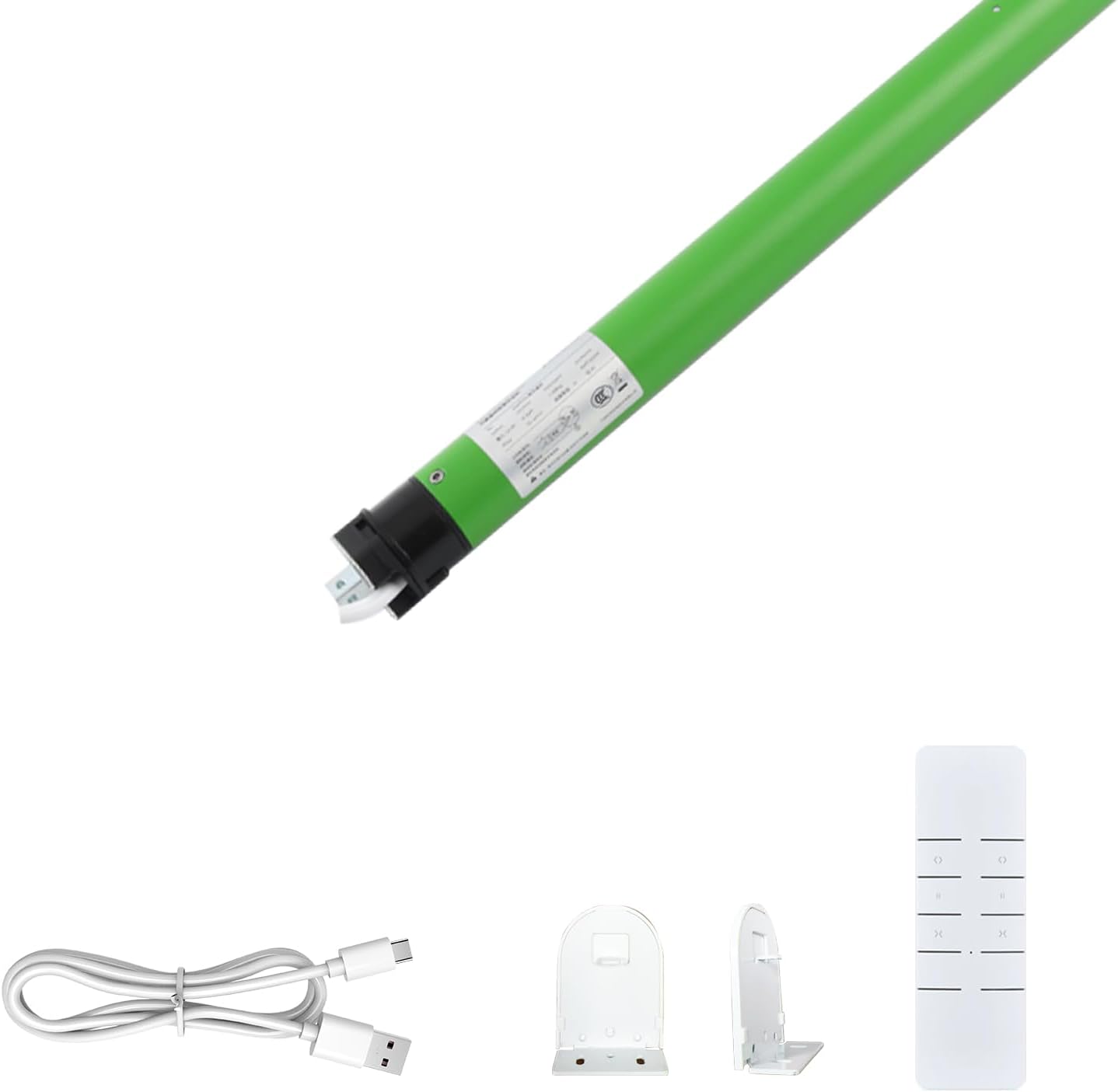
Image: Overview of included components: tubular motor, remote control, charging cable, and mounting brackets.
Package Contents
Verify that all items listed below are present in your package:
- 1 x Rechargeable Shade Motor (DM35TEQ/P-2/20)
- 1 x Remote Control
- 1 x Charging Cable
- 1 x Set of Mounting Brackets

Image: Visual representation of the package contents.
Specifications
| Feature | Detail |
|---|---|
| Product Model | DM35TEQ/P-2/20 |
| Wireless Frequency | 433.92 MHz |
| Rated Voltage | 110-240 V |
| Working Temperature | -10 to 55 ℃ (14 to 131 ℉) |
| Motor Tube Diameter | 35 mm (1.4 inches) |
| Overall Length | 570 mm (22.7 inches) |
| Compatibility | Horizontal blinds, electric roller blinds, mini blinds. Not compatible with aluminum blinds or vertical blinds. |
| Power Source | Rechargeable battery, supports USB charger/power bank (included cable) or optional solar charging. |

Image: Detailed specifications and dimensions of the tubular motor.
Setup and Installation
This motor is designed for DIY installation to convert your existing roller shades to motorized operation. Ensure your shade tube size is compatible with the 35mm motor diameter.
Converting Roller Shades to Motorized
- Remove the Chain Drive: Carefully unclip your blind and remove the existing chain drive mechanism from your roller shade.
- Measure Shade Tube Size: Use a steel ruler or caliper to accurately measure the inner diameter of your shade tube. Ensure it is suitable for a 35mm motor.
- Insert the Motor: Insert the saryasmart tubular motor into the shade tube. Line up your adapter and the tube profile correctly.
- Hang Shade and Program Motor: Re-hang your motorized shade. Proceed to program the motor with the remote control for desired upper and lower limits and operation.

Image: Step-by-step guide for converting manual roller shades to motorized.
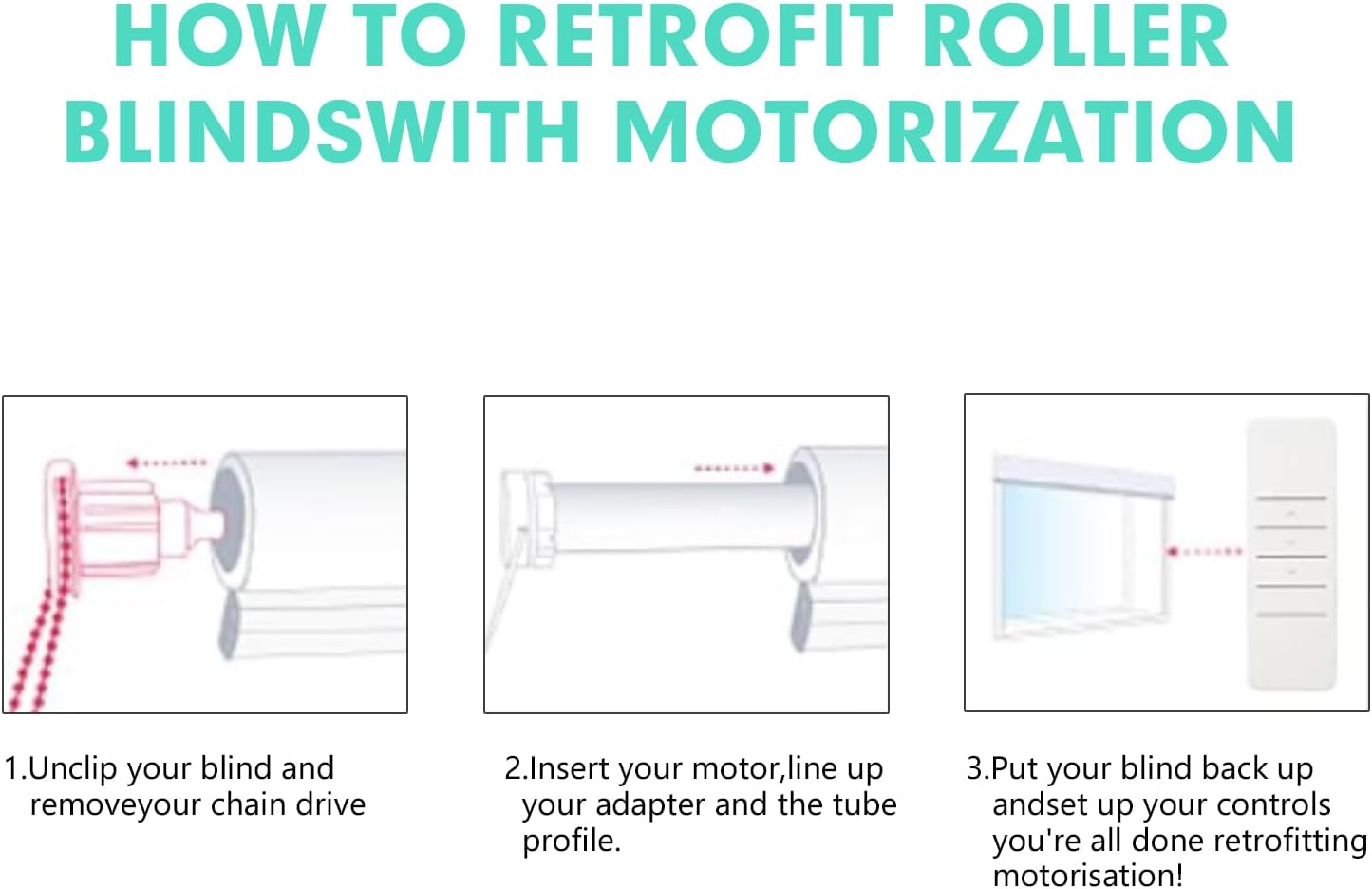
Image: Visual instructions for retrofitting roller blinds with the motor.
Operating Instructions
The saryasmart tubular motor can be operated directly via the included remote control. It supports easy opening and closing, ideal for hard-to-reach windows.
Remote Control Operation
Use the remote control to raise, lower, and stop your motorized blinds. Refer to the remote control's specific instructions for pairing and setting limits (not detailed here, but typically involves pressing specific buttons in sequence to set upper and lower travel limits).
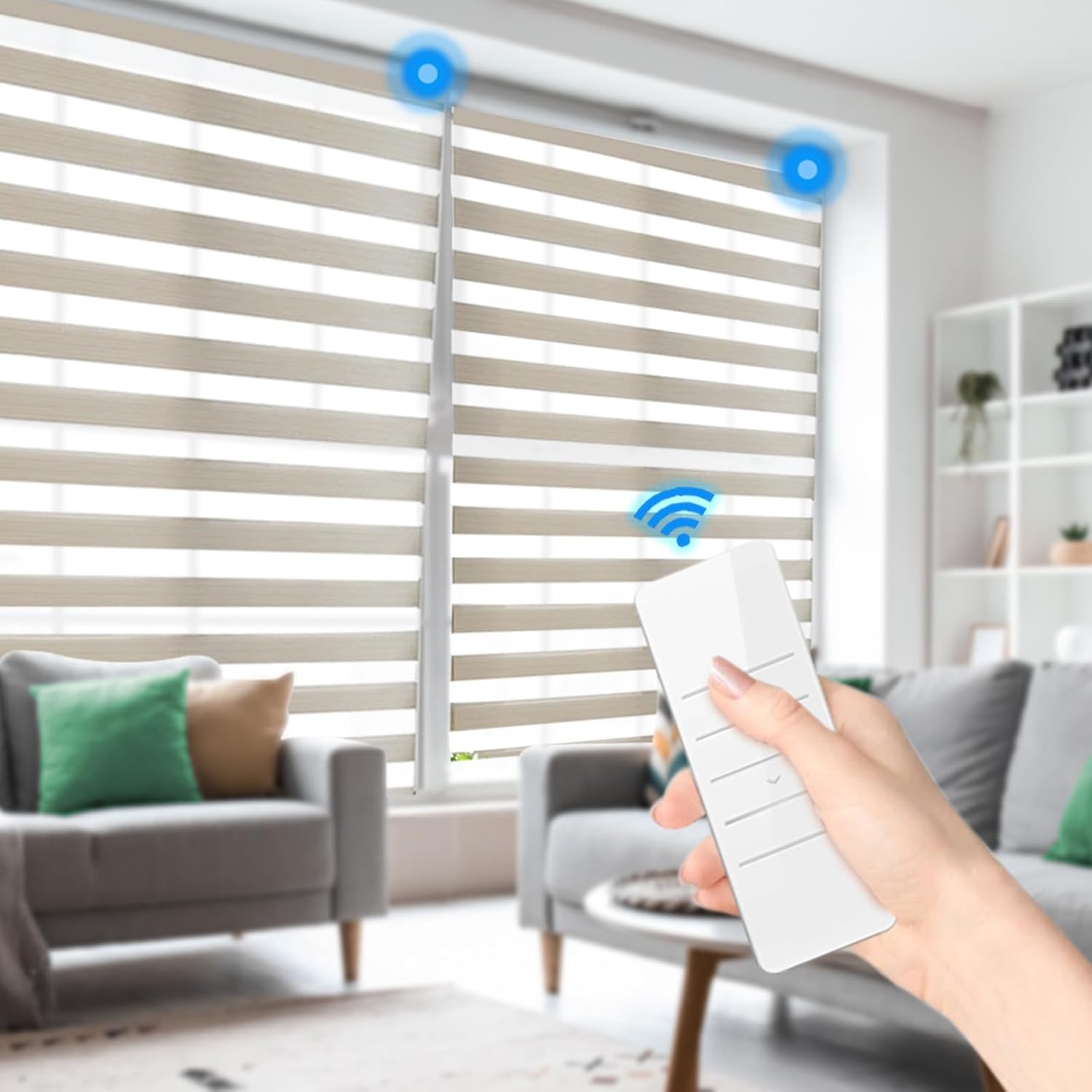
Image: Demonstrates the use of the remote control to operate the motorized blinds.
Smart Features (if applicable)
While the primary control is via remote, this motor supports features such as Mobile App Control and Schedule Open/Close functions. These advanced features typically require integration with a compatible smart home hub or gateway (sold separately) and a dedicated mobile application. Consult the documentation provided with your smart home system for setup and usage of these features.
Maintenance and Charging
Regular maintenance ensures the longevity and optimal performance of your tubular motor.
Charging the Motor
The motor is equipped with a rechargeable battery. When the battery level is low, connect the included charging cable to the motor's charging port and to a USB power source (e.g., USB charger or power bank). The motor is designed for solar charging compatibility, which can eliminate the need for manual recharging if an optional solar panel is installed.
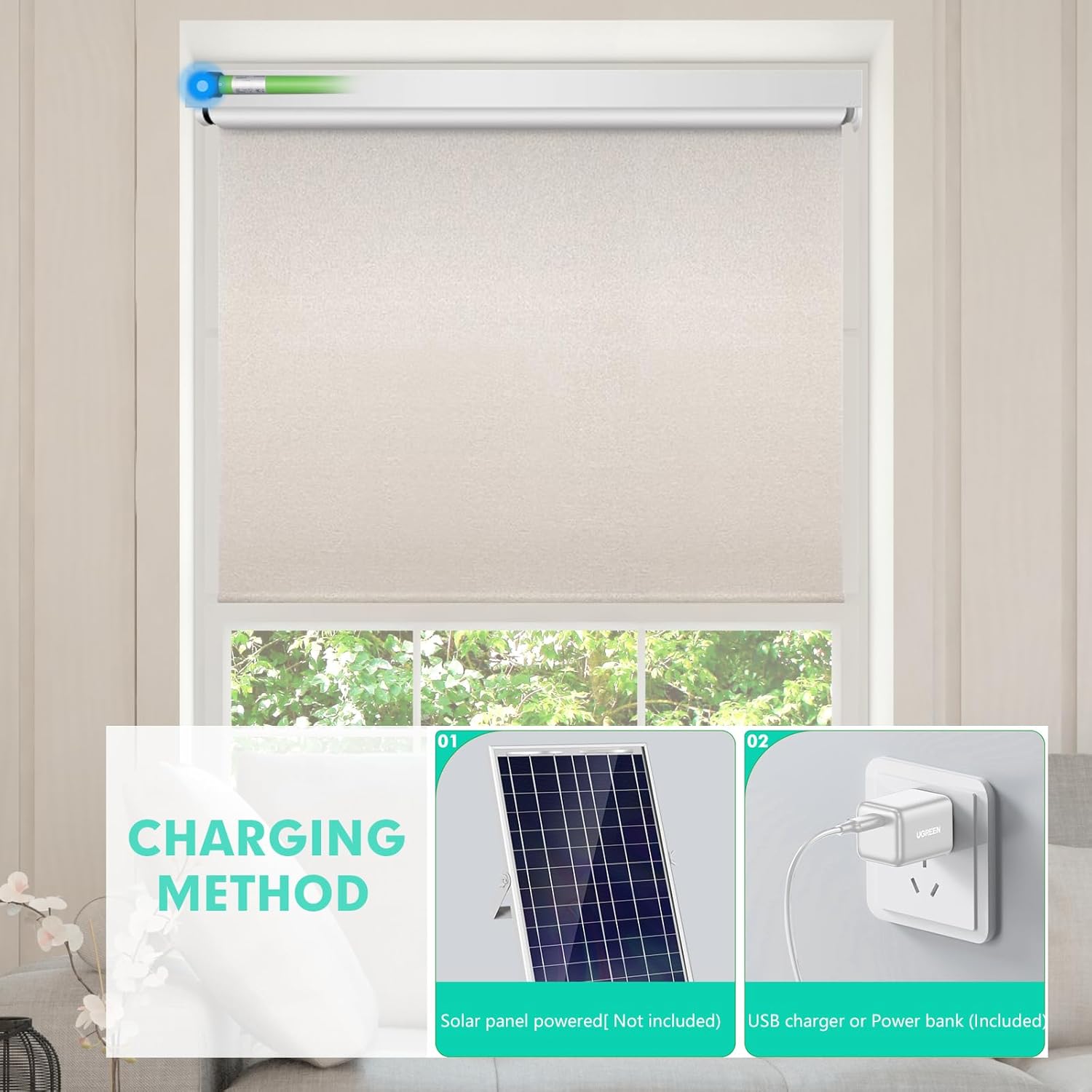
Image: Charging methods for the motor, including USB and optional solar charging.
General Care
- Keep the motor and remote control dry and away from excessive moisture.
- Do not expose the motor to extreme temperatures outside its specified working range (-10 to 55 ℃).
- Clean the exterior of the motor and remote with a soft, dry cloth. Do not use abrasive cleaners or solvents.
- Ensure the blind mechanism operates smoothly without obstruction to prevent strain on the motor.
Troubleshooting
If you encounter issues with your saryasmart tubular motor, refer to the following common problems and solutions:
| Problem | Possible Cause | Solution |
|---|---|---|
| Motor does not respond to remote. | Low battery in motor or remote; remote not paired; motor limits not set. | Charge the motor. Check/replace remote battery. Re-pair remote with motor. Set upper and lower limits. |
| Blind stops unexpectedly. | Obstruction; motor overheating; low battery. | Check for obstructions. Allow motor to cool down. Charge the motor. |
| Motor makes unusual noise. | Misalignment; internal issue. | Ensure motor is properly seated in the tube. If noise persists, contact support. |
| Remote control range is poor. | Interference; low remote battery; distance. | Reduce distance between remote and motor. Check/replace remote battery. Minimize electronic interference. |
If the problem persists after attempting these solutions, please contact saryasmart customer support.
Warranty and Support
For warranty information and technical support, please refer to the official saryasmart website or contact their customer service directly. Keep your purchase receipt as proof of purchase for warranty claims.
Manufacturer: saryasmart
ASIN: B0DNWDZQGC
Seller: FuJing US (on Amazon)
For further assistance, you may visit the saryasmart Store on Amazon.
Ask a question about this manual
Ask about setup, troubleshooting, compatibility, parts, safety, or missing instructions. Manuals+ will review the question and use this page’s manual context to help answer it.